Detailed Feature Specifications
1. User Management
1.1 User Profile
- Creation and authentication of user profiles
- Profile categorization as "advocate" or "creator"
- Multi-device profile access using credentials
- Integration with hREA agents
- Custom Holochain zome for profile management
1.2 Profile Links
Users can be linked to:
- Agents
- Organizations
- Requests
- Offers
- Projects
- Service Types
1.3 User Entry Structure
The User entry represents profiles within hAppenings.community, supporting:
- Single user profiles
- Multi-device profile sharing
- Personalized experiences
- Community interactions
User Entry Structure (Current Implementation)
#![allow(unused)]
fn main() {
pub struct User {
  /// User's display name
  pub name: String,
  /// User's chosen nickname/handle
  pub nickname: String,
  /// Brief biographical description
  pub bio: String,
  /// Optional profile picture (serialized bytes)
  pub picture: Option<SerializedBytes>,
  /// User classification: 'advocate' or 'creator'
  pub user_type: String,
  /// Contact email address
  pub email: String,
  /// Optional phone number
  pub phone: Option<String>,
  /// User's time zone
  pub time_zone: String,
  /// Geographic location
  pub location: String,
}
}
User Fields Description
name: User's full display name for the platformnickname: Chosen handle or shorter identifierbio: (String, max 1000 chars) Personal description, skills, interests, and background (supports markdown)picture: Optional profile image stored as serialized bytesuser_type: Either "advocate" (community supporter) or "creator" (service provider)email: Primary contact email for notifications and communicationsphone: Optional phone number for alternative contacttime_zone: User's time zone for scheduling and coordinationlocation: Geographic location for local coordination and meetups
Links
- UserUpdates: User create header → update headers
- UserAgents: User → agent (index of associated agents)
- AllUsers: Link to
usersanchor (global user index) - MyUser: Current agent → user
- UserRequests: User → requests (index)
- UserOffers: User → offers (index)
- UserProjects: User → projects (index)
- UserOrganizations: User → organizations (index)
- UserServiceTypes: User → service types (index)
2. Projects and Organizations
2.1 Projects
Projects are organizations classifiedAs Project in hREA.
Project Features
- Creation by organizations or users
- Specific requirements and status tracking
- Team member management
- Category classification
Project Status Flow

Project Types
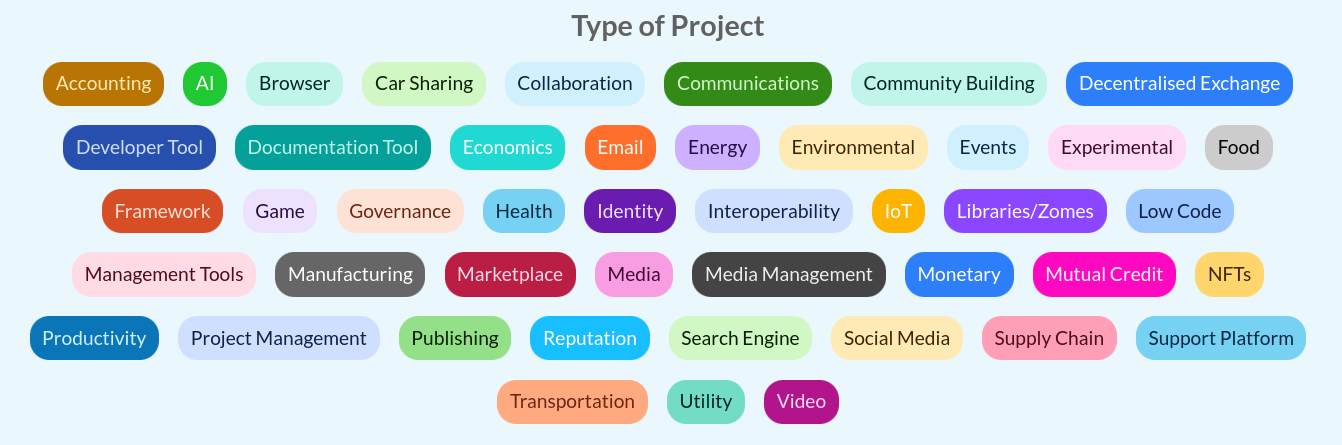
Project Links
- AllProjects: Link to
projectsanchor - ProjectCoordinators: Project → coordinators
- ProjectContributors: Project → contributors
- ProjectCategories: Project → categories
- ProjectRequests: Project → requests
- ProjectOffers: Project → offers
2.2 Organizations
Organizations are agents classifiedAs Organization in hREA.
Organization Entry Structure (Current Implementation)
#![allow(unused)]
fn main() {
pub struct Organization {
  /// Organization's official name
  pub name: String,
  /// Detailed description of the organization
  pub description: String,
  /// Optional organization logo/image
  pub picture: Option<SerializedBytes>,
  /// Organization's contact email
  pub email: String,
  /// Optional phone number
  pub phone: Option<String>,
  /// Website URL
  pub website: String,
  /// Geographic location
  pub location: String,
}
}
Organization Fields Description
name: Official organization namedescription: (String, max 1000 chars) Detailed description of the organization's mission, activities, and focus (supports markdown)picture: Optional organization logo or representative imageemail: Primary contact email for the organizationphone: Optional phone number for contactwebsite: Organization's website URLlocation: Geographic location or area of operation
Organization Features
- User-created entities
- Project management capabilities
- Member management
- Category classification
Organization Links
- AllOrganizations: Link to
organizationsanchor - OrganizationCoordinators: Organization → coordinators
- OrganizationMembers: Organization → members
- OrganizationContacts: Organization → contact person (tag = role)
- OrganizationProjects: Organization → projects
- OrganizationCategories: Organization → categories
- OrganizationRequests: Organization → requests
- OrganizationOffers: Organization → offers
2.4 Contact Person Designation
Organizations can designate a single coordinator as their public-facing contact person.
Features
- Single contact per organization: Setting a new contact replaces the previous one
- Coordinator-only: Only coordinators can be designated as the contact person
- Role/title: Free-text field for the contact's role (e.g. Director, President)
- Auto-cleanup: Contact links removed automatically when the contact leaves, is removed, or the organization is deleted
- Optional during creation: Creator can set themselves as contact during organization creation
Contact Functions
set_organization_contact: Set or replace the contact person with a roleremove_organization_contact: Remove the current contact personget_organization_contact: Retrieve the contact person and their roleis_organization_contact: Check if a user is the contact person
2.3 Coordinator Management
Responsibilities
- Project/Organization representation
- Organization/Project profile management
- Member invitation and approval
- Request/Offer management on behalf of the organization/project
Features
- Network administrator approval required
- Organization/Project profile customization (description, type, skills needed, etc.)
- Request/Offer creation capabilities for the organization/project
- Member invitation and approval management
3. Requests and Offers
3.1 Core Functionality
- hREA integration for economic activities
- Request creation linked to projects/organizations/service types
- Offer creation linked to requests/projects
- Implementation as hREA
intentsandproposals
3.2 Request System
Request Entry Structure (Current Implementation)
#![allow(unused)]
fn main() {
pub struct Request {
  /// The title of the request
  pub title: String,
  /// A detailed description of the request
  pub description: String,
  /// The contact preference for the request
  pub contact_preference: ContactPreference,
  /// The date range for the request
  pub date_range: Option<DateRange>,
  /// The estimated time in hours to complete the request
  pub time_estimate_hours: Option<f32>,
  /// The preferred time of day for the request
  pub time_preference: TimePreference,
  /// The time zone for the request
  pub time_zone: Option<TimeZone>,
  /// The exchange preference for the request
  pub exchange_preference: ExchangePreference,
  /// The interaction type for the request
  pub interaction_type: InteractionType,
  /// Generic links related to the request
  pub links: Vec<String>,
}
}
Supporting Enums and Types
#![allow(unused)]
fn main() {
pub enum ContactPreference {
  Email,
  Phone,
  Other(String),
}

pub enum ExchangePreference {
  Exchange,
  Arranged,
  PayItForward,
  Open(),
}

pub enum InteractionType {
  Virtual,
  InPerson,
}

pub enum TimePreference {
  Morning,
  Afternoon,
  Evening,
  NoPreference,
  Other(String),
}

pub struct DateRange {
  pub start: Option<Timestamp>,
  pub end: Option<Timestamp>,
}

pub type TimeZone = String;
}
Note: Service Types integration is handled through separate linking mechanisms rather than direct embedding in the Request structure. The Service Types system provides tag-based discovery and categorization.
Request Features
- Creation: By individual users or organizations
- Validation: Title and description are required; description limited to 1000 characters
- Lifecycle: Full status tracking, update, and deletion capabilities
- Service Type Integration: Linked through separate mechanisms for flexible categorization
Current Field Descriptions:
title: (String) The title of the request - required fielddescription: (String, max 1000 chars) A detailed description of the request (supports markdown) - required fieldcontact_preference: (ContactPreference enum) How the requester prefers to be contacted (Email, Phone, Other)date_range: (Optional DateRange) Timeframe when the service is needed with start/end timestampstime_estimate_hours: (Optional f32) Estimated time in hours to complete the requesttime_preference: (TimePreference enum) Preferred time of day (Morning, Afternoon, Evening, NoPreference, Other)time_zone: (Optional String) Requester's time zoneexchange_preference: (ExchangePreference enum) How the requester prefers to reciprocate (Exchange, Arranged, PayItForward, Open)interaction_type: (InteractionType enum) Whether virtual or in-person interactionlinks: (Vec) Generic links for extensibility and integration
Service Types Integration: Service types are linked to requests through separate linking mechanisms rather than direct embedding, enabling flexible categorization and tag-based discovery.
Request Links
- AllRequests: Links to
requestsanchor (global request index) - UserRequests: User → requests created by that user
- OrganizationRequests: Organization → requests associated with it
- RequestCreator: Request → its creator user profile
- RequestOrganization: Request → its associated organization (if any)
- RequestUpdates: Original request action → update actions
- RequestServiceTypes: Request → linked approved service types
3.3 Offer System
Offer Entry Structure (Current Implementation)
#![allow(unused)]
fn main() {
pub struct Offer {
  /// The title of the offer
  pub title: String,
  /// A detailed description of the offer
  pub description: String,
  /// The preferred time of day for the offer
  pub time_preference: TimePreference,
  /// The time zone for the offer
  pub time_zone: Option<TimeZone>,
  /// The exchange preference for the offer
  pub exchange_preference: ExchangePreference,
  /// The interaction type for the offer
  pub interaction_type: InteractionType,
  /// Generic links related to the offer
  pub links: Vec<String>,
}
}
Note: Service Types integration is handled through separate linking mechanisms rather than direct embedding in the Offer structure. The Service Types system provides tag-based discovery and categorization. Offers use the same supporting enums and types as Requests (see above).
Offer Features
- Creation: By individual users or organizations
- Validation: Title and description are required; description limited to 1000 characters
- Lifecycle: Full status tracking, update, and deletion capabilities
- Service Type Integration: Linked through separate mechanisms for flexible categorization
Current Field Descriptions
title: (String) The title of the offer - required fielddescription: (String, max 1000 chars) A detailed description of the offer (supports markdown) - required fieldtime_preference: (TimePreference enum) Preferred time of day (Morning, Afternoon, Evening, NoPreference, Other)time_zone: (Optional String) Offerer's time zoneexchange_preference: (ExchangePreference enum) How the offerer prefers to reciprocate (Exchange, Arranged, PayItForward, Open)interaction_type: (InteractionType enum) Whether virtual or in-person interactionlinks: (Vec) Generic links for extensibility and integration
Service Types Integration: Service types are linked to offers through separate linking mechanisms rather than direct embedding, enabling flexible categorization and tag-based discovery.
Offer Links
- AllOffers: Links to
offersanchor (global offer index) - UserOffers: User → offers created by that user
- OrganizationOffers: Organization → offers associated with it
- OfferCreator: Offer → its creator user profile
- OfferOrganization: Offer → its associated organization (if any)
- OfferUpdates: Original offer action → update actions
- OfferServiceTypes: Offer → linked approved service types
- OfferRequests: Offer → requests it responds to (future enhancement)
3.4 Request-Offer Matching
Matching Process
- Manual matching in initial implementation
- Service Type-based discovery and matching:
- Direct service type alignment between requests and offers
- Tag-based discovery for related content
- Cross-entity navigation through shared service types
- Future algorithmic matching based on:
- Service type compatibility scoring
- Tag similarity analysis
- Availability/urgency compatibility
- User/organization preferences
Proposal Formation
- When a request and offer are matched, a proposal is formed
- Proposal represents the potential agreement between parties
- Both parties must confirm to create an agreement
- Agreement leads to commitments and economic events
Matching Links
- RequestOffers: Request → offers submitted to it
- OfferRequests: Offer → requests it's submitted to
- ProposalRequest: Proposal → originating request
- ProposalOffer: Proposal → originating offer
3.5 Exchange Completion & Feedback-Driven Fulfillment
POST-MVP FEATURE: The exchange completion and feedback system described below has been moved to post-MVP development. This functionality will be implemented after the simplified MVP has been validated with users.
Based on the hREA mapping and exchange process clarifications, the completion process implements a feedback-driven economic flow:
Feedback Process Workflow
- Work Completion: Service provider completes the committed work
- Feedback Request: Provider can request feedback from the recipient
- Feedback Provision: The agent who initiated the request (or accepted the offer) provides feedback
- Conditional Fulfillment: Economic events are created only if feedback is positive
- Resolution Process: Negative feedback triggers mediation before fulfillment
Feedback Rights and Responsibilities
- Feedback Providers:
- Agent who initiates a request (provides feedback on received service)
- Agent who accepts an offer (provides feedback on delivered outcome)
- Feedback Requesters:
- Agent performing work on a request
- Agent providing service from an offer
- Quality Assurance: Feedback acts as a quality gate for commitment fulfillment
Feedback Data Structure
interface FeedbackProcess {
  id: string;
  commitmentId: string;
  requesterId: AgentId; // Who can request feedback
  providerId: AgentId; // Who provides feedback
  status: "pending" | "requested" | "completed";
  feedback?: FeedbackEntry;
}

interface FeedbackEntry {
  rating: "positive" | "negative";
  comments: string;
  timestamp: Date;
  providedBy: AgentId;
}
Economic Event Creation
- Conditional Events: Economic events fulfill commitments only after positive feedback
- Quality Assurance: Negative feedback triggers resolution processes
- hREA Integration: Economic events properly fulfill hREA commitments and affect resources
- Dispute Resolution: Mediation mechanisms for negative feedback resolution
3.6 Types of Support Requested

4. Service Types and Tag-Based Discovery
4.1 Service Types System
Service Types are implemented as Resource Specifications in hREA, providing a comprehensive moderation workflow and tag-based discovery system for categorizing and organizing services, skills, and resources across the platform.
Core Features
- User Suggestions: Any authenticated user can suggest new service types via
suggest_service_type() - Admin Moderation: Complete workflow with pending, approved, and rejected states managed through dedicated admin functions
- Tag-Based Discovery: Comprehensive tagging system with path anchor indexing for efficient search and cross-entity discovery
- Cross-Entity Integration: Full integration with requests, offers, and discovery workflows through cross-zome linking
- Quality Assurance: Only approved service types can be used in new requests and offers, enforced at the zome level
Service Type Structure (Current Implementation)
#![allow(unused)]
fn main() {
pub struct ServiceType {
    pub name: String,        // E.g., "Web Development", "Graphic Design", "Childcare"
    pub description: String, // Detailed explanation of the service type (max 500 chars)
    pub tags: Vec<String>,   // Keywords for searchability, e.g., ["svelte", "rust", "holochain"]
}
}
Validation Rules
name: Required, non-empty, maximum 100 charactersdescription: Required, non-empty, maximum 500 characters (supports markdown)tags: Optional vector, individual tags normalized (lowercase, trimmed), no empty strings or duplicates
Status Management Workflow
Service Types follow a three-state validation workflow managed through path anchors:
Pending(service_types.status.pending): User-suggested service types awaiting admin reviewApproved(service_types.status.approved): Admin-approved service types available for use in requests/offersRejected(service_types.status.rejected): Admin-rejected service types with optional reasoning
Admin Functions
create_service_type(): Direct creation and immediate approval by administratorsapprove_service_type(): Approve pending service types, creates tag anchor linksreject_service_type(): Reject service types, triggers cross-zome cleanupupdate_service_type(): Update existing service types with tag link managementdelete_service_type(): Delete service types with comprehensive cleanup
4.2 Tag-Based Discovery System
Path Anchor Architecture
- Tag Anchors: Dynamic paths (
service_types.tags.{url_encoded_tag_string}) linking approved service types to specific tags - All Tags Anchor: Static path (
service_types.all_tags) maintaining unique tag registry - Cross-Zome Integration: Tag-based discovery extends to requests and offers through linking mechanisms
Discovery Functions
get_service_types_by_tag(): Retrieve approved service types for a specific tagget_service_types_by_tags(): AND logic search across multiple tagsget_all_unique_tags(): List all tags currently associated with approved service typessearch_tags_by_prefix(): Real-time tag suggestions with prefix matching for autocomplete
Tag Management Features
- Dynamic Tag Creation: Tags are created when service types are approved, automatically indexed
- Automatic Cleanup: Tag links removed when service types are rejected or deleted
- Orphan Detection: Automatic removal of tags no longer associated with any approved service types
- Cross-Entity Discovery: Find requests and offers through service type tag relationships
- Tag Statistics: Usage analytics and popularity metrics for tag cloud weighting
4.3 User Workflow
For General Users
- Suggest Service Types: Submit suggestions with name, description, and tags
- Browse Approved Types: View and search approved service types
- Tag-Based Discovery: Explore content through tag navigation
- Use in Requests/Offers: Select approved service types when creating content
For Administrators
- Review Suggestions: Access dedicated moderation interface for pending items
- Approve/Reject: Make decisions with optional reasoning
- Direct Creation: Create and immediately approve service types
- Bulk Operations: Manage multiple service types efficiently
- Analytics Dashboard: View usage statistics and system health metrics
4.4 UI Components and Pages
Public Interface Pages
- Service Types Listing (
/service-types): Browse and search approved service types with tag-based filtering - Service Type Details (
/service-types/[id]): Individual service type information with related requests/offers - Suggestion Form (
/service-types/suggest): User-facing suggestion interface with validation - Tag Discovery (
/tags/[tag]): Tag-based content discovery showing related requests, offers, and service types
Admin Interface Pages
- Admin Dashboard (
/admin/service-types): Complete management interface with statistics and bulk operations - Moderation Queue (
/admin/service-types/moderate): Dedicated pending suggestions review interface - Direct Creation (
/admin/service-types/create): Admin service type creation with immediate approval - Detail Management (
/admin/service-types/[id]): Individual item management with moderation actions
Core UI Components
ServiceTypeCard.svelte: Display component with status indicators, tags, and navigation actionsServiceTypeSelector.svelte: Multi-select component for forms with search and filtering capabilitiesServiceTypeSuggestionForm.svelte: Complete form for user suggestions with validation (500 char limits)ServiceTypeList.svelte: Filterable lists with status-based organization
Tag-Based Discovery Components
TagAutocomplete.svelte: Real-time tag suggestion with debounced search and prefix matchingTagCloud.svelte: Visual tag cloud weighted by popularity statisticsTagDetailsView.svelte: Comprehensive view showing all content associated with a specific tagTagNavigationBar.svelte: Navigation component for tag-based browsing with breadcrumbs
Admin Interface Components
ServiceTypeAdminDashboard.svelte: Complete dashboard for moderators with statistics and bulk operationsServiceTypeModerationCard.svelte: Specialized card for admin review workflow with approve/reject actions
4.5 Integration with Requests and Offers
Request Integration
- Service Selection: Choose from approved service types when creating requests
- Tag Discovery: Find related requests through service type tags
- Requirement Specification: Link requests to specific service type requirements
Offer Integration
- Capability Declaration: Specify offered services using approved service types
- Skill Matching: Match offers to requests based on service type alignment
- Tag-Based Promotion: Discover offers through service type tag navigation
4.6 Technical Implementation
Backend (Holochain Zomes)
- service_types_integrity: Entry definitions, validation rules, and link types
- service_types_coordinator: Business logic, moderation workflow, and external functions
- Cross-Zome Integration: Validation and cleanup coordination with requests/offers zomes
Frontend (SvelteKit + Effect TS)
- Service Layer: Effect TS-based service with dependency injection
- Store Management: Reactive Svelte stores with caching and event bus integration
- Component Library: Comprehensive UI components for all user interactions
- Type Safety: Complete TypeScript integration with Effect TS error handling
Performance Optimizations
- Path Anchor Indexing: Efficient tag-based queries and discovery
- Caching Strategy: Service and store-level caching with intelligent invalidation
- Lazy Loading: On-demand loading of large datasets with pagination support
- Event-Driven Updates: Real-time state synchronization across components
4.5 Reporting Features
User Reports
- Personal exchange history
- Monthly activity summaries
- Project contribution tracking
- Service Types utilization metrics
Administrative Reports
- Network activity metrics
- User verification status
- Project status tracking
- Exchange completion rates
- Moderation action logs
5. Search Functionality
5.1 Search Capabilities
Each major section includes search functionality:
User Search
- Name
- Service types (through associated requests/offers)
- Tags (from service type associations)
- Location
- Organizations
- Projects
Project Search
- Name
- Organization
- Status
- Service types (through associated requests/offers)
- Tags (from service type associations)
Organization Search
- Name
- Members
- Projects
- Service types (through associated requests/offers)
- Tags (from service type associations)
Request/Offer Search
- Service types (approved only)
- Tags (from associated service types)
- Status
- Associated project/organization
- Tag-based discovery and navigation
- Cross-entity search through service type relationships
6. Network Administration
6.0 Network Creation & Joining (Kangaroo)
The following UX is implemented in the Kangaroo (Electron) host app, not in the Svelte UI. It runs before the hApp is installed.
References: #5 (progenitor backend), #45 (integrity validation), #95 (full UX spec)
Splash Screen (first launch)
On first launch (no network installed), Kangaroo shows three options:
- Create Network — for community founders who want to start a new requests-and-offers network
- Join Network — for members who received an invite (DNA hash / QR code) from a founder
- Join Holochain Pilot — joins the pre-bundled community pilot network; no invite needed
Create Network Flow
- Kangaroo reads the agent pubkey from the conductor admin WebSocket API
- Installs the hApp with
DNA properties: { progenitor_pubkey: <agent_pubkey> } - Reads the resulting DNA hash from the conductor
- Displays the DNA hash as:
- A copyable string
- A QR code
- The founder shares this hash/QR with their community
The progenitor's pubkey is now cryptographically bound to the network. No one else can become progenitor (see integrity validation in #45).
Join Network Flow
- Member pastes the DNA hash or scans the QR code
- Kangaroo installs the hApp targeting that exact DNA hash
- Member is on the same DHT network as the founder
- Member creates a profile → standard pending user (no admin role)
Membership Model
- Open network: anyone with the correct DNA hash can join — no membrane proof required
- Admin role is controlled by explicit administrator delegation, not by joining order
Multi-Network Support
- A user may join multiple networks (e.g., their own community + the pilot)
- Kangaroo provides a network switcher (sidebar or header dropdown) listing all installed networks
- Switching networks changes the active DNA context without restarting the conductor
Pre-loaded Networks
| Network | How loaded | Progenitor |
|---|---|---|
| Holochain pilot | Pre-bundled DNA hash in Kangaroo build | Designated pilot operator |
| Test network | Tryorama DNA modifiers (dynamic pubkey) | Alice (test keypair) |
6.1 Core Administrative Features
- User and Organization verification
- Project verification
- Service Types Moderation: Complete workflow for reviewing, approving, and rejecting user-suggested service types
- Moderator role management
- Suspension system
- Flagging system
- Administrative inbox
6.2 User Interface
- Administration Dashboard
- User management interface
- Project/Organization management
- Service Types Moderation Interface: Dedicated tools for reviewing pending suggestions, bulk operations, and analytics
- Request/Offer moderation
- Tag-Based Discovery Tools: Administrative insights into tag usage, statistics, and content organization
- Search and reporting tools
7. Communication and Negotiation
7.1 Messaging System
POST-MVP FEATURE: The messaging system described below has been moved to post-MVP development. This functionality will be implemented after the simplified MVP has been validated with users.
- User-to-User Messaging: Allows users to communicate directly with one another, facilitating negotiations and discussions related to requests and offers.
- Administrative Communication: Provides a channel for users to send messages to network administrators through an inbox within the administration panel.
- Features:
- Direct messaging between users
- Negotiation support for requests/offers
- Administrative communication channel
- Message history tracking
- Agreement finalization support
7.2 Notification System
- Suspension Notifications: Users receive notifications about account suspension status and reasons
- Exchange Updates: Notifications for request/offer matches and updates
- Administrative Alerts: Important system and moderation notifications
- Recovery Notifications: Updates about account recovery process