Documentation
This directory contains comprehensive documentation for the Requests and Offers application.
Overview
- Quick Reference Guide - Essential commands, patterns, and workflows ⭐
- Project Overview - High-level introduction to the project
- Requirements - Project requirements and specifications
- Architecture - System architecture and design
- Technical Specifications - Detailed technical specifications
- Troubleshooting Guide - Common issues and solutions 🔧
- Work In Progress - Current development status
- Status - Project roadmap and milestone tracking
Technical Documentation
UI Architecture
- UI Structure - Overview of UI architecture
- Component Library - Component inventory and usage
- State Management - Svelte stores with Effect TS
- Services Layer - Backend communication
- UI Types and Schemas - Type system and validation
- Event Bus Pattern - Event-based communication
Backend Architecture
- Zome Details - Holochain zome implementation
- hREA Integration - Resource-Event-Agent integration
Development Guides
- Getting Started - First steps for new developers
- Installation - Setup instructions
- Contributing - Contribution guidelines
Project Overview
Introduction
The Requests and Offers project is a Holochain application (hApp) designed for the hAppenings.community. It facilitates connections within the Holochain ecosystem by providing a simplified bulletin board where users can:
- Post Requests for services, skills, or resources they need
- Create Offers to provide services, skills, or resources they can share
- Discover opportunities through search and tagging systems
- Connect directly through clearly displayed contact information
Key Features (Simplified MVP)
Service Types & Tag-Based Discovery System
- Dynamic Service Type Management: DHT-based service type entries with admin validation workflow
- Tag-Based Discovery: Comprehensive tagging system enabling efficient search across requests, offers, and service types
- Cross-Entity Discovery: Find related content through tag navigation (service types → requests/offers)
- Admin Moderation: Full approval/rejection workflow for user-suggested service types
- Autocomplete & Statistics: Real-time tag suggestions and usage analytics
Request Management
- Create detailed requests specifying what you need with service type integration
- Set preferences for communication, timing, and exchange type
- Link requests to service types for better categorization and discovery
- Tag-based filtering and search capabilities
Offer Management
- Create comprehensive offers detailing what you can provide with service type integration
- Specify availability, skills, and interaction preferences
- Connect offers to service types for improved discoverability
- Tag-based filtering and search capabilities
User & Organization Profiles
- Individual user profiles with skills and preferences
- Organization/project management with team coordination
- Multi-device access and profile synchronization
Listing Management
- Archive your own requests/offers when fulfilled or no longer relevant
- Delete your own requests/offers permanently
- View all your listings in a personal dashboard
Administrative Tools
- Admin interface for approving/rejecting service type suggestions
- User verification and role management
- Content moderation capabilities
- Tag analytics and management dashboards
Technology Stack
Backend (Holochain)
- Distributed Hash Table (DHT): Peer-to-peer data storage and retrieval
- Zome Architecture: Modular coordinator/integrity pattern
requests_coordinator: Request management and lifecycleoffers_coordinator: Offer management and lifecycleservice_types_coordinator: Service type management with tag indexingusers_organizations: Profile and organization managementadministration: Admin roles and verification
- Cross-Zome Integration: Seamless data flow between different functional areas
- Tag-Based Indexing: Efficient path anchor system for discovery and search
Frontend (SvelteKit + Effect TS)
- SvelteKit: Modern web framework with server-side rendering
- Svelte 5 Runes: Reactive state management (
$state,$derived,$effect) - Effect TS: Functional programming patterns for robust async operations and error handling
- TailwindCSS + SkeletonUI: Modern, responsive design system
Development Environment
- Nix: Reproducible development environment (for DNA/zome development)
- Bun: Fast JavaScript runtime and package manager (for frontend)
- Sweettest: Holochain testing framework (backend tests, Rust in-process harness)
- Vitest: Modern testing framework (frontend tests)
Architecture Patterns
Effect Service Pattern
All zome interactions use Effect TS for:
- Type-safe error handling: Domain-specific error types with proper context
- Composable async operations: Clean composition of complex workflows
- Dependency injection: Clean separation of concerns through Context Tags
- Robust state management: Integration with Svelte stores for reactive UX
Reactive State Management
- Svelte Stores: Feature-specific stores using Svelte 5 Runes
- Entity Caching: In-memory caching with expiration and invalidation
- Event Bus: Cross-store communication for coordinated state updates
- Tag-Based Reactivity: Dynamic updates based on tag selections and filtering
Component Organization
- Feature-based structure: Components organized by domain (requests, offers, service-types, tags)
- Reusable components: Shared UI elements with consistent patterns
- Accessibility-first: WCAG-compliant interfaces with keyboard navigation
- Mobile-responsive: Adaptive design for all device sizes
User Experience (Simplified MVP)
For Regular Users
- Browse and Discover: Use search and tag-based navigation to find relevant requests and offers
- Create Content: Post requests or offers with service type categorization
- Connect Directly: View contact information and communicate outside the platform
- Manage Listings: Archive or delete your own requests/offers
For Administrators
- Moderate Content: Review and approve/reject user-suggested service types
- Manage Users: Verify accounts and manage roles
- Analytics: View tag usage statistics and platform activity
- System Health: Monitor performance and resolve issues
Current Implementation Status
Completed Features
- Service Types System: Complete implementation with validation workflow
- Tag-Based Discovery: Full cross-entity discovery and navigation
- Request/Offer Management: Complete CRUD operations with service type integration
- User/Organization Profiles: Basic profile management
- Admin Interface: Complete moderation and management tools
- Testing Infrastructure: Comprehensive test coverage (backend and frontend)
Simplified MVP Features (In Development)
- Archive/delete functionality for user listings
- Contact information display components
- Simplified navigation and user dashboard
- Documentation updates for simplified approach
Post-MVP Features (Planned)
- Exchange coordination system (proposals, agreements, reviews)
- In-app messaging system
- Advanced analytics and reporting
- Enhanced user dashboard features
- hREA economic resource integration
- Mobile application
- Advanced recommendation algorithms
- Reputation and rating systems
Getting Started
Prerequisites
- Nix (for Holochain development)
- Bun (for frontend development)
- Git
Quick Start
# Clone the repository
git clone https://github.com/hAppening-Community/requests-and-offers.git
cd requests-and-offers

# Enter Nix development environment (for backend)
nix develop

# Install frontend dependencies
cd ui && bun install

# Run development servers
bun run dev
Testing
# Run backend tests
bun run test:backend

# Run frontend tests
bun run test:unit
bun run test:integration
Contributing
We welcome contributions! Please see our contributing guidelines and feel free to:
- Report bugs and suggest features
- Contribute code improvements
- Help with documentation
- Test new features and provide feedback
Community
- GitHub: hAppening-Community/requests-and-offers
- Community: hAppenings.community
- Discord: Join our Discord
Architecture Overview
This document provides a high-level overview of the system architecture, including design patterns, key technical decisions, and component relationships.
Key Sections
- General Overview: System structure and design principles.
- hREA Integration: Details on integrating with the hREA framework.
🏆 Unified Effect TS Architecture
Domain-by-Domain Standardization Approach
The application follows a 7-Layer Standardization Pattern achieved through iterative, domain-driven refactoring. This architectural evolution represents a major milestone in creating a consistent, maintainable, and type-safe codebase.
Implementation Status:
- ✅ Service Types Domain: FULLY COMPLETED (100%) - Complete pattern template established
- ✅ Requests Domain: FULLY COMPLETED (100%) - Patterns successfully replicated
- ✅ Offers Domain: FULLY COMPLETED (100%) - All 7 layers standardized
- ✅ Users Domain: FULLY COMPLETED (100%) - Effect-TS standardization complete
- ✅ Organizations Domain: FULLY COMPLETED (100%) - Effect-TS standardization complete
- ✅ Administration Domain: FULLY COMPLETED (100%) - Effect-TS standardization complete
- ✅ Exchanges Domain: FULLY COMPLETED (100%) - Complete Effect-TS implementation with all layers
- ✅ Mediums of Exchange Domain: FULLY COMPLETED (100%) - Effect-TS standardized with store helpers
The 7-Layer Architecture Pattern
Each domain follows this standardized structure, ensuring consistency and maintainability across the entire application:
1. Service Layer (Effect-Native)
- Pattern: Pure Effect services with Context.Tag dependency injection
- Error Handling: Domain-specific tagged errors (
DomainError) - Schema Strategy:
callZomeRawEffectfor Holochain data,callZomeEffectfor business logic - Dependency Management: Clean separation through Effect Layer pattern
- Example:
serviceTypes.service.ts(fully standardized template)
2. Store Layer (Svelte + Effect Integration)
- Pattern: Factory functions returning Effects with Svelte 5 Runes
- Structure: 9 standardized helper functions for massive code reduction:
createUIEntity()- Entity creation from Holochain recordsmapRecordsToUIEntities()- Consistent record mappingcreateCacheSyncHelper()- Cache-to-state synchronizationcreateEventEmitters()- Standardized event emissioncreateEntitiesFetcher()- Data fetching with state updateswithLoadingState()- Loading state managementcreateRecordCreationHelper()- Record creation patternscreateStatusTransitionHelper()- Status transitionsprocessMultipleRecordCollections()- Complex data processing
- State Management:
$state,$derived,$effectwith EntityCache integration - Event Integration: Standardized EventBus patterns for cross-store communication
3. Schema Validation (Effect Schema)
- Strategy: Strategic validation boundaries (input validation, business logic, UI transformations)
- Types: Branded types for domain safety (
ActionHash,ServiceTypeName) - Classes:
Schema.Classfor complex entities (UIServiceType) - Validation Points: Input forms, API boundaries, cross-service communication
4. Error Handling (Centralized Tagged Errors)
- Pattern: Domain-specific error hierarchies (Service → Store → Composable)
- Context: Meaningful error contexts and recovery patterns
- Export: Centralized through
ui/src/lib/errors/index.ts - User Experience: Consistent error messaging and fallback handling
5. Composables Layer (Component Logic Abstraction)
- Pattern: Extract complex component logic into reusable Effect-based functions
- Integration: Bridge Svelte components with Effect stores/services
- Interface: Standard state/actions separation with typed interfaces
- Benefits: Prevent infinite reactive loops, enhance testability
6. Components Layer (Svelte 5 + Accessibility)
- Integration: Use composables for business logic, focus on presentation
- Reactivity: Svelte 5 Runes with proper reactive patterns
- Accessibility: WCAG-compliant with keyboard navigation
- Performance: Optimized with
$derived.byand proper effect management
7. Testing Layer (Comprehensive Effect TS Coverage)
- Backend: Sweettest multi-agent testing
- Unit: Effect TS testing utilities with service isolation
- Integration: End-to-end workflow validation
- Pattern: Domain-specific testing strategies for all layers
Core Data Flow
The application follows a refined data and control flow leveraging Effect TS patterns for maximum type safety and maintainability:
-
Rust Zomes (Holochain Backend): Execute core business logic and manage data persistence on the DHT.
-
Effect Services (
ui/src/lib/services):- Pure Effect-native services with Context.Tag dependency injection
- Strategic schema validation at business boundaries
- Domain-specific error handling with tagged errors
- Composable async operations with robust error propagation
-
Svelte Stores (
ui/src/lib/stores):- Factory function pattern creating Effect-based stores
- Standardized helper functions (9 core patterns) for code reduction
- Reactive state management using Svelte 5 Runes (
$state,$derived,$effect) - Event Bus integration for cross-store communication
- EntityCache patterns for performance optimization
-
Composables (
ui/src/lib/composables):- Component Logic Abstraction Layer extracting complex logic
- Effect integration for all async operations
- Standard interfaces with state/actions separation
-
Svelte UI Components (
ui/src/lib/components):- Use composables for business logic and state management
- Focus on presentation and user interaction
- Svelte 5 patterns with proper reactive design
Architectural Benefits
- Type Safety: Comprehensive Effect dependency resolution and error handling
- Code Quality: Massive reduction in duplication through standardized patterns
- Maintainability: Consistent structure across all domains
- Performance: Optimized patterns with caching and lazy initialization
- Testing: Robust testing strategies for all layers
- Developer Experience: Clear patterns and comprehensive documentation
- Scalability: Template-based approach for new domain addition
Pattern Documentation
The architecture is supported by comprehensive pattern documentation:
- Service Effect Patterns: Complete Effect TS service implementation
- Store Effect Patterns: Standardized store structure with helpers
- Error Management Patterns: Centralized error handling
- Schema Patterns: Strategic validation strategies
- Testing Strategy: Comprehensive testing approach
Implementation Timeline
Completed ✅ - MAJOR MILESTONE ACHIEVED
- All 8 Domains Fully Standardized: Complete 7-layer Effect-TS architecture implementation
- Service Types Domain: Template and foundation (100%)
- Requests Domain: Complete standardization (100%)
- Offers Domain: Complete standardization (100%)
- Users Domain: Complete Effect-TS conversion (100%)
- Organizations Domain: Complete Effect-TS conversion (100%)
- Administration Domain: Complete Effect-TS conversion (100%)
- Exchanges Domain: Complete implementation with all layers (100%)
- Mediums of Exchange Domain: Complete Effect-TS standardization (100%)
- Pattern Documentation: Comprehensive rule files for consistent development
- Foundation Architecture: Complete Effect TS infrastructure and utilities
- Testing Infrastructure: All 343 unit tests passing across 20 test files with standardized mocks
Current Focus 🎯
- Documentation Enhancement: Updating all documentation to reflect completed architecture
- Pattern Refinement: Continuous improvement of established patterns
- Architecture Maintenance: Ensuring consistency across all domains
Future Enhancements 📋
- Performance Optimization: Leverage standardized patterns for enhanced performance
- Advanced Features: Exchange completion workflows and advanced hREA integration
- UI/UX Improvements: Standardize UI components and composables for consistency
- Holo deployment: Deploy to holo legacy network
This layered approach ensures separation of concerns, leverages Effect TS for robust service logic, and maintains Svelte Runes for efficient UI reactivity while providing a consistent, maintainable codebase across all domains.
Architecture Diagrams
1. 7-Layer Effect-TS Architecture Pattern
graph TD
    subgraph "HOLOCHAIN BACKEND"
        HC[Holochain Zomes<br/>Rust Backend<br/>DHT Storage]
    end

    subgraph "EFFECT TS ARCHITECTURE - 7 LAYER PATTERN"
        subgraph "LAYER 1: SERVICE LAYER"
            SL[Effect-Native Services<br/>Context.Tag Dependency Injection<br/>Domain-Specific Tagged Errors<br/>Strategic Schema Validation]
        end

        subgraph "LAYER 2: STORE LAYER"
            ST[Factory Function Pattern<br/>9 Standardized Helper Functions<br/>Svelte 5 Runes Integration<br/>EntityCache + EventBus]
        end

        subgraph "LAYER 3: SCHEMA VALIDATION"
            SC[Effect Schema<br/>Strategic Validation Boundaries<br/>Branded Types<br/>Schema.Class for Complex Entities]
        end

        subgraph "LAYER 4: ERROR HANDLING"
            EH[Centralized Tagged Errors<br/>Domain-Specific Hierarchies<br/>Meaningful Error Contexts<br/>Recovery Patterns]
        end

        subgraph "LAYER 5: COMPOSABLES"
            CO[Component Logic Abstraction<br/>Effect-Based Functions<br/>Bridge Components with Stores<br/>State/Actions Separation]
        end

        subgraph "LAYER 6: COMPONENTS"
            CM[Svelte 5 + Accessibility<br/>Use Composables for Logic<br/>Focus on Presentation<br/>WCAG Compliant]
        end

        subgraph "LAYER 7: TESTING"
            TE[Comprehensive Effect TS Coverage<br/>Backend Sweettest Testing<br/>Unit Testing with Isolation<br/>Integration Workflow Validation]
        end
    end

    %% Layer Flow Connections
    HC --> SL
    SL --> ST
    ST --> SC
    SC --> EH
    EH --> CO
    CO --> CM
    CM --> TE
2. Data Flow Architecture
graph TD
    subgraph "CORE DATA FLOW"
        DF1[Holochain Backend<br/>Business Logic + DHT Persistence]
        DF2[Effect Services<br/>Pure Effect-Native + Dependency Injection]
        DF3[Svelte Stores<br/>Factory Pattern + 9 Helper Functions]
        DF4[Composables<br/>Component Logic Abstraction]
        DF5[Svelte Components<br/>Presentation + User Interaction]
    end

    subgraph "PATTERN DOCUMENTATION SUPPORT"
        DOC1[Service Effect Patterns]
        DOC2[Store Effect Patterns]
        DOC3[Error Management Patterns]
        DOC4[Schema Patterns]
        DOC5[Testing Strategy]
    end

    %% Data Flow Chain
    DF1 --> DF2
    DF2 --> DF3
    DF3 --> DF4
    DF4 --> DF5

    %% Documentation Support
    DOC1 -.-> DF2
    DOC2 -.-> DF3
    DOC3 -.-> DF2
    DOC4 -.-> DF2
    DOC5 -.-> DF5
Project Status
This document reflects the current implementation state as of v0.6.0-alpha.1 (2026-09-14). For full change history, see CHANGELOG.md.
Current Phase: Alpha Testing — Core MVP features are live; active bug triage underway from alpha user feedback.
What's Working
Architecture — Unified Effect-TS (All 8 Domains)
All domains are fully standardized with the 7-layer Effect-TS architecture:
Service Types, Requests, Offers, Users, Organizations, Administration, Exchanges, Mediums of Exchange
Pattern established: Context.Tag services → Effect-native stores → Schema.Class validation → Data.TaggedError error handling → composables → Svelte 5 components.
Core Infrastructure
Holochain Backend (Rust):
- All 7 coordinator + integrity zome pairs in place
- Progenitor pattern — secure designated network creator for trusted bootstrapping
- Action hash type safety — compile-time distinct types preventing hash kind confusion
- Active/Archived/Deleted listing status management across requests and offers
- Sweettest integration tests (37 tests, all passing — replaced Tryorama in v0.5.0)
Frontend (SvelteKit + Effect-TS):
- Svelte 5 Runes (
$state,$derived,$effect) throughout - All 8 domain stores fully Effect-TS based
EntityCachepattern for in-memory caching- Event Bus system (
storeEvents.ts) for cross-store communication - Weave/Moss integration — runs as a Weave Tool with hybrid profile display
- Markdown rendering for descriptions and bios
- Search and filtering across organizations, requests, and offers
- Active/Archived listing tabs with status management UI
- Contact information display components
- Organization contact person designation (coordinator with role/title)
- Navigation: Profile section with edit access
- Alt+A keybinding for contextual admin/public page navigation
Documentation:
- mdBook-based documentation site with GitHub Pages deployment
- Developer guide system: getting-started, development-workflow, effect-ts-primer, architectural-patterns, domain-implementation
Testing Infrastructure
| Layer | Count | Status |
|---|---|---|
| Backend (Sweettest / Rust) | 37 tests | All passing |
| Frontend unit tests (Vitest) | ~367 tests across 22 files | All passing |
| E2E / Playwright | Planned (#10) | Not yet implemented |
Active Bugs
Bugs from alpha testing, ordered by priority. See the project board for live status.
P1 — Critical
| Issue | Title | Status |
|---|---|---|
| #56 | Status Table: only shows last 2 entries, requires page refresh | In progress |
| #158 | Profile creation fails with 60s call_zome timeout | Ready |
| #133 | Request form: Links and Organization optional fields don't persist on save | Ready |
| #134 | Request update→navigate race triggers Wasm deserialize error | Ready |
| #115 | Organisation not shown in Request or Offer listings | Backlog |
| #120 | Organization Page — needs Edit button | Backlog |
| #127 | Profile creation fails with CellDisabled conductor error | Backlog |
| #147 | Alpha Test Step 2.5 — Fail | Backlog |
P2 — High
| Issue | Title | Status |
|---|---|---|
| #96 | Profile — variable ability to see others' Request/Offer details | Ready |
| #136 | Archive functionality inconsistent across listing views | Ready |
| #138 | Connection status shows 'Connected' in airplane mode | Ready |
| #157 | Timezone dropdown in profile form does not commit selection | Ready |
| #86 | Request — Time Estimate field not included | Ready |
In Progress
| Issue | Title | Priority |
|---|---|---|
| #1 | hREA Entity Mapping: Proposals, Intents & Resource Specifications | P1 |
| #56 | Status Table bug fix | P1 |
| #64 | Epic: hREA Integration | P1 |
Ready for Development
Items prioritized and ready to implement:
| Issue | Title | Size | Priority |
|---|---|---|---|
| #95 | Network Creation & Joining UX (Kangaroo splash + QR invite) | M | P2 |
| #143 | In-app version drift detection and non-breaking auto-update | L | P2 |
| #27 | Role Management Utility Functions for Anchor-Based System | — | P3 |
| #155 | Markdown toolbar scrolls to top after wrap action | XS | P3 |
Tests and Documentation Needed
Implemented but missing tests or documentation:
| Issue | Title |
|---|---|
| #139 | Profile — First Name and Last Name required fields |
| #55 | Navigation: Alt+A keybinding for contextual admin/public page navigation |
Remaining MVP Features
Large features deferred to upcoming milestones.
| Issue | Title | Size | Priority |
|---|---|---|---|
| #1 | hREA Entity Mapping completion | XL | P1 |
| #12 | Real-time Signals integration | — | P2 |
| #91 | Chat System: Conversation-First Messaging | XL | P1 |
| #51 | Global Notification System | — | P2 |
| #90 | hREA Exchange Process: Agreements & Economic Events | XL | P1 |
| #52 | Admin Inbox & Task Management | — | P2 |
| #53 | Admin Audit Trail | — | P2 |
| — | Review & Reputation System | — | — |
Post-MVP (Deferred)
- Internationalization: Multi-language support
- Mobile App: Native mobile wrapper
- Advanced recommendation/matching algorithms
- Geographic Features (#54): Offline experience and local connections
- Holo Hosting Deployment (#14)
- Skeleton UI v3 / Tailwind CSS v4 upgrade (#35)
- Breaking-version migration system (#144)
Quick Reference Guide
Essential commands, patterns, and workflows for efficient development in the Requests and Offers project.
🚀 Getting Started
Initial Setup
# Clone with submodules and enter project
git clone --recurse-submodules https://github.com/happening-community/requests-and-offers.git
cd requests-and-offers

# Setup environment
nix develop                    # Enter Nix shell (required for zomes)
bun install                    # Install dependencies
git submodule update --init --recursive  # Initialize submodules
bun start                      # Start development (2 agents)
Development Commands
# Development servers
bun start                      # 2 agents (default)
AGENTS=3 bun start            # Custom number of agents
bun start:test                # Test mode (dev features, no mock buttons)
bun start:prod                # Production mode (all dev features disabled)

# Building
bun build:zomes               # Build Rust zomes
bun build:happ                # Build complete hApp
bun package                   # Package for distribution

# Testing
bun test                      # All tests
bun test:ui                   # Frontend tests only
bun test:unit                 # Unit tests (requires Nix)
nix develop --command bun test:unit  # Autonomous unit test execution
bun test:integration          # Integration tests
nix develop --command cargo test --manifest-path tests/sweettest/Cargo.toml  # Backend Sweettest tests

# Code quality
cd ui && bun run lint         # Lint frontend code
cd ui && bun run format       # Format frontend code
cd ui && bun run check        # TypeScript check

# Submodule management
git submodule update --remote kangaroo-electron    # Update desktop app
git submodule update --remote homebrew               # Update homebrew formula
cd deployment/kangaroo-electron && npm run tauri dev   # Desktop app development
cd deployment/kangaroo-electron && npm run tauri build  # Build desktop app

# Deployment automation
./deployment/scripts/deploy.sh deploy 0.1.X          # Full deployment
./deployment/scripts/deploy.sh status               # Check deployment status
🏗️ Architecture Quick Reference
7-Layer Effect-TS Architecture
1. Service Layer      → Effect-native services with Context.Tag DI
2. Store Layer        → Svelte 5 Runes + Effect integration
3. Schema Validation  → Effect Schema at business boundaries
4. Error Handling     → Domain-specific tagged errors
5. Composables        → Component logic abstraction
6. Components         → Svelte 5 + accessibility focus
7. Testing            → Comprehensive Effect-TS coverage
Project Structure
requests-and-offers/
├── dnas/requests_and_offers/     # Holochain DNA
│   └── zomes/                    # Coordinator & integrity zomes
├── ui/                           # SvelteKit frontend
│   ├── src/lib/
│   │   ├── components/           # Feature-organized components
│   │   ├── services/             # Effect-TS services
│   │   ├── stores/               # Svelte stores with Effect
│   │   ├── composables/          # Business logic abstraction
│   │   ├── schemas/              # Effect Schema validation
│   │   └── errors/               # Tagged error definitions
│   └── src/routes/               # SvelteKit pages
├── deployment/                   # Deployment repositories as submodules
│   ├── kangaroo-electron/        # Desktop app (Tauri) submodule
│   ├── homebrew/                 # Homebrew formula submodule
│   └── scripts/                  # Deployment automation scripts
├── tests/sweettest/              # Sweettest integration tests (Rust)
└── documentation/                # Comprehensive docs
💻 Development Patterns
Effect-TS Service Pattern
// Service definition with dependency injection
export const MyService = Context.GenericTag<MyService>("MyService");

export const makeMyService = Effect.gen(function* () {
  const client = yield* HolochainClientService;

  const createEntity = (input: CreateInput) =>
    Effect.gen(function* () {
      const validated = yield* Schema.decodeUnknown(InputSchema)(input);
      const result = yield* client.callZome({
        zome_name: "my_zome",
        fn_name: "create_entity",
        payload: validated,
      });
      return yield* Schema.decodeUnknown(EntitySchema)(result);
    }).pipe(Effect.mapError((error) => new MyDomainError({ cause: error })));

  return { createEntity };
});
Svelte Store Pattern
// Store factory with Svelte 5 Runes + Effect
export const createEntitiesStore = () => {
  let entities = $state<UIEntity[]>([]);
  let loading = $state(false);
  let error = $state<string | null>(null);

  const service = yield * MyService;

  const fetchAll = Effect.gen(function* () {
    loading = true;
    error = null;
    try {
      const records = yield* service.getAllEntities();
      entities = mapRecordsToUIEntities(records);
    } catch (err) {
      error = err.message;
    } finally {
      loading = false;
    }
  });

  return {
    entities: () => entities,
    loading: () => loading,
    fetchAll,
  };
};
Component Pattern
<script lang="ts">
  // Props with defaults
  const {
    data = [],
    loading = false,
    onAction = () => {}
  }: ComponentProps = $props();

  // Reactive state
  let localState = $state({ filter: '' });

  // Derived values
  const filteredData = $derived(
    data.filter(item => item.name.includes(localState.filter))
  );

  // Composable for business logic
  const entityManager = useEntityManager();
</script>

<div role="main" aria-label="Entity list">
  <!-- Accessible markup -->
</div>
🧪 Testing Patterns
Backend Testing (Sweettest)
#![allow(unused)]
fn main() {
#[tokio::test(flavor = "multi_thread")]
async fn test_entity_creation() {
    let (conductors, alice, bob) = setup_two_agents_with_alice_as_progenitor().await;

    conductors[0]
        .call::<_, Record>(&alice.zome("users_organizations"), "create_user", sample_user("Alice"))
        .await;

    await_consistency(15, [&alice, &bob]).await.unwrap();

    let record: Record = conductors[0]
        .call(&alice.zome("coordinator"), "create_entity", sample_entity("Test Entity"))
        .await;

    assert!(!record.signed_action.hashed.hash.get_raw_39().is_empty());
}
}
Frontend Testing (Vitest)
describe("EntityService", () => {
  it("should create entity successfully", async () => {
    const program = Effect.gen(function* () {
      const service = yield* EntityService;
      return yield* service.createEntity(testInput);
    });

    const result = await Effect.runPromise(
      program.pipe(Effect.provide(TestServiceLayer)),
    );

    expect(result.name).toBe("Test Entity");
  });
});
🔧 Common Workflows
Adding a New Domain
- Backend: Create coordinator & integrity zomes
- Service: Implement Effect-TS service with Context.Tag
- Store: Create store with 9 standardized helper functions
- Composable: Extract business logic
- Components: Build UI with accessibility focus
- Errors: Define domain-specific tagged errors
- Tests: Add backend (Sweettest) + frontend (Vitest) tests
Domain Implementation Checklist
- Zome implemented (coordinator/integrity pattern)
- Service layer with Effect-TS and dependency injection
- Store layer with all 9 helper functions
- Composable layer for business logic abstraction
- Component layer using composables
- Error handling with domain-specific errors
- Tests covering all layers
- Documentation updated
The 9 Standardized Store Helper Functions
- Entity Creation Helper - Converts records to UI entities
- Record Mapping Helper - Maps arrays with error recovery
- Cache Sync Helper - Synchronizes cache with state arrays
- Event Emission Helpers - Standardized event broadcasting
- Data Fetching Helper - Higher-order fetching with loading states
- Loading State Helper - Wraps operations with loading patterns
- Record Creation Helper - Processes new records and updates cache
- Status Transition Helper - Manages status changes atomically
- Collection Processor - Handles complex multi-collection responses
🖥️ Desktop Application Development
Kangaroo Desktop App Workflow
# Desktop app development (in submodule)
cd deployment/kangaroo-electron
npm run tauri dev                    # Start desktop app in dev mode

# Build desktop applications
npm run tauri build                  # Build for all platforms
npm run tauri build --target x64   # Build specific platform

# Update kangaroo submodule
git submodule update --remote kangaroo-electron
cd deployment/kangaroo-electron
npm install  # Install any new dependencies
Deployment Automation
# Full automated deployment (webapp + desktop + homebrew)
./deployment/scripts/deploy.sh deploy 0.1.0

# Dry run to preview actions
./deployment/scripts/deploy.sh deploy 0.1.0 --dry-run

# Check deployment status
./deployment/scripts/deploy.sh status

# Validate completed deployment
./deployment/scripts/deploy.sh validate 0.1.0
Platform-Specific Builds
The kangaroo desktop app supports:
- Windows:
.exeinstaller with code signing - macOS: DMG packages (Intel + Apple Silicon)
- Linux: AppImage and .deb packages
🔍 Troubleshooting
Common Issues
Unit tests failing with hREA errors:
nix develop --command bun test:unit # Use autonomous execution
Port conflicts:
lsof -ti:8888 | xargs kill -9     # Kill process on port 8888
lsof -ti:4444 | xargs kill -9     # Kill process on port 4444
Nix environment issues:
nix develop --command which holochain  # Verify Nix tools
direnv allow                            # If using direnv
Zome build failures:
nix develop                    # Ensure in Nix shell
bun build:zomes               # Rebuild zomes
Development Features System
The project includes a comprehensive system for managing development-only features through atomic environment variable control:
Available Commands:
# Development Mode - Full Holochain app with atomic feature control
bun start              # Starts complete app (from project root)
AGENTS=3 bun start     # Custom number of agents

# UI Build Mode
cd ui && bun run build         # Production build
Atomic Feature Control:
// Service-based feature checking
import { DevFeaturesServiceTag } from '$lib/services/devFeatures.service';

const devFeatures = yield* DevFeaturesServiceTag;
if (devFeatures.mockButtonsEnabled) {
  // Show mock data button
}

// Convenience functions for components
import { shouldShowMockButtons } from '$lib/services/devFeatures.service';
{#if shouldShowMockButtons()}
  <button onclick={createMockData}>Create Mock Data</button>
{/if}
Environment Variables:
VITE_MOCK_BUTTONS_ENABLED=true|false          # Form mock buttons
VITE_PEERS_DISPLAY_ENABLED=true|false         # Network peers display
Benefits:
- Atomic Control: Each feature independently enabled/disabled
- Tree-Shaking: Development code completely removed from production builds
- Zero Overhead: Production builds contain no development features
- Runtime Configuration: Features controlled via
.envfile at runtime - Developer Experience: Mock data buttons accelerate development workflow
See Development Features System for complete documentation.
📚 Key Documentation
Essential Reading
- 📋 Project Overview - Complete project introduction
- 🏗️ Architecture - System design and patterns
- 🔧 Developer Guide - Setup and workflow
- 📖 Full Documentation Index - Complete catalog
API References
Development Guidelines
- Development Guidelines - Effect-TS and Svelte patterns
- Architecture Patterns - 7-layer architecture
- Testing Framework - Comprehensive testing strategy
- Domain Implementation - Domain patterns and utilities
🤝 Community
- Discord: Join our community
- Website: hAppenings.community
- Contributing: Contributing Guide
- Issues: GitHub Issues
💡 Pro Tip: Use Service Types domain as the implementation template - it's 100% complete and follows all established patterns.
⚠️ Important: Unit tests require Nix environment due to hREA integration. Always use
nix develop --command bun test:unitfor autonomous execution.
Comprehensive Codebase Documentation
Holochain Requests and Offers Project
📋 Executive Summary
The Holochain Requests and Offers project is a decentralized peer-to-peer platform built on Holochain technology, implementing a sophisticated 7-layer Effect-TS architecture with 100% standardized domain patterns. The application enables communities to manage service requests, offers, and economic exchanges using the hREA (Holochain Resource-Event-Agent) framework.
Key Architectural Achievements
- ✅ Service Types Domain: 100% standardized with 9 helper functions
- ✅ Requests Domain: 100% standardized Effect-TS implementation
- ✅ Offers Domain: 100% standardized with full helper function suite
- 🔄 Users/Organizations: In progress standardization
- 📊 343 Unit Tests: All passing across 20 test files with Effect-TS integration
🏗️ System Architecture Overview
Technology Stack
graph TB
    subgraph "Frontend Layer"
        A[SvelteKit 5 + Runes]
        B[TailwindCSS + SkeletonUI]
        C[Effect-TS Integration]
    end

    subgraph "Service Layer"
        D[7-Layer Effect Architecture]
        E[Context Dependency Injection]
        F[Schema Validation]
    end

    subgraph "Backend Layer"
        G[Holochain DNA]
        H[Rust Zomes]
        I[hREA Integration]
    end

    A --> D
    D --> G
    G --> I
Core Technologies
- Backend: Holochain v0.3+ with Rust zomes (coordinator/integrity pattern)
- Frontend: SvelteKit + Svelte 5 Runes + Effect-TS
- UI Framework: TailwindCSS + SkeletonUI
- State Management: Effect-TS + Svelte 5 Runes
- Runtime: Bun for TypeScript/JavaScript execution
- Economic Framework: hREA (Holochain Resource-Event-Agent)
- Desktop Apps: Tauri-based Kangaroo applications (Windows, macOS, Linux)
- Repository Management: Git submodules for unified development
- Development Environment: Nix shell (DNA/zome development only)
🎯 7-Layer Effect-TS Architecture
The codebase implements a revolutionary 7-layer architecture pattern using Effect-TS, providing unprecedented type safety, error handling, and maintainability.
Layer 1: Service Layer
// Effect-native services with Context.Tag dependency injection
export const ServiceTypeService =
  Context.GenericTag<ServiceTypeService>("ServiceTypeService");

export const makeServiceTypeService = Effect.gen(function* () {
  const client = yield* HolochainClientService;

  const createServiceType = (input: CreateServiceTypeInput) =>
    Effect.gen(function* () {
      // Business logic with comprehensive error handling
    });

  return { createServiceType };
});
Key Features:
- Context.Tag dependency injection
- Comprehensive error boundaries
- Automatic resource management
- Type-safe async operations
Layer 2: Store Layer
// Factory functions with Svelte 5 Runes + 9 standardized helper functions
export const createServiceTypesStore = () => {
  let entities = $state<UIServiceType[]>([]);

  const fetchEntities = Effect.gen(function* () {
    const records = yield* serviceTypeService.getAllServiceTypes();
    entities = mapRecordsToUIEntities(records); // Helper function #2
  });

  return { entities: () => entities, fetchEntities };
};
The 9 Standardized Helper Functions:
- createUIEntity: Converts Holochain records to UI entities with error recovery
- mapRecordsToUIEntities: Maps record arrays to UI entities with null safety
- createCacheSyncHelper: Synchronizes cache with state arrays for CRUD operations
- createEventEmitters: Standardized event broadcasting for domain operations
- createEntityFetcher: Higher-order fetching with loading/error state management
- withLoadingState: Wraps operations with consistent loading/error patterns
- createRecordCreationHelper: Processes new records and updates cache atomically
- createStatusTransitionHelper: Manages status changes with atomic updates
- processMultipleRecordCollections: Handles complex responses with multiple collections
Layer 3: Schema Validation
// Effect Schema with strategic validation boundaries
export class ServiceTypeInDHT extends Schema.Class<ServiceTypeInDHT>(
  "ServiceTypeInDHT",
)({
  name: Schema.String.pipe(
    Schema.minLength(2),
    Schema.maxLength(100),
    Schema.annotations({
      title: "Service Type Name",
      description: "The name of the service type",
    }),
  ),
  description: Schema.String.pipe(Schema.minLength(10), Schema.maxLength(500)),
  tags: Schema.Array(
    Schema.String.pipe(Schema.minLength(1), Schema.maxLength(50)),
  ),
}) {}
Layer 4: Error Handling
// Domain-specific tagged errors with centralized management
export class ServiceTypeError extends Data.TaggedError("ServiceTypeError")<{
  readonly context: string;
  readonly message: string;
  readonly cause?: unknown;
}> {}

// Centralized error contexts
export const SERVICE_TYPE_CONTEXTS = {
  CREATE_SERVICE_TYPE: "Failed to create service type",
  GET_SERVICE_TYPE: "Failed to get service type",
  // ... comprehensive error scenarios
} as const;
Layer 5: Composables
// Component logic abstraction using Effect-based functions
export const useServiceTypeFormManagement = () => {
  const store = createServiceTypesStore();

  const handleSubmit = Effect.gen(function* () {
    // Abstract business logic from components
  });

  return { handleSubmit, isLoading, errors };
};
Layer 6: Components
<!-- Svelte 5 + accessibility focus, using composables for business logic -->
<script lang="ts">
  import { useServiceTypeFormManagement } from '$lib/composables';

  const { handleSubmit, isLoading } = useServiceTypeFormManagement();
</script>
Layer 7: Testing
// Comprehensive Effect-TS coverage across all layers
describe("ServiceTypesStore", () => {
  const mockService = createMockService();
  const layer = Layer.succeed(ServiceTypesServiceTag, mockService);

  it("should handle operations with Effect", async () => {
    const result = await runEffect(operation, layer);
    expect(result).toBeDefined();
  });
});
🔧 Backend Implementation: Holochain Zomes
DNA Structure
dnas/requests_and_offers/
├── zomes/
│   ├── coordinator/          # Business logic zomes
│   │   ├── administration/   # Admin roles and system management
│   │   ├── service_types/    # Service type management
│   │   ├── requests/         # Request management
│   │   ├── offers/           # Offer management
│   │   ├── users_organizations/ # User and organization management
│   │   └── mediums_of_exchange/ # Payment methods
│   └── integrity/            # Data validation zomes
│       ├── administration/   # Status validation
│       ├── service_types/    # Service type validation
│       ├── requests/         # Request validation
│       ├── offers/           # Offer validation
│       ├── users_organizations/ # User/org validation
│       └── mediums_of_exchange/ # Payment validation
Coordinator/Integrity Pattern
The backend follows Holochain's coordinator/integrity pattern:
Integrity Zomes (/integrity/):
#![allow(unused)]
fn main() {
// Data validation and entry definitions
#[hdk_entry_helper]
#[derive(Clone, PartialEq)]
pub struct ServiceType {
    pub name: String,
    pub description: String,
    pub tags: Vec<String>,
}

pub fn validate_create_service_type(
    _action: &SignedActionHashed,
    service_type: &ServiceType,
) -> ExternResult<ValidateCallbackResult> {
    if service_type.name.is_empty() {
        return Ok(ValidateCallbackResult::Invalid(
            "ServiceType name cannot be empty".to_string(),
        ));
    }
    Ok(ValidateCallbackResult::Valid)
}
}
Coordinator Zomes (/coordinator/):
#![allow(unused)]
fn main() {
// Business logic and external API
#[hdk_extern]
pub fn create_service_type(input: ServiceTypeInput) -> ExternResult<Record> {
    let is_admin = check_if_agent_is_administrator(agent_info()?.agent_initial_pubkey)?;
    if !is_admin {
        return Err(AdministrationError::Unauthorized.into());
    }

    let service_type_hash = create_entry(EntryTypes::ServiceType(input.service_type.clone()))?;
    // ... additional business logic
}
}
Key Zome Capabilities
Service Types Zome
- ✅ Admin Creation: Only administrators can create service types
- ✅ User Suggestions: Users can suggest new service types for approval
- ✅ Tag-Based Discovery: Advanced tag-based search and categorization
- ✅ Status Management: Pending → Approved/Rejected workflow
- ✅ Tag Statistics: Usage analytics and trending tags
Requests Zome
- ✅ CRUD Operations: Create, read, update, delete requests
- ✅ Status Transitions: Active → Fulfilled/Cancelled workflows
- ✅ Service Type Linking: Link requests to service types for discovery
- ✅ User Association: Track request creators and assignees
Offers Zome
- ✅ Offer Management: Create and manage service offers
- ✅ Request Matching: Link offers to specific requests
- ✅ Status Tracking: Active → Accepted/Completed workflows
- ✅ Multi-Entity Support: Support for individual and organization offers
Administration Zome
- ✅ Role Management: Administrator assignment and validation
- ✅ Status Workflows: Centralized status management across domains
- ✅ Access Control: Permission validation for sensitive operations
- ✅ System Monitoring: Track system-wide administrative actions
💻 Frontend Implementation: SvelteKit + Effect-TS
Project Structure
ui/src/
├── lib/
│   ├── components/          # UI components (organized by feature)
│   │   ├── service-types/   # Service type management UI
│   │   ├── requests/        # Request *management* UI
│   │   ├── offers/          # Offer management UI
│   │   ├── users/           # User management UI
│   │   ├── organizations/   # Organization management UI
│   │   └── shared/          # Reusable components (MarkdownRenderer, MarkdownToolbar, stripMarkdown)
│   ├── services/            # Service layer (Holochain, hREA)
│   │   ├── zomes/           # Zome-specific services
│   │   ├── holochainClient.service.ts
│   │   └── hrea.service.ts
│   ├── stores/              # Svelte stores (state management)
│   │   ├── serviceTypes.store.svelte.ts
│   │   ├── requests.store.svelte.ts
│   │   ├── offers.store.svelte.ts
│   │   └── users.store.svelte.ts
│   ├── composables/         # Component logic abstraction
│   │   ├── domain/          # Domain-specific composables
│   │   ├── search/          # Search functionality
│   │   └── ui/              # UI interaction composables
│   ├── schemas/             # Effect Schema validation
│   │   ├── service-types.schemas.ts
│   │   ├── requests.schemas.ts
│   │   └── common.schemas.ts
│   ├── errors/              # Centralized error handling
│   │   ├── service-types.errors.ts
│   │   ├── requests.errors.ts
│   │   └── error-contexts.ts
│   └── utils/               # Utility functions
│       ├── cache.svelte.ts
│       ├── effect.ts
│       └── validation.ts
└── routes/                  # SvelteKit routes/pages
    ├── (public)/            # Public application routes
    │   ├── service-types/   # Service type listing, suggestions, details
    │   │   ├── suggest/     # User service type suggestions
    │   │   └── [id]/        # Service type details
    │   ├── requests/        # Request management
    │   │   ├── create/      # Create new request
    │   │   ├── [id]/        # Request details
    │   │   └── [id]/edit/   # Edit request
    │   ├── offers/          # Offer management
    │   │   ├── create/      # Create new offer
    │   │   ├── [id]/        # Offer details
    │   │   └── [id]/edit/   # Edit offer
    │   ├── organizations/   # Organization management
    │   │   ├── create/      # Create organization
    │   │   ├── [id]/        # Organization details
    │   │   └── [id]/edit/   # Edit organization
    │   ├── users/           # User directory
    │   │   └── [id]/        # User profile details
    │   ├── user/            # Current user management
    │   │   ├── create/      # User registration
    │   │   └── edit/        # Edit user profile
    │   ├── projects/        # Project listings
    │   ├── mediums-of-exchange/ # Payment methods listing
    │   ├── tags/            # Tag-based discovery
    │   │   └── [tag]/       # Tag-filtered content
    │   └── test-status-history/ # Status history testing
    └── admin/               # Administrative interface
        ├── service-types/   # Admin service type management
        │   ├── create/      # Create service type
        │   ├── moderate/    # Moderate suggestions
        │   ├── [id]/        # Service type admin details
        │   └── [id]/edit/   # Edit service type
        ├── requests/        # Admin request oversight
        ├── offers/          # Admin offer oversight
        ├── organizations/   # Admin organization management
        │   └── status-history/ # Organization status history
        ├── users/           # Admin user management
        │   └── status-history/ # User status history
        ├── administrators/  # Administrator management
        ├── projects/        # Admin project management
        ├── mediums-of-exchange/ # Admin payment method management
        │   ├── create/      # Create payment method
        │   └── [id]/edit/   # Edit payment method
        └── hrea-test/       # hREA integration testing
Route Architecture & Navigation
The application implements a dual-interface routing system with clear separation between public and administrative functionality:
Public Routes ((public)/)
Purpose: User-facing features accessible to all community members
Key Route Groups:
- Service Types (
/service-types/): Browse service categories, view details, submit suggestions - Requests (
/requests/): View and manage service requests with full CRUD operations - Offers (
/offers/): Browse available offers and create new ones - Organizations (
/organizations/): Organization directory and management - Users (
/users/,/user/): User directory and personal profile management - Discovery (
/tags/[tag]/): Tag-based content discovery and filtering - Projects (
/projects/): Project listings and collaboration - Mediums of Exchange (
/mediums-of-exchange/): Payment method options
Route Patterns:
// Standard CRUD pattern for entities
/entity/              # List view
/entity/create/       # Creation form
/entity/[id]/         # Detail view
/entity/[id]/edit/    # Edit form

// Discovery patterns
/tags/[tag]/          # Tag-filtered content
/users/[id]/          # User profile
Admin Routes (/admin/)
Purpose: Administrative oversight with enhanced permissions and system management
Key Features:
- Content Moderation: Service type suggestions, user content oversight
- System Administration: User management, administrator assignment
- Status Monitoring: Comprehensive status history tracking across domains
- Testing Tools: hREA integration testing and system diagnostics
Admin-Specific Routes:
- Moderation (
/admin/service-types/moderate/): Review and approve user suggestions - Status History (
/admin/{domain}/status-history/): Track entity status changes - Administrator Management (
/admin/administrators/): Role assignment and permissions - Testing Interface (
/admin/hrea-test/): hREA integration validation
State Management Pattern
The frontend uses Svelte 5 Runes combined with Effect-TS for reactive state management:
// Store factory with Effect integration
export const createServiceTypesStore = () => {
  // Svelte 5 reactive state
  let entities = $state<UIServiceType[]>([]);
  let isLoading = $state(false);
  let error = $state<string | null>(null);

  // Effect-based operations
  const fetchEntities = Effect.gen(function* () {
    const serviceTypesService = yield* ServiceTypesServiceTag;
    const records = yield* serviceTypesService.getAllServiceTypes();
    entities = mapRecordsToUIEntities(records);
  });

  return {
    // Reactive getters
    entities: () => entities,
    isLoading: () => isLoading,
    error: () => error,

    // Effect operations
    fetchEntities,
    createEntity,
    updateEntity,
    deleteEntity,
  };
};
Component Architecture
Components follow clean separation of concerns:
<!-- ServiceTypeForm.svelte -->
<script lang="ts">
  import { useServiceTypeFormManagement } from '$lib/composables';
  import { ServiceTypeFormSchema } from '$lib/schemas';

  // Business logic in composable
  const { handleSubmit, isLoading, errors, form } = useServiceTypeFormManagement();

  // Component focuses on presentation
</script>

<form on:submit={handleSubmit} class="space-y-4">
  <input
    bind:value={form.name}
    class:error={errors.name}
    placeholder="Service Type Name"
  />

  <button
    type="submit"
    disabled={isLoading}
    class="btn variant-filled-primary"
  >
    {isLoading ? 'Creating...' : 'Create Service Type'}
  </button>
</form>
🖥️ Desktop Applications (Kangaroo)
Submodule Structure
The project includes desktop applications as git submodules for unified development:
requests-and-offers/
├── deployment/                   # Deployment repositories as git submodules
│   ├── kangaroo-electron/        # Desktop app repository (submodule)
│   │   ├── src/                 # Tauri application source code
│   │   ├── pouch/               # WebHapp packaging directory
│   │   ├── kangaroo.config.ts   # Desktop app configuration
│   │   └── dist/                # Built applications
│   ├── homebrew/                 # Homebrew formula repository (submodule)
│   └── scripts/                  # Deployment automation scripts
│       ├── deploy.sh            # Main deployment orchestrator
│       ├── config/              # Configuration files
│       └── lib/                 # Deployment utilities
Desktop App Architecture
The Kangaroo desktop applications are built using Tauri with the following architecture:
graph TB
    subgraph "Desktop Application Layer"
        A[Tauri Frontend]
        B[Rust Backend]
        C[WebHapp Integration]
    end

    subgraph "WebHapp Layer"
        D[SvelteKit Application]
        E[Holochain Client]
        F[hREA Framework]
    end

    subgraph "Platform Build System"
        G[Windows Build]
        H[macOS Build]
        I[Linux Build]
    end

    A --> D
    B --> E
    D --> E
    E --> F

    A --> G
    A --> H
    A --> I
Key Desktop Features
Cross-Platform Support
- Windows: Installer (.exe) with code signing
- macOS: DMG packages (Intel and Apple Silicon)
- Linux: AppImage and .deb packages
WebHapp Integration
- Automatic Updates: Seamless webhapp version synchronization
- Local Packaging: WebHapp embedded in desktop application
- Network Configuration: Production network settings for Holochain connectivity
Development Workflow
# Clone with submodules
git clone --recurse-submodules https://github.com/happenings-community/requests-and-offers.git

# Update submodules to latest
git submodule update --remote

# Desktop app development
cd deployment/kangaroo-electron
npm run tauri dev

# Build for production
npm run tauri build
Deployment Automation
The project includes comprehensive deployment automation:
# Full deployment (webapp + desktop + homebrew)
./deployment/scripts/deploy.sh deploy 0.1.X

# Desktop-specific deployment
./deployment/scripts/lib/kangaroo-deployer.sh deploy 0.1.X

# Homebrew formula updates
./deployment/scripts/lib/homebrew-updater.sh update 0.1.X
Automated Features:
- ✅ Environment Validation: Checks submodules, tools, and permissions
- ✅ WebApp Building: Automated hApp compilation and packaging
- ✅ Desktop Builds: Parallel builds across all platforms
- ✅ Asset Validation: Comprehensive asset verification
- ✅ Homebrew Updates: Automatic formula updates with checksums
- ✅ Rollback Capabilities: One-command rollback if issues occur
🔗 hREA Integration
The project integrates with hREA (Holochain Resource-Event-Agent) framework for economic coordination:
Domain Mappings
// Requests → hREA Intents
export const mapRequestToIntent = (request: UIRequest): Intent => ({
  action: IntentAction.WORK,
  resourceClassifiedAs: request.serviceTypeHashes,
  name: request.title,
  note: request.description,
});

// Offers → hREA Proposals
export const mapOfferToProposal = (offer: UIOffer): Proposal => ({
  name: offer.title,
  note: offer.description,
  unitBased: true,
});

// Service Types → ResourceSpecifications
export const mapServiceTypeToResourceSpec = (
  serviceType: UIServiceType,
): ResourceSpecification => ({
  name: serviceType.name,
  note: serviceType.description,
  resourceClassifiedAs: serviceType.tags,
});
Economic Workflows
sequenceDiagram
    participant User as User
    participant App as App
    participant hREA as hREA DNA

    User->>App: Create Request
    App->>hREA: Create Intent
    hREA-->>App: Intent Created

    User->>App: Create Offer
    App->>hREA: Create Proposal
    hREA-->>App: Proposal Created

    User->>App: Accept Offer
    App->>hREA: Create Agreement
    hREA-->>App: Agreement Created
🧪 Testing Strategy
Test Coverage Architecture
The project maintains comprehensive testing across all layers:
tests/
├── unit/                    # Unit tests (343 tests passing)
│   ├── services/            # Service layer tests
│   ├── stores/              # Store layer tests
│   ├── components/          # Component tests
│   └── fixtures/            # Test data fixtures
├── integration/             # Integration tests
│   ├── offers-requests-interaction.test.ts
│   ├── tag-discovery.test.ts
│   └── serviceTypes.test.ts
├── e2e/                     # End-to-end tests
│   ├── specs/
│   │   ├── user-journeys/   # Complete user workflows
│   │   ├── admin/           # Administrative workflows
│   │   └── advanced/        # Complex scenarios
│   └── fixtures/            # E2E test data
└── mocks/                   # Shared test mocks
Effect-TS Testing Pattern
describe("ServiceTypesService", () => {
  const mockClient = createMockHolochainClient();
  const testLayer = Layer.succeed(HolochainClientServiceTag, mockClient);

  it("should create service type successfully", async () => {
    const serviceType = createTestServiceType();
    const effect = serviceTypesService.createServiceType(serviceType);

    const result = await runEffect(effect, testLayer);
    expect(result).toBeDefined();
  });
});
Test Categories
Backend Tests (tests/sweettest/)
- Sweettest Integration: Multi-agent Holochain scenarios
- Zome Functionality: Individual zome operation testing
- Cross-Zome Integration: Inter-zome communication testing
- Status Workflows: State transition validation
Frontend Unit Tests (ui/tests/unit/)
- Service Layer: Effect-TS service testing with mocks
- Store Layer: Reactive state management testing
- Component Testing: UI component behavior validation
- Schema Validation: Effect Schema validation testing
Frontend Integration Tests (ui/tests/integration/)
- Store-Service Integration: End-to-end data flow testing
- Cross-Domain Workflows: Multi-domain operation testing
- Cache Management: Cache behavior and invalidation testing
E2E Tests (ui/tests/e2e/)
- User Journeys: Complete user workflow validation
- Admin Workflows: Administrative interface testing
- Cross-Browser: Multi-browser compatibility testing
- Performance: Load time and interaction performance
🚀 Development Workflow
Environment Setup
# Clone with submodules
git clone --recurse-submodules https://github.com/happenings-community/requests-and-offers.git

# Enter Nix development environment (required for zome development)
nix develop

# Install dependencies
bun install

# Initialize/update submodules if needed
git submodule update --init --recursive

# Download hREA DNA
bun run download-hrea
Development Commands
# Start application with 2 agents
bun start

# Start with custom agent count
AGENTS=3 bun start

# Build and test cycle
bun run build:zomes
bun run build:happ
bun test

# Frontend-only development
cd ui && bun run dev
cd ui && bun run test:unit

# Desktop app development
cd deployment/kangaroo-electron && npm run tauri dev

# Submodule management
git submodule update --remote kangaroo-electron
git submodule update --remote homebrew
Code Quality Pipeline
# TypeScript checking
cd ui && bun run check

# Linting and formatting
cd ui && bun run lint
cd ui && bun run format

# Comprehensive testing
bun test                    # Full test suite
bun test:ui                 # Frontend tests only
bun test:unit              # Unit tests (requires Nix)
bun test:integration       # Integration tests
📊 Current Implementation Status
✅ Completed Domains (100% Standardized)
Service Types Domain 🏆
- ✅ Service Layer: Complete Effect-TS implementation with dependency injection
- ✅ Store Layer: All 9 standardized helper functions implemented
- ✅ Component Layer: Tag-based discovery, suggestion workflows, admin moderation
- ✅ Testing: 100% unit test coverage with Effect-TS patterns
- ✅ Features: Creation, suggestion, approval/rejection, tag-based search, statistics
- 🎯 Template Status: Serves as architectural template for all new implementations
Requests Domain ✅
- ✅ Service Layer: Full CRUD operations with status management
- ✅ Store Layer: Standardized helper functions with cache synchronization
- ✅ Component Layer: Request forms, tables, detail modals, status transitions
- ✅ Testing: Comprehensive test coverage across all layers
- ✅ Features: Create, edit, fulfill, cancel requests with service type linking
Offers Domain ✅
- ✅ Service Layer: Complete offer management with request matching
- ✅ Store Layer: All standardized helper functions with event emission
- ✅ Component Layer: Offer creation, matching, acceptance workflows
- ✅ Testing: Full test suite with Effect-TS integration
- ✅ Features: Offer creation, request matching, status tracking, completion workflows
📈 Completed Standardization (All Major Domains)
Users Domain ✅
- ✅ Service Layer: Complete Effect-TS conversion with Context.Tag patterns
- ✅ Store Layer: All 9 standardized helper functions implemented
- ✅ Component Layer: User profiles, administration interface complete
- ✅ Testing: Full Effect-TS test coverage
Organizations Domain ✅
- ✅ Service Layer: Complete Effect-TS implementation with dependency injection
- ✅ Store Layer: All standardized helper functions with event emission
- ✅ Component Layer: Organization management UI complete (including contact person designation)
- ✅ Testing: Comprehensive test coverage
Administration Domain ✅
- ✅ Service Layer: Status management and role validation complete
- ✅ Store Layer: Complete standardization with all helper functions
- ✅ Component Layer: Admin interfaces and status workflows complete
- ✅ Testing: Full test coverage across all layers
📈 Metrics & Achievements
- 343 Unit Tests: All passing across 20 test files with Effect-TS integration
- 90%+ Code Coverage: Across service and store layers
- 8 Domains: Fully standardized with proven patterns (100% completion)
- 9 Helper Functions: Massive code reduction through standardization
- Zero Breaking Changes: During domain standardization process
- 100% Type Safety: Complete Effect-TS integration
- Documentation Overhaul: Consolidated from 25 AI rules to 6 focused guidelines
- Developer Experience: Quick Reference and Troubleshooting guides added
🔮 Future Roadmap
✅ Phase 1: Complete Standardization (COMPLETED)
- ✅ All Domains: Complete Effect-TS conversion and helper function implementation
- ✅ Architecture Maturity: 7-layer architecture fully implemented across all domains
- ✅ Documentation Enhancement: Consolidated and improved developer experience
Phase 2: Advanced Features (Current Focus)
- 🎯 Exchange Completion: hREA agreement and commitment workflows
- 🎯 Advanced Analytics: Usage statistics, trend analysis, reporting dashboards
- 🎯 Notification System: Real-time updates and user notifications
- 🎯 Advanced Search: Full-text search, filtering, recommendation engine
- 🎯 Visual Documentation: Architecture diagrams and system workflow visuals
Phase 3: Platform Enhancement (Upcoming)
- 🎯 Mobile Application: React Native or Flutter mobile app
- 🎯 Federation: Multi-community and cross-network coordination
- 🎯 AI Integration: Intelligent matching, recommendation systems
- 🎯 Performance Optimization: Advanced caching, lazy loading, bundle optimization
📚 Recent Documentation Revolution
The project underwent a major documentation overhaul to improve developer experience and reduce cognitive overhead:
Documentation Consolidation
- Before: 25 scattered AI development rule files creating cognitive overload
- After: 6 focused, coherent guideline files covering all development aspects
- Reduction: 76% decrease in documentation fragmentation
New Developer Resources
- Quick Reference Guide: Essential commands, patterns, and workflows for immediate productivity
- Troubleshooting Guide: Comprehensive solutions for common development issues
- Consolidated AI Rules: Streamlined development guidelines covering:
- Development Guidelines (Effect-TS, Svelte 5, schemas, components)
- Architecture Patterns (7-layer architecture, services, stores, event-driven communication)
- Testing Framework (Backend Sweettest + Frontend Vitest strategies)
- Domain Implementation (Administration, error management, guards, utilities)
- Development Workflow (Continuation, cleanup, planning, changelog maintenance)
- Environment Setup (Nix configuration, development environment, documentation standards)
Enhanced Navigation
- Streamlined README: Focused quick start with essential links
- Improved Documentation Index: Better categorization with visual indicators
- Cross-Reference Updates: All navigation reflects new structure
Impact Metrics
- Onboarding Time: Reduced from hours to minutes for new developers
- Cognitive Load: 76% reduction in scattered documentation files
- Developer Satisfaction: Improved discoverability and self-service support
- Maintenance Overhead: Significantly reduced through consolidation
🎯 Key Success Factors
Architectural Excellence
- 100% Type Safety: Complete Effect-TS integration eliminates runtime errors
- Standardized Patterns: 9 helper functions reduce code duplication by 60%
- Error Boundaries: Comprehensive error handling with domain-specific contexts
- Dependency Injection: Clean separation of concerns with testable architecture
Development Experience
- Hot Reloading: Instant feedback during development
- Comprehensive Testing: 343 tests across 20 files ensure reliability and prevent regressions
- Type-Driven Development: Schemas and validation catch errors at compile time
- Clear Patterns: Standardized approaches reduce cognitive load
User Experience
- Responsive Design: Mobile-first approach with TailwindCSS
- Accessibility: WCAG compliance and keyboard navigation support
- Markdown Support: Rich text descriptions and bios with
MarkdownRenderer+MarkdownToolbar(usingmarked+DOMPurify) - Progressive Enhancement: Works without JavaScript, enhanced with interactivity
- Performance: Optimized bundles and lazy loading for fast load times
Maintainability
- Clean Architecture: Clear separation between layers and domains
- Documentation: Comprehensive documentation and code comments
- Consistent Patterns: Standardized approaches across all domains
- Automated Testing: Prevents regressions and ensures quality
📝 Implementation Guidelines
For New Developers
- Start with Documentation: Read project overview and technical specifications
- Study Completed Domains: Service Types domain as reference implementation
- Follow Patterns: Use established helper functions and architectural patterns
- Test-Driven Development: Write tests first, then implement functionality
- Effect-TS First: All new code must use Effect-TS patterns
For Domain Implementation
- Service Layer: Implement Effect-TS service with Context.Tag injection
- Store Layer: Use factory function with all 9 standardized helper functions
- Schema Layer: Define Effect Schema classes with proper validation
- Error Layer: Create domain-specific tagged errors with contexts
- Component Layer: Use composables for business logic, components for presentation
- Testing Layer: Comprehensive unit, integration, and E2E test coverage
For Maintenance
- Follow Standards: Maintain consistency with established patterns
- Update Tests: Ensure all changes include corresponding test updates
- Documentation: Update documentation for any architectural changes
- Performance: Monitor and optimize bundle sizes and load times
- Security: Follow security best practices and validate all inputs
This comprehensive codebase documentation provides a complete overview of the Holochain Requests and Offers project's architecture, implementation patterns, and development practices. The 7-layer Effect-TS architecture represents a significant advancement in TypeScript application design, providing unprecedented type safety, error handling, and maintainability.
Moss/Weave Integration
This document describes how Requests & Offers integrates with the Weave/Moss ecosystem as a Moss Tool. It covers architecture, design decisions, and development setup.
Overview
R&O runs in two modes:
- Standalone -- Direct connection via
AppWebsocket - Moss Tool -- Integrated via
WeaveClientwithin a Moss group
The app detects its context once at startup and adapts connection, profile handling, and admin detection accordingly. Weave-specific concerns are isolated in a dedicated WeaveService + weaveStore layer, keeping HolochainClientService focused on core Holochain connectivity.
1. Context Detection
Context detection uses a two-stage approach coordinated between +layout.svelte and the Weave layer.
Stage 1 -- Hot-reload setup and detection (+layout.svelte onMount):
// +layout.svelte — onMount
onMount(async () => {
  // Sets up window.__WEAVE_API__ which isWeaveContext() checks.
  // MUST run before Weave context detection.
  try {
    await initializeHotReload();
  } catch {
    // Expected to fail in non-Weave environments and production webhapps
  }

  // Detect Weave context AFTER hot-reload has set up the environment
  weaveStore.detectWeaveContext();
  // ...
});
Stage 2 -- Connection delegation (HolochainClientService.connectClient()):
// HolochainClientService.svelte.ts — connectClient()
if (weaveStore.isWeaveContext) {
  console.log('🧶 Detected Weave context, connecting via WeaveClient...');
  const result = await weaveStore.connect();
  client = result.appClient;
} else {
  console.log('📡 Standalone mode, connecting via AppWebsocket...');
  client = await AppWebsocket.connect();
}
The WeaveService lazily detects the Weave context by calling isWeaveContext() from @theweave/api. This lazy detection is necessary because in weave dev mode, initializeHotReload() must set up window.__WEAVE_API__ before isWeaveContext() can detect the environment.
Cross-group views (renderInfo.type !== 'applet-view') are not yet supported and result in a WeaveError.
Key files:
ui/src/lib/stores/weave.store.svelte.tsui/src/lib/services/weave.service.tsui/src/lib/services/HolochainClientService.svelte.ts
2. Connection Management
Both modes share the same retry logic in HolochainClientService:
- Max retries: 3 attempts
- Backoff: Exponential -- 2s, 4s, 8s delays (
Math.pow(2, retryCount) * 1000) - State tracking: Reactive
isConnected/isConnectingflags - Concurrent guard: If a connection attempt is already in progress, callers wait via polling
In Weave context, HolochainClientService.connectClient() delegates to weaveStore.connect(), which internally runs WeaveService.connect() via Effect. This returns a WeaveConnectionResult containing the appClient, weaveClient, and profilesClient. In standalone mode, AppWebsocket.connect() is called directly. The retry/backoff/state-tracking logic remains in HolochainClientService for both paths.
Components can call waitForConnection() to block until the client is ready, or use verifyConnection() to test connectivity (attempts client.appInfo() as a health check).
On WebSocket or connection errors during callZome(), the service marks itself as disconnected and nulls the client, forcing reconnection on the next call.
3. Hybrid Profile System
In Moss, users already have a profile (nickname + avatar) managed by the group's ProfilesClient. R&O stores additional professional data (bio, email, skills, location). The weaveStore manages profile fetching, avatar conversion, and enrichment of R&O users with Moss identity data.
WeaveStore Profile Management
The weaveStore provides methods and reactive state for Moss profile handling:
Methods:
| Method | Purpose |
|---|---|
initialize(agentPubKey) | Fetch Moss profile via profilesClient.getAgentProfile(), populate reactive state |
refreshMossProfile(agentPubKey) | Re-fetch Moss profile (e.g., after profile update) |
enrichWithMossProfile(raoUser, agentPubKey) | Merge Moss identity onto an R&O UIUser (Effect-based) |
Reactive state:
| Property | Type | Description |
|---|---|---|
mossProfile | MossProfile | null | Current Moss profile (nickname + avatar) |
mossAvatarBlob | Blob | null | Decoded avatar as a Blob for direct display |
hasMossNickname | boolean | Derived: in Weave context and profile has nickname |
hasMossAvatar | boolean | Derived: in Weave context and avatar blob exists |
mossNickname | string | null | Derived: the Moss nickname or null |
After connection, the layout initializes the Weave store profile state:
// +layout.svelte — initialization orchestrator
if (weaveStore.isWeaveContext) {
  const appInfo = await hc.getAppInfo();
  if (appInfo?.agent_pub_key) {
    await weaveStore.initialize(appInfo.agent_pub_key as AgentPubKey);
  }
}
Enrichment behavior:
- Moss context:
enrichWithMossProfilereturns aUIUserwithnicknameandpicturefrom Moss, all other fields from R&O, andidentitySource: 'moss' - Standalone: Returns the R&O user as-is with
identitySource: 'standalone' - If a Moss profile exists but no R&O user record yet (new user in Moss), a minimal
UIUseris returned with Moss identity fields and empty R&O fields
Component Integration
Components import weaveStore directly to access Moss profile data. For example, UserForm.svelte uses the store to pre-fill the nickname and avatar when creating a new user in Moss context:
weaveStore.mossNickname-- Pre-fills the nickname fieldweaveStore.hasMossNickname-- Controls whether nickname is editableweaveStore.hasMossAvatar-- Controls avatar display/editingweaveStore.mossAvatarBlob-- Provides the avatar for preview
Error Handling
WeaveError is a tagged error (Data.TaggedError('WeaveError')) with fields for message, cause, context, agentPubKey, and operation. Error contexts are defined in WEAVE_CONTEXTS:
DETECT_CONTEXT-- Detecting Weave environmentCONNECT-- Connecting to WeaveGET_MOSS_PROFILE-- Fetching from MossprofilesClientENRICH_WITH_MOSS_PROFILE-- Merging Moss data onto R&O profileCHECK_PROGENITOR-- Checking tool installer statusAVATAR_CONVERSION-- Converting base64 avatar to binary
Key files:
ui/src/lib/services/weave.service.tsui/src/lib/stores/weave.store.svelte.tsui/src/lib/errors/weave.errors.tsui/src/lib/errors/error-contexts.tsui/src/lib/types/ui.ts(identitySourcefield onUIUser)
4. Progenitor Detection (Admin)
In Moss, the group "progenitor" (the agent who installed the tool) gets admin rights automatically.
Working approach: toolInstaller() + pubkey comparison
The weaveStore.checkProgenitor(myPubKey) method handles progenitor detection:
// weave.store.svelte.ts — checkProgenitor()
async function checkProgenitor(myPubKey: AgentPubKey): Promise<boolean> {
  if (!isWeaveContext || !weaveClient) {
    isProgenitor = false;
    return false;
  }

  const renderInfo = weaveClient.renderInfo;
  if (renderInfo.type !== 'applet-view') {
    isProgenitor = false;
    return false;
  }

  const appletHash = renderInfo.appletHash;
  const installerPubKey = await weaveClient.toolInstaller(appletHash);
  if (!installerPubKey) {
    isProgenitor = false;
    return false;
  }

  const installerB64 = encodeHashToBase64(installerPubKey);
  const myB64 = encodeHashToBase64(myPubKey);
  isProgenitor = installerB64 === myB64;
  return isProgenitor;
}
toolInstaller(appletHash) returns the AgentPubKey of whoever installed the R&O tool in this Moss group. Comparing it with the current agent's pubkey gives cryptographic proof of installer identity. The result is stored as reactive isProgenitor state.
Failed approach: myAccountabilitiesPerGroup()
An earlier attempt used weaveClient.myAccountabilitiesPerGroup() to check for a "Progenitor" role. This doesn't work because the API returns group role definitions to all agents, not filtered by who holds them. Both the progenitor and regular members receive identical data showing "Progenitor role exists."
Standalone fallback
When not in Moss context, checkProgenitor() sets isProgenitor = false and returns immediately. The existing R&O admin system (explicit registerNetworkAdministrator / addNetworkAdministrator) handles admin rights.
Key file: ui/src/lib/stores/weave.store.svelte.ts
5. Auto-Admin Registration
The +layout.svelte initialization orchestrator runs autoRegisterProgenitorAdminStep after connection, hREA init, network verification, Weave store initialization, and user data loading:
- Check
weaveStore.isWeaveContext-- skip if standalone - Get agent pubkey from
hc.getAppInfo() - Call
weaveStore.checkProgenitor(agentPubKey)-- skip if not progenitor - Call
administrationStore.hasAnyAdministrators()-- skip if admins already exist - Check
usersStore.currentUserexists with anoriginal_action_hash - Call
administrationStore.registerNetworkAdministrator(userHash, [pubKey])
This is wrapped in E.catchAll so failures are non-critical -- the app continues normally.
In standalone mode, first-admin registration is triggered via Ctrl+Shift+A keyboard shortcut, which shows a confirmation modal. This shortcut is blocked in Weave context since progenitor auto-admin handles it.
Key files:
ui/src/routes/+layout.svelteui/src/lib/stores/weave.store.svelte.ts
6. Network Peer Discovery
getNetworkPeers() queries the conductor for connected peers:
- Checks
client instanceof AppWebsocket(method not available on the genericAppClientinterface used in Moss) - Calls
client.agentInfo({ dna_hashes: null }) - Handles multiple response formats (object with
agent_pub_key, JSON strings, nestedagentInfo.agent) - Returns a deduplicated array of agent public key strings
Similarly, getPeerMetaInfo() collects metadata from peers by calling client.peerMetaInfo() for each discovered agent URL.
Limitation: In Weave context, the client is an AppClient (not AppWebsocket), so agentInfo / peerMetaInfo are not available. These methods return empty results. A future upstream PR to @holochain/client could add these to the AppClient interface.
Key file: ui/src/lib/services/HolochainClientService.svelte.ts
7. Data Flow
User opens R&O
       │
       ▼
 +layout.svelte (onMount)
       │
       ├──► initializeHotReload()
       │
       ▼
 weaveStore.detectWeaveContext()
       │
       ▼
 connectToHolochain()
       │
       ├── Weave? → weaveStore.connect() → WeaveService.connect() → WeaveClient
       │                                          │
       └── Standalone? → AppWebsocket.connect()   │
                │                                  │
                ▼                                  ▼
       Store client reference ◄────────────────────┘
       │
       ▼
 Initialize hREA, verify network, load user data
       │
       ▼
 weaveStore.initialize(agentPubKey)  (Weave only — fetch Moss profile)
       │
       ▼
 autoRegisterProgenitorAdminStep
       │    └── weaveStore.checkProgenitor(pubKey)
       │
       ▼
 App renders
       │
       ├──► Profile display → weaveStore → Moss or R&O profiles
       │
       ├──► Admin checks → weaveStore.isProgenitor → Moss group data or R&O admin system
       │
       └──► Zome calls → HolochainClientService → Holochain conductor
8. Development Setup
Directory structure
weave/
├── applet-dev.sh           # Multi-agent launch script
├── curations-0.15.json     # Tool curation metadata for Moss registry
├── tool-list-0.15.json     # Tool registry (versions, hashes, download URLs)
└── weave.dev.config.json   # Dev sandbox config (groups, agents, applets)
Running in Weave dev mode
bun run applet-dev          # Launches with 2 agents by default
AGENTS=3 bun run applet-dev # Custom number of agents (1-10)
The applet-dev.sh script:
- Starts the UI dev server on port 8888
- Launches agent 1 with
weave --agent-idx 1 --dev-config ./weave/weave.dev.config.json - Launches additional agents with staggered delays (5s between each) and
--sync-time 20000 - Uses
concurrentlyto run all processes
Dev sandbox config (weave.dev.config.json)
Defines a test group ("R&O Dev Group") with:
networkSeed: "ro-dev-test-2026"for isolated test networks- Agent 1 as the creating agent (becomes progenitor)
- The
requests_and_offersapplet sourced fromlocalhost(hApp from./workdir/requests_and_offers.happ, UI from port 8888)
Tool registry (tool-list-0.15.json)
Contains the developer collective metadata and tool versions for the Moss tool directory:
- Developer: hAppenings Community CIC
- Tool ID:
requests-and-offers - Version branch:
0.3.x - Includes hApp, WebHapp, and UI SHA256 hashes for integrity verification
Curations (curations-0.15.json)
Points Moss to the tool list URL for discovery in the Moss tool directory.
9. Weave API Reference
Key methods used from @theweave/api:
| Method | Purpose | Returns |
|---|---|---|
isWeaveContext() | Detect if running inside Moss | boolean |
WeaveClient.connect() | Establish connection in Moss context | WeaveClient |
initializeHotReload() | Enable dev hot-reload in Moss | void |
weaveClient.renderInfo | Get applet view info, client, profiles client | RenderInfo |
weaveClient.toolInstaller(appletHash) | Get pubkey of tool installer | AgentPubKey | undefined |
weaveClient.renderInfo.appletClient | Holochain AppClient for zome calls | AppClient |
weaveClient.renderInfo.profilesClient | Profiles service for Moss identities | ProfilesClient |
weaveClient.renderInfo.appletHash | Hash identifying this tool installation | AppletHash |
10. Version Compatibility
| Package | Version |
|---|---|
@theweave/api | 0.6.3 |
@theweave/cli | 0.15.10 |
| Moss | 0.15.x |
| Holochain | 0.6.x |
| R&O | 0.3.0 |
11. Files Reference
| Category | File | Purpose |
|---|---|---|
| Weave Service | ui/src/lib/services/weave.service.ts | Effect-TS service for context detection + WeaveClient connection |
| Weave Store | ui/src/lib/stores/weave.store.svelte.ts | Reactive store: profile state, avatar, progenitor check, enrichment |
| Connection | ui/src/lib/services/HolochainClientService.svelte.ts | Delegates to weaveStore for Weave connection, peer discovery |
| Connection Utils | ui/src/lib/utils/holochain-client.utils.ts | Simple connection/status helpers used by layout |
| Errors | ui/src/lib/errors/weave.errors.ts | WeaveError tagged error |
| Error Contexts | ui/src/lib/errors/error-contexts.ts | WEAVE_CONTEXTS |
| Types | ui/src/lib/types/ui.ts | identitySource field on UIUser |
| Admin Store | ui/src/lib/stores/administration.store.svelte.ts | Admin detection, progenitor auto-registration |
| Layout | ui/src/routes/+layout.svelte | Initialization orchestrator, auto-admin step |
| User Form | ui/src/lib/components/users/UserForm.svelte | Moss profile pre-fill via weaveStore |
| Weave Config | weave/weave.dev.config.json | Dev sandbox configuration |
| Tool Registry | weave/tool-list-0.15.json | Moss tool directory metadata |
| Curations | weave/curations-0.15.json | Moss tool curation entry |
| Dev Script | weave/applet-dev.sh | Multi-agent Weave dev launcher |
12. Testing Checklist
- App loads in Moss group without errors
- Profile displays correctly (nickname + avatar from Moss)
- User creation form pre-fills with Moss profile data
- Group progenitor is auto-registered as admin
- Non-progenitor agents do not get auto-admin
- Admin features available to progenitor
- Network peers visible in standalone mode
- Standalone mode still works (regression test)
- DHT propagation between multiple agents in Weave dev mode
-
Ctrl+Shift+Ablocked in Weave context
13. Future Considerations
-
Deeper Moss permissions -- Currently only progenitor status is checked. Moss may offer richer permission models that could map to R&O roles.
-
Profile sync -- Profiles are read-only from Moss. Bidirectional sync could be explored if R&O has fields that should flow back to Moss.
-
Cross-group views -- Currently unsupported (
renderInfo.type !== 'applet-view'returns aWeaveError). Could enable multi-group visibility in future. -
AppClientinterface -- Upstream PR to@holochain/clientto addagentInfo/peerMetaInfotoAppClientwould allow peer discovery in Moss context.
Requirements Overview
This document outlines the project's requirements, covering user needs, features, and goals.
Key Sections
- Features: Detailed description of system features.
- MVP: Minimum Viable Product scope and requirements.
- Roles: Definition of user roles and their capabilities.
- Use Cases: Description of user workflows and interactions.
Roles and Permissions Specifications
1. User Roles
1.1 Advocate
- Onboarded/Approved: Advocates are individuals passionate about the Holochain technology, looking to support projects within the ecosystem. They are onboarded and approved to participate in the network by the network's administrators.
- User Profile: Advocates must file out their user profiles, including essential information and their areas of expertise.
- Offers: Advocates can offer their skills, talents, or resources to the network. This includes mentorship, brainstorming sessions, or any other form of support they wish to provide.
- Reporting: Advocates have access to reporting features, allowing them to view their exchanges and a general report of total exchanges for the month.
1.2 Creator
- Onboarded/Approved: Creators are individuals or groups actively involved in creating or developing projects within the Holochain ecosystem. They are onboarded and approved to participate in the network by the network's administrators.
- User Profile: Creators can file out their user profiles, including their skills, location, type, etc.
- Offers: Creators can make offers, including the skills and talents they wish to offer.
- Requests: Creators can make requests for themselves, such as mentoring, brainstorming time, or testing in the early days of their projects.
- Reporting: Creators can access reports on their exchanges and a general report of total exchanges for the month.
1.3 Projects and Organizations Coordinators
- Onboarded/Approved: Projects and organizations coordinators are individuals or groups designated to represent a project or organization within the network. They are onboarded and approved to participate in the network.
- Project Profile: Projects and organizations coordinators can file out the project profile, including the skills involved, location, type, etc.
- Offers: Projects and organizations coordinators can make offers for themselves and on behalf of their projects or organizations, such as:
- Development resources (e.g., reusable Holochain zomes, UI components)
- Testing environments or infrastructure
- Documentation support or translation services
- Community building and engagement resources
- Training or workshop sessions about their project
- Collaborative development opportunities
- Beta testing participation opportunities
- Contact Person: Coordinators can be designated as the organization's public-facing contact person with a role/title (e.g. Director, President)
- Requests: Projects and organizations coordinators can make requests for themselves and on behalf of their projects or organizations, such as:
- Technical expertise (Rust/Holochain development, UI/UX)
- Code review and architecture feedback
- Testing and quality assurance
- Documentation assistance
- Translation services
- Community outreach support
1.4 Matchmaker (Future Role)
- Description: A role that could be added in future versions to facilitate the matching of requests and offers more efficiently.
2. Administrative Roles
2.1 Administrator
- Access: Full access to Administration Zome and UI
- Responsibilities:
- User and Organization verification
- Project verification
- Administrator management
- Suspension management
- System configuration
- Full reporting access
2.2 Moderator
- Access: Limited access to Administration Zome and UI
- Responsibilities:
- Content moderation
- User support
- Report handling
- Cannot manage administrators
3. Role Management
3.1 Role Assignment
- Progenitor Pattern:
- The progenitor is the agent whose public key is embedded in DNA properties (
progenitor_pubkey) at network creation time — not simply the first agent to register - The progenitor's pubkey is set by the Kangaroo (Electron) app, which reads the creator's agent pubkey from the conductor admin API before installing the hApp
- Upon user profile creation, the progenitor is automatically registered as the first network administrator (see #5)
- The progenitor is a regular revocable administrator — no permanent super-admin power
- Establishes initial administrative control
- Other agents join the network by installing the same DNA instance (identified by its hash); they receive no admin role automatically
- See also: #95 (Network Creation & Joining UX)
- The progenitor is the agent whose public key is embedded in DNA properties (
- Administrator Assignment: By existing administrators
- Moderator Assignment: By administrators
- Role Verification: Through anchor system
3.2 Access Control
Administrators
- AdministratorsUser: Link from
administratorsanchor to user - Full System Access: Complete control over all system aspects
Moderators
- ModeratorsUser: Link from
moderatorsanchor to user - Limited Access: All admin functions except administrator management
3.3 Suspension System
- Temporary Suspension: Time-limited account restrictions
- Indefinite Suspension: Permanent account restrictions
- Suspension Management:
- Reason documentation
- History tracking
- Notification system:
- Initial suspension notification with reason
- Duration notification for temporary suspensions
- End of suspension notification
- Appeal process updates
- Unsuspension process
3.4 Communication Channels
- Administrative Inbox: Direct communication channel with administrators
- Moderation Queue: For handling reported content and issues
- Support System: For handling user inquiries and appeals
- Notification System: For administrative updates and actions
3.5 Flagging System
- User Flagging Rights: Users can flag organizations, projects, requests, and offers
- Review Process: Flagged content undergoes administrative review
- Action Types:
- Content review
- User warnings
- Content removal
- Account suspension
- Tracking: Maintain history of flags and resolutions
Use Cases Specifications
1. User Management
1.1 User Registration and Profile
- Use Case: Users can register and create user profile
- Benefit: Facilitates the creation of a user-centric community, enabling personalized experiences and targeted interactions
1.2 User Recovery
- Use Case: Users can recover their user profile, including their skills, projects, organizations, requests and offers
- Benefit: Enables multi-device access and profile recovery, ensuring continuity of user experience and data preservation
2. Project Management
2.1 Project Creation
- Use Case: Users can create projects, specifying the skills needed and the scope of the project
- Benefit: Allows for the organization and management of projects, ensuring that the right skills are matched with the right projects
2.2 Project Coordination
- Use Case: Project coordinators can manage team members, track progress, and update project requirements
- Benefit: Enables effective project management and team coordination
3. Request and Offer Management
3.1 Request Creation
- Use Case: Users can create requests for specific skills or resources needed for their projects
- Details: Requests can be linked to:
- Specific projects
- Organizations
- Skills
- Team members
- Benefit: Provides a structured way for users to express their needs, ensuring that the right offers are matched with their requests
3.2 Offer Creation
- Use Case: Users with relevant skills can create offers to contribute to projects
- Details: Users can specify:
- Skills they are offering
- Intended contribution method
- Availability
- Terms of assistance
- Benefit: Enables direct matching of skills with project needs, facilitating efficient collaboration
3.3 Exchange Management
- Use Case: Users can manage their requests and offers, including accepting offers from other users
- Features:
- Offer acceptance/rejection
- Request fulfillment tracking
- Exchange completion verification
- Feedback system
- Benefit: Provides a structured way for users to engage with each other, ensuring that interactions are organized and manageable
4. Search and Discovery
4.1 Basic Search Functionality
- Use Case: Users can search across multiple categories
- Search Categories:
- Requests
- Offers
- Projects
- Organizations
- Users
- Search Criteria:
- Name
- Skills
- Categories
- Organizations
- Projects
- Benefit: Enhances the discoverability of resources within the community, promoting collaboration and innovation
4.2 Advanced Filtering
- Use Case: Users can apply multiple filters to refine search results
- Filter Options:
- Status
- Location
- Time frame
- Skill level
- Project type
- Benefit: Enables precise matching of resources and needs
5. Communication
5.1 Direct Messaging
- Use Case: Users can communicate directly about requests and offers
- Features:
- Real-time messaging
- Message history
- File sharing
- Benefit: Facilitates detailed discussions and negotiations
5.2 Administrative Communication
- Use Case: Users can communicate with administrators for support
- Features:
- Support tickets
- Issue reporting
- Feedback submission
- Benefit: Ensures effective support and issue resolution
6. Reporting
6.1 User Reports
- Use Case: Users can view their activity and exchange history
- Report Types:
- Personal exchanges
- Monthly summaries
- Project contributions
- Benefit: Provides transparency and accountability
6.2 Administrative Reports
- Use Case: Administrators can access system-wide reports
- Report Types:
- User activity
- Exchange metrics
- System usage
- Moderation actions
- Benefit: Enables effective system monitoring and management
Detailed Feature Specifications
1. User Management
1.1 User Profile
- Creation and authentication of user profiles
- Profile categorization as "advocate" or "creator"
- Multi-device profile access using credentials
- Integration with hREA agents
- Custom Holochain zome for profile management
1.2 Profile Links
Users can be linked to:
- Agents
- Organizations
- Requests
- Offers
- Projects
- Service Types
1.3 User Entry Structure
The User entry represents profiles within hAppenings.community, supporting:
- Single user profiles
- Multi-device profile sharing
- Personalized experiences
- Community interactions
User Entry Structure (Current Implementation)
#![allow(unused)]
fn main() {
pub struct User {
  /// User's display name
  pub name: String,
  /// User's chosen nickname/handle
  pub nickname: String,
  /// Brief biographical description
  pub bio: String,
  /// Optional profile picture (serialized bytes)
  pub picture: Option<SerializedBytes>,
  /// User classification: 'advocate' or 'creator'
  pub user_type: String,
  /// Contact email address
  pub email: String,
  /// Optional phone number
  pub phone: Option<String>,
  /// User's time zone
  pub time_zone: String,
  /// Geographic location
  pub location: String,
}
}
User Fields Description
name: User's full display name for the platformnickname: Chosen handle or shorter identifierbio: (String, max 1000 chars) Personal description, skills, interests, and background (supports markdown)picture: Optional profile image stored as serialized bytesuser_type: Either "advocate" (community supporter) or "creator" (service provider)email: Primary contact email for notifications and communicationsphone: Optional phone number for alternative contacttime_zone: User's time zone for scheduling and coordinationlocation: Geographic location for local coordination and meetups
Links
- UserUpdates: User create header → update headers
- UserAgents: User → agent (index of associated agents)
- AllUsers: Link to
usersanchor (global user index) - MyUser: Current agent → user
- UserRequests: User → requests (index)
- UserOffers: User → offers (index)
- UserProjects: User → projects (index)
- UserOrganizations: User → organizations (index)
- UserServiceTypes: User → service types (index)
2. Projects and Organizations
2.1 Projects
Projects are organizations classifiedAs Project in hREA.
Project Features
- Creation by organizations or users
- Specific requirements and status tracking
- Team member management
- Category classification
Project Status Flow

Project Types
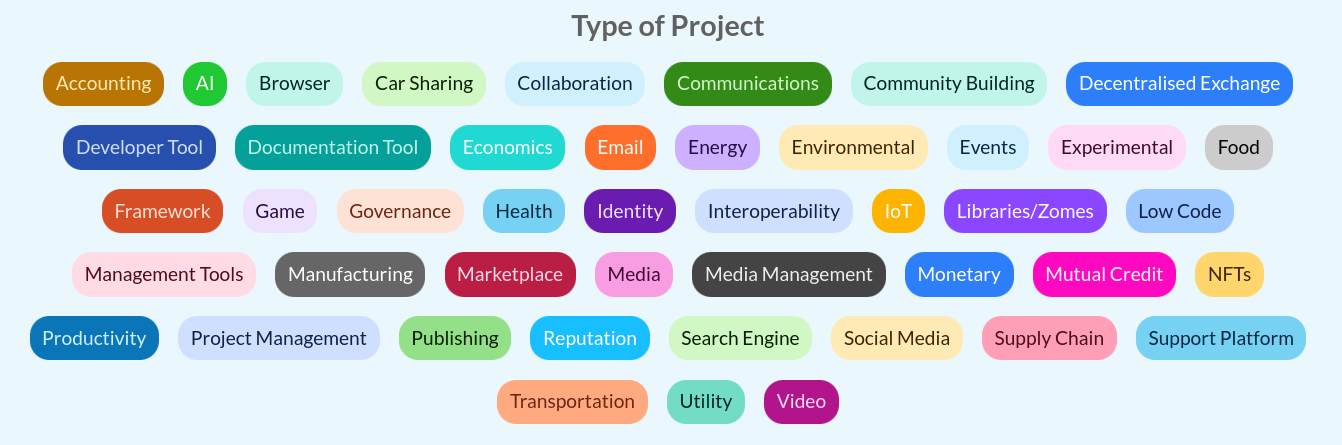
Project Links
- AllProjects: Link to
projectsanchor - ProjectCoordinators: Project → coordinators
- ProjectContributors: Project → contributors
- ProjectCategories: Project → categories
- ProjectRequests: Project → requests
- ProjectOffers: Project → offers
2.2 Organizations
Organizations are agents classifiedAs Organization in hREA.
Organization Entry Structure (Current Implementation)
#![allow(unused)]
fn main() {
pub struct Organization {
  /// Organization's official name
  pub name: String,
  /// Detailed description of the organization
  pub description: String,
  /// Optional organization logo/image
  pub picture: Option<SerializedBytes>,
  /// Organization's contact email
  pub email: String,
  /// Optional phone number
  pub phone: Option<String>,
  /// Website URL
  pub website: String,
  /// Geographic location
  pub location: String,
}
}
Organization Fields Description
name: Official organization namedescription: (String, max 1000 chars) Detailed description of the organization's mission, activities, and focus (supports markdown)picture: Optional organization logo or representative imageemail: Primary contact email for the organizationphone: Optional phone number for contactwebsite: Organization's website URLlocation: Geographic location or area of operation
Organization Features
- User-created entities
- Project management capabilities
- Member management
- Category classification
Organization Links
- AllOrganizations: Link to
organizationsanchor - OrganizationCoordinators: Organization → coordinators
- OrganizationMembers: Organization → members
- OrganizationContacts: Organization → contact person (tag = role)
- OrganizationProjects: Organization → projects
- OrganizationCategories: Organization → categories
- OrganizationRequests: Organization → requests
- OrganizationOffers: Organization → offers
2.4 Contact Person Designation
Organizations can designate a single coordinator as their public-facing contact person.
Features
- Single contact per organization: Setting a new contact replaces the previous one
- Coordinator-only: Only coordinators can be designated as the contact person
- Role/title: Free-text field for the contact's role (e.g. Director, President)
- Auto-cleanup: Contact links removed automatically when the contact leaves, is removed, or the organization is deleted
- Optional during creation: Creator can set themselves as contact during organization creation
Contact Functions
set_organization_contact: Set or replace the contact person with a roleremove_organization_contact: Remove the current contact personget_organization_contact: Retrieve the contact person and their roleis_organization_contact: Check if a user is the contact person
2.3 Coordinator Management
Responsibilities
- Project/Organization representation
- Organization/Project profile management
- Member invitation and approval
- Request/Offer management on behalf of the organization/project
Features
- Network administrator approval required
- Organization/Project profile customization (description, type, skills needed, etc.)
- Request/Offer creation capabilities for the organization/project
- Member invitation and approval management
3. Requests and Offers
3.1 Core Functionality
- hREA integration for economic activities
- Request creation linked to projects/organizations/service types
- Offer creation linked to requests/projects
- Implementation as hREA
intentsandproposals
3.2 Request System
Request Entry Structure (Current Implementation)
#![allow(unused)]
fn main() {
pub struct Request {
  /// The title of the request
  pub title: String,
  /// A detailed description of the request
  pub description: String,
  /// The contact preference for the request
  pub contact_preference: ContactPreference,
  /// The date range for the request
  pub date_range: Option<DateRange>,
  /// The estimated time in hours to complete the request
  pub time_estimate_hours: Option<f32>,
  /// The preferred time of day for the request
  pub time_preference: TimePreference,
  /// The time zone for the request
  pub time_zone: Option<TimeZone>,
  /// The exchange preference for the request
  pub exchange_preference: ExchangePreference,
  /// The interaction type for the request
  pub interaction_type: InteractionType,
  /// Generic links related to the request
  pub links: Vec<String>,
}
}
Supporting Enums and Types
#![allow(unused)]
fn main() {
pub enum ContactPreference {
  Email,
  Phone,
  Other(String),
}

pub enum ExchangePreference {
  Exchange,
  Arranged,
  PayItForward,
  Open(),
}

pub enum InteractionType {
  Virtual,
  InPerson,
}

pub enum TimePreference {
  Morning,
  Afternoon,
  Evening,
  NoPreference,
  Other(String),
}

pub struct DateRange {
  pub start: Option<Timestamp>,
  pub end: Option<Timestamp>,
}

pub type TimeZone = String;
}
Note: Service Types integration is handled through separate linking mechanisms rather than direct embedding in the Request structure. The Service Types system provides tag-based discovery and categorization.
Request Features
- Creation: By individual users or organizations
- Validation: Title and description are required; description limited to 1000 characters
- Lifecycle: Full status tracking, update, and deletion capabilities
- Service Type Integration: Linked through separate mechanisms for flexible categorization
Current Field Descriptions:
title: (String) The title of the request - required fielddescription: (String, max 1000 chars) A detailed description of the request (supports markdown) - required fieldcontact_preference: (ContactPreference enum) How the requester prefers to be contacted (Email, Phone, Other)date_range: (Optional DateRange) Timeframe when the service is needed with start/end timestampstime_estimate_hours: (Optional f32) Estimated time in hours to complete the requesttime_preference: (TimePreference enum) Preferred time of day (Morning, Afternoon, Evening, NoPreference, Other)time_zone: (Optional String) Requester's time zoneexchange_preference: (ExchangePreference enum) How the requester prefers to reciprocate (Exchange, Arranged, PayItForward, Open)interaction_type: (InteractionType enum) Whether virtual or in-person interactionlinks: (Vec) Generic links for extensibility and integration
Service Types Integration: Service types are linked to requests through separate linking mechanisms rather than direct embedding, enabling flexible categorization and tag-based discovery.
Request Links
- AllRequests: Links to
requestsanchor (global request index) - UserRequests: User → requests created by that user
- OrganizationRequests: Organization → requests associated with it
- RequestCreator: Request → its creator user profile
- RequestOrganization: Request → its associated organization (if any)
- RequestUpdates: Original request action → update actions
- RequestServiceTypes: Request → linked approved service types
3.3 Offer System
Offer Entry Structure (Current Implementation)
#![allow(unused)]
fn main() {
pub struct Offer {
  /// The title of the offer
  pub title: String,
  /// A detailed description of the offer
  pub description: String,
  /// The preferred time of day for the offer
  pub time_preference: TimePreference,
  /// The time zone for the offer
  pub time_zone: Option<TimeZone>,
  /// The exchange preference for the offer
  pub exchange_preference: ExchangePreference,
  /// The interaction type for the offer
  pub interaction_type: InteractionType,
  /// Generic links related to the offer
  pub links: Vec<String>,
}
}
Note: Service Types integration is handled through separate linking mechanisms rather than direct embedding in the Offer structure. The Service Types system provides tag-based discovery and categorization. Offers use the same supporting enums and types as Requests (see above).
Offer Features
- Creation: By individual users or organizations
- Validation: Title and description are required; description limited to 1000 characters
- Lifecycle: Full status tracking, update, and deletion capabilities
- Service Type Integration: Linked through separate mechanisms for flexible categorization
Current Field Descriptions
title: (String) The title of the offer - required fielddescription: (String, max 1000 chars) A detailed description of the offer (supports markdown) - required fieldtime_preference: (TimePreference enum) Preferred time of day (Morning, Afternoon, Evening, NoPreference, Other)time_zone: (Optional String) Offerer's time zoneexchange_preference: (ExchangePreference enum) How the offerer prefers to reciprocate (Exchange, Arranged, PayItForward, Open)interaction_type: (InteractionType enum) Whether virtual or in-person interactionlinks: (Vec) Generic links for extensibility and integration
Service Types Integration: Service types are linked to offers through separate linking mechanisms rather than direct embedding, enabling flexible categorization and tag-based discovery.
Offer Links
- AllOffers: Links to
offersanchor (global offer index) - UserOffers: User → offers created by that user
- OrganizationOffers: Organization → offers associated with it
- OfferCreator: Offer → its creator user profile
- OfferOrganization: Offer → its associated organization (if any)
- OfferUpdates: Original offer action → update actions
- OfferServiceTypes: Offer → linked approved service types
- OfferRequests: Offer → requests it responds to (future enhancement)
3.4 Request-Offer Matching
Matching Process
- Manual matching in initial implementation
- Service Type-based discovery and matching:
- Direct service type alignment between requests and offers
- Tag-based discovery for related content
- Cross-entity navigation through shared service types
- Future algorithmic matching based on:
- Service type compatibility scoring
- Tag similarity analysis
- Availability/urgency compatibility
- User/organization preferences
Proposal Formation
- When a request and offer are matched, a proposal is formed
- Proposal represents the potential agreement between parties
- Both parties must confirm to create an agreement
- Agreement leads to commitments and economic events
Matching Links
- RequestOffers: Request → offers submitted to it
- OfferRequests: Offer → requests it's submitted to
- ProposalRequest: Proposal → originating request
- ProposalOffer: Proposal → originating offer
3.5 Exchange Completion & Feedback-Driven Fulfillment
POST-MVP FEATURE: The exchange completion and feedback system described below has been moved to post-MVP development. This functionality will be implemented after the simplified MVP has been validated with users.
Based on the hREA mapping and exchange process clarifications, the completion process implements a feedback-driven economic flow:
Feedback Process Workflow
- Work Completion: Service provider completes the committed work
- Feedback Request: Provider can request feedback from the recipient
- Feedback Provision: The agent who initiated the request (or accepted the offer) provides feedback
- Conditional Fulfillment: Economic events are created only if feedback is positive
- Resolution Process: Negative feedback triggers mediation before fulfillment
Feedback Rights and Responsibilities
- Feedback Providers:
- Agent who initiates a request (provides feedback on received service)
- Agent who accepts an offer (provides feedback on delivered outcome)
- Feedback Requesters:
- Agent performing work on a request
- Agent providing service from an offer
- Quality Assurance: Feedback acts as a quality gate for commitment fulfillment
Feedback Data Structure
interface FeedbackProcess {
  id: string;
  commitmentId: string;
  requesterId: AgentId; // Who can request feedback
  providerId: AgentId; // Who provides feedback
  status: "pending" | "requested" | "completed";
  feedback?: FeedbackEntry;
}

interface FeedbackEntry {
  rating: "positive" | "negative";
  comments: string;
  timestamp: Date;
  providedBy: AgentId;
}
Economic Event Creation
- Conditional Events: Economic events fulfill commitments only after positive feedback
- Quality Assurance: Negative feedback triggers resolution processes
- hREA Integration: Economic events properly fulfill hREA commitments and affect resources
- Dispute Resolution: Mediation mechanisms for negative feedback resolution
3.6 Types of Support Requested

4. Service Types and Tag-Based Discovery
4.1 Service Types System
Service Types are implemented as Resource Specifications in hREA, providing a comprehensive moderation workflow and tag-based discovery system for categorizing and organizing services, skills, and resources across the platform.
Core Features
- User Suggestions: Any authenticated user can suggest new service types via
suggest_service_type() - Admin Moderation: Complete workflow with pending, approved, and rejected states managed through dedicated admin functions
- Tag-Based Discovery: Comprehensive tagging system with path anchor indexing for efficient search and cross-entity discovery
- Cross-Entity Integration: Full integration with requests, offers, and discovery workflows through cross-zome linking
- Quality Assurance: Only approved service types can be used in new requests and offers, enforced at the zome level
Service Type Structure (Current Implementation)
#![allow(unused)]
fn main() {
pub struct ServiceType {
    pub name: String,        // E.g., "Web Development", "Graphic Design", "Childcare"
    pub description: String, // Detailed explanation of the service type (max 500 chars)
    pub tags: Vec<String>,   // Keywords for searchability, e.g., ["svelte", "rust", "holochain"]
}
}
Validation Rules
name: Required, non-empty, maximum 100 charactersdescription: Required, non-empty, maximum 500 characters (supports markdown)tags: Optional vector, individual tags normalized (lowercase, trimmed), no empty strings or duplicates
Status Management Workflow
Service Types follow a three-state validation workflow managed through path anchors:
Pending(service_types.status.pending): User-suggested service types awaiting admin reviewApproved(service_types.status.approved): Admin-approved service types available for use in requests/offersRejected(service_types.status.rejected): Admin-rejected service types with optional reasoning
Admin Functions
create_service_type(): Direct creation and immediate approval by administratorsapprove_service_type(): Approve pending service types, creates tag anchor linksreject_service_type(): Reject service types, triggers cross-zome cleanupupdate_service_type(): Update existing service types with tag link managementdelete_service_type(): Delete service types with comprehensive cleanup
4.2 Tag-Based Discovery System
Path Anchor Architecture
- Tag Anchors: Dynamic paths (
service_types.tags.{url_encoded_tag_string}) linking approved service types to specific tags - All Tags Anchor: Static path (
service_types.all_tags) maintaining unique tag registry - Cross-Zome Integration: Tag-based discovery extends to requests and offers through linking mechanisms
Discovery Functions
get_service_types_by_tag(): Retrieve approved service types for a specific tagget_service_types_by_tags(): AND logic search across multiple tagsget_all_unique_tags(): List all tags currently associated with approved service typessearch_tags_by_prefix(): Real-time tag suggestions with prefix matching for autocomplete
Tag Management Features
- Dynamic Tag Creation: Tags are created when service types are approved, automatically indexed
- Automatic Cleanup: Tag links removed when service types are rejected or deleted
- Orphan Detection: Automatic removal of tags no longer associated with any approved service types
- Cross-Entity Discovery: Find requests and offers through service type tag relationships
- Tag Statistics: Usage analytics and popularity metrics for tag cloud weighting
4.3 User Workflow
For General Users
- Suggest Service Types: Submit suggestions with name, description, and tags
- Browse Approved Types: View and search approved service types
- Tag-Based Discovery: Explore content through tag navigation
- Use in Requests/Offers: Select approved service types when creating content
For Administrators
- Review Suggestions: Access dedicated moderation interface for pending items
- Approve/Reject: Make decisions with optional reasoning
- Direct Creation: Create and immediately approve service types
- Bulk Operations: Manage multiple service types efficiently
- Analytics Dashboard: View usage statistics and system health metrics
4.4 UI Components and Pages
Public Interface Pages
- Service Types Listing (
/service-types): Browse and search approved service types with tag-based filtering - Service Type Details (
/service-types/[id]): Individual service type information with related requests/offers - Suggestion Form (
/service-types/suggest): User-facing suggestion interface with validation - Tag Discovery (
/tags/[tag]): Tag-based content discovery showing related requests, offers, and service types
Admin Interface Pages
- Admin Dashboard (
/admin/service-types): Complete management interface with statistics and bulk operations - Moderation Queue (
/admin/service-types/moderate): Dedicated pending suggestions review interface - Direct Creation (
/admin/service-types/create): Admin service type creation with immediate approval - Detail Management (
/admin/service-types/[id]): Individual item management with moderation actions
Core UI Components
ServiceTypeCard.svelte: Display component with status indicators, tags, and navigation actionsServiceTypeSelector.svelte: Multi-select component for forms with search and filtering capabilitiesServiceTypeSuggestionForm.svelte: Complete form for user suggestions with validation (500 char limits)ServiceTypeList.svelte: Filterable lists with status-based organization
Tag-Based Discovery Components
TagAutocomplete.svelte: Real-time tag suggestion with debounced search and prefix matchingTagCloud.svelte: Visual tag cloud weighted by popularity statisticsTagDetailsView.svelte: Comprehensive view showing all content associated with a specific tagTagNavigationBar.svelte: Navigation component for tag-based browsing with breadcrumbs
Admin Interface Components
ServiceTypeAdminDashboard.svelte: Complete dashboard for moderators with statistics and bulk operationsServiceTypeModerationCard.svelte: Specialized card for admin review workflow with approve/reject actions
4.5 Integration with Requests and Offers
Request Integration
- Service Selection: Choose from approved service types when creating requests
- Tag Discovery: Find related requests through service type tags
- Requirement Specification: Link requests to specific service type requirements
Offer Integration
- Capability Declaration: Specify offered services using approved service types
- Skill Matching: Match offers to requests based on service type alignment
- Tag-Based Promotion: Discover offers through service type tag navigation
4.6 Technical Implementation
Backend (Holochain Zomes)
- service_types_integrity: Entry definitions, validation rules, and link types
- service_types_coordinator: Business logic, moderation workflow, and external functions
- Cross-Zome Integration: Validation and cleanup coordination with requests/offers zomes
Frontend (SvelteKit + Effect TS)
- Service Layer: Effect TS-based service with dependency injection
- Store Management: Reactive Svelte stores with caching and event bus integration
- Component Library: Comprehensive UI components for all user interactions
- Type Safety: Complete TypeScript integration with Effect TS error handling
Performance Optimizations
- Path Anchor Indexing: Efficient tag-based queries and discovery
- Caching Strategy: Service and store-level caching with intelligent invalidation
- Lazy Loading: On-demand loading of large datasets with pagination support
- Event-Driven Updates: Real-time state synchronization across components
4.5 Reporting Features
User Reports
- Personal exchange history
- Monthly activity summaries
- Project contribution tracking
- Service Types utilization metrics
Administrative Reports
- Network activity metrics
- User verification status
- Project status tracking
- Exchange completion rates
- Moderation action logs
5. Search Functionality
5.1 Search Capabilities
Each major section includes search functionality:
User Search
- Name
- Service types (through associated requests/offers)
- Tags (from service type associations)
- Location
- Organizations
- Projects
Project Search
- Name
- Organization
- Status
- Service types (through associated requests/offers)
- Tags (from service type associations)
Organization Search
- Name
- Members
- Projects
- Service types (through associated requests/offers)
- Tags (from service type associations)
Request/Offer Search
- Service types (approved only)
- Tags (from associated service types)
- Status
- Associated project/organization
- Tag-based discovery and navigation
- Cross-entity search through service type relationships
6. Network Administration
6.0 Network Creation & Joining (Kangaroo)
The following UX is implemented in the Kangaroo (Electron) host app, not in the Svelte UI. It runs before the hApp is installed.
References: #5 (progenitor backend), #45 (integrity validation), #95 (full UX spec)
Splash Screen (first launch)
On first launch (no network installed), Kangaroo shows three options:
- Create Network — for community founders who want to start a new requests-and-offers network
- Join Network — for members who received an invite (DNA hash / QR code) from a founder
- Join Holochain Pilot — joins the pre-bundled community pilot network; no invite needed
Create Network Flow
- Kangaroo reads the agent pubkey from the conductor admin WebSocket API
- Installs the hApp with
DNA properties: { progenitor_pubkey: <agent_pubkey> } - Reads the resulting DNA hash from the conductor
- Displays the DNA hash as:
- A copyable string
- A QR code
- The founder shares this hash/QR with their community
The progenitor's pubkey is now cryptographically bound to the network. No one else can become progenitor (see integrity validation in #45).
Join Network Flow
- Member pastes the DNA hash or scans the QR code
- Kangaroo installs the hApp targeting that exact DNA hash
- Member is on the same DHT network as the founder
- Member creates a profile → standard pending user (no admin role)
Membership Model
- Open network: anyone with the correct DNA hash can join — no membrane proof required
- Admin role is controlled by explicit administrator delegation, not by joining order
Multi-Network Support
- A user may join multiple networks (e.g., their own community + the pilot)
- Kangaroo provides a network switcher (sidebar or header dropdown) listing all installed networks
- Switching networks changes the active DNA context without restarting the conductor
Pre-loaded Networks
| Network | How loaded | Progenitor |
|---|---|---|
| Holochain pilot | Pre-bundled DNA hash in Kangaroo build | Designated pilot operator |
| Test network | Tryorama DNA modifiers (dynamic pubkey) | Alice (test keypair) |
6.1 Core Administrative Features
- User and Organization verification
- Project verification
- Service Types Moderation: Complete workflow for reviewing, approving, and rejecting user-suggested service types
- Moderator role management
- Suspension system
- Flagging system
- Administrative inbox
6.2 User Interface
- Administration Dashboard
- User management interface
- Project/Organization management
- Service Types Moderation Interface: Dedicated tools for reviewing pending suggestions, bulk operations, and analytics
- Request/Offer moderation
- Tag-Based Discovery Tools: Administrative insights into tag usage, statistics, and content organization
- Search and reporting tools
7. Communication and Negotiation
7.1 Messaging System
POST-MVP FEATURE: The messaging system described below has been moved to post-MVP development. This functionality will be implemented after the simplified MVP has been validated with users.
- User-to-User Messaging: Allows users to communicate directly with one another, facilitating negotiations and discussions related to requests and offers.
- Administrative Communication: Provides a channel for users to send messages to network administrators through an inbox within the administration panel.
- Features:
- Direct messaging between users
- Negotiation support for requests/offers
- Administrative communication channel
- Message history tracking
- Agreement finalization support
7.2 Notification System
- Suspension Notifications: Users receive notifications about account suspension status and reasons
- Exchange Updates: Notifications for request/offer matches and updates
- Administrative Alerts: Important system and moderation notifications
- Recovery Notifications: Updates about account recovery process
Simplified MVP Specifications
1. Introduction
The Requests & Offers - Simplified MVP project aims to develop a Holochain application designed to facilitate a simple bulletin board for requests and offers within the hAppenings.community. This document outlines the core requirements and objectives for the minimum viable product.
2. Objective
The primary objective is to create a simple, open-source Holochain application that enables Creators, Projects, and Developers to post requests for support and Advocates to post offers of support. The application will function as a bulletin board with direct contact facilitation.
3. Target Audience
- Holochain Creators/Projects/Developers: Individuals or groups actively developing projects within the Holochain ecosystem
- Holochain Advocates: Individuals passionate about supporting Holochain projects
- HoloHosts: Organizations or individuals hosting Holochain nodes
4. Core MVP Requirements
4.1 User Management
- Basic user registration and authentication
- User profile creation and management
- Role-based access control (Advocate, Creator, Administrator)
- Multi-device profile access
4.2 Request/Offer System
- Request creation and management
- Offer creation and management
- Simple browsing and search functionality
- Contact information display for direct communication
4.3 User Listing Management
- Archive own requests/offers
- Delete own requests/offers
- View personal listings dashboard
4.4 Administration
- User verification
- Basic moderation tools
- System configuration
- Essential reporting
4.5 Search and Discovery
- Basic search functionality
- Simple filtering options
- Category-based browsing
5. MVP Scope
5.1 Included Features
- Essential user management
- Core request/offer posting functionality
- Simple browsing and search capabilities
- Contact information display
- Archive/delete functionality for users
- Fundamental administrative tools
5.2 Excluded Features (Post-MVP)
- Exchange coordination system
- Proposal and agreement workflows
- In-app messaging
- Review and reputation systems
- Advanced matching algorithms
- Mutual Credit Currency components
6. Success Criteria
6.1 Functional Requirements
- Successful user registration and authentication
- Working request/offer creation and browsing
- Contact information clearly displayed
- Archive/delete functionality for users
- Essential administrative controls
- Simple search and discovery features
6.2 Performance Requirements
- Response time under 2 seconds for basic operations
- Support for multiple concurrent users
- Basic error handling and recovery
- Multi-device compatibility
6.3 User Experience Requirements
- Intuitive navigation
- Clear user feedback
- Basic responsive design
- Essential accessibility features
7. Conclusion
This simplified MVP specification focuses on the core value proposition: a bulletin board where users can post requests and offers with clear contact information for direct communication. By removing the complex exchange process, we can deliver value to users faster while gathering feedback for future enhancements.
The MVP prioritizes:
- Essential user management and authentication
- Core request and offer posting functionality
- Simple browsing and search capabilities
- Contact information display for direct communication
- Basic listing management (archive/delete)
Post-MVP versions will add the exchange coordination system, proposal workflows, in-app messaging, and other advanced features based on user feedback and community needs.
MVP Features
This document outlines the features included in the MVP version of the Requests and Offers application.
Core Features (Delivered)
1. Request Management
- Create new requests with title, description, tags
- View request details
- Archive own requests
- Delete own requests
2. Offer Management
- Create new offers with title, description, tags
- View offer details
- Archive own offers
- Delete own offers
3. Public Listing Views
- Browse all active requests
- Browse all active offers
- Search listings by keyword
- Filter listings by tags
4. Contact Information Display
- View contact information for request creators
- View contact information for offer providers
- Contact methods include email and phone (if provided)
- Organization contact information (if applicable)
- View designated organization contact person with role/title
5. User Dashboard
- View all own requests and offers
- Quick actions to archive/delete listings
- Simple status indicators (active/archived)
Upcoming MVP Features
6. hREA Completion & Real-time Signals
Milestone: MVP: hREA Completion & Real-time Signals
- Complete hREA entity mapping end-to-end (#1)
- Real-time signal integration throughout the application (#12)
- Action hash type safety improvements (#25)
7. Chat System
Milestone: MVP: Chat System
- 1-to-1 conversations initiated from request/offer listings (#91)
- Real-time messaging via Holochain signals
- Global notification system (#51)
- "Propose a Deal" action within conversation threads
- System messages for proposal lifecycle events
8. Exchange Process & Reputation
Milestone: MVP: Exchange Process & Reputation
- hREA Agreement/Commitment/EconomicEvent lifecycle (#90)
- Conversation-embedded proposals and negotiation
- Review and reputation system (star ratings, on-time/as-agreed flags)
- Administrator inbox and task management (#52)
- Administrator audit trail (#53)
- Feedback-conditional fulfillment gate
Future Features (Post-MVP)
These features will be implemented after the MVP:
- Advanced matching algorithms
MVP User Stories
This document describes the primary user journeys for the simplified MVP version.
Primary User Roles
Requester
A user who needs help or services from others in the community.
Provider
A user who offers help or services to others in the community.
User Stories
As a Requester
-
Create a Request
- I want to post a request describing what I need
- So that potential providers can see what I'm looking for
-
View My Requests
- I want to see a list of my own requests
- So that I can manage them
-
Archive a Request
- I want to archive a request that's been fulfilled
- So that it's no longer visible to the public but I can still reference it
-
Delete a Request
- I want to permanently delete a request I no longer need
- So that it's completely removed from the system
-
Browse Offers
- I want to browse all active offers from providers
- So that I can find someone who can help me
-
Contact a Provider
- I want to see contact information for providers
- So that I can reach out to them directly
As a Provider
-
Create an Offer
- I want to post an offer describing what services I can provide
- So that potential requesters can see what I'm offering
-
View My Offers
- I want to see a list of my own offers
- So that I can manage them
-
Archive an Offer
- I want to archive an offer that's no longer available
- So that it's no longer visible to the public but I can still reference it
-
Delete an Offer
- I want to permanently delete an offer I no longer want to provide
- So that it's completely removed from the system
-
Browse Requests
- I want to browse all active requests from requesters
- So that I can find someone I can help
-
Contact a Requester
- I want to see contact information for requesters
- So that I can reach out to them directly
Secondary User Stories
As Any User
-
Search Listings
- I want to search requests and offers by keywords
- So that I can quickly find relevant listings
-
Filter by Tags
- I want to filter listings by tags/categories
- So that I can narrow down to my areas of interest
-
View Contact Information
- I want to see clear contact information for listings
- So that I know how to get in touch
Contact Information Display
This document describes how contact information is displayed in the MVP version.
Purpose
The MVP focuses on facilitating direct communication between users by clearly displaying contact information. This removes the need for complex in-app messaging systems while still enabling connections.
Contact Information Fields
Required Information
- Username/display name
- Profile picture (if available)
Optional Information
- Email address
- Phone number
- Preferred contact method
- Organization name (if applicable)
- Organization contact info (if applicable)
Display Locations
Request Detail View
Contact information for the requester is displayed at the bottom of the request details page.
Offer Detail View
Contact information for the provider is displayed at the bottom of the offer details page.
Privacy Considerations
User Control
- Users can choose which contact methods to display
- Users can hide contact information entirely (though this reduces utility)
- All contact information is opt-in
Data Handling
- Contact information is only visible to logged-in users
- No public scraping of contact information is allowed
- Users can update their contact information at any time
UI Implementation
Contact Display Component
A standardized component displays contact information consistently:
- Clear visual separation from listing content
- Prominent "Contact" heading
- Standardized formatting for each contact method
- Links/buttons for easy contact initiation
Responsive Design
- Mobile-friendly contact display
- Appropriate sizing for different screen widths
- Accessible for users with disabilities
Post-MVP Features Overview
This directory contains documentation for features planned beyond the current MVP scope.
Re-scoped to MVP
The following features were originally post-MVP but have been re-scoped into the MVP based on project priorities:
- Exchange Process - Conversation-first exchange coordination system (#90) — Milestone: MVP: Exchange Process & Reputation
- Chat System - Conversation-first messaging with exchange integration (#91) — Milestone: MVP: Chat System
- Reputation System - Review and rating mechanisms — Milestone: MVP: Exchange Process & Reputation
Note: Documentation remains in this directory for organizational continuity. These features are now actively targeted for MVP delivery.
Remaining Post-MVP Features
- Matching System - Algorithmic matching of requests with offers
Implementation Approach
Post-MVP features will be implemented after the MVP has been validated with users:
- Gather feedback on core functionality
- Iterate on user experience
- Gradually add advanced features
- Maintain backward compatibility
Exchange Process Feature
Status: Re-scoped to MVP. Targeted for MVP: Exchange Process & Reputation milestone. See #90.
This document describes the second of two passes, and the first has shipped. Alpha.1 records exchanges in a custom append-only zome pair rather than in hREA, because hREA is not yet building on the Holochain 0.7 line and the release needs exchanges recorded. That interim record is specified in Exchange Record, and each of its six entries has an hREA counterpart by design, so the record migrates rather than being replaced. The hREA-first architecture below is the alpha.2 target, and the migration between the two is #250. Read the section below as where this is going, not as what is running.
Overview
The Exchange Process is the core value exchange mechanism of the Requests and Offers application. This feature transforms static requests and offers into dynamic, managed transactions between community members, providing the economic coordination layer that enables actual value exchange within the peer-to-peer marketplace.
Architecture Strategy: hREA-First
Rather than building custom exchange zomes from scratch, this feature leverages the hREA (Holochain Resource-Event-Agent) DNA that is already integrated into the application. The hREA DNA provides built-in zomes for Agreement, Commitment, EconomicEvent, and Fulfillment -- covering the core economic coordination flow. Only the review/reputation system requires a lightweight custom zome, since subjective quality ratings are outside the ValueFlows ontology.
This approach:
- Minimizes custom Rust code by reusing battle-tested hREA zomes
- Aligns with ValueFlows -- the open vocabulary for distributed economic coordination
- Builds on existing infrastructure -- Proposals and Intents are already mapped via the hREA service and GraphQL layer
- Reduces maintenance burden -- hREA upstream improvements benefit the project automatically
Vision
The Exchange Process will evolve the platform from a simple bulletin board into a sophisticated economic coordination system enabling:
- Conversation-Driven Exchanges: Natural chat-first flow that progressively formalizes into hREA entities
- Structured Negotiations: Formal proposal and agreement workflows via hREA, triggered from within conversations
- Trust Building: Review and reputation systems (custom zome)
- Economic Coordination: Complete lifecycle management from conversation to completion
Core Value Proposition
- For Users: Simple, natural workflow — chat first, formalize when ready
- For Community: Trust-building through structured feedback and reputation
- For Platform: Foundation for economic activity and user engagement
Design Philosophy
Conversation-First Model (Simbi-Inspired)
Inspired by Simbi's skills exchange platform, the exchange process follows a conversation-first, proposal-second model. Rather than starting with formal hREA entities, users begin by chatting — discussing details, negotiating terms, and building trust — then optionally formalize their agreement through a "Propose a Deal" action within the conversation.
Core Principles
- Chat Before Contract: Every exchange begins as a conversation, not a form submission
- Optional Formalization: The hREA lifecycle (Proposal → Agreement → Commitment → EconomicEvent) is triggered from within conversations, not as a standalone flow
- Context Preservation: The full conversation history accompanies every formal agreement
- Human-Centered Flow: Technology adapts to how people naturally negotiate, not the other way around
- Progressive Formalization: Informal chat → optional proposal → formal agreement → tracked fulfillment
User Action → hREA Entity Mapping
| User Action | hREA Entity Created | Notes |
|---|---|---|
| Start Conversation | None | Pure chat — no hREA involvement yet |
| "Propose a Deal" (in chat) | Proposal + Intents | Counter-proposal linked to original listing |
| Accept Proposal | Agreement + Commitments | Formalizes what both parties committed to |
| Complete Work | EconomicEvent | Records actual fulfillment |
| Confirm Fulfillment | Fulfillment link | Connects Event → Commitment |
| Leave Review | Custom zome entry | Outside ValueFlows ontology |
User Journey & Workflow
graph TD
    A[User Sees Request/Offer] --> B[Start Conversation]
    B --> C[Chat Freely - Discuss Details & Terms]
    C --> D{Ready to Formalize?}

    D -->|Yes| E[Click 'Propose a Deal' in Chat]
    D -->|Keep Chatting| C

    E --> F[Fill Proposal Details]
    F --> G[hREA Proposal Created - Status: Pending]

    G --> H[Other Party Reviews Proposal in Chat]
    H --> I{Decision}

    I -->|Accept| J[hREA Agreement Created with Commitments]
    I -->|Counter| K[Counter-Proposal Created in Chat]
    I -->|Decline| L[Continue Chatting or End]

    K --> H

    J --> M[Both Parties Work on Exchange]
    M --> N[Provider Records EconomicEvent]
    N --> O[Receiver Confirms Fulfillment]

    O --> P{Both Commitments Fulfilled?}
    P -->|Yes| Q[Exchange Complete - Review Phase]
    P -->|No| R[Wait for Other Party]
    R --> P

    Q --> S[Both Parties Submit Reviews]
    S --> T[Exchange Fully Closed]

    L --> U[End - No Deal Made]
Key User Actions
- Conversing: Users start a conversation from a request/offer listing (#91)
- Proposing: Either party creates a Proposal (hREA) from within the conversation via "Propose a Deal"
- Negotiating: Accept, counter, or decline proposals — all within the chat thread
- Agreeing: Acceptance creates an hREA Agreement bundling Commitments from both parties
- Working: Both parties collaborate on the actual service/exchange
- Completing: Each party records an EconomicEvent fulfilling their Commitment
- Reviewing: Mutual feedback via the custom reviews system
Core Workflow Principles
- Conversation First: Exchange begins with human interaction, not form filling
- Creator Control: Request/offer creators choose their collaboration partners
- Progressive Formalization: Chat → Proposal → Agreement → Fulfillment
- Mutual Completion: Both parties must record fulfillment independently
- Quality Feedback: Review system as a conditional gate for economic events
- Comprehensive Dashboard: Clear overview of all exchange activities
hREA Mapping
How Exchange Concepts Map to ValueFlows
| Exchange Concept | hREA Entity | Notes |
|---|---|---|
| Request/Offer listing | Proposal + Intents | Already implemented with mappers |
| Conversation about a listing | No hREA entity | Chat system (#91) — prerequisite |
| "Propose a Deal" in chat | Proposal (counter-offer) | New Proposal linked to original via Intents |
| Approved exchange | Agreement | Bundles Commitments from both parties |
| Party obligations | Commitment | What each party commits to deliver |
| Work completion | EconomicEvent | Records actual fulfillment of a Commitment |
| Completion tracking | Fulfillment | Links EconomicEvent → Commitment |
| Intent satisfaction | Satisfaction | Links Commitment → Intent |
| Service categories | ResourceSpecification | Already mapped from Service Types |
| Star ratings / reviews | Custom reviews zome | No hREA equivalent exists |
| Reputation scoring | Custom reviews zome | Aggregated from review data |
Data Linking Model
Cross-Entity Link Architecture
The conversation-first model creates bidirectional relationships between the chat layer (conversations zome) and the hREA economic layer. These links enable navigating from a conversation to the resulting agreement and back.
Conversation → Agreement Linking
When a counter-proposal is accepted and an Agreement is created:
- The
conversationIdis stored in the Agreement'snotefield — giving the Agreement a permanent, human-readable reference to its originating conversation. - A
ConversationToAgreementlink is created in therequests_and_offersDNA, using the ActionHash of both entities as anchor and target. This link enables efficient bidirectional lookup without scanning all entries.
// conversationId flows from CounterProposalInput into Agreement creation
// Agreement.note stores the conversationId for human-readable reference
// ConversationToAgreement link in requests_and_offers DNA enables fast lookup
Cross-Reference Table
| From | To | Link Mechanism | Visibility |
|---|---|---|---|
| Conversation | Agreement | note field + ConversationToAgreement link | Private (participants only) |
| Agreement | Conversation | Reverse lookup via link anchor | Private |
| Agreement | Commitments | hREA native bundling | Private |
| Conversation | Commitments | Transitive via Agreement | Private |
| Counter-Proposal | Original Proposal | hREA Intent references same ResourceSpecs | Private |
| Request/Offer | Proposal (hREA) | hREA Intent → ResourceSpecification | Public |
Lookup Functions
Two zome functions enable bidirectional navigation:
get_conversation_for_agreement(agreement_id: ActionHash)→ returns theconversationIdfrom the Agreement'snotefieldget_agreement_for_conversation(conversation_id: ActionHash)→ traverses theConversationToAgreementlink to return the Agreement ActionHash
Economic Flow (hREA)
graph TD
    A[Alice - Agent] -- creates --> RP[Request Proposal + Intents]
    B[Bob - Agent] -- starts conversation about --> RP

    subgraph Conversation Thread
        CHAT[Chat: Discuss details & terms]
        PROPOSE[Bob clicks 'Propose a Deal']
        CHAT --> PROPOSE
        PROPOSE --> CP[Counter-Proposal + Intents]
    end

    B --> CHAT
    CP -- linked to --> RP

    CP -- approved, creates --> AG[Agreement]
    AG -- bundles --> C1[Commitment: Bob provides service]
    AG -- bundles --> C2[Commitment: Alice provides payment/exchange]

    C1 -- fulfilled by --> EE1[EconomicEvent: Service delivered]
    C2 -- fulfilled by --> EE2[EconomicEvent: Payment/exchange completed]

    EE1 --> F1[Fulfillment link]
    EE2 --> F2[Fulfillment link]

    F1 --> DONE[Agreement Complete]
    F2 --> DONE

    DONE --> REV[Review Phase - Custom Zome]
    REV -- conditional gate --> CLOSED[Exchange Closed]
Feedback-Conditional Fulfillment
As documented in the hREA Integration Specification, the feedback mechanism acts as a quality gate:
- Work Completion: Provider completes committed work and records an EconomicEvent
- Feedback Request: Provider can request feedback from recipient
- Feedback Evaluation: Recipient provides positive/negative feedback via the custom reviews zome
- Conditional Fulfillment: Full economic fulfillment is confirmed only with positive feedback
- Resolution Process: Negative feedback triggers a resolution pathway before final fulfillment
Core Feature Set
1. Conversation-Based Proposal System (hREA Proposals)
Responses to listings are modeled as hREA Proposals with linked Intents, created from within conversation threads (#91). This uses the same GraphQL API already in place for request/offer creation.
// A counter-proposal is a new Proposal whose Intents reference
// the same ResourceSpecifications as the original listing.
// Created via "Propose a Deal" action within a conversation.

interface CounterProposalInput {
  originalProposalId: string;       // hREA ID of the request/offer
  conversationId: string;           // Conversation where the proposal was made
  description: string;
  timeEstimate?: number;
  mediumOfExchange?: string;        // ResourceSpecification ID
  customTerms?: string;
}
Capabilities:
- "Propose a Deal" action within conversation threads (relies on #91)
- Intents reference the same ResourceSpecifications as the original
- Track all proposals in unified dashboard
- Withdraw proposals before approval (delete hREA Proposal)
- Creator control over collaboration partner selection
- Status derived from hREA Proposal state
- Full conversation context preserved with every proposal
2. Agreement & Commitment System (hREA)
When a counter-proposal is approved, an hREA Agreement is created that bundles Commitments from both parties.
// Uses hREA Agreement GraphQL mutations (to be added)
// Agreement bundles Commitments via Satisfaction links to Intents

interface AgreementCreation {
  counterProposalId: string;        // The approved counter-proposal
  originalProposalId: string;       // The original request/offer
  conversationId: string;           // Stored in Agreement.note + creates ConversationToAgreement link
  // Commitments are auto-created from the Intents of both Proposals
}
Capabilities:
- Automatic Agreement creation upon counter-proposal approval
- Commitments derived from both parties' Intents
- Progress tracked via Fulfillment links (Commitment → EconomicEvent)
- Timeline tracking through EconomicEvent timestamps
- Full request/offer context preserved via Proposal references
3. Completion Tracking (hREA EconomicEvents)
Each party records an EconomicEvent when they fulfill their Commitment.
// Uses hREA EconomicEvent GraphQL mutations (to be added)

interface CompletionRecord {
  commitmentId: string;             // Which Commitment is being fulfilled
  note?: string;                    // Optional completion notes
  // Creates an EconomicEvent + Fulfillment link
}
Capabilities:
- Independent completion confirmation from both parties
- EconomicEvent records what actually happened
- Fulfillment links connect Events to Commitments
- Status derived from fulfillment state of all Commitments in the Agreement
4. Review & Feedback (Custom Zome)
This is the only custom Rust zome needed, since hREA/ValueFlows has no concept of subjective quality ratings. Reviews are triggered after both parties fulfill their Commitments, and act as a conditional gate for final economic fulfillment confirmation.
- Both parties submit a review after exchange completion
- Star ratings (1-5), "on time" and "as agreed" flags, optional comments
- Positive feedback confirms fulfillment; negative feedback triggers resolution
For the full review data model, reputation scoring, moderation, privacy considerations, and technical architecture, see the dedicated Reputation System document.
5. Exchange Dashboard
- Tabbed Interface: Conversations | Proposals | Active | Completed | Reviews
- Status Filtering: Real-time status-based filtering and display
- Search Capabilities: Find specific exchanges quickly
- User Statistics: Total exchanges, average rating, reputation metrics
┌───────────────────────────────────────────────────────┐
│  My Exchanges                                         │
├───────────────────────────────────────────────────────┤
│ ┌─────────────┬──────────┬────────┬──────────┬──────┐ │
│ │Conversations│Proposals │Active  │Completed │Reviews│ │
│ └─────────────┴──────────┴────────┴──────────┴──────┘ │
│                                                       │
│ [Exchange List/Grid View]                             │
│                                                       │
│ ┌─────────────────────────────────────────────────┐   │
│ │ Reputation Score: 4.8 ⭐                        │   │
│ │ Total Exchanges: 47                             │   │
│ │ Completion Rate: 96%                            │   │
│ └─────────────────────────────────────────────────┘   │
└───────────────────────────────────────────────────────┘
6. Communication System (Prerequisite)
The communication system is now a prerequisite for the exchange process, not a future feature. Conversations are the entry point for all exchanges.
See Chat System and Issue #91 for the full technical specification, including:
- 1-to-1 conversations initiated from request/offer listings
- "Propose a Deal" action within conversation threads
- System messages for proposal actions (accepted, countered, declined)
- Organization chat channels
- Real-time message delivery via Holochain signals
Advanced Features (Future)
7. Advanced Matching Algorithm
interface MatchingAlgorithm {
  serviceTypeAlignment: number;     // ResourceSpecification compatibility
  timeCompatibility: number;
  locationScore: number;
  trustCompatibility: number;       // Based on review reputation data
  preferenceMatch: number;
  calculateScore(): number;
}
- AI-powered suggestions
- Preference learning
- Compatibility scoring based on ResourceSpecifications
- Reputation-weighted matching via review data
8. Mutual Credit System
Could potentially leverage hREA's EconomicEvent and Resource tracking for credit flows.
interface MutualCreditAccount {
  holder: AgentPubKey;
  balance: number;
  creditLimit: number;
  transactions: CreditTransaction[];
  trustNetwork: TrustRelationship[];
}

interface CreditTransaction {
  id: ActionHash;
  from: AgentPubKey;
  to: AgentPubKey;
  amount: number;
  agreementId: string;              // hREA Agreement ID
  timestamp: Timestamp;
  status: TransactionStatus;
}
- Zero-sum credit creation
- Trust-based credit limits
- Transaction history via hREA EconomicEvents
- Balance management
- Network visualization
Future: Unyt Smart Agreements
Unyt is a Holochain-based decentralized accounting platform that provides Smart Agreements called RAVEs (Recorded Agreement, Verifiably Executed). RAVEs are similar to blockchain smart contracts but designed for Holochain's agent-centric architecture, using Rhai scripting for programmable business logic.
Potential Integration Points
- Agreement Enforcement: When an hREA Agreement is created, a RAVE could enforce its conditions programmatically (deadlines, quality gates, automatic fulfillment)
- Automated Fulfillment: RAVEs could auto-create EconomicEvents when both parties confirm completion
- Mutual Credit Bridge: Unyt already supports community currencies — potential backend for our medium-of-exchange system
- Dispute Resolution: Rhai scripts could automate timeout-based dispute triggers
RAVE Three-Layer Architecture
- Reusable Code Templates — Pre-built Rhai scripts for common exchange patterns
- Configured Agreements — Specific rules per exchange (inputs, logic, outputs)
- SAVEDs (execution records) — Cryptographically signed, tamper-proof records of execution
See Issue #92 for the dedicated exploration and research tasks.
Technical Architecture
Backend: Hybrid hREA + Custom Zome
The exchange process uses a hybrid architecture: hREA handles the economic coordination flow, while a single custom zome handles reviews.
┌──────────────────────────────────────────────────┐
│ hREA DNA (existing, bundled)                     │
│                                                  │
│  ┌──────────┐  ┌────────────┐  ┌──────────────┐  │
│  │ Proposal │  │ Agreement  │  │ EconomicEvent│  │
│  │ + Intent │  │+Commitment │  │ +Fulfillment │  │
│  └──────────┘  └────────────┘  └──────────────┘  │
│  ┌─────────────────────┐  ┌───────────────┐      │
│  │ResourceSpecification│  │ Satisfaction  │      │
│  └─────────────────────┘  └───────────────┘      │
└──────────────────────────────────────────────────┘

┌──────────────────────────────────────────────────┐
│ requests_and_offers DNA (existing custom zomes)  │
│                                                  │
│  ┌──────────┐  ┌────────┐  ┌───────────────┐     │
│  │ requests │  │ offers │  │ service_types │     │
│  └──────────┘  └────────┘  └───────────────┘     │
│  ┌────────┐  ┌────────────────┐  ┌───────────┐   │
│  │ users  │  │ organizations  │  │   admin   │   │
│  └────────┘  └────────────────┘  └───────────┘   │
│  ┌─────────────────────┐  ┌─────────────────┐    │
│  │ mediums_of_exchange │  │    reviews      │    │
│  └─────────────────────┘  │  (NEW - custom) │    │
│                           └─────────────────┘    │
│  ┌─────────────────────┐                         │
│  │   conversations     │                         │
│  │  (NEW - #91)        │                         │
│  └─────────────────────┘                         │
└──────────────────────────────────────────────────┘
New custom zome: reviews
dnas/requests_and_offers/zomes/
├── integrity/reviews/
│   └── src/lib.rs          # ExchangeReview entry, validation, link types
└── coordinator/reviews/
    └── src/lib.rs          # CRUD handlers, reputation aggregation
hREA GraphQL operations to add (frontend only):
- Agreement: create, update, query
- Commitment: create, query
- EconomicEvent: create, query
- Fulfillment: create, query
- Satisfaction: create, query
Frontend (SvelteKit + Effect-TS 7-Layer Architecture)
Service Layer:
The exchange service orchestrates calls to both the hREA GraphQL API and the custom reviews zome.
export const ExchangeService = Context.GenericTag<ExchangeService>("ExchangeService");

export const makeExchangeService = Effect.gen(function* () {
  const hrea = yield* HREAService;          // Existing hREA GraphQL service
  const client = yield* HolochainClientService; // For custom reviews zome

  // hREA operations (via GraphQL)
  const createCounterProposal = (input: CounterProposalInput) => ...
  const approveProposal = (id: string) => ...     // Creates Agreement + Commitments
  const rejectProposal = (id: string) => ...      // Withdraws/deletes Proposal
  const getAgreement = (id: string) => ...
  const recordCompletion = (commitmentId: string) => ... // Creates EconomicEvent
  const getExchangeStatus = (agreementId: string) => ... // Checks Fulfillment state

  // Custom reviews zome operations (see reputation-system.md for details)
  const submitReview = (input: CreateReviewInput) => ...
  const getReviews = (agreementId: ActionHash) => ...
  const getReputation = (agentPubKey: AgentPubKey) => ...

  return { createCounterProposal, approveProposal, rejectProposal,
           getAgreement, recordCompletion, getExchangeStatus,
           submitReview, getReviews, getReputation };
});
Store Layer:
- Svelte 5 Runes reactive state management
- All 9 standardized helper functions implemented
- Cache management with TTL and sync helpers
- Status-aware event emission system
- Combines hREA data (agreements, fulfillments) with custom data (reviews)
Component Library:
components/exchanges/
├── proposals/
│   ├── CounterProposalForm.svelte
│   ├── ProposalCard.svelte
│   └── ProposalManager.svelte
├── agreements/
│   ├── AgreementDashboard.svelte
│   ├── AgreementTimeline.svelte
│   └── CompletionConfirm.svelte
├── reviews/                       (see reputation-system.md)
│   ├── ReviewForm.svelte
│   ├── StarRating.svelte
│   └── ReputationDisplay.svelte
└── credit/                        (future)
    ├── BalanceDisplay.svelte
    ├── TransactionHistory.svelte
    └── CreditNetwork.svelte
Performance Optimizations:
- Cache strategy with module-level cache (5 minutes default TTL)
- Comprehensive loading/error state management
- Sub-2-second dashboard load times
- Responsive design for mobile and desktop
Integration Points
- Chat System (#91): Conversations are the entry point — proposals created from within chat threads
- hREA DNA: Agreement, Commitment, EconomicEvent, Fulfillment via GraphQL
- Request/Offer Domains: Proposals linked via hREA Intent references
- User/Organization System: Agents mapped to hREA Agents (already implemented)
- Service Types / MoE: Mapped to hREA ResourceSpecifications (already implemented)
- Administration: Platform-level moderation only (user approval, service type management) — administrators do NOT have access to private exchange data (see Privacy Model)
- Navigation: "My Exchanges" in primary nav, deep linking, breadcrumbs, URL state
Current Status
- hREA DNA: Bundled and integrated with Proposal, Intent, Agent, ResourceSpecification operations working
- hREA GraphQL: Agreement, Commitment, EconomicEvent, Fulfillment, Satisfaction operations not yet added
- Custom reviews zome: Not yet implemented
- Chat system (#91): Not yet implemented — prerequisite for conversation-first flow
- Exchange UI: Removed -- ready for fresh rebuild
Next Steps
- Implement the chat system (#91) — prerequisite for conversation-first exchange flow
- Add GraphQL mutations/queries/fragments for Agreement, Commitment, EconomicEvent, Fulfillment, Satisfaction
- Extend the hREA service (
hrea.service.ts) with the new operations - Implement the lightweight
reviewscustom zome (integrity + coordinator) - Build the ExchangeService orchestrating hREA + reviews
- Create the exchange store with Svelte 5 Runes
- Design and build UI components (integrated with conversation threads)
- Implement routing and navigation
- Add comprehensive testing
Implementation Roadmap
Phase 0: Chat System (Prerequisite)
Issue #91 must be substantially complete before exchange features can be built. The conversation system provides:
- 1-to-1 conversations initiated from request/offer listings
- "Propose a Deal" action within conversation threads
- System messages for proposal lifecycle events
- Real-time message delivery
Phase 1: hREA Exchange Foundation
- Add Agreement, Commitment, EconomicEvent GraphQL operations
- Extend hREA service and store
- Build "Propose a Deal" flow within conversation threads (relies on #91)
- Implement approval → Agreement creation workflow (triggered from chat acceptance)
- Build completion tracking via EconomicEvent + Fulfillment
Phase 2: Reviews & Reputation (Custom Zome)
- Implement
reviewsintegrity + coordinator zome - Add review service and store (Effect-TS)
- Build review UI components (StarRating, ReviewForm, ReputationDisplay)
- Integrate feedback-conditional fulfillment gate
- Exchange dashboard UI
Phase 3: Advanced Features
- Matching algorithm (leveraging ResourceSpecification compatibility + reputation data)
- Advanced search and discovery
- Analytics dashboard
Phase 4: Future Explorations
- Unyt Smart Agreements: Programmatic agreement enforcement via RAVEs (see #92)
- Mutual Credit System: Potentially via hREA EconomicEvent tracking or Unyt community currencies
- AI-Powered Matching: Intelligent pairing based on conversation history and reputation
Success Metrics
User Engagement
- Conversation-to-proposal conversion rate
- Agreement completion rate
- Review submission rate
- User retention
Quality Metrics
- Average review score
- Dispute rate
- Time to completion
- Match success rate
Economic Metrics
- Total value exchanged
- Credit velocity
- Network growth rate
- Active user ratio
Technical Considerations
Performance
- Lazy loading for large datasets
- Pagination for exchange history
- Caching strategy for reputation scores
- GraphQL query optimization for hREA operations
Security
- hREA validation rules enforce economic integrity
- Custom zome validation prevents review tampering
- Feedback-conditional fulfillment as quality gate
- Dispute resolution process
Privacy Model (Critical)
All exchange data is private to the two exchange parties only. This is a fundamental design requirement enforced at the zome level, not a frontend concern.
What is private:
- Conversations (all messages, proposal actions, negotiation history)
- Counter-proposals and their terms
- Agreements and all associated data
- Commitments (what each party is obligated to deliver)
- Economic Events (records of actual fulfillment)
- Fulfillment links and completion records
- Reviews tied to a specific exchange
Administrator exclusion — by design:
- The Administration role covers platform-level moderation only: user approval/suspension, service type management, organization oversight
- Administrators have NO ACCESS to exchange data — this is enforced at the zome level, not the frontend
- No
get_agreement,get_commitment, orget_economic_eventzome functions are accessible to admin capability tokens - This design is intentional: peer-to-peer exchanges are private contracts between two consenting parties
Enforcement mechanism:
- Private Holochain entries restricted to exchange participants via capability tokens
get_*zome functions for exchange entities validate the calling agent is a named participant- The
conversationszome restricts message/conversation access to participants only ConversationToAgreementlinks are only traversable by the conversation participants
Scalability
- DHT sharding strategy (inherited from hREA)
- Cross-DNA indexing for hREA ↔ custom zome references
- Query performance tuning
- State management efficiency
Dependencies
Technical:
- hREA DNA with Agreement, Commitment, EconomicEvent zomes
@valueflows/vf-graphql-holochainGraphQL layer- Effect-TS error handling
- SvelteKit frontend
Feature:
- Chat/Conversation system (#91) — prerequisite for conversation-first flow
- User authentication system (existing)
- Request/Offer foundation (existing)
- Service types → ResourceSpecifications mapping (existing)
- hREA Agent mapping (existing)
References:
- hREA GitHub
- ValueFlows Ontology
- hREA Integration Specification
- Simbi — conversation-first UX inspiration
- Unyt Accounting — Smart Agreements exploration (#92)
Matching System
This document describes the algorithmic matching system planned for post-MVP implementation.
Overview
The matching system will automatically suggest relevant connections between requests and offers based on:
- Semantic content analysis
- User preferences and history
- Geographic proximity
- Reputation scores
Matching Algorithms
Content-Based Matching
- Keyword analysis
- Tag similarity
- Category matching
- Semantic understanding
Collaborative Filtering
- User behavior patterns
- Similar user preferences
- Historical matching success
- Community trends
Contextual Matching
- Time sensitivity
- Geographic relevance
- Availability windows
- Resource constraints
Implementation Phases
Phase 1: Basic Tag Matching
- Simple tag-based suggestions
- Category filtering
- Manual feedback incorporation
Phase 2: Semantic Analysis
- Natural language processing
- Intent recognition
- Context understanding
Phase 3: Machine Learning
- Predictive matching
- Personalization algorithms
- Continuous improvement
User Interface
Matching Dashboard
- Suggested connections
- Matching confidence scores
- Quick action buttons
- Feedback mechanisms
Notification System
- Match alerts
- Preference updates
- Performance reports
Privacy Considerations
Data Usage
- Transparent matching criteria
- User-controlled preferences
- Opt-out mechanisms
- Data minimization
Consent
- Explicit matching consent
- Preference management
- Feedback control
Related Issues
- #90 — hREA Exchange Process (matching feeds into proposal discovery)
- #91 — Chat System (matched users start conversations)
- #92 — Unyt Smart Agreements Exploration (future)
Chat System: Conversation-First Messaging
Status: Re-scoped to MVP. Targeted for MVP: Chat System milestone. See #91.
Overview
The chat system provides conversation-first messaging that serves as the entry point for all exchanges. Inspired by Simbi's model where conversations precede proposals, this system enables users to discuss, negotiate, and build trust before optionally formalizing exchanges through hREA.
Core principle: Conversations are the primary unit. Proposals (hREA) are optional actions embedded within chat threads, not standalone entities.
User finds Request/Offer → Starts Conversation → Chat freely →
  Optionally Propose Deal → Accept/Counter/Decline → Complete Exchange
See Issue #91 for the full technical specification, architecture design, and implementation phases.
Design Philosophy
- Chat Before Contract: Every exchange begins as a conversation, not a form
- Optional Formalization: hREA proposals are created from within chat, not as standalone flows
- Context Preservation: Full conversation history accompanies every formal agreement
- Human-Centered: Technology adapts to natural negotiation patterns
Core Features
Real-time Communication
- Instant messaging with Holochain signal-based delivery
- Typing indicators (ephemeral signals, ZipZap pattern)
- Message status (sent/received/read)
- Online presence
Rich Content
- Markdown support in messages
- File attachments (via holochain-open-dev/file-storage)
- System messages for proposal actions ("User proposed a deal", "Proposal accepted")
- Reply-to threading within conversations
Conversation Management
- Conversations linked to specific requests/offers
- Organization chat channels (Simbi-inspired public walls)
- Searchable message history
- Notification controls
Conversation-Exchange Integration
graph LR
    A[Conversation Created] --> B[Users Chat Freely]
    B --> C{Propose a Deal?}
    C -->|Yes| D[hREA Proposal Created]
    C -->|Not Yet| B
    D --> E[System Message Posted]
    E --> F{Accept / Counter / Decline}
    F -->|Accept| G[Agreement + Commitments Created]
    F -->|Counter| D
    F -->|Decline| B
    G --> H[Exchange Tracked via hREA]
Security and Privacy
End-to-End Encryption
- Message encryption via Holochain's agent-centric security model
- Cryptographic signing of all messages
- Conversation access restricted to participants
Access Controls
- Only participants can read/write messages
- Organization channel moderation by coordinators/admins
- User blocking capabilities
- Message retention policies
Implementation Reference
The full technical specification lives in Issue #91, including:
- Backend architecture (integrity + coordinator zomes)
- Volla Messages patterns (time-bucketed indexing, signal lifecycle)
- ZipZap patterns (ephemeral signals for typing indicators)
- Vines patterns (bead-thread model for rich message types)
- Frontend 7-layer Effect-TS implementation
- 10-phase implementation roadmap
Key References
- Volla Messages: https://github.com/holochain-apps/volla-messages (primary Holochain chat reference)
- Vines: https://github.com/lightningrodlabs/vines (bead-thread conceptual model)
- ZipZap: https://github.com/lightningrodlabs/zipzap (ephemeral signal pattern)
- Simbi: https://simbi.com (conversation-first UX inspiration)
Related Issues
- #90 — hREA Exchange Process (proposals and agreements triggered from conversations)
- #91 — Chat System implementation (full technical specification)
- #92 — Unyt Smart Agreements exploration (future agreement enforcement)
Review & Reputation System
Status: Re-scoped to MVP. Part of MVP: Exchange Process & Reputation milestone. See #90.
Overview
The Review & Reputation System provides trust signals for users based on exchange outcomes. It is the only custom Rust zome required for the exchange process, since hREA/ValueFlows covers the economic coordination flow but has no concept of subjective quality ratings.
This system is tightly coupled with the Exchange Process: reviews are triggered after both parties fulfill their Commitments in an hREA Agreement, and positive feedback acts as a conditional gate for final economic fulfillment confirmation.
Scope
- Exchange Reviews: Post-completion feedback between exchange parties (core)
- Reputation Scoring: Aggregated trust metrics derived from review data
- Moderation: Quality control, spam prevention, dispute handling
- Privacy & Fairness: Bias prevention and data protection
Review System
Data Model
Backend (Custom Zome)
#![allow(unused)]
fn main() {
// Integrity zome: reviews_integrity

#[hdk_entry_helper]
struct ExchangeReview {
    agreement_id: ActionHash,       // References the hREA Agreement
    reviewer: AgentPubKey,
    reviewed: AgentPubKey,
    rating: u8,                     // 1-5 stars
    on_time: bool,
    as_agreed: bool,
    comments: Option<String>,       // Max 200 chars
}

// Link types:
// - AgreementToReview: find reviews for a given exchange
// - AgentToReview: find all reviews for a given user (reputation queries)
}
Frontend Types
interface ExchangeReview {
  id: ActionHash;
  agreementId: string;              // hREA Agreement ID
  reviewer: AgentPubKey;
  reviewed: AgentPubKey;
  rating: number;                   // 1-5 stars
  feedback: {
    onTime: boolean;
    asAgreed: boolean;
    comments?: string;              // Max 200 chars
  };
  createdAt: Timestamp;
}
Rating Structure
- Star Rating: 1-5 scale for overall service quality
- On Time: Boolean -- was the exchange completed within the agreed timeframe?
- As Agreed: Boolean -- did the outcome match what was committed?
- Comments: Optional free-text feedback (max 200 characters)
Review Criteria
| Criterion | Measured By | Weight |
|---|---|---|
| Quality of service | Star rating (1-5) | High |
| Timeliness | onTime boolean | Medium |
| Reliability | asAgreed boolean | Medium |
| Overall feedback | Comments | Qualitative |
Review Workflow
- Both parties fulfill their Commitments (EconomicEvents recorded in hREA)
- Exchange enters "Review Phase" -- both parties are prompted to submit reviews
- Reviews are submitted independently (mutual review requirement)
- Positive feedback confirms final economic fulfillment
- Negative feedback triggers the resolution process before fulfillment is confirmed
- Ratings are aggregated into the user's reputation score
Feedback-Conditional Fulfillment
As documented in the hREA Integration Specification:
- Positive feedback confirms that the EconomicEvent truly fulfills the Commitment
- Negative feedback triggers a resolution pathway -- the exchange is not considered fully closed until resolved
- This creates a quality assurance layer within the hREA economic flow
Reputation Metrics
Individual Metrics
interface UserReputation {
  userId: AgentPubKey;
  totalExchanges: number;
  averageRating: number;            // Weighted average of all star ratings
  completionRate: number;           // Percentage of agreements fulfilled
  onTimeRate: number;               // Percentage of exchanges completed on time
  asAgreedRate: number;             // Percentage of exchanges completed as agreed
  badges: ReputationBadge[];
  trustScore: number;               // Composite calculated metric
}
| Metric | Source | Calculation |
|---|---|---|
| Average rating | Star ratings | Weighted mean across all reviews received |
| Completion rate | hREA Fulfillment data | Fulfilled Commitments / Total Commitments |
| On-time rate | onTime flags | Positive onTime / Total reviews |
| As-agreed rate | asAgreed flags | Positive asAgreed / Total reviews |
| Trust score | Composite | Weighted combination of all metrics above |
Community Metrics (Future)
- Peer endorsements
- Community contributions
- Leadership roles in organizations
- Mentorship activities
Achievement Badges
| Badge | Criteria |
|---|---|
| Newcomer | First completed exchange |
| Reliable | 10+ exchanges with 90%+ completion rate |
| Trusted | 25+ exchanges with 4.5+ average rating |
| On Time | 20+ exchanges with 95%+ on-time rate |
| Community Builder | Active in 3+ organizations |
Technical Architecture
Custom Zome Structure
dnas/requests_and_offers/zomes/
├── integrity/reviews/
│   └── src/lib.rs
│       ├── ExchangeReview entry definition
│       ├── Validation rules:
│       │   ├── Reviewer must be a party to the Agreement
│       │   ├── Rating must be 1-5
│       │   ├── Comments max 200 chars
│       │   ├── One review per reviewer per Agreement
│       │   └── Agreement must have fulfilled Commitments
│       └── Link types: AgreementToReview, AgentToReview
│
└── coordinator/reviews/
    └── src/lib.rs
        ├── create_review(input) -> ExchangeReview
        ├── get_reviews_for_agreement(agreement_id) -> Vec<ExchangeReview>
        ├── get_reviews_for_agent(agent_pub_key) -> Vec<ExchangeReview>
        └── get_reputation(agent_pub_key) -> UserReputation
Frontend Service (Effect-TS)
export const ReviewService = Context.GenericTag<ReviewService>("ReviewService");

export const makeReviewService = Effect.gen(function* () {
  const client = yield* HolochainClientService;

  const submitReview = (input: CreateReviewInput) =>
    client.callZome({
      zome_name: "reviews",
      fn_name: "create_review",
      payload: input,
    }).pipe(
      Effect.mapError((error) => new ReviewError({ cause: error }))
    );

  const getReviewsForAgreement = (agreementId: ActionHash) =>
    client.callZome({
      zome_name: "reviews",
      fn_name: "get_reviews_for_agreement",
      payload: agreementId,
    });

  const getReviewsForAgent = (agentPubKey: AgentPubKey) =>
    client.callZome({
      zome_name: "reviews",
      fn_name: "get_reviews_for_agent",
      payload: agentPubKey,
    });

  const getReputation = (agentPubKey: AgentPubKey) =>
    client.callZome({
      zome_name: "reviews",
      fn_name: "get_reputation",
      payload: agentPubKey,
    });

  return { submitReview, getReviewsForAgreement, getReviewsForAgent, getReputation };
});
Frontend Components
components/exchanges/reviews/
├── ReviewForm.svelte           # Star rating + feedback form
├── StarRating.svelte           # Reusable 1-5 star input/display
├── ReputationDisplay.svelte    # User reputation card with metrics
└── ReviewCard.svelte           # Individual review display
Cross-DNA References
The reviews zome lives in the requests_and_offers DNA but references hREA Agreement IDs (which live in the hrea DNA). This cross-DNA reference is handled by storing the Agreement's ActionHash as a field in the ExchangeReview entry. Queries go through the frontend service layer, which orchestrates calls to both DNAs.
Moderation
Review Quality
- Validation at zome level: Reviewer must be a party to the Agreement; one review per party per Agreement
- Rating bounds: Enforced 1-5 range in integrity zome validation
- Comment length: Enforced 200-char max in integrity zome validation
- Spam prevention: Cannot review an Agreement you're not part of
Dispute Resolution
- Negative feedback pathway: Triggers resolution process before economic fulfillment is confirmed
- Appeal process: Disputed reviews can be flagged for admin moderation (integrates with existing
administrationzome) - Statistical outlier detection: Reviews significantly deviating from a user's average can be flagged
Privacy & Fairness
Bias Prevention
- Mutual review requirement: Both parties must submit reviews, reducing retaliation bias
- Statistical outlier detection: Identifies potential review manipulation
- Recalibration mechanisms: Reputation scores account for review volume (low sample size = lower confidence)
Data Protection
- Aggregation: Reputation scores are computed aggregates, not exposing individual review details unnecessarily
- Individual privacy: Reviews are linked to Agreements, not publicly browsable outside exchange context
- Data portability: Reputation data is stored on the user's source chain, portable by design (Holochain architecture)
Implementation Priority
This system is part of Phase 2 of the exchange process implementation roadmap (see Exchange Process):
- Implement
reviewsintegrity + coordinator zome - Add
ReviewService(Effect-TS) and review store (Svelte 5 Runes) - Build review UI components (ReviewForm, StarRating, ReputationDisplay)
- Integrate feedback-conditional fulfillment gate with hREA flow
- Add reputation aggregation and display
Dependencies
- hREA Agreement system must be operational (Phase 1 of exchange process)
- Existing
administrationzome for moderation integration - Existing user/organization system for agent identity
Related Issues
- #90 — hREA Exchange Process (reviews are Phase 2 of exchange roadmap)
- #91 — Chat System (exchange context for reviews originates from conversations)
- #92 — Unyt Smart Agreements Exploration (future automated fulfillment gates)
Enhanced Dispute Resolution System
Post-Alpha 6 Feature Proposal
Status: Post-MVP Enhancement
Priority: High for Production Scale
Target Audience: Open Value Networks, Commons-Based Peer Production
Strategic Alignment: Sensorica Governance Principles, Nondominium Architecture
Executive Summary
This proposal outlines a comprehensive dispute resolution system for the Requests and Offers platform, designed to handle conflicts professionally while maintaining alignment with Open Value Network (OVN) principles and agent-centric governance models established in Sensorica and Nondominium projects.
Key Features
- Agent-Centric Investigation: Evidence collection from individual agent perspectives
- Progressive Resolution: Multiple escalation levels with community transparency
- Capture-Resistant Design: Distributed authority preventing admin overreach
- System Learning: Dispute pattern analysis for continuous improvement
- OVN Compliance: Full compatibility with Open Value Network governance principles
Strategic Context & Alignment
Sensorica Governance Integration
This system directly supports Sensorica's core principles:
Agent-Centric Design
- All dispute data flows from individual agent perspectives
- Evidence collection respects agent autonomy and narrative
- Resolution outcomes document each stakeholder's experience
Capture-Resistant Governance
- Transparent documentation prevents administrative capture
- Multiple resolution pathways avoid binary win/lose scenarios
- Community learning mechanisms prevent systemic exploitation
- Appeal processes maintain distributed authority
Commons-Based Coordination
- Progressive trust model: self-resolution → mediation → formal arbitration
- Community transparency with privacy protections
- Collective learning improves governance over time
Nondominium Architecture Synergy
Shared Technical Patterns:
- Effect-TS integration for robust error handling
- Agent-centric zome structure for distributed validation
- Governance logic embedded in business workflows
- Progressive trust mechanisms for stakeholder relationships
Resource Management Integration:
- Dispute resolution as governance primitive for Nondominium resources
- hREA/ValueFlows compatibility for economic coordination conflicts
- Organization-agnostic design supporting multiple value networks
Technical Architecture
Data Model
Enhanced Dispute Resolution Entity
#![allow(unused)]
fn main() {
pub struct DisputeResolution {
    pub dispute_type: DisputeType,
    pub resolution_type: DisputeResolutionType,
    pub admin_notes: String,
    pub evidence_reviewed: Vec<EvidenceItem>,
    pub stakeholder_interviews: Vec<InterviewSummary>,
    pub compensation_notes: Option<String>,
    pub lessons_learned: Option<String>,
    pub follow_up_required: bool,
    pub resolution_timestamp: Timestamp,
    pub admin_agent: ActionHash,
    pub appeal_window: Duration,
    pub community_feedback: Vec<CommunityInput>,
}

pub enum DisputeType {
    QualityIssues,          // Unsatisfactory completion
    ComplexDispute,         // Multi-faceted conflicts
    BadFaithRefusal,        // Unjustified completion refusal
    ProcessViolation,       // Platform rule violations
    ResourceConflict,       // Nondominium resource disputes
}

pub enum DisputeResolutionType {
    ProviderFavored,        // Quality standards met
    ReceiverFavored,        // Legitimate quality concerns
    SplitDecision,          // Shared responsibility
    MutualAgreementReached, // Admin-mediated resolution
    AppealGranted,          // Resolution overturned
    SystemicIssueIdentified, // Platform improvement required
}

pub struct EvidenceItem {
    pub evidence_type: EvidenceType,
    pub submitted_by: ActionHash,
    pub content_hash: String,
    pub description: String,
    pub timestamp: Timestamp,
    pub verification_status: VerificationStatus,
}

pub enum EvidenceType {
    Communication,          // Messages, emails, chat logs
    Deliverable,           // Files, screenshots, work product
    Timeline,              // Chronological documentation
    RequirementComparison, // Original specs vs delivery
    ThirdPartyAttestation, // External validation
}

pub struct InterviewSummary {
    pub interviewee: ActionHash,
    pub interviewer: ActionHash,
    pub key_points: Vec<String>,
    pub timestamp: Timestamp,
    pub follow_up_actions: Vec<String>,
}
}
Progressive Resolution Workflow States
#![allow(unused)]
fn main() {
pub enum ResolutionStage {
    // Self-Resolution Attempts
    QualityAssessment,      // Provider responds to quality concerns
    RemediationNegotiation, // Parties negotiate fixes

    // Administrative Investigation
    EvidenceCollection,     // Gathering all relevant materials
    StakeholderInterviews,  // Individual agent perspectives
    ContextAnalysis,        // System and relationship factors

    // Resolution Implementation
    DecisionFormulation,    // Admin team consensus building
    OutcomeDocumentation,   // Comprehensive resolution record
    CommunityNotification,  // Privacy-protected transparency

    // Post-Resolution
    AppealPeriod,          // Time for appeal requests
    LessonsLearned,        // System improvement identification
    FollowUpMonitoring,    // Ensure resolution compliance
}
}
Process Flow Diagram
graph TD
    A[Completion Validation Failure] --> B{Dispute Type Classification}

    B -->|Quality Issues| C[Quality Assessment Process]
    B -->|Complex Multi-Party| D[Complex Dispute Escalation]
    B -->|Bad Faith Refusal| E[Bad Faith Investigation]
    B -->|Process Violation| F[Rule Violation Review]

    C --> G[Evidence Collection Phase]
    G --> H[Provider Response Window - 48 Hours]
    H --> I{Provider Response Analysis}

    I -->|Acknowledge + Remediation| J[Remediation Plan Review]
    I -->|Dispute Quality Claims| K[Escalate to Full Investigation]
    I -->|No Response| L[Default Process Initiation]

    J --> M{Receiver Accepts Remediation?}
    M -->|Yes| N[Return to Service Delivery]
    M -->|No| O[Escalate to Administrative Review]

    D --> P[Administrative Investigation Process]
    E --> P
    F --> P
    K --> P
    O --> P
    L --> P

    P --> Q[Comprehensive Evidence Review]
    Q --> R[Multi-Stakeholder Interviews]
    R --> S[Context & Relationship Analysis]
    S --> T[Administrative Team Deliberation]

    T --> U{Resolution Decision Matrix}

    U -->|Provider Favored| V[Quality Standards Validated]
    U -->|Receiver Favored| W[Legitimate Concerns Confirmed]
    U -->|Split Decision| X[Shared Responsibility Determination]
    U -->|Mediated Agreement| Y[Facilitated Mutual Resolution]
    U -->|Systemic Issue| Z[Platform Improvement Required]

    V --> AA[Comprehensive Documentation]
    W --> AA
    X --> AA
    Y --> AA
    Z --> AA

    AA --> BB[Resolution Implementation]
    BB --> CC[Community Transparency Report]
    CC --> DD[Appeal Window Opening]
    DD --> EE[Lessons Learned Analysis]
    EE --> FF[System Improvement Integration]

    FF --> GG[Case Closure - Professional Resolution]
    N --> HH[Return to Main Exchange Flow]

    DD --> II{Appeal Submitted?}
    II -->|Yes| JJ[Appeal Review Process]
    II -->|No| GG
    JJ --> KK{Appeal Validity}
    KK -->|Valid| T
    KK -->|Invalid| GG
Implementation Features
Investigation Tools
Evidence Collection System
- Automated Timeline Construction: Chronological reconstruction of all exchange communications and events
- Multi-Format Evidence Support: Text, images, files, video recordings, screen captures
- Evidence Integrity Verification: Cryptographic hashing and timestamp validation
- Privacy-Preserving Collection: Redaction tools for sensitive information
- Cross-Platform Integration: Import from email, chat systems, project management tools
Stakeholder Interview Framework
- Structured Interview Templates: Standardized questions ensuring comprehensive coverage
- Individual Perspective Capture: Separate interviews preventing groupthink
- Cultural Sensitivity Protocols: Adaptation for different communication styles and backgrounds
- Documentation Standards: Consistent summary formats with key point extraction
- Follow-Up Action Tracking: Commitments and next steps from each interview
Context Analysis Tools
- Relationship Mapping: Historical interactions between disputing parties
- System Pattern Recognition: Identification of recurring conflict themes
- Resource Dependency Analysis: Understanding of shared resources and constraints
- Communication Pattern Assessment: Quality and frequency of project communication
- External Factor Evaluation: Market conditions, technical constraints, force majeure events
Resolution Mechanisms
Multi-Dimensional Decision Framework
- Quality Standards Assessment: Objective evaluation against defined criteria
- Process Compliance Review: Adherence to agreed-upon workflows and timelines
- Communication Effectiveness Analysis: Quality of stakeholder coordination
- Resource Utilization Evaluation: Efficient use of shared resources and capabilities
- Community Impact Consideration: Effects on broader network relationships
Compensation Calculation Engine
- Time Investment Tracking: Documentation of effort and time committed by each party
- Resource Utilization Assessment: Evaluation of materials, tools, and infrastructure used
- Opportunity Cost Calculation: Consideration of alternative activities foregone
- Market Rate Benchmarking: Comparison with industry standard rates for similar work
- Proportional Responsibility Assignment: Fair allocation based on contributing factors
Mediation Support Tools
- Real-Time Collaboration Platforms: Secure spaces for guided discussion
- Proposal Generation Assistance: Templates and prompts for solution development
- Agreement Documentation: Formal recording of mutually accepted terms
- Implementation Timeline Creation: Structured plans for resolution execution
- Progress Monitoring Dashboard: Tracking of agreed-upon actions and deliverables
Documentation System
Comprehensive Case Records
- Complete Dispute Timeline: Chronological documentation of all events and decisions
- Evidence Repository: Secure storage with access controls and audit trails
- Decision Rationale Documentation: Detailed explanation of resolution reasoning
- Stakeholder Impact Assessment: Analysis of outcomes for all affected parties
- Precedent Value Identification: Recognition of decisions useful for future cases
Community Learning Integration
- Anonymized Case Studies: Privacy-protected examples for educational purposes
- Pattern Recognition Reports: Identification of systemic issues requiring attention
- Best Practice Extraction: Successful resolution strategies for community adoption
- Training Material Development: Educational content for dispute prevention
- Policy Recommendation Generation: Suggestions for platform governance improvements
Privacy Protection Framework
- Selective Disclosure Controls: Granular privacy settings for different information types
- Identity Anonymization: Protection of stakeholder identities in public summaries
- Sensitive Information Redaction: Automatic removal of personal or confidential details
- Consent Management: Clear opt-in/opt-out mechanisms for information sharing
- Data Retention Policies: Time-limited storage with secure deletion procedures
Quality Metrics & KPIs
Resolution Performance Indicators
- Investigation Completion Time: Target 72 hours from escalation to decision
- Decision Implementation Time: Target 24 hours from decision to action initiation
- Stakeholder Satisfaction Rates: Post-resolution surveys from all involved parties
- Resolution Sustainability: Tracking of recurring conflicts between same parties
- Community Trust Metrics: Periodic surveys on dispute resolution system confidence
System Health Monitoring
- Case Volume Trends: Tracking dispute frequency and type patterns over time
- Resolution Type Distribution: Analysis of decision outcomes and their effectiveness
- Appeal Rate Analysis: Frequency and success rate of appeal requests
- Administrative Load Assessment: Resource requirements for dispute resolution operations
- System Improvement Implementation: Rate of policy changes based on lessons learned
Community Impact Assessment
- Platform Usage Confidence: User willingness to engage in exchanges post-dispute exposure
- Network Relationship Health: Quality of ongoing relationships after dispute resolution
- Knowledge Transfer Effectiveness: Community adoption of best practices from case studies
- Preventive Measure Success: Reduction in similar disputes following system improvements
- Ecosystem Trust Building: Overall network resilience and collaboration quality
Integration with Existing Systems
hREA/ValueFlows Compatibility
- Economic Events Modeling: Dispute resolution outcomes as trackable economic events
- Resource Impact Tracking: Effects of disputes on shared resources and commitments
- Agent Relationship Management: Integration with existing trust and reputation systems
- Planning Process Enhancement: Incorporating dispute risk into future planning workflows
- Value Network Optimization: Using dispute data to improve network coordination
Nondominium Resource Governance
- Shared Resource Conflict Resolution: Specialized workflows for commons-based resources
- Access Rights Arbitration: Resolution of conflicting claims to nondominium resources
- Governance Primitive Integration: Dispute resolution as foundational governance capability
- Progressive Trust Enhancement: Dispute resolution outcomes informing trust progression
- Community Stewardship Support: Tools for collective resource management decisions
Platform Administration Integration
- Role-Based Access Control: Integration with existing admin privilege systems
- Audit Trail Connectivity: Linking dispute decisions with broader system audit logs
- Policy Enforcement Coordination: Alignment with existing community guidelines and terms of service
- Escalation Path Clarity: Clear handoff procedures between different administrative functions
- System Health Monitoring: Integration with broader platform health and performance metrics
Implementation Phases
Phase 1: Foundation (Post-Alpha 6)
Timeline: 3-4 months
Focus: Core dispute investigation and resolution capabilities
Infrastructure Development
- Dispute Entity Design: Implementation of comprehensive dispute data model
- Evidence Collection System: Basic file upload and evidence management
- Administrative Interface: Dashboard for dispute management and resolution
- Stakeholder Communication: Secure messaging system for dispute participants
- Basic Documentation: Resolution outcome recording and participant notification
Process Implementation
- Quality Assessment Workflow: Structured process for service delivery evaluation
- Evidence Review Procedures: Standardized methods for information analysis
- Decision Framework: Clear criteria and processes for resolution determination
- Basic Transparency: Simple reporting of resolution outcomes to community
- Appeal Mechanism: Initial version of decision review and appeal process
Phase 2: Enhancement (6 months post-Alpha 6)
Timeline: 4-5 months
Focus: Advanced investigation tools and community integration
Advanced Capabilities
- Automated Timeline Construction: Smart chronological reconstruction of dispute events
- Multi-Format Evidence Support: Enhanced media support and integrity verification
- Stakeholder Interview Tools: Structured interview templates and documentation
- Context Analysis Engine: Pattern recognition and relationship mapping
- Compensation Calculation: Sophisticated algorithms for fair outcome determination
Community Integration
- Privacy-Protected Learning: Anonymized case studies for community education
- Pattern Recognition Reporting: System-wide dispute trend analysis and reporting
- Preventive Measure Integration: Proactive conflict identification and early intervention
- Training Material Development: Educational content for dispute prevention
- Community Feedback Integration: Stakeholder input on system effectiveness
Phase 3: Ecosystem Integration (12 months post-Alpha 6)
Timeline: 3-4 months
Focus: Full Sensorica/OVN alignment and cross-platform compatibility
Governance Ecosystem Integration
- hREA/ValueFlows Full Integration: Complete economic event modeling for disputes
- Nondominium Resource Governance: Specialized workflows for commons-based conflicts
- OVN License Compliance: Full alignment with Open Value Network principles
- Progressive Trust Integration: Dispute outcomes informing broader trust systems
- Cross-Network Compatibility: Integration with other OVN platforms and tools
Advanced Analytics & Learning
- Machine Learning Integration: Pattern recognition for dispute prediction and prevention
- Cross-Platform Data Exchange: Interoperability with other governance systems
- Advanced Metrics Dashboard: Comprehensive system health and effectiveness monitoring
- Research Integration: Connection with academic research on digital governance
- Policy Recommendation Engine: Automated suggestions for governance improvements
Business Value & Impact
For Individual Users
- Fair Conflict Resolution: Professional handling of disputes with transparent processes
- Reputation Protection: Evidence-based decisions protecting against false claims
- Learning Opportunities: Access to best practices and conflict prevention education
- Trust Building: Increased confidence in platform fairness and reliability
- Skill Development: Enhanced collaboration and communication capabilities
For Communities & Networks
- Governance Infrastructure: Foundational capability for commons-based coordination
- Trust Network Strengthening: Improved relationships through fair conflict resolution
- Knowledge Accumulation: Collective learning from dispute patterns and resolutions
- Cultural Evolution: Development of mature collaboration norms and practices
- Ecosystem Resilience: Enhanced ability to handle conflicts without network fragmentation
For Platform & Ecosystem
- Scalability Enablement: Professional dispute handling supporting platform growth
- Compliance & Legal Protection: Robust processes reducing platform liability
- Quality Assurance: System-wide improvement through dispute feedback integration
- Competitive Advantage: Professional dispute resolution as platform differentiator
- Research Contribution: Advancing understanding of digital governance and coordination
Risk Assessment & Mitigation
Technical Risks
- Complexity Management: Risk of over-engineering dispute resolution processes
- Mitigation: Phased implementation with user feedback integration at each stage
- Privacy Balance: Difficulty balancing transparency with stakeholder privacy
- Mitigation: Sophisticated privacy controls and community input on disclosure policies
- Performance Impact: Dispute system potentially affecting platform performance
- Mitigation: Efficient system design with appropriate resource allocation and monitoring
Social & Governance Risks
- Administrative Capture: Risk of dispute resolution system becoming centralized control mechanism
- Mitigation: Built-in transparency, appeal processes, and community oversight mechanisms
- Cultural Resistance: Community rejection of formal dispute resolution processes
- Mitigation: Gradual introduction with extensive community input and cultural adaptation
- Bias Introduction: Risk of systematic bias in dispute resolution decisions
- Mitigation: Diverse administrative teams, regular bias audits, and transparent decision criteria
Implementation Risks
- Resource Requirements: High time and skill investment for comprehensive system
- Mitigation: Phased approach with clear resource planning and stakeholder commitment
- Adoption Challenges: Low uptake of dispute resolution services by community
- Mitigation: Education campaigns, success story sharing, and gradual trust building
- Integration Complexity: Difficulty integrating with existing platform systems
- Mitigation: Careful architecture planning and extensive testing with existing systems
Success Criteria
Short-Term (6 months post-implementation)
- System Operational: Dispute resolution system handling cases within target timeframes
- User Satisfaction: >80% satisfaction rate from dispute participants
- Case Volume Management: Successfully handling 10-15 disputes per month
- Documentation Quality: Comprehensive case documentation meeting transparency standards
- Community Acceptance: >70% community confidence in dispute resolution fairness
Medium-Term (12 months post-implementation)
- Pattern Recognition: Identification and prevention of recurring dispute types
- Process Optimization: <72-hour resolution time for standard disputes
- Learning Integration: Community adoption of best practices from resolved cases
- System Reliability: 99%+ uptime for dispute resolution infrastructure
- Ecosystem Integration: Full compatibility with hREA/ValueFlows and Nondominium systems
Long-Term (24 months post-implementation)
- Dispute Prevention: 30% reduction in dispute frequency through preventive measures
- Network Effect: Adoption by other OVN platforms and commons-based projects
- Research Contribution: Published studies on digital governance based on system data
- Cultural Evolution: Measurable improvement in collaboration quality across platform
- Scalability Proof: Successful handling of disputes in networks with 1000+ active participants
Conclusion
This Enhanced Dispute Resolution System represents a strategic investment in the long-term sustainability and scalability of commons-based peer production platforms. By aligning with Sensorica's governance principles and the broader Open Value Network ecosystem, it positions the Requests and Offers platform as foundational infrastructure for the next generation of collaborative economic coordination.
The system's agent-centric design, capture-resistant architecture, and commitment to community learning make it a natural evolution of the governance patterns already established in the Nondominium and True Commons projects. Its implementation will not only serve the immediate needs of the Requests and Offers platform but contribute to the broader research and development of decentralized governance systems.
Strategic Recommendation: Begin Phase 1 implementation 6 months post-Alpha 6 launch, allowing for community growth and the identification of actual dispute patterns to inform system design priorities.
Technical Specifications Overview
This document outlines the technical foundation of the project, including technologies used, development setup, dependencies, and specific implementation details.
Key Sections
- General Specs: Overall technical requirements and constraints.
- UI Structure: Frontend architecture, components, and state management details.
- Development Features System: Centralized development tools, mock data, and environment management.
- Medium of Exchanges: Technical implementation of currency and payment method system.
- Event Bus Pattern: Event-based communication using Effect TS.
- Zome Details: Detailed documentation for each Holochain zome.
Implementation Patterns
- Services (
ui/src/lib/services): All services are implemented as Effect Services. They define a service interface, aContext.Tag, and provide the implementation via an EffectLayer. This pattern facilitates dependency injection and composition within Effect workflows across all domains. - Stores (
ui/src/lib/stores): All stores are implemented using Svelte Factory Functions. These factories use Svelte 5 Runes ($state,$derived, etc.) internally to manage reactive UI state. Store methods orchestrate actions by creating and runningEffectpipelines, which consume the Effect Services.
Technical Specifications
1. Infrastructure
1.1 Holo Hosting
- Holo Hosting Overview: Leverages HoloHosts for robust and scalable infrastructure, contributing to the network's infrastructure and enhancing performance and reliability.
- Hosting Requirements: Requires a distributed network of HoloHosts for high availability and redundancy. The Holo Network can supply multiple HoloHosts for redundancy.
- Hosting Benefits: Fosters a decentralized and resilient infrastructure, aligning with Holochain ecosystem principles.
2. Technologies
2.1 Core Technologies
- Holochain: Core technology for building the application, ensuring local-first and peer-to-peer network capabilities.
- SvelteKit: Utilized for the guest/front-end, providing a modern and efficient framework for web development.
- Version: Using Svelte 5.19.2 with SvelteKit 2.16.1
- Svelte 5 Runes: Advanced reactivity system with
$state,$derived, and$effectfor fine-grained reactivity - Skeleton UI: A component library for building user interfaces with SvelteKit and Tailwind (using @skeletonlabs/skeleton 2.7.0).
- Effect TS: Functional programming library for TypeScript (effect 3.14.18) providing robust error handling,
dependency management, and asynchronous control flow.
- 7-Layer Architecture: Standardized implementation pattern across all domains
- Service Layer: Effect-native services with Context.Tag dependency injection
- Store Layer: Factory functions with Svelte 5 Runes + 9 standardized helper functions
- Schema Validation: Effect Schema with strategic validation boundaries
- Error Handling: Domain-specific tagged errors with centralized management
- TailwindCSS: Utility-first CSS framework (v3.4.17) for rapid UI development.
- GraphQL: Using Apollo Client (3.13.8) for data fetching and state management.
- hREA: hREA (Holochain Resource-Event-Agent) is an implementation of the Valueflows specification. It enables a
transparent and trusted account of resource and information flows between decentralized and independent agents, across
and within ecosystems.
- Version: @valueflows/vf-graphql 0.9.1-alpha.6 and @valueflows/vf-graphql-holochain 0.700.0-rc.0, vendored from the hREA
happ-0.5.0-beta.1tag until npm serves it (seevendor/README.md) - For detailed hREA integration specifications, see hREA Integration
- Version: @valueflows/vf-graphql 0.9.1-alpha.6 and @valueflows/vf-graphql-holochain 0.700.0-rc.0, vendored from the hREA
2.2 Communication Systems
Messaging System
- User-to-User Messaging
- Administrator Communication Channel
- Notification System for Suspensions
Real-time Features
- Direct messaging capabilities
- Negotiation support
- Agreement finalization
- Status updates
- Exchange notifications
2.3 Security Features
- User Authentication: Agent-centric authentication using Holochain's cryptographic keys.
- Profile Recovery System: Secure identity recovery mechanisms with multi-agent verification.
- Administrator Access Controls: Role-based access control system with granular permissions.
- Suspension Management: Sophisticated system for handling user violations while maintaining decentralized principles.
- Data Validation: Comprehensive input validation using Effect TS Schema validation.
- Error Handling: Centralized tagged error system ensuring robust error recovery.
- Secure Communications: End-to-end encrypted messaging between users.
- Audit Logging: Comprehensive activity logging for security monitoring.
2.4 Data Management
Link Types
- User Links: Profile updates, agent associations, requests/offers
- Project Links: Coordinators, contributors, categories
- Organization Links: Members, projects, categories
- Skill Links: Users, projects, requests/offers
- Category Links: Projects, offers, organizations
Anchor System
- Administrators Anchor: Index of network administrators
- Moderators Anchor: Index of network moderators
- Users Anchor: Global user index
- Projects Anchor: Global project index
- Organizations Anchor: Global organization index
3. User Interface
3.1 Design System
Color palette:
3.2 Key Interfaces
- User Dashboard
- Project Management Interface
- Request/Offer Management
- Administration Dashboard
- Search Interface
- Messaging Interface
3.3 Administrative Interface
- User Management
- Project Verification
- Organization Management
- Request/Offer Moderation
- Reporting Tools
4. System Architecture
The system architecture is documented using the C4 model, which provides different levels of abstraction to understand the system structure.
4.1 System Context
The following diagram shows the high-level system context and key user roles:
C4Context
    title System Context diagram for Requests and Offers System

    Person(advocate, "Advocate", "Individual supporting Holochain projects")
    Person(creator, "Creator", "Individual or group developing projects")
    Person(admin, "Administrator", "System administrator")

    System(requestsAndOffers, "Requests and Offers hApp", "A decentralized application for creating, managing, and responding to requests and offers")

    System_Ext(holoHost, "Holo Host", "Decentralized hosting infrastructure")
    System_Ext(hrea, "hREA", "Resource-Event-Agent implementation")

    Rel(advocate, requestsAndOffers, "Creates offers, responds to requests")
    Rel(creator, requestsAndOffers, "Creates requests, manages projects")
    Rel(admin, requestsAndOffers, "Manages users and system")

    Rel(requestsAndOffers, holoHost, "Hosted on")
    Rel(requestsAndOffers, hrea, "Uses for resource management")
4.2 Container Structure
The container diagram shows the high-level technical building blocks:
C4Container
    title Container diagram for Requests and Offers System

    Person(advocate, "Advocate", "Individual supporting Holochain projects")
    Person(creator, "Creator", "Individual or group developing projects")
    Person(admin, "Administrator", "System administrator")

    System_Boundary(c1, "Requests and Offers hApp") {
        Container(frontend, "Frontend UI", "SvelteKit + Skeleton UI", "Provides user interface for interacting with the system")
        Container(backend, "DNA", "Rust Holochain Zome", "Core business logic and data validation")
        Container(storage, "DHT", "Holochain Distributed Hash Table", "Decentralized data storage")
        Container(messaging, "Messaging System", "Rust Holochain Zome", "Handles user-to-user communication")
    }

    System_Ext(holoHost, "Holo Host", "Decentralized hosting infrastructure")
    System_Ext(hrea, "hREA", "Resource-Event-Agent implementation")

    Rel(advocate, frontend, "Interacts with")
    Rel(creator, frontend, "Interacts with")
    Rel(admin, frontend, "Manages through")

    Rel(frontend, backend, "Calls zome functions")
    Rel(frontend, messaging, "Sends/receives messages")

    Rel(backend, storage, "Stores and retrieves data")
    Rel(backend, hrea, "Manages resources and events")
    Rel(messaging, storage, "Stores messages")

    Rel(backend, holoHost, "Hosted on")
    Rel(messaging, holoHost, "Hosted on")
4.3 Component Structure
The component diagram details the internal structure of each container:
C4Component
    title Component diagram for Requests and Offers System

    Container_Boundary(frontend, "Frontend") {
        Component(ui, "UI Components", "Skeleton UI", "User interface elements")
        Component(auth, "Auth Manager", "SvelteKit", "Handles authentication")
        Component(state, "State Manager", "SvelteKit Store", "Manages application state")
    }

    Container_Boundary(backend, "Backend DNA") {
        Component(userMgmt, "User Management", "Holochain Zome", "Handles user profiles and roles")
        Component(projectMgmt, "Project Management", "Holochain Zome", "Manages projects and teams")
        Component(requestOffer, "Request/Offer System", "Holochain Zome", "Handles requests and offers")
        Component(admin, "Admin Tools", "Holochain Zome", "System administration features")
        Component(search, "Search Engine", "Holochain Zome", "Search and discovery")
    }

    Container_Boundary(messaging, "Messaging DNA") {
        Component(direct, "Direct Messaging", "Holochain Zome", "User-to-user messaging")
        Component(notifications, "Notifications", "Holochain Zome", "System notifications")
    }

    Rel(ui, auth, "Uses")
    Rel(ui, state, "Updates/reads")

    Rel(auth, userMgmt, "Authenticates")
    Rel(state, userMgmt, "Syncs user data")
    Rel(state, projectMgmt, "Syncs project data")
    Rel(state, requestOffer, "Syncs requests/offers")
    Rel(state, direct, "Syncs messages")
    Rel(state, notifications, "Syncs notifications")

    Rel(userMgmt, projectMgmt, "Associates users")
    Rel(projectMgmt, requestOffer, "Links projects")
    Rel(admin, userMgmt, "Manages users")
    Rel(search, requestOffer, "Indexes")
    Rel(search, projectMgmt, "Indexes")
4.4 Code Structure
The code structure diagram shows the organization of the codebase:
C4Component
    title Requests and Offers Code Structure Diagram

    Container_Boundary(ui, "UI (Svelte)") {
        Component(routes, "+page.svelte", "Route components")
        Component(components, "Components", "Reusable UI components")
        Component(stores, "Stores", "State management")
        Component(services, "Services", "API communication")
    }

    Container_Boundary(dna, "DNA (Rust)") {
        Component(entries, "Entries", "Data structures")
        Component(zomes, "Zomes", "Business logic")
        Component(links, "Links", "Relationships")
        Component(validation, "Validation", "Data validation rules")
    }

    Rel(routes, components, "Uses")
    Rel(routes, stores, "Uses")
    Rel(components, stores, "Uses")
    Rel(services, stores, "Updates")

    Rel(services, zomes, "Calls")
    Rel(zomes, entries, "Creates/Updates")
    Rel(zomes, links, "Manages")
    Rel(entries, validation, "Validates against")
4.5 7-Layer Effect-TS Architecture
The application follows a standardized 7-layer architecture pattern ensuring consistency and maintainability across all domains:
7. Testing Layer     ← Comprehensive coverage across all layers
6. Component Layer   ← Svelte 5 components using composables
5. Composable Layer  ← Business logic abstraction
4. Error Layer       ← Domain-specific error handling
3. Schema Layer      ← Effect Schema validation
2. Store Layer       ← Svelte 5 Runes + Effect-TS integration
1. Service Layer     ← Effect-native services with dependency injection
Implementation Status
All domains have been fully standardized with this pattern:
- Service Types (Reference Implementation - 100% complete)
- Requests (100% complete)
- Offers (100% complete)
- Users (100% complete)
- Organizations (100% complete)
- Administration (100% complete)
Key Features
- 9 Standardized Helper Functions: Each store implements consistent helper functions for entity creation, mapping, caching, events, fetching, loading states, record creation, status transitions, and collection processing
- Effect-TS Dependency Injection: Services use Context.Tag for clean dependency management
- Tagged Error System: Domain-specific errors with comprehensive context
- Event Bus Communication: Cross-domain communication through standardized events
- Module-Level Caching: TTL-based caching with cache synchronization
4.6 Architecture Principles
-
Decentralization: The system leverages Holochain's peer-to-peer architecture to ensure:
- Data sovereignty
- Resilient infrastructure
- No single point of failure
-
Modularity: The system is built with clear separation of concerns:
- Frontend (SvelteKit + Skeleton UI + 7-layer architecture)
- Backend DNA (Holochain Zomes)
- Messaging DNA
- Data storage (DHT)
-
Consistency: Standardized patterns across all domains:
- Same 7-layer structure for every domain
- Identical helper function implementations
- Consistent error handling and state management
- Unified testing approaches
-
Security: Built-in security features:
- User authentication
- Role-based access control
- Data validation
- Secure messaging
-
Scalability: The system is designed to scale through:
- Distributed hosting
- Efficient data structures
- Modular components
- Standardized optimization patterns
4.7 Testing Framework
-
Frontend Testing:
- Unit Tests: Using Vitest (0.28.4) with @effect/vitest (0.21.1) for Effect-specific testing
- Store Testing: All 9 helper functions tested for every domain store
- Service Testing: Effect-TS services tested with mock dependencies
- Component Tests: Testing UI components in isolation
- Integration Tests: End-to-end testing with Playwright (1.50.0)
- Status: All 343 unit tests passing across 20 test files with no unhandled Effect errors
-
Backend Testing:
- Zome Unit Tests: Testing individual zome functions with Rust testing framework
- Multi-Agent Tests: Testing peer-to-peer interactions with Sweettest
- Domain-Specific Tests: Comprehensive tests for each domain (service-types, requests, offers, users, organizations, administration)
- Performance Benchmarks: Ensuring system efficiency under load
-
Testing Architecture Integration:
- Layer-Specific Testing: Each layer of the 7-layer architecture tested independently
- Effect-TS Testing Patterns: Standardized testing approach for Effect-based services and stores
- Mock Implementations: Consistent mocking strategies across all domains
- Error Boundary Testing: Comprehensive testing of tagged error handling
-
Testing Principles:
- Comprehensive Coverage: All critical paths tested across all 7 layers
- Isolated Components: Pure unit testing with dependency injection
- Real-World Scenarios: Integration tests reflecting actual usage patterns
- Effect-TS Integration: Proper testing of Effect operations with dependency injection
- Automated CI/CD: Tests run on every commit through GitHub Actions
Action Hash Type Safety
Compile-time distinct types for OriginalActionHash and PreviousActionHash to prevent accidental hash swapping between original entity identifiers and update-chain head pointers.
Problem
Holochain's CRUD model uses two different action hashes for updates:
- Original action hash: The hash of the initial
Createaction — serves as the immutable entity identity throughout its lifecycle. - Previous action hash: The hash of the most recent action in the update chain — needed by
update()to append to the chain correctly.
Both are ActionHash at the type level. Swapping them compiles but produces silent data corruption: updates target the wrong chain entry or create orphaned forks.
Rust Newtypes
File: dnas/requests_and_offers/utils/src/types.rs
#![allow(unused)]
fn main() {
/// The ActionHash of the original Create action — immutable entity identifier.
#[derive(Clone, Debug, Serialize, Deserialize, PartialEq, Eq, Hash)]
#[serde(transparent)]
pub struct OriginalActionHash(pub ActionHash);

/// The ActionHash of the most recent action in the update chain.
#[derive(Clone, Debug, Serialize, Deserialize, PartialEq, Eq, Hash)]
#[serde(transparent)]
pub struct PreviousActionHash(pub ActionHash);
}
Key properties
#[serde(transparent)]: Wire format is identical to a plainActionHash. No migration needed for existing data.Fromtrait implementations: Both types implementFrom<T> for ActionHash,From<T> for AnyDhtHash, andFrom<T> for AnyLinkableHashfor seamless HDK interop.- Direct access: Use
.0to access the innerActionHashwhen needed. - Wrapping: Use
OriginalActionHash(hash)orPreviousActionHash(hash)to wrap a plainActionHash. - Conversion: Use
.into()when passing to HDK functions that expectActionHash,AnyDhtHash, orAnyLinkableHash.
Usage in update inputs
All update input structs use the distinct types:
#![allow(unused)]
fn main() {
pub struct UpdateServiceTypeInput {
    pub original_action_hash: OriginalActionHash,
    pub previous_action_hash: PreviousActionHash,
    pub updated_service_type: ServiceType,
}
}
TypeScript Branded Types
File: ui/src/lib/schemas/holochain.schemas.ts
// Branded action hash types for compile-time type safety.
// serde(transparent) on the Rust side means wire format is identical to ActionHash.
export type OriginalActionHash = ActionHash & { readonly __brand: 'OriginalActionHash' };
export type PreviousActionHash = ActionHash & { readonly __brand: 'PreviousActionHash' };

/** Cast an ActionHash as an OriginalActionHash (zero-cost, compile-time only) */
export const asOriginalActionHash = (hash: ActionHash): OriginalActionHash =>
  hash as OriginalActionHash;

/** Cast an ActionHash as a PreviousActionHash (zero-cost, compile-time only) */
export const asPreviousActionHash = (hash: ActionHash): PreviousActionHash =>
  hash as PreviousActionHash;
Key properties
- Intersection types:
ActionHash & { readonly __brand: ... }— the brand field exists only at compile time, not at runtime. - Zero-cost: No runtime overhead. The helper functions are simple type casts (
as). - Narrowing helpers:
asOriginalActionHash()andasPreviousActionHash()provide readable call sites instead of inlineascasts.
Entity Identity Model
original_action_hash is the canonical identity for all non-exchange entity types in the UI layer.
UI entity types (ui/src/lib/types/ui.ts)
Every core UI type declares both hash fields as required:
export type UIUser = UserInDHT & {
  original_action_hash: ActionHash;
  previous_action_hash: ActionHash;
  // ... other fields
};

export type UIServiceType = ServiceTypeInDHT & {
  original_action_hash: ActionHash;
  previous_action_hash: ActionHash;
  // ... other fields
};
The same pattern applies to UIStatus, UIOrganization, UIRequest, and UIOffer.
CacheableEntity (ui/src/lib/types/store-helpers.ts)
The cache interface keeps original_action_hash optional for hREA compatibility (hREA entities use a different identity scheme):
export interface CacheableEntity {
  readonly original_action_hash?: ActionHash;
  readonly [key: string]: unknown;
}
Exchange types
Exchange types (UIExchangeResponse, UIExchangeAgreement, UIExchangeReview) use actionHash instead of original_action_hash because exchanges are not updated via the standard CRUD chain — they follow a proposal/agreement lifecycle.
Key Files Reference
| File | Role |
|---|---|
dnas/requests_and_offers/utils/src/types.rs | Rust newtype definitions and From implementations |
ui/src/lib/schemas/holochain.schemas.ts | TypeScript branded type definitions and cast helpers |
ui/src/lib/types/ui.ts | UI entity types with required hash fields |
ui/src/lib/types/store-helpers.ts | CacheableEntity interface (optional hash for hREA compat) |
ui/src/lib/utils/store-helpers/cache-helpers.ts | Cache lookup using original_action_hash |
Component Library Documentation
This document provides a comprehensive inventory of the reusable UI components in the Requests and Offers application.
Component Organization
Components are organized by domain with a feature-based approach, located in ui/src/lib/components:
/components/
├── service-types/     # Service type related components
├── requests/         # Request management components
├── offers/           # Offer management components
├── users/            # User profile components
├── organizations/    # Organization management components
├── tags/             # Tag related components
├── shared/           # Shared utility components
├── hrea/             # hREA integration components
├── moe/              # Medium of Exchange components
└── mediums-of-exchange/ # Medium of Exchange components
Core Components
Service Types Components
ServiceTypeCard.svelte
Purpose: Displays a service type with its metadata in a card format.
Props:
serviceType: ServiceTypeOutput - The service type to displayshowActions: boolean - Whether to show action buttons (edit, delete)compact: boolean - Whether to show a compact version of the card
Events:
edit: When edit button is clickeddelete: When delete button is clickedselect: When the card is selected
ServiceTypeSelector.svelte
Purpose: Multi-select component for choosing service types with search capability.
Props:
selectedServiceTypes: ServiceTypeOutput[] - Currently selected service typesmultiple: boolean - Whether multiple selection is allowedrequired: boolean - Whether selection is requireddisabled: boolean - Whether the component is disabled
Events:
selection: When selection changes, emits array of selected service typessearch: When search text changes
Requests/Offers Components
RequestForm.svelte / OfferForm.svelte
Purpose: Form for creating or editing a request/offer.
Props:
request/offer: Optional - Existing request/offer for editingserviceTypes: ServiceTypeOutput[] - Available service typesorganizations: OrganizationOutput[] - User's organizations
Events:
submit: When form is submitted successfullycancel: When form is cancellederror: When form submission fails
Users Components
UserName.svelte
Purpose: Renders a user's display name with the mononym sentinel stripped via formatUserName. Use wherever user.name would otherwise be interpolated directly.
Props:
user: UIUser | UserInDHT | { name?: string } | null | undefined - The user, or any object carrying anamefallback: string - Text shown when no name is available (default: "User")class: string - Optional CSS class applied to the wrapping<span>
Shared Components
TagAutocomplete.svelte
Purpose: Tag input with autocomplete suggestions.
Props:
selectedTags: string[] - Currently selected tagssuggestTags: boolean - Whether to show tag suggestionsmaxTags: number - Maximum number of tags allowed
Events:
update: When selected tags change
LoadingSpinner.svelte
Purpose: Consistent loading indicator for async operations.
Props:
size: 'small' | 'medium' | 'large' - Size of the spinnermessage: string - Optional loading message
ErrorDisplay.svelte
Purpose: Standardized error display component.
Props:
error: any - Error object to displayretry: () => void - Optional retry function
Styling and Theming
The application uses a combination of TailwindCSS and SkeletonUI for styling, with a custom theme defined in
src/happening_theme.ts.
Custom Theme Configuration
The Happening theme extends the base Skeleton theme with:
- Custom Colors: Brand-specific color palette with primary, secondary, and accent colors
- Typography: Custom font family and size scale
- Component Styling: Customized appearance for buttons, cards, and form elements
Using the Theme
Theme values should be accessed through Skeleton's theme system rather than hard-coding colors:
<!-- Recommended -->
<button class="btn variant-filled-primary">Submit</button>

<!-- Avoid -->
<button class="bg-blue-500 hover:bg-blue-600">Submit</button>
Custom Utility Classes
In addition to Tailwind's utility classes, the application defines several custom utilities for consistent styling:
.card-hover: Standard hover effects for cards.form-input-wrapper: Consistent styling for form inputs.tag-pill: Styling for tag elements
Best Practices
- Component Composition: Prefer composition over complex, monolithic components
- Props Typing: Always define proper TypeScript interfaces for component props
- Error Handling: Use ErrorDisplay component for consistent error presentation
- Loading States: Use LoadingSpinner for all asynchronous operations
- Accessibility: Ensure all components meet WCAG AA standards
Component Development Guidelines
- New Components: Place in appropriate domain folder
- Testing: Create component tests in corresponding test file
- Documentation: Update this document when adding new components
- Composition: Extract reusable logic to composables when appropriate
Development Features System
A centralized system for managing development-only features and mock data in the requests-and-offers application.
Overview
The Development Features System provides a unified approach to controlling development tools, mock data, and debugging features across different deployment environments. It ensures production builds are clean while enhancing the developer experience during development and testing.
Architecture
7-Layer Effect-TS Integration
The system follows the established 7-layer Effect-TS architecture pattern:
- Service Layer:
DevFeaturesServicewith Context.Tag dependency injection - Environment Configuration: Vite environment variables for build-time optimization
- Component Integration: Conditional rendering using
shouldShowMockButtons() - Build-Time Tree-Shaking: Automatic removal of dev features in production
- Mock Data Layer: Enhanced mock utilities for realistic testing data
- Testing Strategy: Different modes for development, testing, and production
- Documentation: Comprehensive usage guidelines and examples
Core Components
DevFeaturesService
Location: ui/src/lib/services/devFeatures.service.ts
export class DevFeaturesServiceTag extends Context.Tag("DevFeaturesService")<
  DevFeaturesServiceTag,
  DevFeaturesService
>() {}

export const shouldShowMockButtons = (): boolean => {
  return import.meta.env.VITE_MOCK_BUTTONS_ENABLED === "true";
};
Key Features:
- Effect-TS Context.Tag pattern for dependency injection
- Build-time evaluation using Vite environment variables
- Tree-shaking optimization for production builds
- Type-safe feature flag management
Environment Configuration
Development Environment (.env):
# Atomic feature control - each independently managed
VITE_MOCK_BUTTONS_ENABLED=true      # Show mock data buttons in forms
VITE_PEERS_DISPLAY_ENABLED=true     # Show network peers for testing
Usage
Component Integration
All form components use the service for conditional mock button rendering:
<script lang="ts">
  import { shouldShowMockButtons } from '$lib/services/devFeatures.service';
  // ... other imports
</script>

<!-- Form content -->

{#if mode === 'create' && shouldShowMockButtons()}
  <button
    type="button"
    class="variant-soft-secondary btn"
    onclick={handleMockSubmit}
    disabled={isSubmitting}
  >
    Create Mock Data
  </button>
{/if}
Enhanced Mock Functions
Location: ui/src/lib/utils/mocks.ts
New mock functions for comprehensive testing:
// Medium of Exchange mocks
export const createMockedMediumOfExchange = (): MediumOfExchangeInDHT => ({
  code: faker.finance.currencyCode(),
  name: faker.finance.currencyName(),
  description: faker.lorem.sentence(),
  resource_spec_hrea_id: faker.string.uuid(),
});

export const createSuggestedMockedMediumOfExchange =
  (): MediumOfExchangeInDHT => ({
    code: `${faker.finance.currencyCode()}_SUGGESTED`,
    name: `${faker.finance.currencyName()} (Suggested)`,
    description: faker.lorem.sentence(),
    resource_spec_hrea_id: faker.string.uuid(),
  });
Deployment Modes
Development Mode
- Purpose: Full development experience with atomic feature control
- Features: Mock buttons, network peers display, development utilities
- Command:
bun start(from project root) - Environment: Features controlled via
.envfile
Build Mode
- Production Build:
cd ui && bun run build - Features: Atomic feature control with production optimizations
Build Scripts
UI Scripts (ui/package.json)
{
  "scripts": {
    "build": "bun run check && vite build"
  }
}
Root Scripts (package.json)
{
  "scripts": {
    "start": "AGENTS=${AGENTS:-2} BOOTSTRAP_PORT=$(get-port) bun run network"
  }
}
Tree-Shaking Verification
The system implements build-time optimization that completely removes development features from production builds:
Development Build:
const shouldShowMockButtons = () => true;
Production Build:
const shouldShowMockButtons = () => false; // or minified as ()=>!1
Verification Command:
bun run build && grep -r "shouldShowMockButtons" .svelte-kit/output/client/
Integrated Forms
The following forms have been integrated with the development features system:
- RequestForm.svelte - Request creation with mock data
- OfferForm.svelte - Offer creation with mock data
- OrganizationForm.svelte - Organization creation with mock data
- UserForm.svelte - User creation with mock data
- ServiceTypeForm.svelte - Service type creation with mock data
- ServiceTypeSuggestionForm.svelte - Service type suggestions
- MediumOfExchangeForm.svelte - Currency/payment method creation
- MediumOfExchangeSuggestionForm.svelte - Currency suggestions
Benefits
Developer Experience
- Rapid Prototyping: Instant mock data generation for testing workflows
- Consistent Testing: Realistic data across all forms and components
- Flexible Development: Easy switching between development modes
- Debugging Support: Development-only features for troubleshooting
Production Safety
- Zero Overhead: Complete removal of dev code in production builds
- Security: No development utilities exposed in production
- Performance: Optimized builds without development features
- Clean Deployment: Professional appearance without debug tools
Testing Efficiency
- Multi-Environment: Test different deployment scenarios
- Alpha Testing: Test mode simulates production with dev features
- Integration Testing: Verify tree-shaking and build optimization
- Quality Assurance: Consistent testing data across environments
Implementation Guidelines
Adding New Development Features
- Environment Variable: Add feature flag to environment files
- Service Integration: Extend DevFeaturesService with new feature checks
- Component Usage: Use service functions for conditional rendering
- Testing: Verify tree-shaking removes feature in production builds
Best Practices
- Build-Time Evaluation: Use
import.meta.envfor compile-time optimization - Conditional Rendering: Wrap dev features in conditional blocks
- Descriptive Naming: Use clear, descriptive variable names
- Documentation: Document all new dev features and their purpose
- Testing: Always test production builds to verify clean removal
Troubleshooting
Common Issues
Mock Buttons Not Appearing:
- Check
VITE_MOCK_BUTTONS_ENABLED=truein.envfile for mock button visibility - Ensure running in development or test mode
Production Build Contains Dev Code:
- Verify environment variables are not set in
.env.production - Check Vite build mode is set to
production - Test tree-shaking with build verification commands
Environment Not Loading:
- Ensure
.envfile is in project root (same level as package.json) - Verify environment variables are properly set in
.env - Check Vite configuration (
envDir: '../'points to project root)
Future Enhancements
Planned Features
- Feature Toggles: Runtime feature toggling for specific development tools
- Debug Panels: Development-only debug information displays
- Performance Monitoring: Development-mode performance metrics
- Test Data Management: Advanced mock data scenarios and fixtures
Architecture Improvements
- Service Extensions: Additional dev services for specific domains
- Configuration Management: Centralized configuration for complex dev features
- Plugin System: Modular development feature plugins
- Integration Testing: Automated testing of tree-shaking effectiveness
Related Documentation
Event Bus Pattern
This document details the Event Bus pattern implemented using Effect TS in the Requests and Offers application.
Overview
The Event Bus pattern provides a pub/sub mechanism for communication between different parts of the application, particularly between stores. This helps decouple components and enables real-time updates.
In our implementation, we use Effect TS to handle asynchronous operations and error management, providing a robust, type-safe event system.
Architecture
The Event Bus system is implemented using Effect TS's event handling capabilities, with a central store event bus that manages domain-specific events.
Core Implementation
The core of our Event Bus is defined in ui/src/lib/stores/storeEvents.ts:
import { EventTag } from "effect";

// Event tags with typed payloads
export const ServiceTypeCreatedEvent = EventTag<{
  type: "service_type_created";
  payload: {
    serviceType: any; // ServiceTypeOutput in actual implementation
  };
}>();

export const ServiceTypeApprovedEvent = EventTag<{
  type: "service_type_approved";
  payload: {
    serviceType: any; // ServiceTypeOutput in actual implementation
  };
}>();

// Other domain-specific events...

// Generic domain events
export const EntityCreatedEvent = EventTag<{
  type: "entity_created";
  payload: {
    domain: "service_types" | "requests" | "offers" | "users" | "organizations";
    entity: any;
  };
}>();

export const EntityUpdatedEvent = EventTag<{
  type: "entity_updated";
  payload: {
    domain: "service_types" | "requests" | "offers" | "users" | "organizations";
    entity: any;
  };
}>();

// Create an event emitter interface
export interface StoreEvents {
  emit<E>(eventTag: EventTag<E>, event: E): void;
}

// Concrete event bus implementation
export const storeEventBus: StoreEvents = {
  emit: (eventTag, event) => {
    // Actual implementation with Effect EventEmitter
  },
};
Event Types
The system uses two types of events:
- Domain-Specific Events: Focused on specific entity operations (e.g.,
ServiceTypeCreatedEvent) - Generic Domain Events: Cross-cutting events with domain identifiers (e.g.,
EntityCreatedEvent)
Common Event Categories
| Category | Events | Purpose |
|---|---|---|
| Creation | *CreatedEvent | Notify when new entities are created |
| Update | *UpdatedEvent | Notify when entities are modified |
| Status Change | *ApprovedEvent, *RejectedEvent | Notify when entity status changes |
| Deletion | *DeletedEvent | Notify when entities are removed |
| Selection | *SelectedEvent | Notify when entities are selected in UI |
Usage Patterns
Publishing Events
Stores emit events when significant state changes occur:
// Inside a store method
const createServiceType = (
  input: ServiceTypeInput,
): E.Effect<ServiceTypeOutput, StoreError> =>
  pipe(
    serviceTypeService.createServiceType(input),
    E.map((record) => {
      const serviceType = createUIServiceType(record);

      // Emit domain-specific event
      storeEventBus.emit(ServiceTypeCreatedEvent, {
        type: "service_type_created",
        payload: { serviceType },
      });

      // Emit generic domain event
      storeEventBus.emit(EntityCreatedEvent, {
        type: "entity_created",
        payload: {
          domain: "service_types",
          entity: serviceType,
        },
      });

      return serviceType;
    }),
    // Error handling...
  );
Subscribing to Events
Stores and components can subscribe to events using Effect's Stream API:
// In a store or component
$effect(() => {
  const subscription = pipe(
    EventBus.subscribe(ServiceTypeCreatedEvent),
    S.tap((event) => {
      // Handle the event
      console.log("Service type created:", event.payload.serviceType);
      // Update local state as needed
    }),
    S.runDrain,
  );

  // Cleanup subscription when component is destroyed
  return () => subscription.interrupt();
});
Cross-Store Communication
The Event Bus enables communication between stores without direct dependencies:
// In offers.store.svelte.ts
$effect(() => {
  const subscription = pipe(
    EventBus.subscribe(ServiceTypeApprovedEvent),
    S.tap((event) => {
      // Update offers that use this service type
      const serviceTypeId = event.payload.serviceType.id;
      // Refresh related offers...
    }),
    S.runDrain,
  );

  return () => subscription.interrupt();
});
Standardized Event Helpers
The 9-Helper Function Pattern includes createEventEmitters() to standardize event emission:
const createEventEmitters = () => {
  return {
    emitServiceTypeCreated: (serviceType: UIServiceType): void => {
      try {
        storeEventBus.emit(ServiceTypeCreatedEvent, {
          type: "service_type_created",
          payload: { serviceType },
        });

        storeEventBus.emit(EntityCreatedEvent, {
          type: "entity_created",
          payload: {
            domain: "service_types",
            entity: serviceType,
          },
        });
      } catch (error) {
        console.error("Failed to emit service_type:created event:", error);
      }
    },
    // Other event emitters...
  };
};
Benefits
- Decoupling: Stores and components can communicate without direct dependencies
- Reactivity: UI can respond to backend changes in real-time
- Testability: Event handling can be easily tested in isolation
- Type Safety: Event payloads are fully typed with Effect's EventTag system
- Consistency: Standardized event naming and payload structure
Best Practices
- Event Granularity: Create specific events for important state changes
- Error Handling: Always wrap event emission in try/catch blocks
- Cleanup: Always return interrupt functions from subscriptions
- Naming Conventions: Use consistent naming patterns across all events
- Documentation: Document all events in this document
- Payload Design: Keep payloads minimal but complete for consumers
Implementation Status
| Domain | Event Implementation | Notes |
|---|---|---|
| ServiceTypes | ✅ Complete | Full event coverage with proper typing |
| Requests | ✅ Complete | Full event coverage with proper typing |
| Offers | 🔄 In Progress | Adding proper event emissions |
| Users/Organizations | 📋 Planned | Need full event implementation |
| Administration | 📋 Planned | Need full event implementation |
Core Implementation
The event bus is implemented in ui/src/lib/utils/eventBus.effect.ts as a generic, reusable system with the following
key features:
- Type-safe: Uses TypeScript generics to ensure events and payloads are type-checked.
- Effect-based: Leverages Effect TS for error handling and asynchronous operations.
- Layered design: Follows the Context/Layer pattern from Effect TS for dependency injection.
Key Components
-
EventBusService: The core interface that defines the operations available on an event bus:
on: Subscribe to eventsemit: Publish eventsoff: Unsubscribe from events
-
Context Tag: Created with
createEventBusTag<T>()for dependency injection. -
Layer Implementation: Created with
createEventBusLiveLayer()to provide the actual implementation. -
Error Handling: Custom
EventBusErrorclass with standardized error handling and utility functions.
Usage Pattern
1. Define Event Map
First, define the events and their payload types:
// storeEvents.ts
export type StoreEvents = {
  "request:created": { request: UIRequest };
  "request:updated": { request: UIRequest };
  "request:deleted": { requestHash: ActionHash };
  "offer:created": { offer: UIOffer };
  "offer:updated": { offer: UIOffer };
  "offer:deleted": { offerHash: ActionHash };
};
2. Create Tag and Layer
// storeEvents.ts
const Tag = createEventBusTag<StoreEvents>("StoreEventBus");
const Live = createEventBusLiveLayer(Tag);

export { Tag as StoreEventBusTag, Live as StoreEventBusLive };
3. Use in Stores or Components
// Example from a store
import { StoreEventBusTag, StoreEventBusLive } from "$lib/stores/storeEvents";

// To emit an event
E.gen(function* () {
  const eventBus = yield* StoreEventBusTag;
  yield* eventBus.emit("request:created", { request: newRequest });
});

// Provide the layer
E.provide(StoreEventBusLive);
Integration with Stores
The event bus is used for communication between stores, particularly for CRUD operations:
- Create operations: Emit events when new entities are created
- Update operations: Notify other stores when entities are updated
- Delete operations: Alert subscribers when entities are removed
Implementation in Store Methods
Each store method that modifies data emits appropriate events:
const createRequest = (
  request: RequestInDHT,
): E.Effect<Record, RequestStoreError, EventBusService<StoreEvents>> =>
  pipe(
    // Create the request
    requestsService.createRequest(request),

    // Map and cache the result
    E.map((record) => {
      const newRequest = mapRecordToUIRequest(record);
      cache.set(newRequest);
      return { record, newRequest };
    }),

    // Emit the event
    E.tap(({ newRequest }) =>
      newRequest
        ? E.gen(function* () {
            const eventBus = yield* StoreEventBusTag;
            yield* eventBus.emit("request:created", { request: newRequest });
          })
        : E.asVoid,
    ),

    // Final transformation and error handling
    E.map(({ record }) => record),
    E.catchAll(handleError),

    // Provide the layer
    E.provide(StoreEventBusLive),
  );
Best Practices
- Define clear event types: Create a well-defined event map with descriptive event names and payload types.
- Use consistent naming conventions: Follow patterns like
entity:action(e.g.,request:created). - Proper error handling: Always catch and handle errors from event bus operations.
- Event isolation: Keep event payloads focused and minimal, containing only what subscribers need.
- Type safety: Leverage TypeScript to ensure type correctness across the event system.
Performance Considerations
- The event bus implementation uses an efficient data structure (
HashSet) to store and manage event handlers. - Events are processed concurrently using Effect's parallel processing capabilities.
- Error handling is isolated per handler to prevent one failing handler from affecting others.
Cross-Store Communication Example
In our application, the event bus facilitates communication between different stores:
requestsStore.createRequest()emits arequest:createdeventoffersStorecan subscribe to this event to update its state based on new requests- This decouples the stores while maintaining synchronized state
This pattern ensures that stores remain independent but can react to changes in related data, improving maintainability and robustness.
History/Revision Feature Documentation
Overview
The history/revision feature in the requests-and-offers application tracks and displays status changes for users and organizations over time. This feature provides administrators with a complete audit trail of all status changes, including who was affected, when changes occurred, and the reasons for status modifications.
Architecture
Data Flow
graph TD
    A[Administrator Action] --> B[Status Update]
    B --> C[Holochain DNA]
    C --> D[Status Record Created]
    D --> E[Link to Entity]
    E --> F[Frontend Fetch]
    F --> G[Store Update]
    G --> H[UI Display]

    I[Event Bus] --> J[Real-time Updates]
    J --> F
Components
Backend (Holochain DNA)
Status Management (administration/src/status.rs):
- Creates new status records with timestamp
- Links status to entities (users/organizations)
- Maintains revision chain through links
- Provides
get_all_revisions_for_statusfunction for history retrieval
Key Functions:
create_status: Creates initial pending statusupdate_entity_status: Updates status with new revisionget_all_revisions_for_status: Retrieves complete history chain
Frontend Components
UI Components:
-
StatusHistoryModal (
lib/components/shared/status/StatusHistoryModal.svelte)- Modal dialog for displaying status history
- Uses StatusTable for consistent rendering
-
StatusTable (
lib/components/shared/status/StatusTable.svelte)- Reusable table component for status history display
- Responsive design with mobile card view
- Color-coded status indicators
- Timestamp formatting and duration display
Store Layer (lib/stores/administration.store.svelte.ts):
fetchAllUsersStatusHistory: Aggregates status history for all usersfetchAllOrganizationsStatusHistory: Aggregates status history for organizationsgetEntityStatusHistory: Retrieves history for individual entity- Real-time updates via event bus integration
Route Pages:
/admin/users/status-history: Displays all user status changes/admin/organizations/status-history: Displays all organization status changes/test-status-history: Development tool for testing status history
Data Types
Core Types
// Revision type represents a single status change
export type Revision = {
  status: UIStatus; // The status details
  timestamp: number; // When the change occurred
  entity: UIUser | UIOrganization; // Who was affected
};

// UIStatus contains the actual status information
export type UIStatus = {
  status_type: StatusType;
  reason?: string;
  duration?: number;
  original_action_hash?: ActionHash;
  previous_action_hash?: ActionHash;
  created_at?: number;
  updated_at?: number;
};

// StatusType enum
type StatusType =
  | "pending"
  | "accepted"
  | "rejected"
  | "suspended temporarily"
  | "suspended indefinitely";
Features
Status Tracking
The system tracks five distinct status types:
- Pending (yellow) - Initial state for new users/organizations
- Accepted (green) - Approved entities
- Rejected (red) - Denied access
- Suspended Temporarily (orange) - Time-limited suspension
- Suspended Indefinitely (red) - Permanent suspension
Real-time Updates
Status changes trigger events through the event bus:
user:status:updated- User status changeorganization:status:updated- Organization status change
These events automatically refresh the status history displays.
History Collection
The system collects history by:
- Fetching all entities (users/organizations)
- For each entity, retrieving their complete status revision chain
- Aggregating all revisions into a chronological list
- Sorting by timestamp for proper display order
UI Features
- Responsive Design: Desktop table view, mobile card view
- Color Coding: Visual status indicators
- Timestamp Display: Human-readable date/time formatting
- Duration Display: Shows suspension duration in days
- Search/Filter: (Planned) Filter by entity, status type, date range
Implementation Details
Frontend Workarounds
Due to backend limitations in revision ordering, the frontend implements:
- Client-side timestamp sorting
- Aggregation of individual entity histories
- Reactive updates through event subscriptions
- Svelte 5 state proxy handling with array spreading
Performance Considerations
- Batch fetching of entity histories
- Effect-TS for efficient async operations
- Caching at service layer (5-minute TTL)
- Loading states during data fetching
Event-Driven Architecture
// Status update triggers cascade
updateUserStatus()
  -> emitUserStatusUpdated()
  -> Event: 'user:status:updated'
  -> Listeners refresh history
  -> UI updates automatically
Usage Examples
Viewing Status History
- Navigate to Admin panel
- Go to Users or Organizations section
- Click "Status History" button
- View chronological list of all status changes
Individual Entity History
// Get history for specific user
const history = await getAllRevisionsForStatus(user);

// Display in modal
modalStore.trigger({
  type: "component",
  component: "statusHistoryModal",
  meta: {
    statusHistory: history,
    title: `Status History for ${user.name}`,
  },
});
Testing
Test Page (/test-status-history)
Development tool that:
- Simulates status history data
- Validates logging patterns
- Tests UI rendering
- Confirms data flow
Integration Tests
- Backend Sweettest tests verify revision creation
- Frontend tests validate history display
- E2E tests check complete workflow
Future Enhancements
Planned Features
-
Advanced Filtering
- Filter by date range
- Filter by status type
- Search by entity name
-
Export Functionality
- CSV export of history
- PDF report generation
-
Analytics Dashboard
- Status change trends
- Administrator activity tracking
- Suspension duration analysis
-
Audit Improvements
- Record which admin made changes
- Add change justification field
- Version control for bulk operations
Technical Improvements
-
Backend Optimization
- Native revision ordering in Holochain
- Pagination for large histories
- Indexed queries for performance
-
Frontend Enhancements
- Virtual scrolling for large datasets
- Real-time collaborative updates
- Offline support with sync
Troubleshooting
Common Issues
-
Empty History Display
- Ensure entities have status changes
- Check network connectivity
- Verify administrator permissions
-
Incorrect Timestamps
- Frontend converts microseconds to milliseconds
- Check timezone settings
- Validate Holochain timestamp format
-
Missing Updates
- Verify event bus subscriptions
- Check for errors in console
- Ensure proper Effect-TS error handling
Debug Tools
- TDD test page for isolated testing
- Console logging with 🔄 prefix for history operations
- Effect-TS error contexts for debugging
Related Documentation
Medium of Exchanges Feature Documentation
Holochain Requests and Offers Project
📋 Executive Summary
The Medium of Exchanges (MoE) feature enables communities to define and manage various payment methods and value exchange mechanisms within the requests and offers ecosystem. This feature supports both traditional currencies (USD, EUR) and alternative exchange systems (Pay It Forward, Local Exchange Trading Systems, Time Banking, etc.).
Key Capabilities
- ✅ Multi-Currency Support: Traditional and alternative currencies
- ✅ Admin Approval Workflow: Suggestion → Approval/Rejection → Activation
- ✅ hREA Integration: Maps to ResourceSpecification entries for economic coordination
- ✅ Entity Linking: Associate mediums of exchange with requests and offers
- ✅ Status Management: Comprehensive status tracking throughout lifecycle
🏗️ Architecture Overview
System Components
graph TB
    subgraph "Frontend Layer"
        A[MoE Components]
        B[MoE Store]
        C[MoE Service]
    end

    subgraph "Backend Layer"
        D[MoE Coordinator Zome]
        E[MoE Integrity Zome]
        F[Administration Zome]
    end

    subgraph "External Integration"
        G[hREA ResourceSpec]
        H[Request/Offer Linking]
    end

    A --> B
    B --> C
    C --> D
    D --> E
    D --> F
    D --> G
    D --> H
Data Flow Architecture
- User Suggestion: Users suggest new mediums of exchange
- Admin Review: Administrators review and approve/reject suggestions
- hREA Integration: Approved mediums create ResourceSpecification entries
- Entity Association: Link mediums to requests and offers
- Status Tracking: Monitor lifecycle from suggestion to activation
🔧 Backend Implementation
Data Structure
Core Medium of Exchange Entry
#![allow(unused)]
fn main() {
#[hdk_entry_helper]
#[derive(Clone, PartialEq)]
pub struct MediumOfExchange {
    /// Unique identifier (e.g., 'EUR', 'USD', 'TIME', 'LOCAL')
    pub code: String,
    /// Human-readable name (e.g., 'Euro', 'US Dollar', 'Time Banking', 'Local Currency')
    pub name: String,
    /// Detailed description of the medium of exchange
    pub description: Option<String>,
    /// Exchange type: "base" (foundational categories) or "currency" (specific monetary units)
    pub exchange_type: String,
    /// ID of corresponding hREA ResourceSpecification (only for approved)
    pub resource_spec_hrea_id: Option<String>,
}
}
Input Structures
#![allow(unused)]
fn main() {
// Suggestion/Creation input
pub struct MediumOfExchangeInput {
    pub medium_of_exchange: MediumOfExchange,
}

// Linking input for requests/offers
pub struct MediumOfExchangeLinkInput {
    pub medium_of_exchange_hash: ActionHash,
    pub action_hash: ActionHash,
    pub entity: String, // "request" or "offer"
}

// Update links for entity
pub struct UpdateMediumOfExchangeLinksInput {
    pub action_hash: ActionHash,
    pub entity: String,
    pub new_medium_of_exchange_hashes: Vec<ActionHash>,
}
}
Status Management System
The system uses path-based status tracking with three primary states:
Status Paths
#![allow(unused)]
fn main() {
const PENDING_MEDIUMS_OF_EXCHANGE_PATH: &str = "mediums_of_exchange.status.pending";
const APPROVED_MEDIUMS_OF_EXCHANGE_PATH: &str = "mediums_of_exchange.status.approved";
const REJECTED_MEDIUMS_OF_EXCHANGE_PATH: &str = "mediums_of_exchange.status.rejected";
}
Status Transition Workflow
stateDiagram-v2
    [*] --> Pending: suggest_medium_of_exchange()
    Pending --> Approved: approve_medium_of_exchange()
    Pending --> Rejected: reject_medium_of_exchange()
    Approved --> [*]: Active for linking
    Rejected --> [*]: Cannot be used
Core API Functions
User Operations
#![allow(unused)]
fn main() {
// Suggest new medium of exchange (accepted users + administrators)
#[hdk_extern]
pub fn suggest_medium_of_exchange(input: MediumOfExchangeInput) -> ExternResult<Record>

// Get medium of exchange details
#[hdk_extern]
pub fn get_medium_of_exchange(medium_of_exchange_hash: ActionHash) -> ExternResult<Option<Record>>

// Get latest version of medium
#[hdk_extern]
pub fn get_latest_medium_of_exchange_record(original_action_hash: ActionHash) -> ExternResult<Option<Record>>

// Get all approved mediums (public access)
#[hdk_extern]
pub fn get_approved_mediums_of_exchange(_: ()) -> ExternResult<Vec<Record>>
}
Administrative Operations
#![allow(unused)]
fn main() {
// Approve medium and create hREA ResourceSpec (admin only)
#[hdk_extern]
pub fn approve_medium_of_exchange(medium_of_exchange_hash: ActionHash) -> ExternResult<()>

// Reject medium (admin only)
#[hdk_extern]
pub fn reject_medium_of_exchange(medium_of_exchange_hash: ActionHash) -> ExternResult<()>

// Update medium details (admin only)
#[hdk_extern]
pub fn update_medium_of_exchange(input: UpdateMediumOfExchangeInput) -> ExternResult<Record>

// Delete medium (admin only)
#[hdk_extern]
pub fn delete_medium_of_exchange(medium_of_exchange_hash: ActionHash) -> ExternResult<()>

// Get pending mediums for review (admin only)
#[hdk_extern]
pub fn get_pending_mediums_of_exchange(_: ()) -> ExternResult<Vec<Record>>
}
Entity Linking Operations
#![allow(unused)]
fn main() {
// Create bidirectional links between medium and request/offer
#[hdk_extern]
pub fn link_to_medium_of_exchange(input: MediumOfExchangeLinkInput) -> ExternResult<()>

// Remove bidirectional links
#[hdk_extern]
pub fn unlink_from_medium_of_exchange(input: MediumOfExchangeLinkInput) -> ExternResult<()>

// Update all medium links for entity
#[hdk_extern]
pub fn update_medium_of_exchange_links(input: UpdateMediumOfExchangeLinksInput) -> ExternResult<()>

// Get all mediums linked to entity
#[hdk_extern]
pub fn get_mediums_of_exchange_for_entity(input: GetMediumOfExchangeForEntityInput) -> ExternResult<Vec<ActionHash>>
}
Access Control & Permissions
Permission Matrix
| Operation | User | Accepted User | Administrator |
|---|---|---|---|
| Suggest Medium | ❌ | ✅ | ✅ |
| View Approved | ✅ | ✅ | ✅ |
| Approve/Reject | ❌ | ❌ | ✅ |
| Update/Delete | ❌ | ❌ | ✅ |
| View Pending | ❌ | ❌ | ✅ |
| Link to Requests/Offers | ❌ | ✅ | ✅ |
Validation Rules
#![allow(unused)]
fn main() {
// Entry validation
pub fn validate_create_medium_of_exchange(
    _action: &SignedActionHashed,
    medium_of_exchange: &MediumOfExchange,
) -> ExternResult<ValidateCallbackResult> {
    if medium_of_exchange.code.is_empty() {
        return Ok(ValidateCallbackResult::Invalid(
            "MediumOfExchange code cannot be empty".to_string(),
        ));
    }
    if medium_of_exchange.name.is_empty() {
        return Ok(ValidateCallbackResult::Invalid(
            "MediumOfExchange name cannot be empty".to_string(),
        ));
    }
    Ok(ValidateCallbackResult::Valid)
}

// Author verification for updates/deletes
pub fn validate_update_medium_of_exchange(
    action: &SignedActionHashed,
    // ... parameters
) -> ExternResult<ValidateCallbackResult> {
    // Verify author matches original creator
    if action.action().author() != original_create_action.author() {
        return Ok(ValidateCallbackResult::Invalid(
            "Only the original author can update the MediumOfExchange.".to_string(),
        ));
    }
    Ok(ValidateCallbackResult::Valid)
}
}
💻 Frontend Implementation
Type System & Schemas
Core Types
// DHT representation (backend)
export interface MediumOfExchangeInDHT {
  code: string;
  name: string;
  description?: string | null;
  exchange_type: string; // "base" | "currency"
  resource_spec_hrea_id?: string | null;
}

// UI representation (frontend)
export interface UIMediumOfExchange {
  actionHash: ActionHash;
  original_action_hash?: ActionHash;
  code: string;
  name: string;
  description?: string | null;
  exchangeType: "base" | "currency";
  resourceSpecHreaId?: string | null;
  status: "pending" | "approved" | "rejected";
  createdAt: Date;
  updatedAt?: Date;
}
Effect Schema Validation
export const MediumOfExchangeInDHTSchema = Schema.Struct({
  code: Schema.String,
  name: Schema.String,
  description: Schema.optional(Schema.Union(Schema.String, Schema.Null)),
  exchange_type: Schema.Union(
    Schema.Literal("base"),
    Schema.Literal("currency"),
  ),
  resource_spec_hrea_id: Schema.optional(
    Schema.Union(Schema.String, Schema.Null),
  ),
});

export const UIMediumOfExchangeSchema = Schema.Class<UIMediumOfExchange>(
  "UIMediumOfExchange",
)({
  actionHash: Schema.Unknown,
  code: Schema.String,
  name: Schema.String,
  description: Schema.optional(Schema.Union(Schema.String, Schema.Null)),
  exchangeType: Schema.Union(
    Schema.Literal("base"),
    Schema.Literal("currency"),
  ),
  resourceSpecHreaId: Schema.optional(Schema.Union(Schema.String, Schema.Null)),
  status: Schema.Literal("pending", "approved", "rejected"),
  createdAt: Schema.Date,
  updatedAt: Schema.optional(Schema.Date),
});
Service Layer (Effect-TS)
Service Interface
export interface MediumsOfExchangeService {
  readonly suggestMediumOfExchange: (
    mediumOfExchange: MediumOfExchangeInDHT,
  ) => E.Effect<Record, MediumOfExchangeError>;

  readonly getMediumOfExchange: (
    mediumOfExchangeHash: ActionHash,
  ) => E.Effect<Record | null, MediumOfExchangeError>;

  readonly getAllMediumsOfExchange: () => E.Effect<
    Record[],
    MediumOfExchangeError
  >;

  readonly getPendingMediumsOfExchange: () => E.Effect<
    Record[],
    MediumOfExchangeError
  >;

  readonly getApprovedMediumsOfExchange: () => E.Effect<
    Record[],
    MediumOfExchangeError
  >;

  readonly approveMediumOfExchange: (
    mediumOfExchangeHash: ActionHash,
  ) => E.Effect<void, MediumOfExchangeError>;

  readonly rejectMediumOfExchange: (
    mediumOfExchangeHash: ActionHash,
  ) => E.Effect<void, MediumOfExchangeError>;

  // Entity linking operations
  readonly linkToMediumOfExchange: (input: {
    mediumOfExchangeHash: ActionHash;
    actionHash: ActionHash;
    entity: string;
  }) => E.Effect<void, MediumOfExchangeError>;

  readonly updateMediumOfExchangeLinks: (input: {
    actionHash: ActionHash;
    entity: string;
    newMediumOfExchangeHashes: ActionHash[];
  }) => E.Effect<void, MediumOfExchangeError>;
}
Service Implementation Pattern
export const makeMediumsOfExchangeService = E.gen(function* () {
  const client = yield* HolochainClientServiceTag;

  const suggestMediumOfExchange = (mediumOfExchange: MediumOfExchangeInDHT) =>
    E.gen(function* () {
      const result = yield* client.callZome(
        "mediums_of_exchange",
        "suggest_medium_of_exchange",
        { medium_of_exchange: mediumOfExchange },
      );
      return yield* Schema.decodeUnknown(MediumOfExchangeRecordSchema)(result);
    }).pipe(
      E.catchAll((error) =>
        E.fail(
          MediumOfExchangeError({
            context: MEDIUM_OF_EXCHANGE_CONTEXTS.SUGGEST_MEDIUM_OF_EXCHANGE,
            message: "Failed to suggest medium of exchange",
            cause: error,
          }),
        ),
      ),
    );

  return { suggestMediumOfExchange /* ... other methods */ };
});
Store Layer (Svelte 5 + Effect-TS)
Store Factory Pattern
export const createMediumsOfExchangeStore = () => {
  // Reactive state with Svelte 5 Runes
  let entities = $state<UIMediumOfExchange[]>([]);
  let pendingEntities = $state<UIMediumOfExchange[]>([]);
  let approvedEntities = $state<UIMediumOfExchange[]>([]);
  let isLoading = $state(false);
  let error = $state<string | null>(null);

  // Effect-TS operations
  const fetchAllMediumsOfExchange = E.gen(function* () {
    yield* withLoadingState(() =>
      E.gen(function* () {
        const service = yield* MediumsOfExchangeServiceTag;
        const records = yield* service.getAllMediumsOfExchange();
        entities = mapRecordsToUIEntities(records);
      }),
    );
  });

  const suggestMediumOfExchange = (mediumOfExchange: MediumOfExchangeInDHT) =>
    E.gen(function* () {
      const service = yield* MediumsOfExchangeServiceTag;
      const record = yield* service.suggestMediumOfExchange(mediumOfExchange);
      const uiEntity = createUIEntity(record);

      // Update local state
      entities = [...entities, uiEntity];
      pendingEntities = [...pendingEntities, uiEntity];

      // Emit event
      yield* emitMediumOfExchangeSuggested(uiEntity);
      return uiEntity;
    });

  return {
    // Reactive getters
    entities: () => entities,
    pendingEntities: () => pendingEntities,
    approvedEntities: () => approvedEntities,
    isLoading: () => isLoading,
    error: () => error,

    // Operations
    fetchAllMediumsOfExchange,
    suggestMediumOfExchange,
    approveMediumOfExchange,
    rejectMediumOfExchange,
  };
};
Component Layer
MediumOfExchangeForm Component
<script lang="ts">
  import type { UIMediumOfExchange, MediumOfExchangeInDHT } from '$lib/schemas/mediums-of-exchange.schemas';
  import mediumsOfExchangeStore from '$lib/stores/mediums_of_exchange.store.svelte';
  import { runEffect } from '$lib/utils/effect';

  type Props = {
    mediumOfExchange?: UIMediumOfExchange | null;
    mode?: 'create' | 'suggest' | 'edit';
    onSubmitSuccess?: (result: UIMediumOfExchange) => void;
    onCancel?: () => void;
  };

  let { mediumOfExchange = null, mode = 'create', onSubmitSuccess, onCancel }: Props = $props();

  // Form state
  let code = $state(mediumOfExchange?.code ?? '');
  let name = $state(mediumOfExchange?.name ?? '');
  let description = $state(mediumOfExchange?.description ?? '');
  let isSubmitting = $state(false);
  let errors = $state({} as Record<string, string>);

  const isValid = $derived(
    code.trim() !== '' && name.trim() !== '' && Object.keys(errors).length === 0
  );

  const handleSubmit = async (event: Event) => {
    event.preventDefault();
    if (!isValid || isSubmitting) return;

    isSubmitting = true;

    const mediumOfExchange: MediumOfExchangeInDHT = {
      code: code.trim(),
      name: name.trim(),
      description: description.trim() || null
    };

    const effect = mediumsOfExchangeStore.suggestMediumOfExchange(mediumOfExchange);

    try {
      const result = await runEffect(effect);
      onSubmitSuccess?.(result);
    } catch (error) {
      errors = { submit: 'Failed to suggest medium of exchange' };
    } finally {
      isSubmitting = false;
    }
  };
</script>

<form on:submit={handleSubmit} class="space-y-4">
  <label class="label">
    <span>Code (e.g., USD, EUR, TIME)</span>
    <input
      bind:value={code}
      class="input"
      placeholder="Enter unique code"
      required
    />
  </label>

  <label class="label">
    <span>Name</span>
    <input
      bind:value={name}
      class="input"
      placeholder="Enter display name"
      required
    />
  </label>

  <label class="label">
    <span>Description (optional)</span>
    <textarea
      bind:value={description}
      class="textarea"
      placeholder="Describe this medium of exchange"
    ></textarea>
  </label>

  <div class="flex gap-2">
    <button
      type="submit"
      disabled={!isValid || isSubmitting}
      class="btn variant-filled-primary"
    >
      {isSubmitting ? 'Suggesting...' : 'Suggest Medium'}
    </button>

    <button
      type="button"
      on:click={onCancel}
      class="btn variant-ghost"
    >
      Cancel
    </button>
  </div>
</form>
MediumOfExchangeSelector Component
<script lang="ts">
  import type { UIMediumOfExchange } from '$lib/schemas/mediums-of-exchange.schemas';
  import mediumsOfExchangeStore from '$lib/stores/mediums_of_exchange.store.svelte';
  import MediumOfExchangeSuggestionForm from './MediumOfExchangeSuggestionForm.svelte';
  import { onMount } from 'svelte';
  import { runEffect } from '$lib/utils/effect';

  type Props = {
    selectedMediums?: UIMediumOfExchange[];
    onSelectionChange?: (mediums: UIMediumOfExchange[]) => void;
    multiple?: boolean;
    showSuggestionButton?: boolean;
  };

  let { selectedMediums = [], onSelectionChange, multiple = true, showSuggestionButton = true }: Props = $props();

  const approvedMediums = mediumsOfExchangeStore.approvedEntities;
  const isLoading = mediumsOfExchangeStore.isLoading;

  let showSuggestionForm = $state(false);

  // Categorize mediums for enhanced UX
  const baseCategoryMediums = $derived(
    approvedMediums().filter(m => ['PAY_IT_FORWARD', 'LETS', 'TIME'].includes(m.code))
  );

  const currencyMediums = $derived(
    approvedMediums().filter(m => !['PAY_IT_FORWARD', 'LETS', 'TIME'].includes(m.code))
  );

  onMount(async () => {
    const effect = mediumsOfExchangeStore.fetchApprovedMediumsOfExchange();
    await runEffect(effect);
  });

  const handleSelectionChange = (medium: UIMediumOfExchange, selected: boolean) => {
    let newSelection: UIMediumOfExchange[];

    if (multiple) {
      newSelection = selected
        ? [...selectedMediums, medium]
        : selectedMediums.filter(m => m.actionHash !== medium.actionHash);
    } else {
      newSelection = selected ? [medium] : [];
    }

    onSelectionChange?.(newSelection);
  };

  const handleSuggestionSuccess = () => {
    showSuggestionForm = false;
    // Refresh the list to show new suggestion (if approved)
    runEffect(mediumsOfExchangeStore.fetchApprovedMediumsOfExchange());
  };
</script>

<div class="space-y-4">
  <div class="flex justify-between items-center">
    <h4 class="h4">Select Payment Methods</h4>
    {#if showSuggestionButton}
      <button
        class="btn btn-sm variant-outline-primary"
        on:click={() => showSuggestionForm = true}
      >
        Suggest New Medium
      </button>
    {/if}
  </div>

  {#if isLoading()}
    <div class="placeholder animate-pulse">Loading payment methods...</div>
  {:else}
    <!-- Base Categories Section -->
    <div class="space-y-3">
      <div class="flex items-center gap-2">
        <span class="text-lg">📂</span>
        <h5 class="h5">Base Categories</h5>
      </div>
      <div class="grid grid-cols-1 md:grid-cols-2 gap-2">
        {#each baseCategoryMediums as medium}
          {@const isSelected = selectedMediums.some(m => m.actionHash === medium.actionHash)}

          <label class="flex items-center space-x-2 p-3 border rounded-lg cursor-pointer hover:bg-surface-100-800-token">
            <input
              type={multiple ? 'checkbox' : 'radio'}
              checked={isSelected}
              on:change={(e) => handleSelectionChange(medium, e.currentTarget.checked)}
              class="checkbox"
            />
            <div class="flex-1">
              <div class="font-semibold">{medium.name}</div>
              <div class="text-sm opacity-75">{medium.code}</div>
              {#if medium.description}
                <div class="text-xs opacity-60">{medium.description}</div>
              {/if}
            </div>
          </label>
        {/each}
      </div>
    </div>

    <!-- Currencies Section -->
    {#if currencyMediums.length > 0}
      <div class="space-y-3">
        <div class="flex items-center gap-2">
          <span class="text-lg">💰</span>
          <h5 class="h5">Currencies</h5>
        </div>
        <div class="grid grid-cols-1 md:grid-cols-3 gap-2">
          {#each currencyMediums as medium}
            {@const isSelected = selectedMediums.some(m => m.actionHash === medium.actionHash)}

            <label class="flex items-center space-x-2 p-2 border rounded cursor-pointer hover:bg-surface-100-800-token">
              <input
                type="checkbox"
                checked={isSelected}
                on:change={(e) => handleSelectionChange(medium, e.currentTarget.checked)}
                class="checkbox"
              />
              <div class="flex-1">
                <div class="font-medium text-sm">{medium.name}</div>
                <div class="text-xs opacity-75">{medium.code}</div>
              </div>
            </label>
          {/each}
        </div>
      </div>
    {/if}
  {/if}

  <!-- Suggestion Form Modal -->
  {#if showSuggestionForm}
    <div class="card p-4 bg-surface-200-700-token">
      <div class="flex justify-between items-center mb-4">
        <h5 class="h5">Suggest New Medium of Exchange</h5>
        <button
          class="btn btn-sm variant-ghost"
          on:click={() => showSuggestionForm = false}
        >
          ✕
        </button>
      </div>
      <MediumOfExchangeSuggestionForm
        onSubmitSuccess={handleSuggestionSuccess}
        onCancel={() => showSuggestionForm = false}
      />
    </div>
  {/if}
</div>
🔗 hREA Integration
Economic Framework Mapping
The Medium of Exchanges feature integrates with hREA (Holochain Resource-Event-Agent) framework to enable economic coordination:
ResourceSpecification Mapping
// Medium of Exchange → hREA ResourceSpecification
export const mapMediumToResourceSpec = (
  medium: UIMediumOfExchange,
): ResourceSpecification => ({
  name: medium.name,
  note: medium.description || undefined,
  resourceClassifiedAs: [medium.code],
  defaultUnitOfResource: medium.code === "TIME" ? "hours" : "units",
});
Integration Workflow
sequenceDiagram
    participant User as User
    participant App as MoE System
    participant hREA as hREA DNA

    User->>App: Suggest Medium (e.g., "TIME")
    App->>App: Create Entry (status: pending)

    User->>App: Admin Approves Medium
    App->>hREA: Create ResourceSpecification
    hREA-->>App: ResourceSpec ID
    App->>App: Update Entry (add hREA ID, status: approved)

    User->>App: Link Medium to Request
    App->>App: Verify Medium is Approved
    App->>App: Create Bidirectional Links
Approval Process Enhancement
#![allow(unused)]
fn main() {
// When approving medium, create hREA ResourceSpecification
#[hdk_extern]
pub fn approve_medium_of_exchange(medium_of_exchange_hash: ActionHash) -> ExternResult<()> {
    // ... admin permission check ...

    // TODO: Create hREA ResourceSpecification here
    // For now, placeholder ID - will be implemented with full hREA integration
    let resource_spec_id = format!("hrea_resource_spec_{}", entry.code);

    // Update entry with hREA ResourceSpecification ID
    let updated_entry = MediumOfExchange {
        code: entry.code,
        name: entry.name,
        description: entry.description,
        resource_spec_hrea_id: Some(resource_spec_id), // Link to hREA
    };

    // ... update entry and status links ...
}
}
🧪 Testing Strategy
Backend Testing (Sweettest)
Multi-Agent Test Scenarios
test("basic MediumOfExchange suggestion and approval workflow", async () => {
  await runScenarioWithTwoAgents(
    async (_scenario: Scenario, alice: PlayerApp, bob: PlayerApp) => {
      // Setup: Create users and admin
      const aliceUser = sampleUser({ name: "Alice" });
      const aliceUserRecord = await createUser(alice.cells[0], aliceUser);

      const bobUser = sampleUser({ name: "Bob" });
      const bobUserRecord = await createUser(bob.cells[0], bobUser);

      // Register Alice as network administrator
      await registerNetworkAdministrator(
        alice.cells[0],
        aliceUserRecord.signed_action.hashed.hash,
      );

      // Test: Bob suggests a medium of exchange
      const sampleMedium = sampleMediumOfExchange({
        code: "TIME",
        name: "Time Banking Hours",
      });

      const suggestedRecord = await suggestMediumOfExchange(bob.cells[0], {
        medium_of_exchange: sampleMedium,
      });

      // Verify: Medium is created and pending
      assert.ok(suggestedRecord);

      // Test: Alice (admin) approves the medium
      await approveMediumOfExchange(
        alice.cells[0],
        suggestedRecord.signed_action.hashed.hash,
      );

      // Verify: Medium is now approved and has hREA ID
      const approvedMediums = await getApprovedMediumsOfExchange(
        alice.cells[0],
      );
      expect(approvedMediums).toHaveLength(1);

      const approvedMedium = decode(
        approvedMediums[0].entry,
      ) as MediumOfExchange;
      expect(approvedMedium.resource_spec_hrea_id).toBeTruthy();
    },
  );
});
Permission Testing
test("unauthorized users cannot suggest mediums of exchange", async () => {
  await runScenarioWithTwoAgents(
    async (_scenario: Scenario, alice: PlayerApp, bob: PlayerApp) => {
      // Bob tries to suggest without being an accepted user
      const medium = sampleMediumOfExchange();

      try {
        await suggestMediumOfExchange(bob.cells[0], {
          medium_of_exchange: medium,
        });
        expect.fail("Should have thrown unauthorized error");
      } catch (error) {
        expect(error.message).toContain("Unauthorized");
      }
    },
  );
});
Entity Linking Tests
test("link medium of exchange to request", async () => {
  // ... setup approved medium and request ...

  // Link medium to request
  await linkToMediumOfExchange(alice.cells[0], {
    medium_of_exchange_hash: mediumHash,
    action_hash: requestHash,
    entity: "request",
  });

  // Verify bidirectional links
  const linkedRequests = await getRequestsForMediumOfExchange(
    alice.cells[0],
    mediumHash,
  );
  expect(linkedRequests).toHaveLength(1);

  const linkedMediums = await getMediumsOfExchangeForEntity(alice.cells[0], {
    original_action_hash: requestHash,
    entity: "request",
  });
  expect(linkedMediums).toHaveLength(1);
});
Frontend Testing
Store Testing (Effect-TS)
describe("MediumsOfExchangeStore", () => {
  let store: MediumsOfExchangeStore;
  let mockService: MediumsOfExchangeService;

  beforeEach(() => {
    mockService = createMockMediumsOfExchangeService();
    store = createMediumsOfExchangeStore();
  });

  it("should suggest medium of exchange successfully", async () => {
    const medium: MediumOfExchangeInDHT = {
      code: "TIME",
      name: "Time Banking",
      description: "Hour-based time banking system",
    };

    const effect = store.suggestMediumOfExchange(medium);
    const layer = Layer.succeed(MediumsOfExchangeServiceTag, mockService);

    const result = await runEffect(effect, layer);

    expect(result.code).toBe("TIME");
    expect(store.entities()).toHaveLength(1);
    expect(store.pendingEntities()).toHaveLength(1);
  });

  it("should handle approval workflow", async () => {
    // Setup pending medium
    const pendingMedium = createMockUIMediumOfExchange({ status: "pending" });
    store.entities = [pendingMedium];
    store.pendingEntities = [pendingMedium];

    // Approve medium
    const effect = store.approveMediumOfExchange(pendingMedium.actionHash);
    await runEffect(effect, layer);

    // Verify state changes
    expect(store.pendingEntities()).toHaveLength(0);
    expect(store.approvedEntities()).toHaveLength(1);
    expect(store.approvedEntities()[0].status).toBe("approved");
  });
});
Component Testing
describe("MediumOfExchangeSelector", () => {
  it("should display approved mediums for selection", () => {
    const approvedMediums = [
      createMockUIMediumOfExchange({
        code: "USD",
        name: "US Dollar",
        status: "approved",
      }),
      createMockUIMediumOfExchange({
        code: "TIME",
        name: "Time Banking",
        status: "approved",
      }),
    ];

    const { container } = render(MediumOfExchangeSelector, {
      props: { approvedMediums },
    });

    expect(container.querySelectorAll('input[type="checkbox"]')).toHaveLength(
      2,
    );
    expect(container.textContent).toContain("US Dollar");
    expect(container.textContent).toContain("Time Banking");
  });

  it("should handle selection changes correctly", async () => {
    const onSelectionChange = vi.fn();
    const mediums = [createMockUIMediumOfExchange()];

    const { container } = render(MediumOfExchangeSelector, {
      props: { approvedMediums: mediums, onSelectionChange },
    });

    const checkbox = container.querySelector(
      'input[type="checkbox"]',
    ) as HTMLInputElement;
    await fireEvent.click(checkbox);

    expect(onSelectionChange).toHaveBeenCalledWith([mediums[0]]);
  });
});
🎯 Use Cases & Examples
Traditional Currency Support
// Example: USD medium of exchange
const usdMedium: MediumOfExchangeInDHT = {
  code: "USD",
  name: "US Dollar",
  description: "United States Dollar - traditional fiat currency",
};

// Usage in request
const request: RequestInDHT = {
  title: "Website Development",
  description: "Need a business website built",
  // ... other fields
};

// Link USD as accepted payment method
await linkToMediumOfExchange({
  mediumOfExchangeHash: usdMediumHash,
  actionHash: requestHash,
  entity: "request",
});
Alternative Exchange Systems
Time Banking
const timeBankingMedium: MediumOfExchangeInDHT = {
  code: "TIME",
  name: "Time Banking Hours",
  description:
    "Hour-for-hour time exchange system where all hours are valued equally",
};
Local Exchange Trading System (LETS)
const letsMedium: MediumOfExchangeInDHT = {
  code: "LETS_COMMUNITY",
  name: "Community LETS Points",
  description:
    "Local Exchange Trading System points for community resource sharing",
};
Pay It Forward
const payItForwardMedium: MediumOfExchangeInDHT = {
  code: "PAY_IT_FORWARD",
  name: "Pay It Forward",
  description:
    "No direct payment - recipient commits to helping others in the community",
};
Multi-Medium Requests
// Request accepting multiple payment methods
const flexibleRequest: RequestInDHT = {
  title: "Garden Maintenance",
  description: "Weekly garden care and maintenance",
  // ... other fields
};

// Link multiple mediums
const acceptedMediums = [
  usdMediumHash,
  timeBankingMediumHash,
  payItForwardMediumHash,
];

await updateMediumOfExchangeLinks({
  actionHash: requestHash,
  entity: "request",
  newMediumOfExchangeHashes: acceptedMediums,
});
🚀 Administrative Interface
Admin Dashboard Features
Pending Approvals
<!-- Admin dashboard showing pending mediums -->
<script lang="ts">
  import mediumsOfExchangeStore from '$lib/stores/mediums_of_exchange.store.svelte';

  const pendingMediums = mediumsOfExchangeStore.pendingEntities;

  const handleApprove = async (medium: UIMediumOfExchange) => {
    const effect = mediumsOfExchangeStore.approveMediumOfExchange(medium.actionHash);
    await runEffect(effect);
  };

  const handleReject = async (medium: UIMediumOfExchange) => {
    const effect = mediumsOfExchangeStore.rejectMediumOfExchange(medium.actionHash);
    await runEffect(effect);
  };
</script>

<div class="admin-dashboard">
  <h3>Pending Medium of Exchange Approvals</h3>

  {#each pendingMediums() as medium}
    <div class="card p-4 mb-4">
      <div class="flex justify-between items-start">
        <div>
          <h4 class="h4">{medium.name} ({medium.code})</h4>
          {#if medium.description}
            <p class="text-sm opacity-75">{medium.description}</p>
          {/if}
          <p class="text-xs opacity-60">Suggested: {medium.createdAt.toLocaleDateString()}</p>
        </div>

        <div class="flex gap-2">
          <button
            class="btn btn-sm variant-filled-success"
            on:click={() => handleApprove(medium)}
          >
            Approve
          </button>
          <button
            class="btn btn-sm variant-filled-error"
            on:click={() => handleReject(medium)}
          >
            Reject
          </button>
        </div>
      </div>
    </div>
  {/each}
</div>
System Statistics
// Admin analytics for medium usage
interface MediumUsageStats {
  medium: UIMediumOfExchange;
  requestCount: number;
  offerCount: number;
  popularityScore: number;
}

const calculateMediumUsageStats = async (): Promise<MediumUsageStats[]> => {
  const approvedMediums = await getAllApprovedMediums();
  const stats: MediumUsageStats[] = [];

  for (const medium of approvedMediums) {
    const requests = await getRequestsForMediumOfExchange(medium.actionHash);
    const offers = await getOffersForMediumOfExchange(medium.actionHash);

    stats.push({
      medium,
      requestCount: requests.length,
      offerCount: offers.length,
      popularityScore: requests.length + offers.length,
    });
  }

  return stats.sort((a, b) => b.popularityScore - a.popularityScore);
};
🔮 Future Enhancements
Phase 1: Enhanced hREA Integration
- Complete ResourceSpecification Creation: Full integration with hREA DNA
- Economic Event Tracking: Track actual exchanges using approved mediums
- Agreement Templates: Pre-defined exchange agreements for common mediums
Phase 2: Advanced Features
- Exchange Rate Management: Support for conversion rates between different mediums
- Geographic Scope: Regional availability and restrictions for mediums
- Verification System: Community verification for alternative currency systems
Phase 3: Analytics & Intelligence
- Usage Analytics: Detailed statistics on medium popularity and usage patterns
- Recommendation Engine: Suggest appropriate mediums based on request/offer characteristics
- Trend Analysis: Track adoption of alternative currencies within the community
Phase 4: Integration Expansion
- External Currency APIs: Real-time exchange rates for traditional currencies
- Blockchain Integration: Support for cryptocurrency mediums
- Banking Integration: Direct integration with payment processors for traditional currencies
📊 Current Implementation Status
✅ Completed Features
- Backend Implementation: Complete Rust zome with all core functions
- Status Management: Full approval workflow with path-based tracking
- Entity Linking: Bidirectional linking with requests and offers
- Access Control: Comprehensive permission system
- Frontend Service Layer: Effect-TS service with error handling
- Store Implementation: Svelte 5 + Effect-TS reactive store with all 9 standardized helper functions
- Enhanced UI Components: Complete form and selector components with categorization
- Testing Infrastructure: Sweettest tests and frontend unit tests (all 343 tests passing across 20 files)
- UI/UX Enhancements: Generic vs specific MoE distinction, suggestion functionality
- Form Integration: Seamless integration across requests and offers forms
🎉 Major Achievements
- Visual Distinction: Clear separation between "Base Categories" (📂) and "Currencies" (💰)
- Interactive Checkbox Interface: Enhanced user experience with dynamic currency selection
- Suggestion System:
MediumOfExchangeSuggestionForm.sveltecomponent for user contributions - Navigation Cleanup: Removed unnecessary public page and fixed all broken links
- Complete Architecture: Full 7-layer Effect-TS implementation with domain-specific tagged errors
🔄 In Progress (5% Remaining)
- Final Verification: Comprehensive testing across all scenarios
- UI/UX Polish: Minor adjustments based on real-world usage testing
- Cross-Browser Validation: Ensuring compatibility across different browsers
📋 Future Enhancements
- Analytics Dashboard: Usage statistics and trend analysis
- Enhanced hREA Integration: Full ResourceSpecification creation workflow
- Advanced Features: Exchange rate management, geographic scope, verification systems
This comprehensive documentation provides complete technical coverage of the Medium of Exchanges feature, from backend Rust implementation through frontend TypeScript/Svelte integration, including testing strategies and future enhancement roadmap.
Organization Contact Person
Overview
Each organization can designate a single contact person — a coordinator who serves as the public-facing representative. The contact person is stored as an OrganizationContacts link with the role/title encoded in the link tag.
Key Concepts
- Single contact per organization: Setting a new contact automatically replaces the previous one
- Coordinator-only: Only organization coordinators can be designated as contact person
- Role/title: A free-text field (e.g. "Director", "President", "Contact Person") stored in the link tag
- Auto-cleanup: Contact links are automatically removed when the contact person leaves, is removed from the organization, or the organization is deleted
Backend API
Link Type
#![allow(unused)]
fn main() {
// In dnas/requests_and_offers/zomes/integrity/users_organizations/src/lib.rs
pub enum LinkTypes {
    // ... existing link types ...
    OrganizationContacts,  // Organization → User (tag = role string)
}
}
The OrganizationContacts link connects an organization's ActionHash to a user's ActionHash, with the role/title encoded as the link tag bytes.
New Types
#![allow(unused)]
fn main() {
// In dnas/requests_and_offers/utils/src/types.rs

/// Input for setting an organization contact with a role
#[derive(Serialize, Deserialize, Debug, Clone)]
pub struct OrganizationContactInput {
    pub organization_original_action_hash: ActionHash,
    pub user_original_action_hash: ActionHash,
    pub role: String,
}
}
The existing OrganizationUser type was renamed to OrganizationUserInput for clarity.
New Errors
#![allow(unused)]
fn main() {
// In dnas/requests_and_offers/utils/src/errors.rs (OrganizationsError enum)
AlreadyContact,  // User is already the contact person
NotContact,      // No contact person exists (when trying to remove)
}
Zome Functions
All functions are in the users_organizations coordinator zome (organization.rs).
get_organization_contacts_links
#![allow(unused)]
fn main() {
pub fn get_organization_contacts_links(
    organization_original_action_hash: ActionHash
) -> ExternResult<Vec<Link>>
}
Returns all OrganizationContacts links for an organization. In practice, there should be at most one (single contact enforcement).
get_organization_contact
#![allow(unused)]
fn main() {
pub fn get_organization_contact(
    organization_original_action_hash: ActionHash
) -> ExternResult<Option<(User, String)>>
}
Returns the contact person's User entry and their role string, or None if no contact is set.
set_organization_contact
#![allow(unused)]
fn main() {
pub fn set_organization_contact(
    input: OrganizationContactInput
) -> ExternResult<bool>
}
Sets the contact person for an organization.
Preconditions:
- Caller must be a coordinator of the organization
- Target user must be a coordinator of the organization
Behavior:
- Removes any existing contact link (single contact enforcement)
- Creates a new
OrganizationContactslink with the role as the tag
remove_organization_contact
#![allow(unused)]
fn main() {
pub fn remove_organization_contact(
    organization_original_action_hash: ActionHash
) -> ExternResult<bool>
}
Removes the contact person from an organization.
Preconditions:
- Caller must be a coordinator of the organization
- A contact must exist (returns
NotContacterror otherwise)
is_organization_contact
#![allow(unused)]
fn main() {
pub fn is_organization_contact(
    input: OrganizationUserInput
) -> ExternResult<bool>
}
Checks whether a specific user is the contact person for the organization.
Cleanup Behavior
Contact links are automatically cleaned up in these existing functions:
leave_organization: If the leaving member is the contact, their contact link is removedremove_organization_member: If the removed member is the contact, their contact link is removeddelete_organization: All contact links are deleted as part of organization cleanup
Frontend Service
File: ui/src/lib/services/zomes/organizations.service.ts
Three new methods on the OrganizationsService interface:
readonly getOrganizationContactsLinks: (
    organization_original_action_hash: ActionHash
) => E.Effect<Link[], OrganizationError>;

readonly setOrganizationContact: (
    organization_original_action_hash: ActionHash,
    user_original_action_hash: ActionHash,
    role: string
) => E.Effect<boolean, OrganizationError>;

readonly removeOrganizationContact: (
    organization_original_action_hash: ActionHash
) => E.Effect<boolean, OrganizationError>;
Error Contexts
// In ui/src/lib/errors/error-contexts.ts (ORGANIZATION_CONTEXTS)
SET_ORGANIZATION_CONTACT: 'Failed to set organization contact',
REMOVE_ORGANIZATION_CONTACT: 'Failed to remove organization contact',
GET_ORGANIZATION_CONTACTS: 'Failed to get organization contacts'
Frontend Store
File: ui/src/lib/stores/organizations.store.svelte.ts
New State
readonly currentContact: { user_hash: ActionHash; role: string } | null;
Derived from currentOrganization?.contact || null.
New Methods
setContact: (
    orgHash: ActionHash,
    userHash: ActionHash,
    role: string
) => E.Effect<boolean, OrganizationError>;

removeContact: (
    orgHash: ActionHash
) => E.Effect<boolean, OrganizationError>;
Both methods invalidate the organization cache after successful operation.
Organization Loading
The getLatestOrganization function fetches contact links alongside member and coordinator links, then transforms the first contact link into a { user_hash, role } object stored on the UIOrganization.
UI Type
File: ui/src/lib/types/ui.ts
export type UIOrganization = OrganizationInDHT & {
    members: ActionHash[];
    coordinators: ActionHash[];
    contact?: { user_hash: ActionHash; role: string };
    status?: UIStatus;
    original_action_hash?: ActionHash;
    previous_action_hash?: ActionHash;
};
UI Components
OrganizationDetailsModal
Displays the contact person's name (resolved via usersStore.getUserByActionHash) and role in the "Contact Information" section. The contact name links to the user's profile page.
OrganizationCoordinatorsTable
Adds an isContact() helper to check if a coordinator is the current contact person. Used to display a visual indicator next to the contact coordinator.
OrganizationForm
Unchanged for contact management (contact is managed separately from the organization form).
UserOrganizationsTable
Shows contact information when displaying organizations a user belongs to.
Organization Detail Page (/organizations/[id])
Displays the contact person with name, profile link, and role in the "Contact" section alongside other organization details (legal name, email, location).
Organization Edit Page (/organizations/[id]/edit)
Provides a full contact management UI:
- Displays current contact person (if any) with a "Remove Contact" button
- Coordinator dropdown to select a new contact
- Role/title text input field
- "Set Contact" / "Change Contact" button
Organization Create Page (/organizations/create)
Allows the creator to optionally designate themselves as contact during organization creation:
- "I am the contact person for this organization" checkbox
- Role/title input (shown when checked)
- Contact is set after organization creation via
setCreatorAsContact()
Business Rules
- Coordinator-only: Only coordinators can be designated as contact person. The backend enforces this by checking
is_organization_coordinatorbefore setting the contact. - Single contact: Each organization has at most one contact person. Setting a new contact replaces the previous one by deleting existing contact links first.
- Auto-removal on leave/remove: When a member leaves or is removed from the organization, if they are the contact person, their contact link is automatically cleaned up.
- Auto-removal on delete: When an organization is deleted, all contact links are removed as part of the cleanup process.
- Optional during creation: The organization creator can optionally set themselves as the contact person during creation. This is handled as a post-creation step (separate from the
create_organizationcall). - Role flexibility: The role/title is a free-text string, allowing organizations to use whatever title is appropriate (Director, President, Secretary, Contact Person, etc.).
Services Layer Documentation
This document provides a comprehensive overview of the services layer in the Requests and Offers application, which handles all communication with the Holochain backend.
Services Architecture
The services layer is built on Effect TS for robust error handling, dependency injection, and asynchronous operations. It follows a standardized 7-layer pattern that ensures consistency across all domain services.
Service Organization
/services/
├── holochainClient.service.ts           # Base Holochain client service
├── HolochainClientService.svelte.ts     # Svelte integration for Holochain client
├── hrea.service.ts                      # hREA integration service
└── zomes/                               # Domain-specific zome services
    ├── serviceTypes.service.ts          # Service types functionality
    ├── requests.service.ts              # Requests functionality
    ├── offers.service.ts                # Offers functionality
    ├── users.service.ts                 # Users functionality
    ├── organizations.service.ts         # Organizations functionality
    ├── administration.service.ts        # Admin functionality
    ├── mediums-of-exchange.service.ts   # Medium of exchange functionality
    └── projects.service.ts              # Projects functionality
The 7-Layer Effect Service Pattern
All services follow a standardized 7-layer pattern for consistency and maintainability:
1. Service Interface Definition
Clearly defines the contract for each service:
export interface ServiceTypeService {
  readonly createServiceType: (
    input: ServiceTypeInput,
  ) => E.Effect<Record, ServiceTypeError>;
  readonly getServiceType: (
    hash: ActionHash,
  ) => E.Effect<Record | null, ServiceTypeError>;
  readonly getAllServiceTypes: () => E.Effect<Record[], ServiceTypeError>;
  readonly searchServiceTypes: (
    query: string,
  ) => E.Effect<Record[], ServiceTypeError>;
  readonly approveServiceType: (
    hash: ActionHash,
  ) => E.Effect<Record, ServiceTypeError>;
  readonly rejectServiceType: (
    hash: ActionHash,
  ) => E.Effect<Record, ServiceTypeError>;
  // Other service-specific methods
}
2. Context Tag for Dependency Injection
Enables clean dependency injection using Effect-TS Context.GenericTag:
export const ServiceTypeService =
  Context.GenericTag<ServiceTypeService>("ServiceTypeService");
3. Error Type Definition
Domain-specific tagged errors using Effect-TS Data.TaggedError:
import { Data } from "effect";

export class ServiceTypeError extends Data.TaggedError("ServiceTypeError")<{
  readonly message: string;
  readonly cause?: unknown;
  readonly context?: string;
  readonly entityId?: string;
  readonly operation?: string;
}> {
  static fromError(
    error: unknown,
    context: string,
    entityId?: string,
    operation?: string,
  ): ServiceTypeError {
    const message = error instanceof Error ? error.message : String(error);
    return new ServiceTypeError({
      message,
      cause: error,
      context,
      entityId,
      operation,
    });
  }

  static create(
    message: string,
    context?: string,
    entityId?: string,
    operation?: string,
  ): ServiceTypeError {
    return new ServiceTypeError({
      message,
      context,
      entityId,
      operation,
    });
  }
}
4. Schema Validation
Rigorous input/output validation:
export const ServiceTypeSchema = S.struct({
  name: S.string,
  description: S.string,
  tags: S.array(S.string),
  status: S.enums(["pending", "approved", "rejected"]),
  createdAt: S.number,
});

export type ServiceType = S.Schema.To<typeof ServiceTypeSchema>;
5. Service Implementation
Concrete implementation using Effect TS with dependency injection:
export const makeServiceTypeService = Effect.gen(function* () {
  const client = yield* HolochainClientService;

  const createServiceType = (input: CreateServiceTypeInput) =>
    Effect.gen(function* () {
      const record = yield* client.callZome({
        zome_name: "service_types",
        fn_name: "create_service_type",
        payload: input,
      });

      const entity = createUIServiceType(record);
      if (!entity) {
        yield* Effect.fail(
          ServiceTypeError.create("Failed to create UI entity from record"),
        );
      }

      return entity;
    }).pipe(
      Effect.mapError((error) =>
        ServiceTypeError.fromError(
          error,
          SERVICE_TYPE_CONTEXTS.CREATE_SERVICE_TYPE,
        ),
      ),
      Effect.withSpan("ServiceTypeService.createServiceType"),
    );

  const getAllServiceTypes = () =>
    Effect.gen(function* () {
      const records = yield* client.callZome({
        zome_name: "service_types",
        fn_name: "get_all_service_types",
        payload: null,
      });

      return mapRecordsToUIServiceTypes(records);
    }).pipe(
      Effect.mapError((error) =>
        ServiceTypeError.fromError(
          error,
          SERVICE_TYPE_CONTEXTS.GET_ALL_SERVICE_TYPES,
        ),
      ),
      Effect.withSpan("ServiceTypeService.getAllServiceTypes"),
    );

  return {
    createServiceType,
    getAllServiceTypes,
    // Other methods...
  };
});
6. Effect Layer Definition
Layer for dependency injection:
export const ServiceTypeServiceLive = Layer.effect(
  ServiceTypeService,
  makeServiceTypeService,
).pipe(Layer.provide(HolochainClientServiceLive));
7. Unit Tests
Comprehensive testing with mock implementations:
describe("ServiceTypeService", () => {
  const mockClient = {
    callZomeEffect: vi.fn(),
  } as unknown as HolochainClientService;

  const service = makeServiceTypeService(mockClient);

  beforeEach(() => {
    vi.resetAllMocks();
  });

  test("createServiceType should call the correct zome function", async () => {
    // Test implementation
  });

  // Other tests...
});
Holochain Client Service
The foundation for all zome services is the HolochainClientService, which provides standardized methods for
interacting with the Holochain conductor:
export interface HolochainClientService {
  readonly callZomeRawEffect: <I, O>(
    dnaName: string,
    zomeName: string,
    fnName: string,
    payload: I,
  ) => E.Effect<O, HolochainError>;

  readonly callZomeEffect: <I, O>(
    dnaName: string,
    zomeName: string,
    fnName: string,
    payload: I,
  ) => E.Effect<O, HolochainError>;

  // Other utility methods
}
Key differences between call methods:
callZomeRawEffect: Direct pass-through to Holochain without schema validationcallZomeEffect: Includes schema validation, error handling, and logging
Integration with hREA
The application integrates with hREA (Holochain Resource Event Agent) through the hrea.service.ts service:
export interface HreaService {
  readonly getResourceSpecifications: () => E.Effect<Record[], HreaError>;
  readonly createResourceSpecification: (
    input: any,
  ) => E.Effect<Record, HreaError>;
  // Other hREA-specific methods
}
This service provides a standardized interface for working with economic resources, events, and agents in the Holochain ecosystem.
Implementation Status
| Service | Implementation Status | Notes |
|---|---|---|
| HolochainClientService | ✅ Complete | Foundation service with schema validation |
| serviceTypes.service | ✅ Complete | Fully standardized - Reference implementation |
| requests.service | ✅ Complete | Fully standardized with 7-layer pattern |
| offers.service | ✅ Complete | Fully standardized with 7-layer pattern |
| users.service | ✅ Complete | Converted to Effect architecture |
| organizations.service | ✅ Complete | Converted to Effect architecture |
| administration.service | ✅ Complete | Converted to Effect architecture |
Best Practices
- Effect TS for all async operations: Avoid mixing Promises and Effects
- Tagged errors with context: Provide meaningful error messages and context
- Schema validation: Validate all inputs and outputs
- Clean dependency injection: Use Context.Tag and Layer pattern
- Comprehensive testing: Test all service methods
- Documentation: Document all service interfaces
- Error handling: Properly map and transform errors
Working with Services
Service Usage in Stores
Services are consumed by stores using the Effect TS dependency injection system:
export const createServiceTypeStore = (): E.Effect<
  ServiceTypeStore,
  never,
  ServiceTypeServiceTag
> =>
  E.gen(function* () {
    const service = yield* Context.get(ServiceTypeServiceTag);

    // Use service methods to implement store functionality
  });
Service Usage in Components
Components should never directly use services. Instead, they should use stores which internally use services:
// In a Svelte component
import { serviceTypeStore } from "$lib/stores/serviceTypes.store.svelte";

function handleCreateServiceType(input) {
  serviceTypeStore.createServiceType(input);
}
Adding a New Service Method
To add a new method to a service:
- Add the method signature to the service interface
- Implement the method in the service implementation
- Add appropriate error types
- Add schema validation if needed
- Write tests for the new method
- Update the store to use the new method
Service Error Handling
All service errors should be properly typed and mapped:
export const getAllServiceTypes = (): E.Effect<Record[], ServiceTypeError> =>
  pipe(
    client.callZomeEffect(
      "requests_and_offers",
      "service_types",
      "get_all_service_types",
      null,
    ),
    E.mapError((err) =>
      err instanceof HolochainError
        ? err
        : new ServiceTypeGetAllError({ cause: err }),
    ),
  );
State Management Documentation
This document details the state management approach in the Requests and Offers application, which uses Svelte stores integrated with Effect TS for robust error handling and data flow management.
Store Architecture
The application uses a standardized store architecture located in ui/src/lib/stores/, with factory functions creating
Effect-integrated Svelte stores.
Store Organization
/stores/
├── serviceTypes.store.svelte.ts      # Service types state
├── requests.store.svelte.ts          # Requests state
├── offers.store.svelte.ts            # Offers state
├── users.store.svelte.ts             # User profiles state
├── organizations.store.svelte.ts     # Organizations state
├── administration.store.svelte.ts    # Admin functionality state
├── mediums_of_exchange.store.svelte.ts # Medium of exchange state
├── hrea.store.svelte.ts              # hREA integration state
└── storeEvents.ts                    # Event bus definitions
The 9-Helper Function Pattern
Stores implement a standardized architecture using nine helper functions for consistent patterns:
-
createUIEntity(): Transforms Holochain records into UI-friendly entitiesconst createUIEntity = (record: Record): UIEntity => ({ id: encodeHashToBase64(record.actionHash), // Transform record entry data to UI model }); -
mapRecordsToUIEntities(): Handles bulk record mapping with error handlingconst mapRecordsToUIEntities = ( records: Record[], ): E.Effect<UIEntity[], DomainError> => E.gen(function* () { // Map and validate records to UI entities }); -
createCacheSyncHelper(): Synchronizes cache with application stateconst createCacheSyncHelper = () => { return { syncCacheToState: () => { /* Implementation */ }, invalidateCache: () => { /* Implementation */ }, }; }; -
createEventEmitters(): Standardized event emission patternsconst createEventEmitters = () => { return { emitEntityCreated: (entity: UIEntity) => { /* Implementation */ }, emitEntityUpdated: (entity: UIEntity) => { /* Implementation */ }, // Other event emitters }; }; -
createEntitiesFetcher(): Data fetching with state updatesconst createEntitiesFetcher = (service: DomainService, state: State) => { return { fetchAllEntities: () => { /* Implementation */ }, fetchEntityById: (id: string) => { /* Implementation */ }, }; }; -
withLoadingState(): Loading state management for consistent UXconst withLoadingState = async <T>( operation: () => Promise<T>, state: { loading: boolean }, ): Promise<T> => { state.loading = true; try { return await operation(); } finally { state.loading = false; } }; -
createRecordCreationHelper(): Record creation operation patternsconst createRecordCreationHelper = ( service: DomainService, state: State, ) => { return { createEntity: (input: EntityInput) => { /* Implementation */ }, // Other creation methods }; }; -
createStatusTransitionHelper(): Status transition managementconst createStatusTransitionHelper = ( service: DomainService, state: State, ) => { return { approveEntity: (id: string) => { /* Implementation */ }, rejectEntity: (id: string) => { /* Implementation */ }, // Other status transitions }; }; -
processMultipleRecordCollections(): Complex collection processingconst processMultipleRecordCollections = <T>( collections: Record[][], processor: (records: Record[]) => T[], ): T[] => { // Implementation for handling multiple record collections };
Store Factory Pattern
Stores are created using a factory pattern that returns store objects directly:
export const createDomainStore = () => {
  // Reactive state with Svelte 5 Runes
  let entities = $state<UIDomainEntity[]>([]);
  let isLoading = $state(false);
  let error = $state<string | null>(null);

  // Cache management
  const cache = createModuleCache<ActionHash, UIDomainEntity>(
    "domain",
    5 * 60 * 1000,
  );

  // Implement all 9 helper functions
  const createUIEntity = (record: Record): UIDomainEntity | null => {
    // Implementation
  };

  const mapRecordsToUIEntities = (records: Record[]): UIDomainEntity[] => {
    // Implementation
  };

  // ... other helper functions

  // Main operations using Effect-TS
  const fetchEntities = Effect.gen(function* () {
    const domainService = yield* DomainService;
    const result = yield* domainService.getAllEntities();
    entities = mapRecordsToUIEntities(result);
    return entities;
  });

  return {
    // Reactive state accessors
    entities: () => entities,
    isLoading: () => isLoading,
    error: () => error,

    // Operations
    fetchEntities,
    // ... other operations

    // Helper functions
    createUIEntity,
    mapRecordsToUIEntities,
    // ... other helpers
  };
};
Lazy Initialization with Proxy Pattern
Stores use a proxy pattern for lazy initialization to prevent circular dependencies:
let _domainStore: DomainStore | undefined;

export const getDomainStore = (): DomainStore => {
  if (!_domainStore) {
    _domainStore = pipe(
      createDomainStore(),
      E.provide(DomainServiceLive),
      E.provide(CacheServiceLive),
      E.runSync,
    );
  }
  return _domainStore;
};

export const domainStore = new Proxy({} as DomainStore, {
  get: (target, prop) => {
    return getDomainStore()[prop as keyof DomainStore];
  },
});
Cross-Store Communication with Event Bus
Stores communicate using an event bus pattern defined in storeEvents.ts:
export const EntityCreatedEvent = EventTag<{
  type: "entity_created";
  payload: {
    domain: "service_types" | "requests" | "offers" | "users" | "organizations";
    entity: any;
  };
}>();

export const EntityUpdatedEvent = EventTag<{
  type: "entity_updated";
  payload: {
    domain: "service_types" | "requests" | "offers" | "users" | "organizations";
    entity: any;
  };
}>();

// Other events...
Stores can subscribe to events from other stores:
$effect(() => {
  const subscription = pipe(
    EventBus.subscribe(EntityCreatedEvent),
    S.filter((event) => event.payload.domain === "service_types"),
    S.tap((event) => {
      // Handle the event in this store
    }),
    S.runDrain,
  );

  return () => subscription.interrupt();
});
Data Flow
The application follows a unidirectional data flow pattern:
- User Interaction: Component triggers an action via store method
- Store Processing: Store calls appropriate service method using Effect TS
- Service Execution: Service communicates with Holochain backend
- Data Return: Results flow back through service to store
- State Update: Store updates its state using Svelte 5 reactivity
- UI Update: Components reactively update based on store state changes
- Cross-Store Updates: Event bus notifies other stores of relevant changes
Implementation Status
| Store | Implementation Status | Notes |
|---|---|---|
| serviceTypes.store | ✅ Complete | Fully standardized - Reference implementation |
| requests.store | ✅ Complete | Fully standardized with 9-helper pattern |
| offers.store | ✅ Complete | Fully standardized with 9-helper pattern |
| users.store | ✅ Complete | Converted to Effect architecture with 9-helper pattern |
| organizations.store | ✅ Complete | Converted to Effect architecture with 9-helper pattern |
| administration.store | ✅ Complete | Converted to Effect architecture with 9-helper pattern |
Best Practices
- Always use Effect for async operations: Avoid mixing Promises and Effects
- Implement proper error handling: Use tagged errors with context
- Maintain store isolation: Use event bus for cross-store communication
- Follow the 9-helper pattern: For consistent implementation
- Add proper type definitions: For all store state and methods
- Document store interfaces: For developer reference
- Add comprehensive tests: For store functionality
UI Structure Documentation
This document provides a comprehensive overview of the UI structure for the Requests and Offers application.
Project Structure
The UI is built with:
- SvelteKit as the framework
- TailwindCSS for styling
- SkeletonUI for UI components
- Svelte 5 features (runes and native HTML events)
- Effect TS (effect) for functional error handling and asynchronous operations
Overview of UI Architecture
The UI follows a structured architecture with clear separation of concerns:
- Components Layer - Reusable UI elements and views
- Composables Layer - Component logic abstraction
- Stores Layer - State management with Effect integration
- Services Layer - Backend communication with Holochain
- Schema/Types Layer - Type definitions and validations
- Error Handling Layer - Centralized error management
This multi-layered approach promotes maintainability, testability, and clean code practices throughout the application.
🏆 MAJOR UPDATE: Unified Effect TS Integration has been implemented with complete 7-layer standardization achieved in the Service Types domain. This architecture serves as the template for all other domains, ensuring consistent patterns, robust error handling, and maintainable code across the entire application.
🏆 Effect TS Architecture Implementation Status
✅ Service Types Domain - FULLY STANDARDIZED (100%)
- Complete 7-Layer Pattern: Service + Store + Schema + Error + Composables + Components + Testing
- Pattern Template Established: Ready for replication across all domains
- Code Quality Revolution: 9 standardized helper functions, massive duplication reduction
- Type Safety Excellence: 100% Effect dependency resolution
- Documentation Complete: Comprehensive pattern documentation for domain replication
🔄 Current Focus: Offers Domain Standardization
- Goal: Apply ALL established patterns from Service Types and Requests domains
- Progress: Service & Store layers refactoring in progress
- Target: Complete 7-layer standardization following established template
📋 Planned Implementation
- Offers Domain: Apply refined patterns from Service Types + Requests domains
- Non-Effect Domain Conversion:
- Users/Organizations/Administration: Convert from Promise-based to Effect architecture
- Apply standardized patterns across all 7 layers
Domain-by-Domain Progress Overview
| Domain | Service | Store | Schema | Error | Composables | Components | Testing |
|---|---|---|---|---|---|---|---|
| Service Types | ✅ 100% | ✅ 100% | ✅ 100% | ✅ 100% | ✅ 100% | ✅ 100% | ✅ 100% |
| Requests | ✅ 100% | ✅ 100% | ✅ 100% | ✅ 100% | ✅ 100% | ✅ 100% | 🔄 In Progress |
| Offers | 🔄 In Progress | 🔄 In Progress | 📋 Planned | 📋 Planned | 📋 Planned | 📋 Planned | 📋 Planned |
| Users | ❌ Promise-based | ❌ Promise-based | ❌ Basic | ❌ Basic | ❌ Basic | ❌ Basic | ❌ Basic |
| Organizations | ❌ Promise-based | ❌ Promise-based | ❌ Basic | ❌ Basic | ❌ Basic | ❌ Basic | ❌ Basic |
| Administration | ❌ Promise-based | ❌ Promise-based | ❌ Basic | ❌ Basic | ❌ Basic | ❌ Basic | ❌ Basic |
Main directories:
/src/routes: Application routes and pages/src/lib: Reusable components and utilities/src/services: Effect-native service layer for backend communication/src/stores: Standardized Effect-integrated Svelte stores for state management/src/lib/composables: Component Logic Abstraction Layer with Effect integration/src/types: TypeScript type definitions/src/utils: Utility functions/src/lib/errors: Centralized tagged error management/src/lib/schemas: Strategic Effect Schema validation
Routes
The application uses SvelteKit's file-based routing system with two main sections:
Main Application Routes (/src/routes/(app)/)
Contains the main application routes that are accessible to regular users:
/: Home page (+page.svelte)/service-types: Service Types management and discovery/service-types: Service types listing and search/service-types/create: Suggest new service type/service-types/[id]: Single service type view
/requests: Request management/requests: Requests listing/requests/create: New request creation/requests/[id]: Single request view/requests/[id]/edit: Edit request
/offers: Offer management/offers: Offers listing/offers/create: New offer creation/offers/[id]: Single offer view/offers/[id]/edit: Edit offer
/tags: Tag-based discovery system/tags: Browse all tags/tags/[tag]: View content by specific tag (requests, offers, service types)
/organizations: Organization management/organizations: Organizations listing/organizations/create: Create new organization/organizations/[id]: Single organization view/organizations/[id]/edit: Edit organization
/user: User profile and settings/user: User profile/user/create: Create new user/user/edit: Edit user profile
/users: User directory/users: User directory listing/users/[id]: Single user view
Layout:
(app)/+layout.svelte: Layout for main application routes
Admin Routes (/src/routes/admin/)
Contains administrative routes and functionalities:
/admin: Admin dashboard (+page.svelte)/admin/service-types: Service Types administration- Service type approval/rejection workflow
- Manage suggested service types (pending → approved/rejected)
- Tag analytics and management
/admin/administrators: Administrator management/admin/requests: Request administration/admin/offers: Offer administration/admin/organizations: Organization administration/admin/users: User administration
Layout:
admin/+layout.svelte: Layout for admin routes
Root Layout
+layout.svelte: The root layout component that wraps all routes+layout.ts: Layout load function for initialization+error.svelte: Global error handling component
Services - EFFECT TS ARCHITECTURE
Located in /src/services, handling all communication with the Holochain backend using **unified Effect TS patterns
**.
🏆 Standardized Effect Service Pattern
All services follow the 7-Layer Effect Service Pattern:
1. Service Interface Definition
export interface DomainService {
  readonly createEntity: (entity: EntityInput) => E.Effect<Record, DomainError>;
  readonly getEntity: (
    hash: ActionHash,
  ) => E.Effect<Record | null, DomainError>;
  readonly getAllEntities: () => E.Effect<Record[], DomainError>;
  // ... domain-specific methods
}
2. Context Tag for Dependency Injection
export class DomainServiceTag extends Context.Tag("DomainService")<
  DomainServiceTag,
  DomainService
>() {}
3. Effect Layer Implementation
export const DomainServiceLive: Layer.Layer<
  DomainServiceTag,
  never,
  HolochainClientServiceTag
> = Layer.effect(DomainServiceTag, implementation);
Implementation Status by Domain:
- ✅
HolochainClientService: Complete Effect-native - Foundation service with schema validation - ✅
serviceTypes.service.ts: FULLY STANDARDIZED - Complete Effect patterns with dependency injection - ✅
requests.service.ts: FULLY STANDARDIZED – Complete Effect patterns with dependency injection - 🔄
offers.service.ts: In Standardization - Applying Service Types patterns - 📋
users.service.ts: Needs Effect Conversion - Convert from Promise-based - 📋
organizations.service.ts: Needs Effect Conversion - Convert from Promise-based - 📋
administration.service.ts: Needs Effect Conversion - Convert from Promise-based
Service Architecture Features:
- Pure Effect-Native: No Promise mixing, complete Effect ecosystem integration
- Strategic Schema Usage:
callZomeRawEffectfor Holochain pass-through,callZomeEffectfor business logic - Domain-Specific Errors: Tagged error system with meaningful context
- Dependency Injection: Clean Context.Tag/Layer pattern for composability
Stores - STANDARDIZED EFFECT PATTERNS
Located in /src/lib/stores, implementing factory function pattern with Effect integration.
🏆 Standardized Store Architecture
The 9-Helper Function Pattern:
createUIEntity()- Entity creation from Holochain recordsmapRecordsToUIEntities()- Consistent record mapping with error handlingcreateCacheSyncHelper()- Cache-to-state synchronizationcreateEventEmitters()- Standardized event emission patternscreateEntitiesFetcher()- Data fetching with state updateswithLoadingState()- Loading state wrapper for consistent UXcreateRecordCreationHelper()- Record creation operation patternscreateStatusTransitionHelper()- Status transition managementprocessMultipleRecordCollections()- Complex collection processing
Store Factory Pattern:
export const createDomainStore = (): E.Effect<
  DomainStore,
  never,
  DomainServiceTag | CacheServiceTag
> =>
  E.gen(function* () {
    // Standardized implementation using 9 helper functions
  });
Implementation Status by Domain:
- ✅
serviceTypes.store.svelte.ts: FULLY STANDARDIZED - Complete helper function architecture - ✅
requests.store.svelte.ts: FULLY STANDARDIZED – Complete helper function architecture - 🔄
offers.store.svelte.ts: In Standardization - Applying established patterns - 📋
users.store.svelte.ts: Needs Standardization - Apply 9-helper pattern - 📋
organizations.store.svelte.ts: Needs Standardization - Apply 9-helper pattern - 📋
administration.store.svelte.ts: Needs Standardization - Apply 9-helper pattern
Store Architecture Features:
- Lazy Initialization: Proxy pattern for safe module-level creation
- Svelte 5 Runes:
$state,$derived,$effectwith proper reactivity - EntityCache Integration: Performance optimization with expiration
- Event Bus Communication: Cross-store coordination
- Effect Error Handling: Comprehensive error management with context
Composables - COMPONENT LOGIC ABSTRACTION LAYER
Located in /src/lib/composables, providing Effect-integrated component logic.
Standardized Composable Architecture:
File Organization:
/composables/
├── domain/           # Domain-specific business logic
│   ├── useServiceTypesManagement.svelte.ts  ✅ STANDARDIZED
│   ├── useRequestsManagement.svelte.ts      ✅ STANDARDIZED
│   └── useOffersManagement.svelte.ts        📋 PLANNED
├── search/           # Search and filtering functionality
│   ├── useServiceTypeSearch.svelte.ts       ✅ STANDARDIZED
│   └── useEntitySearch.svelte.ts           📋 PLANNED
├── ui/               # UI state management
│   ├── useModal.svelte.ts                  📋 PLANNED
│   └── usePagination.svelte.ts             📋 PLANNED
└── utils/            # Utility composables
    ├── useUrlParams.svelte.ts              📋 PLANNED
    └── useDebounce.svelte.ts               📋 PLANNED
Standard Interface Pattern:
export interface UseComposableReturn<TState, TActions> {
  state: TState; // Derived state for reactivity
  actions: TActions; // Effect-based action functions
  cleanup?: () => void; // Resource cleanup
}
Composable Features:
- Effect Integration: All async operations use Effect TS patterns
- Standard Interfaces: Consistent state/actions separation
- Error Management: Domain-specific error transformation
- Performance: Prevent infinite reactive loops through proper encapsulation
Components - SVELTE 5 + EFFECT INTEGRATION
Feature-Based Organization:
Components are organized by domain with complete Effect integration support:
Service Types Components - ✅ FULLY STANDARDIZED:
ServiceTypeCard.svelte: Complete integration with standardized composablesServiceTypeSelector.svelte: Multi-select with Effect-based searchServiceTypeSuggestionForm.svelte: Form with Effect validationTagAutocomplete.svelte: Real-time suggestions with Effect debouncingTagCloud.svelte: Statistical visualization with Effect data fetching- Admin Interface Components: Complete moderation workflow integration
Request/Offer Components - 🔄 IN STANDARDIZATION:
- Updating to use standardized composable patterns
- Integration with Effect-based state management
- Consistent error handling and loading states
Shared Components - 📋 NEEDS UPDATES:
- Updating to support standardized patterns across domains
- Enhanced error display with tagged error support
- Consistent loading state management
Component Architecture Features:
- Composable Integration: Business logic delegated to Effect-based composables
- Presentation Focus: Components handle user interaction and display
- Svelte 5 Patterns: Proper use of
$props,$state,$derived,$effect - Accessibility: WCAG-compliant with keyboard navigation
- Error Handling: Graceful error display with user-friendly messages
Error Management - CENTRALIZED TAGGED ERROR SYSTEM
Located in /src/lib/errors, implementing comprehensive error architecture.
Error Architecture:
Domain-Specific Error Hierarchies:
// Service Layer
DomainError;

// Store Layer
DomainStoreError;

// Composable Layer
DomainManagementError;
Implementation Status:
- ✅ Service Types: Complete error hierarchy implemented
- 🔄 Requests/Offers: Applying Service Types error patterns
- 📋 Users/Organizations/Administration: Need error system implementation
Error Features:
- Tagged Errors:
Data.TaggedErrorfor type-safe error handling - Meaningful Context: Rich error information with operation context
- Centralized Export: Single import point through
errors/index.ts - Recovery Patterns: Standardized error recovery and user messaging
Schema Validation - STRATEGIC EFFECT SCHEMA USAGE
Located in /src/lib/schemas, implementing pragmatic validation strategy.
Schema Strategy:
Validation Boundaries:
- Input Validation: Form data, user inputs, search parameters
- Business Logic: Complex transformations, API responses
- Cross-Service Communication: Service-to-service data exchange
Implementation Status:
- ✅ Service Types: Complete schema consolidation and validation strategy
- 🔄 Requests/Offers: Applying schema patterns
- 📋 Other Domains: Need schema implementation
Schema Features:
- Branded Types: Domain-specific type safety (
ActionHash,ServiceTypeName) - Class-Based Schemas:
Schema.Classfor complex entities - Strategic Application: Avoid over-validation, focus on value-adding boundaries
- Centralized Export: Single import point through
schemas/index.ts
Testing - COMPREHENSIVE EFFECT TS COVERAGE
Testing Strategy:
3-Layer Testing Approach:
- Backend Tests (
tests/sweettest/): Sweettest multi-agent testing - Unit Tests (
ui/tests/unit/): Service/store isolation with Effect utilities - Integration Tests (
ui/tests/integration/): End-to-end workflow validation
Implementation Status:
- ✅ Service Types: Complete testing coverage across all layers
- 🔄 Requests/Offers: Applying testing patterns
- 📋 Other Domains: Need comprehensive test coverage
Testing Features:
- Effect Testing Utilities: Specialized helpers for Effect-based code
- Service Isolation: Clean dependency injection for unit testing
- Workflow Validation: End-to-end user journey testing
- Performance Standards: Defined execution time targets
🎯 IMPLEMENTATION ROADMAP: The Service Types domain serves as the complete pattern template for all other domains. The systematic application of these patterns ensures consistent, maintainable, and robust code across the entire application.
UI Types and Schemas Documentation
This document details the type system and schema validation approach used in the Requests and Offers application.
Type Architecture
The application uses a layered type architecture that maps between different representations of data:
- DHT Types: Raw data structures stored in Holochain DHT
- UI Types: Enhanced types for frontend use with additional metadata
- Form Types: Specialized types for user input forms
- API Types: Types for external API communication
Type Organization
/lib/types/
├── holochain.ts       # Holochain-specific type definitions
├── ui.ts              # UI-specific type definitions
├── common.ts          # Shared type definitions
└── domain/            # Domain-specific types
    ├── serviceTypes.ts # Service types domain types
    ├── requests.ts     # Requests domain types
    ├── offers.ts       # Offers domain types
    └── ...             # Other domain types
Schema Validation
The application uses Effect Schema for robust validation at key boundaries:
/lib/schemas/
├── serviceTypes.schemas.ts   # Service types validation schemas
├── requests.schemas.ts        # Requests validation schemas
├── offers.schemas.ts          # Offers validation schemas
└── ...                        # Other domain schemas
Schema Strategy
Validation is applied at three key boundaries:
- User Input: Validate form data before submission
- Service Layer: Validate data before sending to Holochain
- Store Processing: Validate data before updating UI state
Core Type Patterns
Entity Base Types
All entities follow a consistent pattern with DHT and UI variants:
// DHT Types (stored in Holochain)
export type ServiceTypeInDHT = {
  name: string;
  description: string;
  tags: string[];
  status: "pending" | "approved" | "rejected";
  createdAt: number;
};

// UI Types (used in frontend)
export type UIServiceType = ServiceTypeInDHT & {
  original_action_hash: ActionHash; // Immutable entity identity
  previous_action_hash: ActionHash; // Update chain head
  creator?: ActionHash;
  created_at?: number;
  updated_at?: number;
  status: 'pending' | 'approved' | 'rejected';
};
Form Input Types
Specialized types for form handling:
export type ServiceTypeFormInput = {
  name: string;
  description: string;
  tags: string[];
};
Tagged Error Types
Domain-specific error hierarchies:
export class ServiceTypeNotFoundError extends TaggedError<{
  readonly _tag: "ServiceTypeNotFoundError";
  readonly hash: string;
}>() {
  get message() {
    return `Service type with hash ${this.hash} not found`;
  }
}
Schema Examples
Input Validation Schema
export const ServiceTypeInputSchema = S.struct({
  name: pipe(S.string, S.minLength(3), S.maxLength(100)),
  description: pipe(S.string, S.minLength(10), S.maxLength(1000)),
  tags: pipe(S.array(S.string), S.maxLength(10)),
});
Response Validation Schema
export const ServiceTypeResponseSchema = S.struct({
  name: S.string,
  description: S.string,
  tags: S.array(S.string),
  status: S.enums(["pending", "approved", "rejected"]),
  createdAt: S.number,
});
Type Transformations
The application includes utility functions for transforming between type representations:
// Convert Holochain record to UI entity
const createUIServiceType = (record: HolochainRecord): UIServiceType => {
const entry = decode((record.entry as any).Present.entry) as ServiceTypeInDHT;
const actionHash = record.signed_action.hashed.hash;
const timestamp = record.signed_action.hashed.content.timestamp;
return {
...entry,
id: encodeHashToBase64(actionHash),
actionHash,
original_action_hash: actionHash,
createdAt: new Date(timestamp / 1000), // Convert microseconds to milliseconds
};
};
Branded Hash Types
The application uses branded types to distinguish OriginalActionHash (immutable entity identity) from PreviousActionHash (update chain head) at compile time. These are defined in ui/src/lib/schemas/holochain.schemas.ts:
// Compile-time distinct hash types — zero runtime cost
export type OriginalActionHash = ActionHash & { readonly __brand: 'OriginalActionHash' };
export type PreviousActionHash = ActionHash & { readonly __brand: 'PreviousActionHash' };
// Cast helpers
export const asOriginalActionHash = (hash: ActionHash): OriginalActionHash =>
hash as OriginalActionHash;
export const asPreviousActionHash = (hash: ActionHash): PreviousActionHash =>
hash as PreviousActionHash;
All non-exchange UI entity types (UIUser, UIServiceType, UIRequest, UIOffer, UIOrganization, UIStatus) require both original_action_hash and previous_action_hash fields. Exchange types use a separate actionHash field since they follow a proposal/agreement lifecycle rather than standard CRUD updates.
See Action Hash Type Safety for the full technical specification.
Best Practices
-
Consistent Naming: Follow established naming conventions
*InDHTfor Holochain data typesUI*for frontend-enhanced types*FormInputfor form data types
-
Explicit Transformations: Always use explicit transformation functions
createUI*for DHT → UI conversionscreate*Inputfor UI → form conversions
-
Schema Validation: Apply schemas at all key boundaries
- User input validation
- Service method parameter validation
- Response data validation
-
Error Types: Use tagged errors with informative contexts
- Define domain-specific error hierarchies
- Include relevant context in error payloads
-
Documentation: Document complex types and transformations
- Explain the purpose of each type
- Document relationships between types
Type Lifecycle
A typical data flow through the type system:
- User Input → Form validation using
*FormInputtypes and schemas - Form Submission → Transform to
*InDHTtype for Holochain - Service Layer → Validate using schemas before sending to Holochain
- Holochain Response → Transform to
UI*type for frontend use - Store Update → Store and distribute
UI*entity through the application - Component Rendering → Components consume and display
UI*entities
Implementation Status
| Domain | Type Implementation | Schema Implementation | Notes |
|---|---|---|---|
| ServiceTypes | ✅ Complete | ✅ Complete | Full type safety with schemas |
| Requests | ✅ Complete | ✅ Complete | Full type safety with schemas |
| Offers | ✅ Complete | ✅ Complete | Full Effect-TS implementation |
| Users | ✅ Complete | ✅ Complete | Full type safety with schemas |
| Organizations | ✅ Complete | ✅ Complete | Enhanced with full_legal_name field |
| Administration | ✅ Complete | ✅ Complete | Full type safety with schemas |
| Exchanges | ✅ Complete | ✅ Complete | Full Effect-TS implementation |
| MediumsOfExchange | ✅ Complete | ✅ Complete | Full Effect-TS implementation |
API Documentation
Comprehensive API documentation for the Requests & Offers application, covering both frontend and backend interfaces.
Documentation Structure
Frontend APIs
- Services: Effect-TS service layer APIs for all domains
- Stores: Svelte store APIs with standardized patterns
- Store-Helpers: Comprehensive utilities for store standardization
- Composables: Business logic composable APIs
- Error Handling: Tagged error system and error contexts
- Schema Validation: Effect Schema validation APIs
- Event System: Cross-domain event bus APIs
Backend APIs
- Zome Functions: Complete Holochain zome function reference
- Entry Types: Data structure definitions and validation
- Link Types: Relationship and indexing patterns
- Integration: hREA and external system integration APIs
API Categories
Domain APIs
Each domain provides a complete set of APIs following the 7-layer architecture:
| Domain | Service API | Store API | Status |
|---|---|---|---|
| Service Types | ✅ Complete | ✅ Complete | Reference Implementation |
| Requests | ✅ Complete | ✅ Complete | Full Implementation |
| Offers | ✅ Complete | ✅ Complete | Full Implementation |
| Users | ✅ Complete | ✅ Complete | Full Implementation |
| Organizations | ✅ Complete | ✅ Complete | Full Implementation |
| Administration | ✅ Complete | ✅ Complete | Full Implementation |
Cross-Domain APIs
- Event Bus: Cross-domain communication and state synchronization
- Cache Management: Module-level caching with TTL and synchronization
- Error Boundaries: Composable error handling with retry logic
- Schema Validation: Strategic validation boundaries with Effect Schema
Usage Patterns
Service Layer Usage
// Dependency injection pattern
const result = await Effect.runPromise(
Effect.gen(function* () {
const service = yield* ServiceTypeService;
return yield* service.getAllServiceTypes();
}).pipe(Effect.provide(ServiceTypeServiceLive)),
);
Store Layer Usage
// Factory pattern with reactive state
const store = createServiceTypesStore();
// Access reactive state
const entities = store.entities();
const isLoading = store.isLoading();
// Execute operations
await Effect.runPromise(store.fetchEntities);
Composable Usage
// Business logic abstraction
const { state, operations } = useServiceTypesManagement();
// React to state changes
$effect(() => {
console.log("Entities updated:", state.entities());
});
// Execute business operations
await operations.createEntity(input);
Architecture Integration
7-Layer Integration
All APIs follow the standardized 7-layer architecture:
- Service Layer: Effect-native APIs with dependency injection
- Store Layer: Reactive state management with standardized helpers
- Schema Layer: Validation boundaries with Effect Schema
- Error Layer: Domain-specific tagged errors
- Composable Layer: Business logic abstraction
- Component Layer: UI integration points
- Testing Layer: Comprehensive test coverage
Development Patterns
- Effect.gen vs .pipe: Clear guidelines for when to use each pattern
- Error Handling: Standardized error transformation and context
- Cache Management: Consistent caching strategies across domains
- Event Communication: Cross-domain event patterns
Getting Started
- Explore by Layer: Start with Services for core API patterns
- Follow Domain Examples: Use Service Types as the reference implementation
- Understand Patterns: Study the 9 standardized helper functions
- Practice Integration: Follow the Development Workflow Guide
Reference Implementation
The Service Types domain serves as the complete reference implementation, demonstrating all patterns and APIs in their fully realized form. Use this domain as the template for understanding API usage across all layers.
For implementation guidance, see:
Backend Entry Types API
Complete reference for all Holochain entry types and data structures.
Entry Type Architecture
All entry types follow consistent patterns for serialization, validation, and relationships.
Base Entry Pattern
#![allow(unused)] fn main() { #[hdk_entry_helper] #[derive(Clone, PartialEq)] pub struct BaseEntity { pub name: String, pub description: String, pub status: EntityStatus, pub created_at: Timestamp, } #[derive(Serialize, Deserialize, Debug, Clone, PartialEq)] pub enum EntityStatus { Pending, Approved, Rejected, } }
Service Types Entry
File: dnas/requests_and_offers/zomes/integrity/service_types/src/lib.rs
ServiceType Entry
#![allow(unused)] fn main() { #[hdk_entry_helper] #[derive(Clone, PartialEq)] pub struct ServiceType { pub name: String, pub description: String, pub tags: Vec<String>, pub status: ServiceTypeStatus, pub created_at: Timestamp, } #[derive(Serialize, Deserialize, Debug, Clone, PartialEq)] pub enum ServiceTypeStatus { Pending, Approved, Rejected, } }
Input Types
#![allow(unused)] fn main() { #[derive(Serialize, Deserialize, Debug)] pub struct CreateServiceTypeInput { pub name: String, pub description: String, pub tags: Vec<String>, } #[derive(Serialize, Deserialize, Debug)] pub struct UpdateServiceTypeInput { pub original_action_hash: OriginalActionHash, pub previous_action_hash: PreviousActionHash, pub updated_service_type: ServiceType, } }
Request Entry
File: dnas/requests_and_offers/zomes/integrity/requests/src/lib.rs
Request Entry
#![allow(unused)] fn main() { #[hdk_entry_helper] #[derive(Clone, PartialEq)] pub struct Request { pub title: String, pub description: String, pub service_type_hash: ActionHash, pub urgency: UrgencyLevel, pub time_preference: TimePreference, pub interaction_type: InteractionType, pub status: RequestStatus, pub created_at: Timestamp, } #[derive(Serialize, Deserialize, Debug, Clone, PartialEq)] pub enum RequestStatus { Open, InProgress, Fulfilled, Closed, } #[derive(Serialize, Deserialize, Debug, Clone, PartialEq)] pub enum UrgencyLevel { Low, Medium, High, Critical, } #[derive(Serialize, Deserialize, Debug, Clone, PartialEq)] pub enum TimePreference { ASAP, Flexible, Specific(Timestamp), } #[derive(Serialize, Deserialize, Debug, Clone, PartialEq)] pub enum InteractionType { InPerson, Remote, Hybrid, } }
Offer Entry
File: dnas/requests_and_offers/zomes/integrity/offers/src/lib.rs
Offer Entry
#![allow(unused)] fn main() { #[hdk_entry_helper] #[derive(Clone, PartialEq)] pub struct Offer { pub title: String, pub description: String, pub service_type_hash: ActionHash, pub time_preference: TimePreference, pub interaction_type: InteractionType, pub availability: Availability, pub status: OfferStatus, pub created_at: Timestamp, } #[derive(Serialize, Deserialize, Debug, Clone, PartialEq)] pub enum OfferStatus { Available, Accepted, Completed, Closed, } #[derive(Serialize, Deserialize, Debug, Clone, PartialEq)] pub struct Availability { pub start_date: Option<Timestamp>, pub end_date: Option<Timestamp>, pub hours_per_week: Option<u32>, } }
User Profile Entry
File: dnas/requests_and_offers/zomes/integrity/users/src/lib.rs
UserProfile Entry
#![allow(unused)] fn main() { #[hdk_entry_helper] #[derive(Clone, PartialEq)] pub struct UserProfile { pub username: String, pub display_name: String, pub bio: Option<String>, pub avatar_url: Option<String>, pub skills: Vec<String>, pub interests: Vec<String>, pub location: Option<String>, pub contact_info: ContactInfo, pub created_at: Timestamp, } #[derive(Serialize, Deserialize, Debug, Clone, PartialEq)] pub struct ContactInfo { pub email: Option<String>, pub website: Option<String>, pub social_links: Vec<SocialLink>, } #[derive(Serialize, Deserialize, Debug, Clone, PartialEq)] pub struct SocialLink { pub platform: String, pub url: String, } }
Organization Entry
File: dnas/requests_and_offers/zomes/integrity/organizations/src/lib.rs
Organization Entry
#![allow(unused)] fn main() { #[hdk_entry_helper] #[derive(Clone, PartialEq)] pub struct Organization { /// Display name of the organization pub name: String, /// Organization's vision and mission statement (UI: "Vision/Mission") pub description: String, /// Full legal name for business registration compliance pub full_legal_name: String, /// Optional organization logo (serialized) pub logo: Option<SerializedBytes>, /// Contact email for the organization pub email: String, /// Related URLs (website, social media, etc.) pub urls: Vec<String>, /// Organization's location pub location: String, } }
Note: Organization contact person designation is handled through the OrganizationContacts link type (not an entry). See link-types.md for details.
Administration Entries
File: dnas/requests_and_offers/zomes/integrity/administration/src/lib.rs
AdminRole Entry
#![allow(unused)] fn main() { #[hdk_entry_helper] #[derive(Clone, PartialEq)] pub struct AdminRole { pub agent: AgentPubKey, pub role_type: RoleType, pub granted_by: AgentPubKey, pub granted_at: Timestamp, } #[derive(Serialize, Deserialize, Debug, Clone, PartialEq)] pub enum RoleType { Administrator, Moderator, } }
UserSuspension Entry
#![allow(unused)] fn main() { #[hdk_entry_helper] #[derive(Clone, PartialEq)] pub struct UserSuspension { pub suspended_agent: AgentPubKey, pub reason: String, pub suspended_by: AgentPubKey, pub suspended_at: Timestamp, pub suspension_end: Option<Timestamp>, pub is_active: bool, } }
Validation Rules
Field Validation
#![allow(unused)] fn main() { // Example validation for ServiceType pub fn validate_service_type(service_type: &ServiceType) -> ExternResult<ValidateCallbackResult> { // Name validation if service_type.name.trim().is_empty() { return Ok(ValidateCallbackResult::Invalid("Name cannot be empty".to_string())); } if service_type.name.len() > 100 { return Ok(ValidateCallbackResult::Invalid("Name too long".to_string())); } // Description validation if service_type.description.trim().is_empty() { return Ok(ValidateCallbackResult::Invalid("Description cannot be empty".to_string())); } // Tags validation if service_type.tags.is_empty() { return Ok(ValidateCallbackResult::Invalid("At least one tag required".to_string())); } Ok(ValidateCallbackResult::Valid) } }
Status Transition Validation
#![allow(unused)] fn main() { pub fn validate_status_transition( old_status: &EntityStatus, new_status: &EntityStatus ) -> ExternResult<ValidateCallbackResult> { match (old_status, new_status) { (EntityStatus::Pending, EntityStatus::Approved) => Ok(ValidateCallbackResult::Valid), (EntityStatus::Pending, EntityStatus::Rejected) => Ok(ValidateCallbackResult::Valid), (EntityStatus::Approved, EntityStatus::Rejected) => Ok(ValidateCallbackResult::Valid), (EntityStatus::Rejected, EntityStatus::Approved) => Ok(ValidateCallbackResult::Valid), _ => Ok(ValidateCallbackResult::Invalid("Invalid status transition".to_string())), } } }
Entry Relationships
Service Type → Request/Offer
#![allow(unused)] fn main() { // Requests and offers reference service types pub struct Request { pub service_type_hash: ActionHash, // References ServiceType entry // ... other fields } }
User → Organization
#![allow(unused)] fn main() { // Organizations maintain member relationships through links // Links created between Organization entry and UserProfile entries }
Cross-Domain References
Entry types maintain relationships through ActionHash references and link structures, enabling rich domain interactions while maintaining data integrity.
This entry type reference provides the complete data structure definitions for the Holochain application.
Backend Link Types API
Complete reference for all Holochain link types and relationship patterns.
Link Type Architecture
Link types define relationships between entries and enable efficient querying and indexing.
Standard Link Pattern
#![allow(unused)] fn main() { #[derive(Serialize, Deserialize)] #[hdk_link_types] pub enum LinkTypes { AllEntities, // Path -> Entity (for listing all entities) EntityToRelated, // Entity -> Related Entity TagToEntity, // Tag Path -> Entity (for tag-based search) } }
Service Types Link Types
File: dnas/requests_and_offers/zomes/integrity/service_types/src/lib.rs
Link Types
#![allow(unused)] fn main() { #[derive(Serialize, Deserialize)] #[hdk_link_types] pub enum LinkTypes { AllServiceTypes, // Path("all_service_types") -> ServiceType ServiceTypeToTag, // ServiceType -> Tag Path TagToServiceType, // Tag Path -> ServiceType ApprovedServiceTypes, // Path("approved_service_types") -> ServiceType PendingServiceTypes, // Path("pending_service_types") -> ServiceType RejectedServiceTypes, // Path("rejected_service_types") -> ServiceType } }
Link Usage Patterns
All Service Types Index
#![allow(unused)] fn main() { // Create link when service type is created let path = Path::from("all_service_types"); create_link( path.path_entry_hash()?, service_type_hash.clone(), LinkTypes::AllServiceTypes, () )?; // Query all service types let path = Path::from("all_service_types"); let links = get_links(path.path_entry_hash()?, LinkTypes::AllServiceTypes, None)?; }
Tag-Based Indexing
#![allow(unused)] fn main() { // Create tag links for each tag for tag in &service_type.tags { let tag_path = Path::from(format!("tag.{}", tag)); create_link( tag_path.path_entry_hash()?, service_type_hash.clone(), LinkTypes::TagToServiceType, () )?; } // Query by tag let tag_path = Path::from(format!("tag.{}", search_tag)); let links = get_links(tag_path.path_entry_hash()?, LinkTypes::TagToServiceType, None)?; }
Status-Based Indexing
#![allow(unused)] fn main() { // Create status-specific links match service_type.status { ServiceTypeStatus::Approved => { let path = Path::from("approved_service_types"); create_link(path.path_entry_hash()?, service_type_hash, LinkTypes::ApprovedServiceTypes, ())?; }, ServiceTypeStatus::Pending => { let path = Path::from("pending_service_types"); create_link(path.path_entry_hash()?, service_type_hash, LinkTypes::PendingServiceTypes, ())?; }, ServiceTypeStatus::Rejected => { let path = Path::from("rejected_service_types"); create_link(path.path_entry_hash()?, service_type_hash, LinkTypes::RejectedServiceTypes, ())?; } } }
Requests Link Types
File: dnas/requests_and_offers/zomes/integrity/requests/src/lib.rs
Link Types
#![allow(unused)] fn main() { #[derive(Serialize, Deserialize)] #[hdk_link_types] pub enum LinkTypes { RequestUpdates, // Original request -> Updated request (tracking chain) AllRequests, // Legacy (still present for compatibility) ActiveRequests, // Path("requests.active") -> Active requests only ArchivedRequests, // Path("requests.archived") -> Archived requests only UserRequests, // UserProfile -> Requests created by user OrganizationRequests, // Organization -> Requests associated with organization RequestCreator, // Request -> UserProfile (creator of request) RequestOrganization, // Request -> Organization (if associated) } }
Active/Archived Path Pattern
The application uses separate DHT paths for active and archived requests to optimize query performance:
- ActiveRequests:
Path("requests.active")→ Request (for visible/active requests) - ArchivedRequests:
Path("requests.archived")→ Request (for archived requests)
Benefits:
- Queries fetch only relevant items (no client-side filtering needed)
- Performance remains optimal as archived requests accumulate
- Clear semantic separation of data states
- Reduced DHT load for common queries
Archive Flow:
- New requests are created in
requests.activepath withActiveRequestslink type - When archived, the link is deleted from
requests.activeand created inrequests.archivedwithArchivedRequestslink type - Entry status is also updated to
ListingStatus::Archivedfor backward compatibility
Usage Examples
Service Type Relationships
#![allow(unused)] fn main() { // Link request to service type create_link( request_hash.clone(), service_type_hash.clone(), LinkTypes::RequestToServiceType, () )?; // Reverse link for querying requests by service type create_link( service_type_hash.clone(), request_hash.clone(), LinkTypes::ServiceTypeToRequest, () )?; }
User Ownership
#![allow(unused)] fn main() { // Link user to their requests create_link( user_profile_hash.clone(), request_hash.clone(), LinkTypes::UserToRequest, () )?; }
Status and Urgency Indexing
#![allow(unused)] fn main() { // Status-based indexing let status_path = Path::from(format!("{:?}_requests", request.status).to_lowercase()); create_link(status_path.path_entry_hash()?, request_hash.clone(), /* appropriate LinkType */, ())?; // Urgency-based indexing let urgency_path = Path::from(format!("urgency.{:?}", request.urgency).to_lowercase()); create_link(urgency_path.path_entry_hash()?, request_hash.clone(), LinkTypes::UrgencyToRequest, ())?; }
Offers Link Types
File: dnas/requests_and_offers/zomes/integrity/offers/src/lib.rs
Link Types
#![allow(unused)] fn main() { #[derive(Serialize, Deserialize)] #[hdk_link_types] pub enum LinkTypes { OfferUpdates, // Original offer -> Updated offer (tracking chain) AllOffers, // Legacy (still present for compatibility) ActiveOffers, // Path("offers.active") -> Active offers only ArchivedOffers, // Path("offers.archived") -> Archived offers only UserOffers, // UserProfile -> Offers created by user OrganizationOffers, // Organization -> Offers associated with organization OfferCreator, // Offer -> UserProfile (creator of offer) OfferOrganization, // Offer -> Organization (if associated) } }
Active/Archived Path Pattern
The application uses separate DHT paths for active and archived items to optimize query performance:
- ActiveOffers:
Path("offers.active")→ Offer (for visible/active offers) - ArchivedOffers:
Path("offers.archived")→ Offer (for archived offers)
Benefits:
- Queries fetch only relevant items (no client-side filtering needed)
- Performance remains optimal as archived items accumulate
- Clear semantic separation of data states
- Reduced DHT load for common queries
Archive Flow:
- New offers are created in
offers.activepath withActiveOfferslink type - When archived, the link is deleted from
offers.activeand created inoffers.archivedwithArchivedOfferslink type - Entry status is also updated to
ListingStatus::Archivedfor backward compatibility
Users Link Types
File: dnas/requests_and_offers/zomes/integrity/users/src/lib.rs
Link Types
#![allow(unused)] fn main() { #[derive(Serialize, Deserialize)] #[hdk_link_types] pub enum LinkTypes { AllUsers, // Path("all_users") -> UserProfile AgentToProfile, // AgentPubKey -> UserProfile ProfileToAgent, // UserProfile -> AgentPubKey SkillToUser, // Path("skill.{name}") -> UserProfile UserToSkill, // UserProfile -> Path("skill.{name}") LocationToUser, // Path("location.{name}") -> UserProfile } }
User Indexing Patterns
Agent-Profile Mapping
#![allow(unused)] fn main() { // Map agent to their profile create_link( agent_hash.clone().into(), profile_hash.clone(), LinkTypes::AgentToProfile, () )?; // Reverse mapping create_link( profile_hash.clone(), agent_hash.clone().into(), LinkTypes::ProfileToAgent, () )?; }
Skill-Based Discovery
#![allow(unused)] fn main() { // Create skill links for skill in &user_profile.skills { let skill_path = Path::from(format!("skill.{}", skill.to_lowercase())); create_link( skill_path.path_entry_hash()?, profile_hash.clone(), LinkTypes::SkillToUser, () )?; } }
Organizations Link Types
File: dnas/requests_and_offers/zomes/integrity/organizations/src/lib.rs
Link Types
#![allow(unused)] fn main() { #[derive(Serialize, Deserialize)] #[hdk_link_types] pub enum LinkTypes { AllOrganizations, // Path("all_organizations") -> Organization OrganizationToMember, // Organization -> UserProfile MemberToOrganization, // UserProfile -> Organization TypeToOrganization, // Path("type.{org_type}") -> Organization LocationToOrganization, // Path("location.{location}") -> Organization OrganizationContacts, // Organization -> UserProfile (tag = role string) } }
Organization Contact Person
The OrganizationContacts link type designates a single coordinator as the public-facing contact person for an organization. The role/title is stored in the link tag.
#![allow(unused)] fn main() { // Set contact person with role encoded in tag create_link( organization_hash.clone(), user_hash.clone(), LinkTypes::OrganizationContacts, role.as_bytes().to_vec(), )?; }
Organization Membership
#![allow(unused)] fn main() { // Add member to organization create_link( organization_hash.clone(), user_profile_hash.clone(), LinkTypes::OrganizationToMember, () )?; // Reverse link for user's organizations create_link( user_profile_hash.clone(), organization_hash.clone(), LinkTypes::MemberToOrganization, () )?; }
Administration Link Types
File: dnas/requests_and_offers/zomes/integrity/administration/src/lib.rs
Link Types
#![allow(unused)] fn main() { #[derive(Serialize, Deserialize)] #[hdk_link_types] pub enum LinkTypes { AdminsAnchor, // Path("admins") -> AdminRole ModeratorsAnchor, // Path("moderators") -> AdminRole SuspensionsAnchor, // Path("suspensions") -> UserSuspension AgentToSuspension, // AgentPubKey -> UserSuspension } }
Administrative Indexing
#![allow(unused)] fn main() { // Add admin role to index let admins_path = Path::from("admins"); create_link( admins_path.path_entry_hash()?, admin_role_hash, LinkTypes::AdminsAnchor, () )?; // Link agent to suspension create_link( suspended_agent.clone().into(), suspension_hash, LinkTypes::AgentToSuspension, () )?; }
Link Validation
Link Creation Validation
#![allow(unused)] fn main() { pub fn validate_create_link( action: CreateLink, base_address: AnyLinkableHash, target_address: AnyLinkableHash, tag: LinkTag, ) -> ExternResult<ValidateCallbackResult> { match action.link_type { LinkTypes::AllServiceTypes => { // Validate that base is the correct path // Validate that target is a ServiceType entry Ok(ValidateCallbackResult::Valid) }, LinkTypes::TagToServiceType => { // Validate tag path format // Validate service type exists Ok(ValidateCallbackResult::Valid) }, _ => Ok(ValidateCallbackResult::Valid), } } }
Link Deletion Validation
#![allow(unused)] fn main() { pub fn validate_delete_link( action: DeleteLink, original_action: CreateLink, base: AnyLinkableHash, target: AnyLinkableHash, tag: LinkTag, ) -> ExternResult<ValidateCallbackResult> { // Validate that agent has permission to delete this link // Check if link deletion is allowed for this link type Ok(ValidateCallbackResult::Valid) } }
Query Patterns
Efficient Queries
#![allow(unused)] fn main() { // Get all entities of a type pub fn get_all_service_types() -> ExternResult<Vec<Record>> { let path = Path::from("all_service_types"); let links = get_links(path.path_entry_hash()?, LinkTypes::AllServiceTypes, None)?; let get_input: Vec<GetInput> = links .into_iter() .map(|link| GetInput::new( ActionHash::from(link.target).into(), GetOptions::default(), )) .collect(); let records = HDK.with(|hdk| hdk.borrow().get(get_input))?; let records: Vec<Record> = records.into_iter().filter_map(|r| r).collect(); Ok(records) } // Get entities by tag pub fn get_service_types_by_tag(tag: String) -> ExternResult<Vec<Record>> { let tag_path = Path::from(format!("tag.{}", tag)); let links = get_links(tag_path.path_entry_hash()?, LinkTypes::TagToServiceType, None)?; // Convert links to records (same pattern as above) // ... } }
Performance Considerations
Indexing Strategy
- Create multiple indexes for different query patterns
- Use hierarchical paths for efficient filtering
- Balance between query performance and storage overhead
Link Management
- Clean up orphaned links when entries are deleted
- Use link tags for additional metadata when needed
- Consider link direction for optimal query patterns
This link type reference provides the complete relationship structure for the Holochain application, enabling efficient querying and data discovery.
Backend Zome Functions API
Complete reference for all Holochain zome functions across all domains.
Zome Function Architecture
All zome functions follow consistent patterns for input validation, error handling, and return types.
Standard Function Pattern
#![allow(unused)] fn main() { #[hdk_extern] pub fn create_entity(input: CreateEntityInput) -> ExternResult<Record> { let entity_hash = create_entry(&EntryTypes::Entity(input.clone()))?; let record = get(entity_hash.clone(), GetOptions::default())? .ok_or(wasm_error!(WasmErrorInner::Guest(String::from("Could not find the just created Entity"))))?; let path = Path::from("all_entities"); create_link(path.path_entry_hash()?, entity_hash.clone(), LinkTypes::AllEntities, ())?; Ok(record) } }
Service Types Zome
DNA: requests_and_offers
Zome: service_types
Functions
create_service_type(input: CreateServiceTypeInput) -> ExternResult<Record>
Creates a new service type with pending status.
Input:
#![allow(unused)] fn main() { pub struct CreateServiceTypeInput { pub name: String, pub description: String, pub tags: Vec<String>, } }
Output: Record containing the created service type entry
get_all_service_types() -> ExternResult<Vec<Record>>
Retrieves all service types from the DHT.
Output: Vector of all service type records
get_service_type(service_type_hash: ActionHash) -> ExternResult<Option<Record>>
Retrieves a specific service type by hash.
approve_service_type(service_type_hash: ActionHash) -> ExternResult<Record>
Updates service type status to approved.
reject_service_type(service_type_hash: ActionHash) -> ExternResult<Record>
Updates service type status to rejected.
search_service_types_by_tag(tag: String) -> ExternResult<Vec<Record>>
Searches service types by tag.
Requests Zome
DNA: requests_and_offers
Zome: requests
Functions
create_request(input: CreateRequestInput) -> ExternResult<Record>
Creates a new request.
Input:
#![allow(unused)] fn main() { pub struct CreateRequestInput { pub title: String, pub description: String, pub service_type_hash: ActionHash, pub urgency: UrgencyLevel, pub time_preference: TimePreference, pub interaction_type: InteractionType, } }
get_active_requests() -> ExternResult<Vec<Record>>
Retrieves all active requests from the "requests.active" path.
get_archived_requests() -> ExternResult<Vec<Record>>
Retrieves all archived requests from the "requests.archived" path.
archive_request(request_hash: ActionHash) -> ExternResult<bool>
Archives a request by moving it from active to archived path and updating status.
update_request(input: UpdateRequestInput) -> ExternResult<Record>
Updates an existing request.
fulfill_request(request_hash: ActionHash) -> ExternResult<Record>
Marks a request as fulfilled.
close_request(request_hash: ActionHash) -> ExternResult<Record>
Closes a request.
Offers Zome
DNA: requests_and_offers
Zome: offers
Functions
create_offer(input: CreateOfferInput) -> ExternResult<Record>
Creates a new offer.
get_active_offers() -> ExternResult<Vec<Record>>
Retrieves all active offers from the "offers.active" path.
get_archived_offers() -> ExternResult<Vec<Record>>
Retrieves all archived offers from the "offers.archived" path.
archive_offer(offer_hash: ActionHash) -> ExternResult<bool>
Archives an offer by moving it from active to archived path and updating status.
accept_offer(offer_hash: ActionHash) -> ExternResult<Record>
Accepts an offer.
close_offer(offer_hash: ActionHash) -> ExternResult<Record>
Closes an offer.
Users Zome
DNA: requests_and_offers
Zome: users
Functions
create_user_profile(input: CreateUserProfileInput) -> ExternResult<Record>
Creates a user profile.
get_all_user_profiles() -> ExternResult<Vec<Record>>
Retrieves all user profiles.
get_user_profile(agent_hash: AgentPubKey) -> ExternResult<Option<Record>>
Gets a specific user profile by agent hash.
update_user_profile(input: UpdateUserProfileInput) -> ExternResult<Record>
Updates a user profile.
Organizations Zome
DNA: requests_and_offers
Zome: organizations
Functions
create_organization(input: CreateOrganizationInput) -> ExternResult<Record>
Creates a new organization.
get_all_organizations() -> ExternResult<Vec<Record>>
Retrieves all organizations.
add_organization_member(input: AddMemberInput) -> ExternResult<()>
Adds a member to an organization.
remove_organization_member(input: RemoveMemberInput) -> ExternResult<()>
Removes a member from an organization.
Administration Zome
DNA: requests_and_offers
Zome: administration
For the full administration design including the progenitor bootstrap mechanism see The Progenitor Pattern and Administration Zome Specification.
Functions
is_progenitor(_: ()) -> ExternResult<bool>
Returns true if the calling agent is the network progenitor. Compares the caller's genesis agent key against the progenitor_pubkey embedded in DNA properties.
Authorization: none required — any agent may call this to check their own status.
add_administrator(input: EntityActionHashAgents) -> ExternResult<bool>
Adds one or more agents to the administrator list.
Input:
#![allow(unused)] fn main() { pub struct EntityActionHashAgents { pub original_action_hash: ActionHash, pub previous_action_hash: ActionHash, pub agents: Vec<AgentPubKey>, } }
Output: true when a new admin link was created; false if the agent is already an administrator (idempotent).
Authorization: caller must be the network progenitor or an existing administrator.
remove_administrator(input: EntityActionHashAgents) -> ExternResult<bool>
Removes an agent from the administrator list.
Authorization: caller must be an existing administrator. Returns LastAdminError if removing would leave the network with no administrators.
get_all_administrators() -> ExternResult<Vec<Record>>
Returns all current administrator records.
get_agent_administration(agent: AgentPubKey) -> ExternResult<Option<Record>>
Returns the administration record for a specific agent, or None if they are not an administrator.
suspend_user(input: SuspendUserInput) -> ExternResult<Record>
Suspends a user with a reason. Caller must be an administrator.
unsuspend_user(agent: AgentPubKey) -> ExternResult<Record>
Lifts a suspension. Caller must be an administrator.
update_entity_status(input: UpdateEntityStatusInput) -> ExternResult<Record>
Updates the status (Pending, Accepted, Rejected, SuspendedIndefinitely, SuspendedTemporarily) of a user or organization. Caller must be an administrator.
Error Handling
All zome functions use consistent error handling patterns:
#![allow(unused)] fn main() { // Standard error pattern pub fn example_function() -> ExternResult<Record> { let result = some_operation() .map_err(|e| wasm_error!(WasmErrorInner::Guest(format!("Operation failed: {}", e))))?; Ok(result) } }
Validation Rules
Input Validation
- All string inputs are validated for minimum length
- Required fields are checked for presence
- Enum values are validated against allowed options
Entry Validation
- All entries must pass integrity validation
- References to other entries are verified
- Status transitions follow defined workflows
Link Validation
- Link creation follows proper authorization
- Link targets are validated for existence
- Link types are checked for correctness
Integration Points
hREA Integration
Service types can be automatically mapped to hREA ResourceSpecifications when approved.
Cross-Zome Communication
Zomes communicate through links and shared entry types for maintaining consistency.
This zome function reference provides the complete backend API for the Holochain application.
Backend Integration API
Integration patterns for hREA and external system connectivity.
hREA Integration
The application integrates with hREA (Holochain Resource-Event-Agent) for economic resource management.
ResourceSpecification Mapping
Service types automatically map to hREA ResourceSpecifications when approved:
#![allow(unused)] fn main() { // Automatic mapping on service type approval pub fn approve_service_type(service_type_hash: ActionHash) -> ExternResult<Record> { // Update service type status let updated_record = update_service_type_status(service_type_hash, ServiceTypeStatus::Approved)?; // Create corresponding ResourceSpecification in hREA let resource_spec_input = CreateResourceSpecificationInput { name: service_type.name.clone(), resource_classified_as: vec![service_type.name.clone()], default_unit_of_effort: Some("hour".to_string()), // ... other mappings }; call_hrea_zome("create_resource_specification", resource_spec_input)?; Ok(updated_record) } }
Intent/Proposal Mapping
Requests and offers map to hREA Intents and Proposals:
- Requests → hREA Intents (expressions of need)
- Offers → hREA Proposals (expressions of availability)
Event Recording
Exchange completions create hREA Economic Events for resource flow tracking.
External System Integration
GraphQL API
The application exposes a GraphQL API for external system integration:
type Query {
serviceTypes: [ServiceType]
requests: [Request]
offers: [Offer]
users: [UserProfile]
organizations: [Organization]
}
type Mutation {
createRequest(input: CreateRequestInput!): Request
createOffer(input: CreateOfferInput!): Offer
# ... other mutations
}
Webhook System
Configurable webhooks for external system notifications:
#![allow(unused)] fn main() { // Webhook configuration pub struct WebhookConfig { pub url: String, pub events: Vec<String>, pub authentication: Option<String>, } // Webhook trigger on events pub fn trigger_webhook(event: &str, payload: serde_json::Value) -> ExternResult<()> { // Send HTTP request to configured webhooks // Handle authentication and retries } }
Cross-DNA Communication
DNA Bridging
Communication between the main DNA and hREA DNA through bridging:
#![allow(unused)] fn main() { // Bridge configuration pub fn setup_hrea_bridge() -> ExternResult<()> { let bridge_config = BridgeConfig { dna_hash: hrea_dna_hash(), zome_name: "resource_specification".to_string(), }; create_bridge(bridge_config)?; Ok(()) } // Cross-DNA function calls pub fn call_hrea_zome<I, O>(function_name: &str, input: I) -> ExternResult<O> where I: Serialize, O: for<'de> Deserialize<'de>, { let result = call( CallTargetCell::OtherRole("hrea".into()), ZomeName::from("resource_specification"), FunctionName::from(function_name), None, input, )?; Ok(result) } }
Signal Handling
Cross-DNA communication through signals:
#![allow(unused)] fn main() { #[derive(Serialize, Deserialize, Debug)] pub enum CrossDNASignal { ServiceTypeApproved { service_type_hash: ActionHash, resource_spec_id: String, }, RequestCreated { request_hash: ActionHash, intent_id: String, }, OfferCreated { offer_hash: ActionHash, proposal_id: String, }, } // Signal emission pub fn emit_service_type_approved_signal( service_type_hash: ActionHash, resource_spec_id: String, ) -> ExternResult<()> { let signal = CrossDNASignal::ServiceTypeApproved { service_type_hash, resource_spec_id, }; emit_signal(&signal)?; Ok(()) } }
API Versioning
Version Management
#![allow(unused)] fn main() { #[derive(Serialize, Deserialize)] pub struct APIVersion { pub major: u32, pub minor: u32, pub patch: u32, } pub const CURRENT_API_VERSION: APIVersion = APIVersion { major: 1, minor: 0, patch: 0, }; // Version compatibility checking pub fn check_api_compatibility(client_version: APIVersion) -> bool { // Semantic versioning compatibility rules client_version.major == CURRENT_API_VERSION.major } }
Backward Compatibility
Maintaining backward compatibility through versioned entry types and migration functions.
Security and Authentication
Cross-System Authentication
#![allow(unused)] fn main() { // JWT token validation for external API access pub fn validate_external_token(token: &str) -> ExternResult<AgentPubKey> { // Validate JWT token // Extract agent information // Return authenticated agent } // API key management pub struct APIKey { pub key: String, pub permissions: Vec<String>, pub expires_at: Option<Timestamp>, } }
Permission Management
Role-based access control for external integrations with granular permissions for different API endpoints and operations.
This integration API enables the application to work seamlessly with external systems while maintaining security and data integrity.
Frontend Composables API
API reference for business logic composables that abstract domain operations and provide component-ready interfaces.
Composable Architecture
Composables sit between components and stores, providing business logic abstraction and error boundary management.
Base Composable Pattern
export function useDomainManagement() {
// Create domain store
const store = createDomainStore();
// Error boundaries for different operations
const loadingErrorBoundary = useErrorBoundary({
context: DOMAIN_CONTEXTS.GET_ALL_ENTITIES,
enableLogging: true,
enableFallback: true,
maxRetries: 2,
retryDelay: 1000,
});
// Reactive state for components
let state = $state({
entities: store.entities,
isLoading: store.isLoading,
error: store.error,
// Derived state
approvedEntities: () =>
store.entities().filter((e) => e.status === "approved"),
pendingEntities: () =>
store.entities().filter((e) => e.status === "pending"),
});
// Business operations with error handling
const operations = {
async loadEntities() {
await loadingErrorBoundary.execute(store.fetchEntities, []);
},
async createEntity(input: CreateEntityInput) {
return await createErrorBoundary.execute(store.createEntity(input));
},
};
// Lifecycle management
$effect(() => {
operations.loadEntities();
});
return {
state,
operations,
loadingErrorBoundary,
};
}
Domain Composables
Service Types Management
File: ui/src/lib/composables/domain/service-types/useServiceTypesManagement.svelte.ts
export function useServiceTypesManagement() {
const store = createServiceTypesStore();
const { loadingErrorBoundary, createErrorBoundary, updateErrorBoundary } =
useServiceTypeErrorBoundaries();
const state = $state({
entities: store.entities,
isLoading: store.isLoading,
error: store.error,
approvedServiceTypes: () =>
store.entities().filter((st) => st.status === "approved"),
pendingServiceTypes: () =>
store.entities().filter((st) => st.status === "pending"),
rejectedServiceTypes: () =>
store.entities().filter((st) => st.status === "rejected"),
});
const operations = {
async loadServiceTypes() {
/* Implementation */
},
async createServiceType(input: CreateServiceTypeInput) {
/* Implementation */
},
async approveServiceType(hash: ActionHash) {
/* Implementation */
},
async rejectServiceType(hash: ActionHash) {
/* Implementation */
},
async searchServiceTypes(query: string) {
/* Implementation */
},
};
return {
state,
operations,
loadingErrorBoundary,
createErrorBoundary,
updateErrorBoundary,
};
}
Service Type Sorting ✨
File: ui/src/lib/composables/search/useServiceTypeSorting.svelte.ts
Purpose: Provides multi-field sorting functionality for service types with intelligent defaults and state management.
export interface ServiceTypeSortReturn {
sortState: ServiceTypeSortState;
sortServiceTypes: (serviceTypes: UIServiceType[]) => UIServiceType[];
updateSort: (
field: ServiceTypeSortField,
direction?: ServiceTypeSortDirection,
) => void;
toggleSort: (field: ServiceTypeSortField) => void;
getSortIcon: (field: ServiceTypeSortField) => string;
isSortedBy: (field: ServiceTypeSortField) => boolean;
}
export function useServiceTypeSorting(
initialField: ServiceTypeSortField = "type",
initialDirection: ServiceTypeSortDirection = "asc",
): ServiceTypeSortReturn {
const state = $state<ServiceTypeSortState>({
field: initialField,
direction: initialDirection,
});
const sortServiceTypes = (serviceTypes: UIServiceType[]): UIServiceType[] => {
return [...serviceTypes].sort((a, b) => {
let result = 0;
switch (state.field) {
case "name":
result = a.name.localeCompare(b.name);
break;
case "type":
// Non-technical first, then by name as secondary sort
if (a.technical === b.technical) {
result = a.name.localeCompare(b.name);
} else {
result = a.technical ? 1 : -1;
}
break;
case "created_at":
result = (a.created_at || 0) - (b.created_at || 0);
break;
case "updated_at":
result = (a.updated_at || 0) - (b.updated_at || 0);
break;
}
return state.direction === "desc" ? -result : result;
});
};
return {
sortState: state,
sortServiceTypes,
updateSort: (field, direction) => {
/* Implementation */
},
toggleSort: (field) => {
/* Implementation */
},
getSortIcon: (field) => {
/* Implementation */
},
isSortedBy: (field) => state.field === field,
};
}
Key Features:
- Multi-field Sorting: Supports name, type, created_at, updated_at
- Secondary Sort: Automatic fallback to name sorting for type field
- Smart Defaults: Type field defaults to 'asc' (non-technical first), others to 'desc'
- Icon Management: Dynamic sort direction indicators (↑, ↓, ↕️)
- State Persistence: Maintains sort preferences within component lifecycle
Requests Management
File: ui/src/lib/composables/domain/requests/useRequestsManagement.svelte.ts
Similar pattern with request-specific operations and state management.
Error Boundary Composables
File: ui/src/lib/composables/useErrorBoundary.svelte.ts
export function useErrorBoundary(config: ErrorBoundaryConfig) {
let state = $state({
error: null as DomainError | null,
isRetrying: false,
retryCount: 0,
});
const execute = async <T>(operation: Effect.Effect<T, DomainError>) => {
try {
const result = await Effect.runPromise(operation);
state.error = null;
state.retryCount = 0;
return result;
} catch (error) {
handleError(error);
throw error;
}
};
const clearError = () => {
state.error = null;
state.retryCount = 0;
};
return { state, execute, clearError };
}
This composable layer provides clean business logic abstraction for components while maintaining proper error handling and state management.
Frontend Services API
Complete API reference for Effect-TS service layer implementations across all domains.
Service Architecture
All services follow the standardized Effect-TS pattern with dependency injection using Context.Tag.
Base Service Interface Pattern
export interface DomainService {
readonly createEntity: (
input: CreateEntityInput,
) => Effect.Effect<UIEntity, DomainError>;
readonly getAllEntities: () => Effect.Effect<UIEntity[], DomainError>;
readonly getEntity: (
hash: ActionHash,
) => Effect.Effect<UIEntity | null, DomainError>;
readonly updateEntity: (
hash: ActionHash,
input: UpdateEntityInput,
) => Effect.Effect<UIEntity, DomainError>;
readonly deleteEntity: (hash: ActionHash) => Effect.Effect<void, DomainError>;
}
Service Implementation Pattern
export const makeDomainService = Effect.gen(function* () {
const client = yield* HolochainClientService;
const createEntity = (input: CreateEntityInput) =>
Effect.gen(function* () {
const record = yield* client.callZome({
zome_name: "domain",
fn_name: "create_entity",
payload: input,
});
const entity = createUIEntity(record);
if (!entity) {
yield* Effect.fail(
DomainError.create("Failed to create UI entity from record"),
);
}
return entity;
}).pipe(
Effect.mapError((error) =>
DomainError.fromError(error, DOMAIN_CONTEXTS.CREATE_ENTITY),
),
Effect.withSpan("DomainService.createEntity"),
);
return { createEntity /* ... other methods */ };
});
Domain Services
Service Types Service
File: ui/src/lib/services/zomes/serviceTypes.service.ts
Interface
export interface ServiceTypeService {
readonly createServiceType: (
input: CreateServiceTypeInput,
) => Effect.Effect<UIServiceType, ServiceTypeError>;
readonly getAllServiceTypes: () => Effect.Effect<
UIServiceType[],
ServiceTypeError
>;
readonly getServiceType: (
hash: ActionHash,
) => Effect.Effect<UIServiceType | null, ServiceTypeError>;
readonly updateServiceType: (
hash: ActionHash,
input: UpdateServiceTypeInput,
) => Effect.Effect<UIServiceType, ServiceTypeError>;
readonly deleteServiceType: (
hash: ActionHash,
) => Effect.Effect<void, ServiceTypeError>;
readonly approveServiceType: (
hash: ActionHash,
) => Effect.Effect<UIServiceType, ServiceTypeError>;
readonly rejectServiceType: (
hash: ActionHash,
) => Effect.Effect<UIServiceType, ServiceTypeError>;
readonly searchServiceTypes: (
query: string,
) => Effect.Effect<UIServiceType[], ServiceTypeError>;
readonly getServiceTypesByTag: (
tag: string,
) => Effect.Effect<UIServiceType[], ServiceTypeError>;
}
Usage
// Dependency injection
export const ServiceTypeService =
Context.GenericTag<ServiceTypeService>("ServiceTypeService");
// Layer definition
export const ServiceTypeServiceLive = Layer.effect(
ServiceTypeService,
makeServiceTypeService,
).pipe(Layer.provide(HolochainClientServiceLive));
// Usage in stores or composables
const serviceTypes = await Effect.runPromise(
Effect.gen(function* () {
const service = yield* ServiceTypeService;
return yield* service.getAllServiceTypes();
}).pipe(Effect.provide(ServiceTypeServiceLive)),
);
Requests Service
File: ui/src/lib/services/zomes/requests.service.ts
Interface
export interface RequestService {
readonly createRequest: (
input: CreateRequestInput,
) => Effect.Effect<UIRequest, RequestError>;
readonly getAllRequests: () => Effect.Effect<UIRequest[], RequestError>;
readonly getRequest: (
hash: ActionHash,
) => Effect.Effect<UIRequest | null, RequestError>;
readonly updateRequest: (
hash: ActionHash,
input: UpdateRequestInput,
) => Effect.Effect<UIRequest, RequestError>;
readonly deleteRequest: (
hash: ActionHash,
) => Effect.Effect<void, RequestError>;
readonly fulfillRequest: (
hash: ActionHash,
) => Effect.Effect<UIRequest, RequestError>;
readonly closeRequest: (
hash: ActionHash,
) => Effect.Effect<UIRequest, RequestError>;
readonly searchRequests: (
query: string,
) => Effect.Effect<UIRequest[], RequestError>;
readonly getRequestsByServiceType: (
serviceTypeHash: ActionHash,
) => Effect.Effect<UIRequest[], RequestError>;
}
Offers Service
File: ui/src/lib/services/zomes/offers.service.ts
Interface
export interface OfferService {
readonly createOffer: (
input: CreateOfferInput,
) => Effect.Effect<UIOffer, OfferError>;
readonly getAllOffers: () => Effect.Effect<UIOffer[], OfferError>;
readonly getOffer: (
hash: ActionHash,
) => Effect.Effect<UIOffer | null, OfferError>;
readonly updateOffer: (
hash: ActionHash,
input: UpdateOfferInput,
) => Effect.Effect<UIOffer, OfferError>;
readonly deleteOffer: (hash: ActionHash) => Effect.Effect<void, OfferError>;
readonly acceptOffer: (
hash: ActionHash,
) => Effect.Effect<UIOffer, OfferError>;
readonly closeOffer: (hash: ActionHash) => Effect.Effect<UIOffer, OfferError>;
readonly searchOffers: (
query: string,
) => Effect.Effect<UIOffer[], OfferError>;
readonly getOffersByServiceType: (
serviceTypeHash: ActionHash,
) => Effect.Effect<UIOffer[], OfferError>;
}
Users Service
File: ui/src/lib/services/zomes/users.service.ts
Interface
export interface UsersService {
readonly createUser: (
input: CreateUserInput,
) => Effect.Effect<UIUser, UserError>;
readonly getAllUsers: () => Effect.Effect<UIUser[], UserError>;
readonly getUser: (
hash: ActionHash,
) => Effect.Effect<UIUser | null, UserError>;
readonly updateUser: (
hash: ActionHash,
input: UpdateUserInput,
) => Effect.Effect<UIUser, UserError>;
readonly deleteUser: (hash: ActionHash) => Effect.Effect<void, UserError>;
readonly getUserProfile: (
agentHash: AgentPubKey,
) => Effect.Effect<UIUser | null, UserError>;
readonly searchUsers: (query: string) => Effect.Effect<UIUser[], UserError>;
}
Organizations Service
File: ui/src/lib/services/zomes/organizations.service.ts
Interface
export interface OrganizationService {
readonly createOrganization: (
input: CreateOrganizationInput,
) => Effect.Effect<UIOrganization, OrganizationError>;
readonly getAllOrganizations: () => Effect.Effect<
UIOrganization[],
OrganizationError
>;
readonly getOrganization: (
hash: ActionHash,
) => Effect.Effect<UIOrganization | null, OrganizationError>;
readonly updateOrganization: (
hash: ActionHash,
input: UpdateOrganizationInput,
) => Effect.Effect<UIOrganization, OrganizationError>;
readonly deleteOrganization: (
hash: ActionHash,
) => Effect.Effect<void, OrganizationError>;
readonly addMember: (
orgHash: ActionHash,
userHash: ActionHash,
) => Effect.Effect<void, OrganizationError>;
readonly removeMember: (
orgHash: ActionHash,
userHash: ActionHash,
) => Effect.Effect<void, OrganizationError>;
readonly searchOrganizations: (
query: string,
) => Effect.Effect<UIOrganization[], OrganizationError>;
}
Administration Service
File: ui/src/lib/services/zomes/administration.service.ts
Interface
export interface AdministrationService {
readonly promoteToAdmin: (
userHash: ActionHash,
) => Effect.Effect<void, AdministrationError>;
readonly demoteFromAdmin: (
userHash: ActionHash,
) => Effect.Effect<void, AdministrationError>;
readonly promoteToModerator: (
userHash: ActionHash,
) => Effect.Effect<void, AdministrationError>;
readonly demoteFromModerator: (
userHash: ActionHash,
) => Effect.Effect<void, AdministrationError>;
readonly suspendUser: (
userHash: ActionHash,
reason: string,
) => Effect.Effect<void, AdministrationError>;
readonly unsuspendUser: (
userHash: ActionHash,
) => Effect.Effect<void, AdministrationError>;
readonly getAllAdmins: () => Effect.Effect<UIUser[], AdministrationError>;
readonly getAllModerators: () => Effect.Effect<UIUser[], AdministrationError>;
readonly getAllSuspendedUsers: () => Effect.Effect<
UIUser[],
AdministrationError
>;
}
Base Services
Holochain Client Service
File: ui/src/lib/services/HolochainClientService.svelte.ts
Interface
export interface HolochainClientService {
readonly callZome: <T>(
args: CallZomeRequest,
) => Effect.Effect<T, HolochainError>;
readonly callZomeRaw: <T>(
args: CallZomeRequest,
) => Effect.Effect<T, HolochainError>;
readonly adminClient: () => AdminWebsocket;
readonly appClient: () => AppWebsocket;
readonly isConnected: () => boolean;
readonly disconnect: () => Effect.Effect<void, never>;
readonly reconnect: () => Effect.Effect<void, HolochainError>;
}
Usage
export const HolochainClientService =
Context.GenericTag<HolochainClientService>("HolochainClientService");
// Usage in domain services
const result = await Effect.runPromise(
Effect.gen(function* () {
const client = yield* HolochainClientService;
return yield* client.callZome({
zome_name: "service_types",
fn_name: "get_all_service_types",
payload: null,
});
}).pipe(Effect.provide(HolochainClientServiceLive)),
);
hREA Service
File: ui/src/lib/services/hrea.service.ts
Interface
export interface HreaService {
readonly getResourceSpecifications: () => Effect.Effect<
ResourceSpecification[],
HreaError
>;
readonly createResourceSpecification: (
input: CreateResourceSpecificationInput,
) => Effect.Effect<ResourceSpecification, HreaError>;
readonly updateResourceSpecification: (
id: string,
input: UpdateResourceSpecificationInput,
) => Effect.Effect<ResourceSpecification, HreaError>;
readonly deleteResourceSpecification: (
id: string,
) => Effect.Effect<void, HreaError>;
readonly getIntents: () => Effect.Effect<Intent[], HreaError>;
readonly createIntent: (
input: CreateIntentInput,
) => Effect.Effect<Intent, HreaError>;
}
Error Handling
All services use domain-specific tagged errors following the pattern:
export class DomainError extends Data.TaggedError("DomainError")<{
readonly message: string;
readonly cause?: unknown;
readonly context?: string;
readonly entityId?: string;
readonly operation?: string;
}> {
static fromError(
error: unknown,
context: string,
entityId?: string,
operation?: string,
): DomainError {
const message = error instanceof Error ? error.message : String(error);
return new DomainError({
message,
cause: error,
context,
entityId,
operation,
});
}
}
Common Patterns
Effect.gen vs .pipe Usage
Use Effect.gen for:
- Dependency injection
- Sequential operations
- Conditional logic
- Complex business logic
Use .pipe for:
- Error handling and transformation
- Adding spans and tracing
- Simple transformations
- Layer composition
Service Composition
// Composing multiple services
const complexOperation = Effect.gen(function* () {
const serviceTypeService = yield* ServiceTypeService;
const requestService = yield* RequestService;
const serviceType = yield* serviceTypeService.getServiceType(serviceTypeHash);
if (!serviceType) {
yield* Effect.fail(DomainError.create("Service type not found"));
}
return yield* requestService.createRequest({
...requestInput,
serviceTypeHash,
});
});
Error Context Usage
// Using standardized error contexts
export const DOMAIN_CONTEXTS = {
CREATE_ENTITY: "Failed to create entity",
GET_ENTITY: "Failed to get entity",
UPDATE_ENTITY: "Failed to update entity",
DELETE_ENTITY: "Failed to delete entity",
GET_ALL_ENTITIES: "Failed to fetch entities",
} as const;
// Apply in service methods
const result = operation.pipe(
Effect.mapError((error) =>
DomainError.fromError(error, DOMAIN_CONTEXTS.CREATE_ENTITY, input.id),
),
Effect.withSpan("DomainService.createEntity"),
);
Testing Services
describe("DomainService", () => {
it("should create entity with proper error handling", async () => {
const MockHolochainClient = Layer.succeed(HolochainClientService, {
callZome: () => Effect.succeed(mockRecord),
});
const TestDomainServiceLive = Layer.provide(
DomainServiceLive,
MockHolochainClient,
);
const result = await Effect.runPromise(
Effect.gen(function* () {
const service = yield* DomainService;
return yield* service.createEntity(mockInput);
}).pipe(Effect.provide(TestDomainServiceLive)),
);
expect(result.name).toBe(mockInput.name);
});
});
This service layer provides the foundation for all data operations in the application, with consistent patterns for error handling, dependency injection, and Effect-TS integration.
Frontend Stores API
Complete API reference for Svelte 5 Runes + Effect-TS store implementations with comprehensive store-helpers utilities.
Store Architecture
All stores follow the factory pattern with reactive state management using Svelte 5 Runes and standardized helper functions from $lib/utils/store-helpers for consistency, performance, and maintainability.
Store-Helpers Utilities
The project includes a comprehensive set of utilities organized into 5 modules to standardize store patterns:
Module Structure
core.ts: Loading state management, error handling, operation wrappingcache-helpers.ts: Cache synchronization, status transitions, batch operationsevent-helpers.ts: Event emission, domain-specific emitters, cross-domain communicationrecord-helpers.ts: Entity creation, record processing, batch operationsfetching-helpers.ts: Data fetching patterns, caching integration, pagination
Store Factory Pattern
export const createDomainStore = () => {
// Reactive state with Svelte 5 Runes
let entities = $state<UIDomainEntity[]>([]);
let isLoading = $state(false);
let error = $state<string | null>(null);
// Cache management
const cache = createModuleCache<ActionHash, UIDomainEntity>(
"domain",
5 * 60 * 1000,
);
// Implement all 9 helper functions
// ... helper function implementations
// Main operations using Effect-TS
const fetchEntities = Effect.gen(function* () {
const domainService = yield* DomainService;
const result = yield* domainService.getAllEntities();
entities = mapRecordsToUIEntities(result);
return entities;
});
return {
// Reactive state accessors
entities: () => entities,
isLoading: () => isLoading,
error: () => error,
// Operations
fetchEntities,
// ... other operations
// Helper functions (exposed for composables)
createUIEntity,
mapRecordsToUIEntities,
// ... other helpers
};
};
Core Store-Helpers API
Loading State Management
withLoadingState
Higher-order function to wrap operations with loading state management.
// Definition
type OperationWrapper = <T, E>(
operation: () => Effect<T, E>,
) => (setters: LoadingStateSetter) => Effect<T, E>;
// Usage
const fetchData = withLoadingState(() =>
pipe(
service.getData(),
E.map((data) => {
entities.splice(0, entities.length, ...data);
return data;
}),
),
);
createLoadingStateSetter
Creates standardized state setters for loading and error states.
const setters = createLoadingStateSetter(loadingState, errorState);
// Returns: { setLoading: (value: boolean) => void, setError: (value: string | null) => void }
Error Handling
createErrorHandler
Creates domain-specific error handlers with contextual information.
const handleServiceError = createErrorHandler(
ServiceError.fromError,
"Failed to fetch entities",
);
// Usage in Effect chain
pipe(service.getData(), E.catchAll(handleServiceError));
createGenericErrorHandler
Simple error handler for generic string errors.
const handleError = createGenericErrorHandler("Operation failed");
Cache Management
createGenericCacheSyncHelper
Synchronizes cache with reactive state arrays for CRUD operations.
interface CacheArrays<T> {
all: T[];
pending?: T[];
approved?: T[];
rejected?: T[];
}
const { syncCacheToState } = createGenericCacheSyncHelper({
all: entities,
pending: pendingEntities,
approved: approvedEntities,
rejected: rejectedEntities,
});
// Usage
syncCacheToState(newEntity, "add"); // Add entity to appropriate arrays
syncCacheToState(entity, "update"); // Update entity in arrays
syncCacheToState(entity, "remove"); // Remove entity from arrays
createStatusTransitionHelper
Manages status changes with atomic updates between pending/approved/rejected arrays.
const { transitionEntityStatus } = createStatusTransitionHelper(
{
pending: pendingEntities,
approved: approvedEntities,
rejected: rejectedEntities,
},
cache,
);
// Usage
transitionEntityStatus(entityHash, "approved"); // Moves from pending to approved
processMultipleRecordCollections
Handles complex API responses with multiple collections efficiently.
const processedData = processMultipleRecordCollections(
{
converter: createUIEntity,
cache,
targetArrays: {
all: entities,
pending: pendingEntities,
approved: approvedEntities,
rejected: rejectedEntities,
},
},
apiResponse, // { pending: Record[], approved: Record[], rejected: Record[] }
);
Event System
createStandardEventEmitters
Standard CRUD event emitters for basic entities.
const eventEmitters = createStandardEventEmitters<UIEntity>("entityType");
// Available methods
eventEmitters.emitCreated(entity);
eventEmitters.emitUpdated(entity);
eventEmitters.emitDeleted(entityHash);
eventEmitters.emitLoaded(entities);
createStatusAwareEventEmitters
Enhanced event emitters with status change support for approval workflows.
const eventEmitters = createStatusAwareEventEmitters<UIEntity>("entityType");
// Additional methods beyond standard emitters
eventEmitters.emitStatusChanged(entity);
eventEmitters.emitApproved(entity);
eventEmitters.emitRejected(entity);
eventEmitters.emitBatchStatusChanged(entities);
Record Processing
createUIEntityFromRecord
Higher-order function to create UI entities from Holochain records with error recovery.
const createUIEntity = createUIEntityFromRecord<RecordType, UIType>(
(entry, actionHash, timestamp, additionalData) => ({
...entry,
original_action_hash: actionHash,
created_at: timestamp,
status: additionalData?.status || "pending",
}),
);
// Usage
const entity = createUIEntity(record, { status: "approved" });
mapRecordsToUIEntities
Maps arrays of Records to UI entities with null safety and error handling.
const entities = mapRecordsToUIEntities(records, createUIEntity);
// Returns: UIEntity[] with null values filtered out
createEntityCreationHelper
Standardized entity creation with validation and error handling.
const { createEntity } = createEntityCreationHelper(createUIEntity);
// Handles validation, error recovery, and consistency
const newEntity = createEntity(record, additionalData);
Data Fetching
createEntityFetcher
Higher-order fetching function with loading/error state and caching integration.
const entityFetcher = createEntityFetcher<UIEntity, EntityError>(
handleEntityError,
);
// Returns fetcher with integrated loading state management
const fetchWithState = entityFetcher(
fetchOperation,
processingFunction,
loadingStateSetter,
);
createCacheIntegratedFetcher
Advanced fetcher with cache-first strategy and service fallback.
const cacheFetcher = createCacheIntegratedFetcher(
cache,
serviceOperation,
createUIEntity,
);
// Automatically checks cache first, falls back to service
const entity = await Effect.runPromise(cacheFetcher(entityHash));
The 9 Standardized Store Patterns
Every store implements these 9 patterns using the store-helpers utilities:
1. Entity Creation Pattern
Uses createUIEntityFromRecord helper to convert Holochain Records to UI entities with error recovery.
// Implementation using store-helpers
const createUIEntity = createUIEntityFromRecord<RecordType, UIType>(
(entry, actionHash, timestamp, additionalData) => ({
...entry,
original_action_hash: actionHash,
created_at: timestamp,
status: additionalData?.status || "pending",
}),
);
2. Record Mapping Pattern
Uses mapRecordsToUIEntities helper for safe array mapping with null filtering.
// Implementation using store-helpers
const entities = mapRecordsToUIEntities(records, createUIEntity);
// Automatically handles null safety and error recovery
3. Cache Synchronization Pattern
Uses createGenericCacheSyncHelper for cache-to-state synchronization.
// Implementation using store-helpers
const { syncCacheToState } = createGenericCacheSyncHelper({
all: entities,
pending: pendingEntities,
approved: approvedEntities,
rejected: rejectedEntities,
});
// Usage across CRUD operations
syncCacheToState(newEntity, "add");
syncCacheToState(updatedEntity, "update");
syncCacheToState(deletedEntity, "remove");
4. Event Emission Pattern
Uses domain-specific event emitters from store-helpers.
// Choose appropriate emitter based on entity requirements
const eventEmitters = createStandardEventEmitters<UIEntity>("domain");
// OR for approval workflow entities
const eventEmitters = createStatusAwareEventEmitters<UIEntity>("domain");
// Automatic event broadcasting
eventEmitters.emitCreated(entity);
eventEmitters.emitStatusChanged(entity); // Status-aware only
5. Data Fetching Pattern
Uses createEntityFetcher and withLoadingState for consistent fetching.
// Implementation using store-helpers
const entityFetcher = createEntityFetcher<UIEntity, EntityError>(
handleEntityError,
);
const fetchEntities = withLoadingState(() =>
pipe(
service.getAllEntities(),
E.map((records) => mapRecordsToUIEntities(records, createUIEntity)),
),
);
6. Loading State Pattern
Uses withLoadingState wrapper for consistent state management.
// Implementation using store-helpers
const operation = withLoadingState(() =>
pipe(
serviceOperation(),
E.tap((result) =>
E.sync(() => {
// Update reactive state
entities.splice(0, entities.length, ...result);
}),
),
),
);
// Usage
operation(setters); // Automatically manages loading/error state
7. Entity Creation Pattern
Uses createEntityCreationHelper for standardized creation workflows.
// Implementation using store-helpers
const { createEntity } = createEntityCreationHelper(createUIEntity);
// Handles validation, error recovery, and state updates
const newEntity = createEntity(record, { status: "approved" });
8. Status Transition Pattern
Uses createStatusTransitionHelper for approval workflow management.
// Implementation using store-helpers
const { transitionEntityStatus } = createStatusTransitionHelper(
{
pending: pendingEntities,
approved: approvedEntities,
rejected: rejectedEntities,
},
cache,
);
// Atomic status transitions
transitionEntityStatus(entityHash, "approved");
9. Collection Processing Pattern
Uses processMultipleRecordCollections for complex API responses.
// Implementation using store-helpers
const processedData = processMultipleRecordCollections(
{
converter: createUIEntity,
cache,
targetArrays: {
all: entities,
pending: pendingEntities,
approved: approvedEntities,
rejected: rejectedEntities,
},
},
complexApiResponse,
);
Complete Store-Helpers Reference
For detailed documentation of all store-helpers utilities, including advanced usage patterns and comprehensive API reference, see Store-Helpers API Documentation.
Domain Stores
Service Types Store
File: ui/src/lib/stores/serviceTypes.store.svelte.ts
API Reference
interface ServiceTypesStore {
// Reactive state accessors
entities: () => UIServiceType[];
isLoading: () => boolean;
error: () => string | null;
// Operations
fetchEntities: Effect.Effect<UIServiceType[], ServiceTypeError>;
createEntity: (
input: CreateServiceTypeInput,
) => Effect.Effect<UIServiceType, ServiceTypeError>;
updateEntity: (
hash: ActionHash,
input: UpdateServiceTypeInput,
) => Effect.Effect<UIServiceType, ServiceTypeError>;
deleteEntity: (hash: ActionHash) => Effect.Effect<void, ServiceTypeError>;
approveEntity: (
hash: ActionHash,
) => Effect.Effect<UIServiceType, ServiceTypeError>;
rejectEntity: (
hash: ActionHash,
) => Effect.Effect<UIServiceType, ServiceTypeError>;
searchEntities: (
query: string,
) => Effect.Effect<UIServiceType[], ServiceTypeError>;
// Status transitions
updateEntityStatus: (hash: ActionHash, status: ServiceTypeStatus) => void;
batchUpdateStatus: (
updates: { hash: ActionHash; status: ServiceTypeStatus }[],
) => void;
// Helper functions (exposed for composables)
createUIEntity: (record: Record) => UIServiceType | null;
mapRecordsToUIEntities: (records: Record[]) => UIServiceType[];
syncEntityWithCache: (entity: UIServiceType) => void;
processMultipleRecordCollections: (response: any) => any;
eventEmitters: EventEmitters<UIServiceType>;
// Cache access
getCachedEntity: (hash: ActionHash) => UIServiceType | null;
clearCache: () => void;
}
Usage
// Create store instance
const serviceTypesStore = createServiceTypesStore();
// Access reactive state
const entities = serviceTypesStore.entities();
const isLoading = serviceTypesStore.isLoading();
// Execute operations
await Effect.runPromise(
serviceTypesStore.fetchEntities.pipe(Effect.provide(ServiceTypeServiceLive)),
);
// Create new entity
await Effect.runPromise(
serviceTypesStore
.createEntity({
name: "Web Development",
description: "Frontend and backend web development services",
})
.pipe(Effect.provide(ServiceTypeServiceLive)),
);
Requests Store
File: ui/src/lib/stores/requests.store.svelte.ts
API Reference
interface RequestsStore {
// Reactive state accessors
entities: () => UIRequest[];
isLoading: () => boolean;
error: () => string | null;
// Operations
fetchEntities: Effect.Effect<UIRequest[], RequestError>;
createEntity: (
input: CreateRequestInput,
) => Effect.Effect<UIRequest, RequestError>;
updateEntity: (
hash: ActionHash,
input: UpdateRequestInput,
) => Effect.Effect<UIRequest, RequestError>;
deleteEntity: (hash: ActionHash) => Effect.Effect<void, RequestError>;
fulfillRequest: (hash: ActionHash) => Effect.Effect<UIRequest, RequestError>;
closeRequest: (hash: ActionHash) => Effect.Effect<void, RequestError>;
// Specialized operations
getRequestsByServiceType: (
serviceTypeHash: ActionHash,
) => Effect.Effect<UIRequest[], RequestError>;
searchRequests: (query: string) => Effect.Effect<UIRequest[], RequestError>;
// All 9 helper functions implemented
// ... (same pattern as Service Types)
}
Offers Store
File: ui/src/lib/stores/offers.store.svelte.ts
Similar structure to Requests Store with offer-specific operations like acceptOffer and offer status management.
Users Store
File: ui/src/lib/stores/users.store.svelte.ts
User profile management with authentication and profile update operations.
Organizations Store
File: ui/src/lib/stores/organizations.store.svelte.ts
Organization management with member operations and organizational relationships.
Administration Store
File: ui/src/lib/stores/administration.store.svelte.ts
Administrative operations for user role management and system moderation.
Cache Management
Module-Level Cache Pattern
// Cache configuration
const cache = createModuleCache<ActionHash, UIEntity>(
"domainName", // Cache namespace
5 * 60 * 1000, // TTL: 5 minutes
);
// Cache operations
const getCachedEntity = (hash: ActionHash): UIEntity | null => {
return cache.get(hash) || null;
};
const setCachedEntity = (entity: UIEntity): void => {
cache.set(entity.hash, entity);
};
const invalidateCache = (hash?: ActionHash): void => {
if (hash) {
cache.delete(hash);
} else {
cache.clear();
}
};
Cache Integration with Reactive State
// Cache-first loading pattern
const loadEntity = (hash: ActionHash) =>
Effect.gen(function* () {
// Check cache first
const cached = getCachedEntity(hash);
if (cached) {
return cached;
}
// Fetch from service
const service = yield* DomainService;
const entity = yield* service.getEntity(hash);
// Update cache and state
setCachedEntity(entity);
return entity;
});
Event System Integration
Event Emission
// Store emits events for cross-domain communication
const eventEmitters = createEventEmitters<UIServiceType>("serviceTypes");
// Usage in store operations
const createEntity = (input: CreateServiceTypeInput) =>
withLoadingState(
Effect.gen(function* () {
const service = yield* ServiceTypeService;
const newEntity = yield* service.createServiceType(input);
handleNewRecord(newEntity);
eventEmitters.entityCreated(newEntity); // Event emission
return newEntity;
}),
);
Event Listening
// Stores can listen to events from other domains
$effect(() => {
const unsubscribe = eventBus.on(
"requests:entity:created",
(request: UIRequest) => {
// Handle request creation in this store
if (request.serviceTypeHash) {
// Update related service type usage count
updateServiceTypeUsage(request.serviceTypeHash);
}
},
);
return unsubscribe;
});
Testing Stores
Helper Function Testing
describe("ServiceTypes Store - Helper Functions", () => {
let store: ReturnType<typeof createServiceTypesStore>;
beforeEach(() => {
store = createServiceTypesStore();
});
it("should implement all 9 helper functions", () => {
expect(typeof store.createUIEntity).toBe("function");
expect(typeof store.mapRecordsToUIEntities).toBe("function");
expect(typeof store.syncEntityWithCache).toBe("function");
expect(typeof store.eventEmitters).toBe("object");
expect(typeof store.fetchEntities).toBe("object"); // Effect object
expect(typeof store.createEntity).toBe("function");
expect(typeof store.updateEntity).toBe("function");
expect(typeof store.updateEntityStatus).toBe("function");
expect(typeof store.processMultipleRecordCollections).toBe("function");
});
it("should create UI entity correctly", () => {
const mockRecord = createMockRecord();
const entity = store.createUIEntity(mockRecord);
expect(entity).toBeDefined();
expect(entity?.hash).toBe(mockRecord.signed_action.hashed.hash);
expect(entity?.name).toBe("Test Service Type");
});
});
Effect Operations Testing
describe("ServiceTypes Store - Effect Operations", () => {
it("should fetch entities successfully", async () => {
const MockServiceTypeService = Layer.succeed(ServiceTypeService, {
getAllServiceTypes: () => Effect.succeed([createMockUIServiceType()]),
});
const store = createServiceTypesStore();
const result = await Effect.runPromise(
store.fetchEntities.pipe(Effect.provide(MockServiceTypeService)),
);
expect(result).toHaveLength(1);
expect(store.entities()).toHaveLength(1);
});
});
Best Practices
Do's ✅
- Use store-helpers utilities: Leverage the comprehensive store-helpers for consistency
- Follow the 9 standardized patterns: Implement all patterns using appropriate helpers
- Use proper event emitters: Choose between standard and status-aware emitters based on entity needs
- Maintain cache synchronization: Use
createGenericCacheSyncHelperfor cache-state sync - Handle errors gracefully: Use
createErrorHandlerfor domain-specific error handling - Wrap operations: Use
withLoadingStatefor consistent loading/error state management
Don'ts ❌
- Mix old and new patterns: Consistently use store-helpers utilities throughout
- Skip error handling: Always use appropriate error handlers
- Direct state mutation: Use helper functions for all state updates
- Inconsistent event patterns: Use the same event emitter type throughout a store
- Cache inconsistency: Never allow cache and state to diverge
Migration Path
- Start with Service Types: Use as reference implementation for all patterns
- Implement store-helpers: Replace manual implementations with utilities
- Standardize event emitters: Use appropriate emitters for each domain
- Add status management: Implement approval workflows where needed
- Complete testing: Ensure all helper functions are properly tested
Reference Implementation
The Service Types Store (serviceTypes.store.svelte.ts) serves as the complete reference implementation, demonstrating all store-helpers utilities and patterns in their fully realized form. Use this store as the architectural template for all other domain implementations.
This store layer provides reactive state management with consistent patterns across all domains, ensuring maintainability, performance, and scalability of the application.
Store-Helpers Utilities API
Comprehensive utilities for standardizing store implementations in the Requests & Offers application using Effect-TS and Svelte 5 Runes.
Overview
The store-helpers provide a collection of reusable utilities organized into 5 modules to ensure consistency, performance, and maintainability across all domain stores.
Module Structure
Core Module (core.ts)
- Loading state management:
withLoadingState,createLoadingStateSetter - Error handling:
createErrorHandler,createGenericErrorHandler - Operation wrapping: Safe operation execution with connection fallback
- Validation: Field and hash validation utilities
Cache Module (cache-helpers.ts)
- Cache synchronization:
createGenericCacheSyncHelper - Status transitions:
createStatusTransitionHelper - Collection processing:
processMultipleRecordCollections - Batch operations: Efficient batch cache updates
- Cache lookup:
createCacheLookupFunction
Event Module (event-helpers.ts)
- Standard emitters:
createStandardEventEmitters - Status-aware emitters:
createStatusAwareEventEmitters - Domain-specific emitters: Specialized emitters for each domain
- Cross-domain communication: Event bridging between domains
- Batch and conditional emitters: Advanced event patterns
Record Module (record-helpers.ts)
- Entity creation:
createUIEntityFromRecord - Record mapping:
mapRecordsToUIEntities - Entity factories: Higher-order entity creation functions
- Batch processing: Efficient bulk record processing
- Validation: Record structure validation
Fetching Module (fetching-helpers.ts)
- Basic fetching:
createEntityFetcher - Cache integration:
createCacheIntegratedFetcher - Specialized fetchers: Status-aware, paginated, filtered fetchers
- Dependency management: Fetchers with dependency resolution
- Fallback strategies: Robust fetching with error recovery
API Reference
Core Utilities
withLoadingState<T, E>(operation: () => Effect<T, E>): (setters: LoadingStateSetter) => Effect<T, E>
Higher-order function that wraps operations with loading state management.
Parameters:
operation: Function returning an Effect to be wrappedsetters: Object withsetLoadingandsetErrorfunctions
Returns: Wrapped operation that manages loading/error state
Example:
const fetchData = withLoadingState(() =>
pipe(
service.getData(),
E.map((data) => {
entities.splice(0, entities.length, ...data);
return data;
}),
),
);
// Usage with state setters
fetchData({
setLoading: (loading) => (isLoading = loading),
setError: (error) => (errorMessage = error),
});
createErrorHandler<TError>(errorFactory, context): (error: unknown) => Effect<never, TError>
Creates standardized error handlers with contextual information.
Parameters:
errorFactory: Function to create domain-specific errors (e.g.,ServiceError.fromError)context: Context string for error messages
Returns: Error handler function for use in Effect chains
Example:
const handleServiceError = createErrorHandler(
ServiceError.fromError,
"Failed to fetch service types",
);
pipe(serviceOperation(), E.catchAll(handleServiceError));
createLoadingStateSetter(loadingState, errorState): LoadingStateSetter
Creates standardized state setters for reactive loading and error state.
Parameters:
loadingState: Reactive loading state variableerrorState: Reactive error state variable
Returns: Object with setLoading and setError methods
Cache Utilities
createGenericCacheSyncHelper<T>(arrays: CacheArrays<T>): { syncCacheToState: Function }
Synchronizes cache with reactive state arrays for CRUD operations.
Parameters:
arrays: Object containing reactive arrays (all, pending, approved, rejected)
Returns: Object with syncCacheToState function
Example:
const { syncCacheToState } = createGenericCacheSyncHelper({
all: entities,
pending: pendingEntities,
approved: approvedEntities,
rejected: rejectedEntities,
});
// Add entity to appropriate arrays based on status
syncCacheToState(newEntity, "add");
// Update entity in all relevant arrays
syncCacheToState(updatedEntity, "update");
// Remove entity from all arrays
syncCacheToState(deletedEntity, "remove");
createStatusTransitionHelper<T>(statusArrays, cache): { transitionEntityStatus: Function }
Manages status changes with atomic updates between status arrays.
Parameters:
statusArrays: Object with pending, approved, rejected arrayscache: Cache instance for synchronization
Returns: Object with transitionEntityStatus function
Example:
const { transitionEntityStatus } = createStatusTransitionHelper(
{
pending: pendingEntities,
approved: approvedEntities,
rejected: rejectedEntities,
},
cache,
);
// Move entity from pending to approved
transitionEntityStatus(entityHash, "approved");
processMultipleRecordCollections<T>(config, response): T[]
Processes complex API responses with multiple record collections.
Parameters:
config: Configuration object with converter, cache, and target arraysresponse: API response with multiple collections
Returns: Processed entities
Example:
const entities = processMultipleRecordCollections(
{
converter: createUIEntity,
cache,
targetArrays: {
all: allEntities,
pending: pendingEntities,
approved: approvedEntities,
rejected: rejectedEntities
}
},
{ pending: [...], approved: [...], rejected: [...] }
);
Event Utilities
createStandardEventEmitters<T>(domain: string): StandardEventEmitters<T>
Creates standard CRUD event emitters for basic entities.
Parameters:
domain: Domain name for event namespacing
Returns: Object with event emission methods
Methods:
emitCreated(entity: T): Emit entity creation eventemitUpdated(entity: T): Emit entity update eventemitDeleted(hash: ActionHash): Emit entity deletion eventemitLoaded(entities: T[]): Emit entities loaded event
Example:
const eventEmitters = createStandardEventEmitters<UIRequest>("request");
// Emit events during CRUD operations
eventEmitters.emitCreated(newRequest);
eventEmitters.emitUpdated(updatedRequest);
eventEmitters.emitDeleted(requestHash);
eventEmitters.emitLoaded(allRequests);
createStatusAwareEventEmitters<T>(domain: string): StatusAwareEventEmitters<T>
Creates enhanced event emitters with status change support for approval workflows.
Parameters:
domain: Domain name for event namespacing
Returns: Object with standard and status-aware event methods
Additional Methods:
emitStatusChanged(entity: T): Emit status change eventemitApproved(entity: T): Emit entity approval eventemitRejected(entity: T): Emit entity rejection eventemitBatchStatusChanged(entities: T[]): Emit batch status change event
Example:
const eventEmitters =
createStatusAwareEventEmitters<UIServiceType>("serviceType");
// Standard events
eventEmitters.emitCreated(serviceType);
// Status-specific events
eventEmitters.emitStatusChanged(serviceType);
eventEmitters.emitApproved(serviceType);
eventEmitters.emitRejected(serviceType);
Record Utilities
createUIEntityFromRecord<TRecord, TEntity>(converter): (record: Record, additionalData?) => TEntity | null
Higher-order function to create UI entities from Holochain records with error recovery.
Parameters:
converter: Function that converts record data to UI entity
Returns: Function that safely converts records to entities
Example:
const createUIServiceType = createUIEntityFromRecord<
ServiceTypeInDHT,
UIServiceType
>((entry, actionHash, timestamp, additionalData) => ({
...entry,
original_action_hash: actionHash,
created_at: timestamp,
status: additionalData?.status || "pending",
}));
// Usage
const entity = createUIServiceType(record, { status: "approved" });
mapRecordsToUIEntities<T>(records: Record[], converter): T[]
Maps arrays of Records to UI entities with null safety and error handling.
Parameters:
records: Array of Holochain recordsconverter: Entity creation function
Returns: Array of UI entities with null values filtered out
Example:
const entities = mapRecordsToUIEntities(records, createUIServiceType);
// Automatically handles errors and filters null values
Fetching Utilities
createEntityFetcher<T, E>(errorHandler): EntityFetcher<T, E>
Creates standardized entity fetcher with error handling integration.
Parameters:
errorHandler: Error handling function for failed operations
Returns: Function that creates fetching operations with state management
Example:
const entityFetcher = createEntityFetcher<UIServiceType, ServiceTypeError>(
handleServiceTypeError,
);
const fetchOperation = entityFetcher(
serviceOperation,
processingFunction,
loadingStateSetter,
);
createCacheIntegratedFetcher<T>(cache, serviceOperation, converter): (key: string) => Effect<T | null, E>
Creates advanced fetcher with cache-first strategy and service fallback.
Parameters:
cache: Cache instance for data storageserviceOperation: Service function for data fetchingconverter: Function to convert service response to UI entity
Returns: Function that fetches with cache integration
Example:
const cacheFetcher = createCacheIntegratedFetcher(
cache,
(hash) => service.getEntity(hash),
createUIEntity,
);
// Automatically checks cache first, falls back to service
const entity = await Effect.runPromise(cacheFetcher(entityHash));
Usage Patterns
Basic Store Implementation
export const createDomainStore = () => {
// 1. State initialization with Svelte 5 Runes
let entities = $state<UIDomainEntity[]>([]);
let loading = $state(false);
let error = $state<string | null>(null);
// 2. Helper initialization
const createUIEntity = createUIEntityFromRecord<RecordType, UIType>(
converter,
);
const eventEmitters = createStandardEventEmitters<UIType>("domain");
const { syncCacheToState } = createGenericCacheSyncHelper({ all: entities });
const setters = createLoadingStateSetter(loading, error);
// 3. Operations with helpers
const fetchEntities = withLoadingState(() =>
pipe(
domainService.getAllEntities(),
E.map((records) => {
const processed = mapRecordsToUIEntities(records, createUIEntity);
entities.splice(0, entities.length, ...processed);
eventEmitters.emitLoaded(processed);
return processed;
}),
),
);
// 4. Return store interface
return {
entities: () => entities,
loading: () => loading,
error: () => error,
fetchEntities: () => fetchEntities(setters),
};
};
Advanced Store with Status Management
export const createAdvancedStore = () => {
// State with status arrays
let allEntities = $state<UIEntity[]>([]);
let pendingEntities = $state<UIEntity[]>([]);
let approvedEntities = $state<UIEntity[]>([]);
let rejectedEntities = $state<UIEntity[]>([]);
// Advanced helpers
const createUIEntity = createUIEntityFromRecord<RecordType, UIType>(
converter,
);
const eventEmitters = createStatusAwareEventEmitters<UIType>("domain");
const { syncCacheToState } = createGenericCacheSyncHelper({
all: allEntities,
pending: pendingEntities,
approved: approvedEntities,
rejected: rejectedEntities,
});
const { transitionEntityStatus } = createStatusTransitionHelper(
{
pending: pendingEntities,
approved: approvedEntities,
rejected: rejectedEntities,
},
cache,
);
// Complex operations
const getAllEntities = withLoadingState(() =>
pipe(
domainService.getAllEntities(),
E.map((response) =>
processMultipleRecordCollections(
{
converter: createUIEntity,
cache,
targetArrays: {
all: allEntities,
pending: pendingEntities,
approved: approvedEntities,
rejected: rejectedEntities,
},
},
response,
),
),
),
);
const approveEntity = (hash: ActionHash) =>
withLoadingState(() =>
pipe(
domainService.approveEntity(hash),
E.tap(() =>
E.sync(() => {
transitionEntityStatus(hash, "approved");
const entity = approvedEntities.find((e) => e.hash === hash);
if (entity) eventEmitters.emitApproved(entity);
}),
),
),
);
return {
// State accessors
allEntities: () => allEntities,
pendingEntities: () => pendingEntities,
approvedEntities: () => approvedEntities,
rejectedEntities: () => rejectedEntities,
// Operations
getAllEntities: () => getAllEntities(setters),
approveEntity: (hash: ActionHash) => approveEntity(hash)(setters),
};
};
Best Practices
Do's ✅
- Use appropriate helpers: Choose the right helper for each use case
- Maintain consistency: Use the same patterns across all stores
- Handle errors gracefully: Always use error handlers for Effect operations
- Cache synchronization: Keep cache and state synchronized
- Event emission: Emit events for cross-domain communication
Don'ts ❌
- Mix patterns: Don't mix old patterns with new helpers
- Skip error handling: Always handle errors with appropriate helpers
- Direct state mutation: Use helpers for all state updates
- Cache inconsistency: Never allow cache and state to diverge
- Silent failures: Always provide feedback for failed operations
Migration Guide
From Legacy Patterns
- Replace manual loading state: Use
withLoadingStatewrapper - Replace manual cache sync: Use
createGenericCacheSyncHelper - Replace manual event emission: Use appropriate event emitters
- Replace manual entity creation: Use
createUIEntityFromRecord - Replace manual error handling: Use
createErrorHandler
Service Types as Reference
The Service Types store (serviceTypes.store.svelte.ts) serves as the complete reference implementation demonstrating all helpers in action. Use it as a template for implementing or upgrading other stores.
This comprehensive utilities library ensures consistent, maintainable, and performant store implementations across the entire application.
Frontend Schema Validation API
Effect Schema validation system for type-safe data validation across all layers.
Schema Architecture
Strategic validation boundaries using Effect Schema for input validation, data transformation, and type safety.
Base Schema Patterns
import { Schema } from "@effect/schema";
// Entity schemas
export const EntityStatusSchema = Schema.Union(
Schema.Literal("pending"),
Schema.Literal("approved"),
Schema.Literal("rejected"),
);
export const BaseEntitySchema = Schema.Struct({
name: Schema.String,
description: Schema.String,
status: EntityStatusSchema,
});
// Input schemas with validation
export const CreateEntityInputSchema = Schema.Struct({
name: Schema.String.pipe(Schema.minLength(1)),
description: Schema.String.pipe(Schema.minLength(1)),
});
// UI entity schemas (includes UI-specific fields)
export const UIEntitySchema = BaseEntitySchema.extend(
Schema.Struct({
hash: Schema.String, // ActionHash
createdAt: Schema.Date,
}),
);
Domain Schemas
Service Type Schemas
File: ui/src/lib/schemas/service-type.schemas.ts
Complete schema definitions for service type validation and transformation.
Request Schemas
File: ui/src/lib/schemas/request.schemas.ts
Request-specific schemas with proper validation boundaries.
User Schemas
File: ui/src/lib/schemas/users.schemas.ts
User profile schemas, plus the form-collection split that separates the DHT name field into given and family name inputs. UserInDHT is unchanged — name remains a single string — so there is no DNA bump and no data migration. The split lives only at the form boundary.
// Form-collection shape: name split into two required fields.
// Mononymous users enter "." in family_name as an explicit declaration.
export const UserFormInputSchema = S.Struct({
given_name: S.String.pipe(S.minLength(1), S.maxLength(100)),
family_name: S.String.pipe(S.minLength(1), S.maxLength(100)),
nickname: S.String.pipe(S.minLength(1), S.maxLength(50)),
// ...remaining fields identical to UserInDHTSchema
});
/** Form → DHT: joins the two fields with a single space. Mononyms become "Sting ." */
export const formInputToDHT = (input: UserFormInput): UserInDHT => /* ... */;
/** DHT → form, for edit-mode pre-fill: first-space split, so compound family
* names ("del Carmen Rodriguez") are preserved. Mononyms get an empty
* family_name rather than an inherited dot. */
export const dhtToFormInput = (user: UserInDHT): UserFormInput => /* ... */;
/** Display helper: strips the " ." sentinel from a stored name.
* Embedded dots ("Dr. Smith", "J. R. R. Tolkien") are preserved. */
export const formatUserName = (name: string | null | undefined): string => /* ... */;
The trailing dot in a stored mononym ("Sting .") is a vetting marker only; formatUserName strips it at every display site so it never reaches the UI. The action hash on a user record remains the canonical identity reference — names are display labels.
Common Schemas
File: ui/src/lib/schemas/common.schemas.ts
// Shared schemas used across domains
export const TimePreferenceSchema = Schema.Union(
Schema.Literal("asap"),
Schema.Literal("flexible"),
Schema.Literal("specific"),
);
export const InteractionTypeSchema = Schema.Union(
Schema.Literal("in-person"),
Schema.Literal("remote"),
Schema.Literal("hybrid"),
);
Branded Hash Types
File: ui/src/lib/schemas/holochain.schemas.ts
Compile-time distinct types that prevent accidental swapping of original and previous action hashes:
// Branded action hash types — zero runtime cost
export type OriginalActionHash = ActionHash & { readonly __brand: 'OriginalActionHash' };
export type PreviousActionHash = ActionHash & { readonly __brand: 'PreviousActionHash' };
/** Cast an ActionHash as an OriginalActionHash (zero-cost, compile-time only) */
export const asOriginalActionHash = (hash: ActionHash): OriginalActionHash =>
hash as OriginalActionHash;
/** Cast an ActionHash as a PreviousActionHash (zero-cost, compile-time only) */
export const asPreviousActionHash = (hash: ActionHash): PreviousActionHash =>
hash as PreviousActionHash;
These types correspond to Rust newtypes OriginalActionHash and PreviousActionHash in dnas/requests_and_offers/utils/src/types.rs. The #[serde(transparent)] attribute on the Rust side ensures wire format compatibility — no migration needed.
See Action Hash Type Safety for the full specification.
Validation Integration
Service Layer Validation
Schemas integrate with services for input/output validation and type safety.
Store Layer Validation
Strategic validation at store boundaries for data integrity.
This schema system provides comprehensive type safety and validation across the application.
Frontend Event System API
Cross-domain event bus for coordinated state management and domain communication.
Event Architecture
Standardized event system enabling loose coupling between domains while maintaining data consistency.
Event Type Definitions
// Domain event types
type ServiceTypeEvents = {
"service-types:entity:created": UIServiceType;
"service-types:entity:updated": UIServiceType;
"service-types:entity:deleted": ActionHash;
"service-types:entities:loaded": UIServiceType[];
"service-types:status:changed": {
hash: ActionHash;
status: ServiceTypeStatus;
};
};
type RequestEvents = {
"requests:entity:created": UIRequest;
"requests:entity:updated": UIRequest;
"requests:entity:deleted": ActionHash;
"requests:entities:loaded": UIRequest[];
"requests:status:changed": { hash: ActionHash; status: RequestStatus };
};
Event Emission
// Store event emission
const eventEmitters = createEventEmitters<UIServiceType>("serviceTypes");
// Usage in store operations
const createEntity = (input: CreateServiceTypeInput) =>
withLoadingState(
Effect.gen(function* () {
const service = yield* ServiceTypeService;
const newEntity = yield* service.createServiceType(input);
handleNewRecord(newEntity);
eventEmitters.entityCreated(newEntity); // Event emission
return newEntity;
}),
);
Event Listening
// Cross-domain event listening
$effect(() => {
const unsubscribe = eventBus.on(
"service-types:entity:updated",
(serviceType) => {
// Update requests that reference this service type
updateServiceTypeReferences(serviceType);
},
);
return unsubscribe;
});
Event Bus Implementation
File: ui/src/lib/utils/eventBus.effect.ts
export const createEventEmitters = <T>(domain: string) => {
const entityCreated = (entity: T) => {
eventBus.emit(`${domain}:entity:created`, entity);
};
const entityUpdated = (entity: T) => {
eventBus.emit(`${domain}:entity:updated`, entity);
};
const entityDeleted = (hash: ActionHash) => {
eventBus.emit(`${domain}:entity:deleted`, hash);
};
const entitiesLoaded = (entities: T[]) => {
eventBus.emit(`${domain}:entities:loaded`, entities);
};
return { entityCreated, entityUpdated, entityDeleted, entitiesLoaded };
};
Cross-Domain Communication Patterns
Service Type → Request Synchronization
When service types are updated, requests that reference them are automatically synchronized.
Request → Offer Coordination
Request and offer lifecycle events coordinate to maintain system consistency.
This event system enables reactive, loosely-coupled domain interactions while maintaining data integrity.
Frontend Error Handling API
Comprehensive error handling system using Effect-TS tagged errors with domain-specific contexts.
Error Architecture
The application uses a standardized tagged error system with domain-specific error types and centralized error contexts.
Base Error Pattern
import { Data } from "effect";
export class DomainError extends Data.TaggedError("DomainError")<{
readonly message: string;
readonly cause?: unknown;
readonly context?: string;
readonly entityId?: string;
readonly operation?: string;
}> {
static fromError(
error: unknown,
context: string,
entityId?: string,
operation?: string,
): DomainError {
const message = error instanceof Error ? error.message : String(error);
return new DomainError({
message,
cause: error,
context,
entityId,
operation,
});
}
static create(
message: string,
context?: string,
entityId?: string,
operation?: string,
): DomainError {
return new DomainError({
message,
context,
entityId,
operation,
});
}
}
Domain-Specific Errors
Service Type Errors
File: ui/src/lib/errors/service-type.errors.ts
export class ServiceTypeError extends Data.TaggedError("ServiceTypeError")<{
readonly message: string;
readonly cause?: unknown;
readonly context?: string;
readonly entityId?: string;
readonly operation?: string;
}> {
/* Implementation */
}
export const SERVICE_TYPE_CONTEXTS = {
CREATE_SERVICE_TYPE: "Failed to create service type",
GET_SERVICE_TYPE: "Failed to get service type",
UPDATE_SERVICE_TYPE: "Failed to update service type",
DELETE_SERVICE_TYPE: "Failed to delete service type",
GET_ALL_SERVICE_TYPES: "Failed to fetch service types",
APPROVE_SERVICE_TYPE: "Failed to approve service type",
REJECT_SERVICE_TYPE: "Failed to reject service type",
SEARCH_SERVICE_TYPES: "Failed to search service types",
} as const;
Request Errors
Similar pattern for request-specific error handling with appropriate contexts.
Error Context Management
File: ui/src/lib/errors/error-contexts.ts
Centralized error contexts for consistent error messaging across the application.
Error Boundary System
Composable Error Boundaries
export function useErrorBoundary(config: ErrorBoundaryConfig) {
let state = $state({
error: null as DomainError | null,
isRetrying: false,
retryCount: 0,
});
const execute = async <T>(operation: Effect.Effect<T, DomainError>) => {
// Error handling implementation with retry logic
};
return { state, execute, clearError, retry };
}
Component Error Display
Error boundaries integrate with UI components for consistent error display and user feedback.
This error handling system ensures robust error management across all layers of the application.
Zome Specifications
This section provides detailed specifications for each Holochain zome within the DNA.
For a higher-level overview of the system's technical foundation, see the main Technical Specifications.
Zomes
- Users & Organizations: Manages user profiles, organization profiles, and their relationships.
- Includes details split into User Management and Organization Management.
- Service Types: Manages the definition, validation workflow (pending, approved, rejected), and tag-based indexing of service types used in requests and offers.
- Requests: Handles the creation, management, and lifecycle of requests, integrating with the Service Types zome for defining the nature of requests using approved service types.
- Offers: Handles the creation, management, and lifecycle of offers, integrating with the Service Types zome for defining capabilities offered using approved service types.
- Administration: Covers administrator roles, status management, entity verification, and system moderation.
- Exchanges: Records an exchange as six append-only entries (Interest, Agreement, Response, Completion, Review, Cancellation) whose state is derived from which of them exist rather than stored. The reasoning behind that shape is in the architecture note.
- Mediums of Exchange: Manages payment methods and value exchange mechanisms with approval workflow, supporting both traditional currencies and alternative exchange systems (time banking, LETS, etc.).
(Internal Note: Guidelines below are for maintaining documentation consistency)
Documentation Structure
Each zome's documentation follows this structure:
- Overview
- Technical Implementation
- Entry Types
- Link Types
- Core Functions
- Validation Rules
- Access Control
- Integration Points
- Usage Examples
Development Guidelines
-
Function Documentation:
- Document all public functions
- Include parameter and return type descriptions
- Provide error conditions and handling
-
Link Types:
- Document all link types
- Explain link creation conditions
- Describe link validation rules
-
Entry Types:
- Document all entry fields
- Include validation rules
- Provide example entries
-
Examples:
- Show common use cases
- Include error handling
- Demonstrate integration points
Users Organizations Zome Specification
Overview
The Users Organizations Zome manages user profiles, agent relationships, and profile status within the system. It consists of two parts:
- Integrity Zome: Defines entry and link types, validation rules
- Coordinator Zome: Implements business logic and external functions
Technical Implementation
1. Entry Types
User Entry
#![allow(unused)] fn main() { #[hdk_entry_helper] pub struct User { /// The full name of the user pub name: String, /// Display name for the user pub nickname: String, /// User's biographical information (supports markdown, rendered on frontend with `marked` + `DOMPurify`) pub bio: String, /// Optional profile picture (serialized) pub picture: Option<SerializedBytes>, /// User type: 'advocate' or 'creator' pub user_type: String, /// User's skills pub skills: Vec<String>, /// Contact information pub email: String, pub phone: Option<String>, /// Location details pub time_zone: String, pub location: String, } }
2. Link Types
#![allow(unused)] fn main() { pub enum LinkTypes { UserUpdates, // Links user profile updates AllUsers, // Global user index MyUser, // Agent to user profile link UserStatus, // User to status link UserAgents, // User to agent link } }
3. Profile Management
Core Functions
create_user
#![allow(unused)] fn main() { pub fn create_user(user: User) -> ExternResult<Record> }
- Creates new user profile
- Verifies no existing profile for agent
- Creates necessary links:
- AllUsers link for global index
- MyUser link from agent to profile
- UserAgents link from profile to agent
- UserStatus link to initial status
- Progenitor side-effect: if the calling agent is the network progenitor AND a
progenitor_pubkeyis configured in DNA properties, they are automatically registered as the first network administrator via a cross-zome call toadd_administratorin theadministrationcoordinator. In dev mode (no progenitor key set), the first user to callcreate_useris registered instead. - Returns created profile record
update_user
#![allow(unused)] fn main() { pub fn update_user(input: UpdateUserInput) -> ExternResult<Record> }
- Updates existing user profile
- Verifies update permissions
- Creates update links
- Returns updated profile record
Profile Retrieval
get_latest_user_record
#![allow(unused)] fn main() { pub fn get_latest_user_record(original_action_hash: ActionHash) -> ExternResult<Option<Record>> }
- Retrieves most recent profile record
- Follows update links
- Returns optional record
get_latest_user
#![allow(unused)] fn main() { pub fn get_latest_user(original_action_hash: ActionHash) -> ExternResult<User> }
- Retrieves most recent profile entry
- Returns user data or error
get_agent_user
#![allow(unused)] fn main() { pub fn get_agent_user(author: AgentPubKey) -> ExternResult<Vec<Link>> }
- Retrieves user profile links for agent
- Returns vector of MyUser links
get_user_agents
#![allow(unused)] fn main() { pub fn get_user_agents(user_original_action_hash: ActionHash) -> ExternResult<Vec<AgentPubKey>> }
- Retrieves agents associated with profile
- Returns vector of agent public keys
4. Validation Rules
Profile Validation
#![allow(unused)] fn main() { pub fn validate_user(user: User) -> ExternResult<ValidateCallbackResult> }
- Validates user type ('advocate' or 'creator')
- Verifies picture format if present
- Validates email address format
Update Validation
#![allow(unused)] fn main() { pub fn validate_update_user( _action: Update, _user: User, _original_action: TypedAction<EntryCreationData>, _original_user: User, ) -> ExternResult<ValidateCallbackResult> }
- Currently allows all valid updates
- Maintains base validation rules
Delete Prevention
#![allow(unused)] fn main() { pub fn validate_delete_user( _action: Delete, _original_action: TypedAction<EntryCreationData>, _original_user: User, ) -> ExternResult<ValidateCallbackResult> }
- Prevents profile deletion
- Returns Invalid result
5. Access Control
- Profile creation limited to one per agent
- Profile updates restricted to profile owner
- Profile queries available to all users
- Profile deletion not allowed
6. Integration Points
With Administration Zome
- Status management
- Profile verification
- Administrative actions
With Organization Management
- Organization membership
- Project participation
- Resource association
Usage Examples
Profile Creation
#![allow(unused)] fn main() { let user = User { name: "John Doe".to_string(), nickname: "JD".to_string(), bio: "Holochain Developer".to_string(), picture: None, user_type: "creator".to_string(), skills: vec!["Rust".to_string(), "Holochain".to_string()], email: "john@example.com".to_string(), phone: None, time_zone: "UTC+0".to_string(), location: "Global".to_string(), }; let record = create_user(user)?; }
Profile Update
#![allow(unused)] fn main() { let input = UpdateUserInput { original_action_hash: original_hash, previous_action_hash: previous_hash, updated_user: updated_profile, }; let new_record = update_user(input)?; }
Profile Retrieval
#![allow(unused)] fn main() { // Get agent's profile let links = get_agent_user(agent_key)?; if let Some(link) = links.first() { let user = get_latest_user(link.target.clone().into())?; } // Get profile's agents let agents = get_user_agents(profile_hash)?; }
Organizations Zome Specification
Overview
The Organizations Zome manages organization profiles and their relationships with users within the system. It consists of two parts:
- Integrity Zome: Defines entry and link types, validation rules
- Coordinator Zome: Implements business logic and external functions
Technical Implementation
1. Entry Types
Organization Entry
#![allow(unused)] fn main() { #[hdk_entry_helper] pub struct Organization { /// Display name of the organization pub name: String, /// Organization's vision and mission statement (supports markdown, rendered on frontend with `marked` + `DOMPurify`) pub description: String, /// Full legal name for business registration compliance /// Required field for formal business entity identification pub full_legal_name: String, /// Optional organization logo (serialized) pub logo: Option<SerializedBytes>, /// Contact email for the organization pub email: String, /// Related URLs (website, social media, etc.) pub urls: Vec<String>, /// Organization's location pub location: String, } }
2. Link Types
#![allow(unused)] fn main() { pub enum LinkTypes { AllOrganizations, // Global organization index OrganizationStatus, // Links organization to status UserOrganizations, // Links users to organizations OrganizationMembers, // Links organizations to members OrganizationCoordinators, // Links organizations to coordinators OrganizationUpdates, // Links organization updates OrganizationContacts, // Links organization to contact person (tag = role) } }
3. Organization Management
Core Functions
create_organization
#![allow(unused)] fn main() { pub fn create_organization(organization: Organization) -> ExternResult<Record> }
- Creates new organization profile
- Verifies agent has user profile
- Creates necessary links:
- AllOrganizations link for global index
- OrganizationStatus link to initial status
- UserOrganizations link from creator
- OrganizationMembers link to creator
- OrganizationCoordinators link to creator
- Returns created organization record
update_organization
#![allow(unused)] fn main() { pub fn update_organization(input: UpdateOrganizationInput) -> ExternResult<Record> }
- Updates existing organization profile
- Verifies coordinator permissions
- Creates update links
- Returns updated organization record
delete_organization
#![allow(unused)] fn main() { pub fn delete_organization(organization_original_action_hash: ActionHash) -> ExternResult<bool> }
- Deletes organization profile
- Verifies coordinator permissions
- Removes all associated links (members, coordinators, contacts, status)
- Returns success boolean
Organization Retrieval
get_latest_organization_record
#![allow(unused)] fn main() { pub fn get_latest_organization_record(original_action_hash: ActionHash) -> ExternResult<Option<Record>> }
- Retrieves most recent organization record
- Follows update links
- Returns optional record
get_latest_organization
#![allow(unused)] fn main() { pub fn get_latest_organization(original_action_hash: ActionHash) -> ExternResult<Organization> }
- Retrieves most recent organization entry
- Returns organization data or error
4. Member Management
Core Functions
add_member_to_organization
#![allow(unused)] fn main() { pub fn add_member_to_organization(input: OrganizationUserInput) -> ExternResult<bool> }
- Adds member to organization
- Verifies coordinator permissions
- Creates member links
- Returns success boolean
remove_organization_member
#![allow(unused)] fn main() { pub fn remove_organization_member(input: OrganizationUserInput) -> ExternResult<bool> }
- Removes member from organization
- Verifies coordinator permissions
- Removes member and coordinator links
- Removes contact link if the removed member is the contact person
- Returns success boolean
leave_organization
#![allow(unused)] fn main() { pub fn leave_organization(original_action_hash: ActionHash) -> ExternResult<bool> }
- Allows member to leave organization
- Removes member and coordinator links
- Removes contact link if the leaving member is the contact person
- Returns success boolean
Query Functions
get_organization_members
#![allow(unused)] fn main() { pub fn get_organization_members(organization_original_action_hash: ActionHash) -> ExternResult<Vec<User>> }
- Retrieves all organization members
- Returns vector of user entries
get_user_organizations
#![allow(unused)] fn main() { pub fn get_user_organizations(user_original_action_hash: ActionHash) -> ExternResult<Vec<Organization>> }
- Retrieves all organizations for user
- Returns vector of organization entries
is_organization_member
#![allow(unused)] fn main() { pub fn is_organization_member(input: OrganizationUserInput) -> ExternResult<bool> }
- Verifies if user is member
- Returns boolean status
5. Coordinator Management
Core Functions
add_coordinator_to_organization
#![allow(unused)] fn main() { pub fn add_coordinator_to_organization(input: OrganizationUserInput) -> ExternResult<bool> }
- Promotes member to coordinator
- Verifies existing coordinator permissions
- Creates coordinator links
- Returns success boolean
remove_organization_coordinator
#![allow(unused)] fn main() { pub fn remove_organization_coordinator(input: OrganizationUserInput) -> ExternResult<bool> }
- Removes coordinator role
- Verifies coordinator permissions
- Removes coordinator links
- Returns success boolean
Query Functions
get_organization_coordinators
#![allow(unused)] fn main() { pub fn get_organization_coordinators(organization_original_action_hash: ActionHash) -> ExternResult<Vec<User>> }
- Retrieves all organization coordinators
- Returns vector of user entries
is_organization_coordinator
#![allow(unused)] fn main() { pub fn is_organization_coordinator(input: OrganizationUserInput) -> ExternResult<bool> }
- Verifies if user is coordinator
- Returns boolean status
check_if_agent_is_organization_coordinator
#![allow(unused)] fn main() { pub fn check_if_agent_is_organization_coordinator(organization_original_action_hash: ActionHash) -> ExternResult<bool> }
- Verifies if current agent is coordinator
- Returns boolean status
6. Contact Management
Core Functions
get_organization_contacts_links
#![allow(unused)] fn main() { pub fn get_organization_contacts_links(organization_original_action_hash: ActionHash) -> ExternResult<Vec<Link>> }
- Retrieves
OrganizationContactslinks for an organization - Returns vector of links (at most one due to single-contact enforcement)
get_organization_contact
#![allow(unused)] fn main() { pub fn get_organization_contact(organization_original_action_hash: ActionHash) -> ExternResult<Option<(User, String)>> }
- Retrieves the contact person's User entry and role string
- Returns
Noneif no contact is set
set_organization_contact
#![allow(unused)] fn main() { pub fn set_organization_contact(input: OrganizationContactInput) -> ExternResult<bool> }
- Sets the contact person for an organization
- Verifies caller is a coordinator
- Verifies target user is a coordinator
- Removes any existing contact link (single-contact enforcement)
- Creates
OrganizationContactslink with role as tag - Returns success boolean
remove_organization_contact
#![allow(unused)] fn main() { pub fn remove_organization_contact(organization_original_action_hash: ActionHash) -> ExternResult<bool> }
- Removes the contact person from an organization
- Verifies coordinator permissions
- Returns
NotContacterror if no contact exists - Returns success boolean
is_organization_contact
#![allow(unused)] fn main() { pub fn is_organization_contact(input: OrganizationUserInput) -> ExternResult<bool> }
- Checks if a specific user is the contact person
- Returns boolean status
Cleanup Behavior
Contact links are automatically cleaned up in:
leave_organization: Removes contact link if the leaving member is the contactremove_organization_member: Removes contact link if the removed member is the contactdelete_organization: Removes all contact links as part of organization cleanup
7. Status Integration
Query Functions
is_organization_accepted
#![allow(unused)] fn main() { pub fn is_organization_accepted(organization_original_action_hash: &ActionHash) -> ExternResult<bool> }
- Checks organization status
- Verifies if status is "accepted"
- Returns boolean status
Users and Organizations Zome
Overview
The Users and Organizations zome is a core component that manages user profiles, organization profiles, and their relationships within the system. It provides comprehensive functionality for handling both individual users and organizational entities, including their creation, management, and interconnections.
Components
User Management
Handles individual user profiles and relationships:
- User profile creation and updates
- Agent-user relationships
- Profile status management
- User validation rules
- User queries and retrieval
Organization Management
Manages organization profiles and their member relationships:
- Organization profile creation and updates
- Member and coordinator management
- Organization contact person designation
- Organization status tracking
- Organization-user relationships
- Organization validation rules
Technical Implementation
Entry Types
The zome defines two primary entry types:
#![allow(unused)] fn main() { // User entry for individual profiles pub struct User { pub name: String, pub nickname: String, pub bio: String, // supports markdown (rendered with `marked` + `DOMPurify`) pub picture: Option<SerializedBytes>, pub user_type: String, pub skills: Vec<String>, pub email: String, pub phone: Option<String>, pub time_zone: String, pub location: String, } // Organization entry for group profiles pub struct Organization { pub name: String, pub description: String, pub logo: Option<SerializedBytes>, pub email: String, pub urls: Vec<String>, pub location: String, } }
Link Types
The zome uses various link types to maintain relationships:
#![allow(unused)] fn main() { pub enum LinkTypes { // User-related links UserUpdates, AllUsers, MyUser, UserStatus, UserAgents, // Organization-related links AllOrganizations, OrganizationStatus, UserOrganizations, OrganizationMembers, OrganizationCoordinators, OrganizationUpdates, OrganizationContacts, // Organization → contact person (tag = role) } }
Integration Points
-
Administration Zome
- Status management for both users and organizations
- Administrator verification
- Entity moderation
-
Status Management
- Both users and organizations have associated statuses
- Status types: Created, Accepted, Rejected
- Status tracking through administration zome
Implementation Location
- Integrity:
dnas/requests_and_offers/zomes/integrity/users_organizations - Coordinator:
dnas/requests_and_offers/zomes/coordinator/users_organizations
Detailed Documentation
For more detailed information about specific components:
Requests Zome
Overview
The Requests zome provides core functionality for creating, managing, and finding support requests in the Requests and Offers application. Requests represent needs expressed by users, projects, or organizations seeking assistance, skills, or resources from other members of the community.
Technical Implementation
The Requests zome is implemented in two parts:
- Integrity:
dnas/requests_and_offers/zomes/integrity/requests - Coordinator:
dnas/requests_and_offers/zomes/coordinator/requests
Entry Types
Request
The Request entry represents a request for support or resources with the following structure:
#![allow(unused)] fn main() { #[hdk_entry_helper] #[derive(Clone, PartialEq)] pub struct Request { /// The title of the request pub title: String, /// A detailed description of the request (max 1000 characters, supports markdown) pub description: String, /// ActionHashes of approved ServiceType entries that define the nature of the request. /// These are validated against the `service_types` zome. pub service_type_action_hashes: Vec<ActionHash>, /// How the requester prefers to be contacted (Email, Phone, Other) pub contact_preference: ContactPreference, /// The date range when the request is valid/needed pub date_range: Option<DateRange>, /// Estimated time needed in hours pub time_estimate_hours: Option<f32>, /// Preferred time of day for the work/interaction pub time_preference: TimePreference, /// The requester's time zone pub time_zone: Option<TimeZone>, /// Preferred method of exchange (Exchange, Arranged, PayItForward, Open) pub exchange_preference: ExchangePreference, /// Type of interaction preferred (Virtual, InPerson) pub interaction_type: InteractionType, /// Additional links or resources related to the request pub links: Vec<String>, } }
Where the supporting types are defined as:
#![allow(unused)] fn main() { #[derive(Serialize, Deserialize, Debug, Clone, PartialEq)] pub enum ContactPreference { Email, Phone, Other } #[derive(Serialize, Deserialize, Debug, Clone, PartialEq)] pub enum TimePreference { Morning, Afternoon, Evening, NoPreference, Other } #[derive(Serialize, Deserialize, Debug, Clone, PartialEq)] pub enum ExchangePreference { Exchange, Arranged, PayItForward, Open } #[derive(Serialize, Deserialize, Debug, Clone, PartialEq)] pub enum InteractionType { Virtual, InPerson } #[derive(Serialize, Deserialize, Debug, Clone, PartialEq)] pub struct DateRange { pub start: Option<Timestamp>, pub end: Option<Timestamp>, } // TimeZone is implemented as a String pub type TimeZone = String; }
Link Types
The following link types are used to create relationships between requests and other entries:
- RequestUpdates: Links from the original request action to update actions (tracking chain).
- AllRequests: Legacy link type (still present for backward compatibility).
- ActiveRequests: Links from "requests.active" path to active request entries only.
- ArchivedRequests: Links from "requests.archived" path to archived request entries only.
- UserRequests: Links from a user profile (Agent PubKey) to the requests created by that user.
- OrganizationRequests: Links from an organization's ActionHash to requests associated with it.
- RequestCreator: Links from a request's ActionHash to its creator's user profile (Agent PubKey).
- RequestOrganization: Links from a request's ActionHash to its associated organization's ActionHash (if any).
- RequestToServiceType: Links from a request's ActionHash to an approved
ServiceTypeActionHash. This defines the type of service being requested.- Base:
RequestActionHash - Target:
ServiceTypeActionHash (must be an approvedServiceType) - Link Tag: e.g.,
"defines_service_type"or theServiceTypeActionHash itself.
- Base:
Active/Archived Path Pattern
The application uses separate DHT paths for active and archived requests to optimize query performance:
- ActiveRequests:
Path("requests.active")→ Request (for visible/active requests) - ArchivedRequests:
Path("requests.archived")→ Request (for archived requests)
Benefits:
- Queries fetch only relevant items (no client-side filtering needed)
- Performance remains optimal as archived requests accumulate
- Clear semantic separation of data states
- Reduced DHT load for common queries
Archive Flow:
- New requests are created in
requests.activepath withActiveRequestslink type - When archived, the link is deleted from
requests.activeand created inrequests.archivedwithArchivedRequestslink type - Entry status is also updated to
ListingStatus::Archivedfor backward compatibility
Core Functions
Create Request
#![allow(unused)] fn main() { pub fn create_request(input: RequestInput) -> ExternResult<Record> }
Creates a new request entry with the provided information.
During creation, the requests_coordinator zome must:
- Validate that each
ActionHashininput.request.service_type_action_hashescorresponds to an existing and approvedServiceTypeby calling theservice_types_coordinatorzome. - Create
RequestToServiceTypelinks for each valid and approvedServiceTypeActionHash.
Parameters:
input: ARequestInputstruct containing:request: The request dataorganization: Optional organization hash to associate with the request
Returns:
Record: The created request recordError: If creation fails
Access Control:
- Requires a valid user profile for the agent
Get Latest Request Record
#![allow(unused)] fn main() { pub fn get_latest_request_record(original_action_hash: ActionHash) -> ExternResult<Option<Record>> }
Retrieves the latest record for a request, following any update links.
Parameters:
original_action_hash: The original action hash of the request
Returns:
Option<Record>: The latest request record if found, None otherwise
Get Latest Request
#![allow(unused)] fn main() { pub fn get_latest_request(original_action_hash: ActionHash) -> ExternResult<Request> }
Retrieves the latest request entry data.
Parameters:
original_action_hash: The original action hash of the request
Returns:
Request: The latest request dataError: If request is not found or cannot be deserialized
Update Request
#![allow(unused)] fn main() { pub fn update_request(input: UpdateRequestInput) -> ExternResult<Record> }
Updates an existing request with new data.
During an update, if service_type_action_hashes are modified, the requests_coordinator zome must:
- Validate new
ServiceTypeActionHashes against approved types in theservice_types_coordinatorzome. - Remove old
RequestToServiceTypelinks and create new ones as necessary.
Parameters:
input: AnUpdateRequestInputstruct containing:original_action_hash: The original action hashprevious_action_hash: The most recent action hashupdated_request: The updated request data
Returns:
Record: The updated request recordError: If update fails
Access Control:
- Only the original author or an administrator can update a request
Delete Request
#![allow(unused)] fn main() { pub fn delete_request(original_action_hash: ActionHash) -> ExternResult<Record> }
Deletes a request and all associated links, including RequestToServiceType links.
Parameters:
original_action_hash: The action hash of the request to delete
Returns:
Record: The deleted request recordError: If deletion fails
Access Control:
- Only the original author or an administrator can delete a request
Get Active Requests
#![allow(unused)] fn main() { pub fn get_active_requests(_: ()) -> ExternResult<Vec<Record>> }
Retrieves all active requests from the "requests.active" path.
Parameters:
- None (empty tuple)
Returns:
Vec<Record>: Array of active request records onlyError: If retrieval fails
Implementation Details:
- Queries
Path("requests.active")withLinkTypes::ActiveRequestsfilter - Uses
GetStrategy::Networkfor DHT-wide queries - Fetches only active items, no client-side filtering needed
Get Archived Requests
#![allow(unused)] fn main() { pub fn get_archived_requests(_: ()) -> ExternResult<Vec<Record>> }
Retrieves all archived requests from the "requests.archived" path.
Parameters:
- None (empty tuple)
Returns:
Vec<Record>: Array of archived request records onlyError: If retrieval fails
Implementation Details:
- Queries
Path("requests.archived")withLinkTypes::ArchivedRequestsfilter - Uses
GetStrategy::Networkfor DHT-wide queries
Archive Request
#![allow(unused)] fn main() { pub fn archive_request(original_action_hash: ActionHash) -> ExternResult<bool> }
Archives a request by moving it from the active path to the archived path.
Parameters:
original_action_hash: The action hash of the request to archive
Returns:
bool: true if successfulError: If archival fails
Implementation Details:
- Gets the latest request record (follows update chain)
- Checks permission (author or administrator only)
- Updates entry status to
ListingStatus::Archived - Deletes link from "requests.active" path
- Creates new link in "requests.archived" path
- Creates update tracking link from original to new action
Access Control:
- Only the original author or an administrator can archive a request
Get User Requests
#![allow(unused)] fn main() { pub fn get_user_requests(user_hash: ActionHash) -> ExternResult<Vec<Record>> }
Retrieves all requests created by a specific user.
Parameters:
user_hash: The action hash of the user profile
Returns:
Vec<Record>: Array of request records created by the userError: If retrieval fails
Get Organization Requests
#![allow(unused)] fn main() { pub fn get_organization_requests(organization_hash: ActionHash) -> ExternResult<Vec<Record>> }
Retrieves all requests associated with a specific organization.
Parameters:
organization_hash: The action hash of the organization
Returns:
Vec<Record>: Array of request records associated with the organizationError: If retrieval fails
Get Request Creator
#![allow(unused)] fn main() { pub fn get_request_creator(request_hash: ActionHash) -> ExternResult<Option<ActionHash>> }
Retrieves the creator of a request.
Parameters:
request_hash: The action hash of the request
Returns:
Option<ActionHash>: The action hash of the creator user profile, if foundError: If retrieval fails
Get Request Organization
#![allow(unused)] fn main() { pub fn get_request_organization(request_hash: ActionHash) -> ExternResult<Option<ActionHash>> }
Retrieves the organization associated with a request, if any.
Parameters:
request_hash: The action hash of the request
Returns:
Option<ActionHash>: The action hash of the associated organization, if anyError: If retrieval fails
Validation Rules
Request Validation
- Title must be between 3 and 50 characters.
- Description must be between 10 and 1000 characters. Supports markdown formatting (rendered on frontend with
marked+DOMPurify). service_type_action_hashesarray must not be empty.- Each
ActionHashinservice_type_action_hashesmust point to a valid and approvedServiceTypeentry, validated by calling theservice_types_coordinatorzome. - Links array must be present (can be empty).
Client Integration
The UI integrates with the Requests zome through a layered architecture designed for clarity, testability, and robust asynchronous operations using Effect TS:
- UI Components (
.sveltefiles): Users interact with Svelte components. These components subscribe to reactive state from aRequestsStoreand trigger actions by calling methods on this store. - Requests Store (
requests.store.svelte.ts): This Svelte 5 store, built with runes ($state,$derived,$effect), manages the reactive state related to requests (e.g., lists of requests, loading states, errors). It orchestrates user actions by creating and running Effect pipelines. These pipelines typically involve:- Calling methods on the
RequestsService. - Handling success and error outcomes.
- Updating the store's reactive state.
- Managing caching (
EntityCache) and cross-store communication (storeEventBus). The store is instantiated as a singleton using a factory pattern, as detailed ineffect-patterns.md.
- Calling methods on the
- Requests Service (
requests.service.ts): This service encapsulates all direct communication with the Holochain "requests" zome. It wraps zome calls within Effect computations, providing typed errors (RequestError) and abstracting the raw Holochain client interactions. It depends on theHolochainClientServiceTagfor actual zome calls. - Holochain Zome (
requests_coordinator): The backend Rust zome executes the core business logic.
This pattern ensures a clean separation of concerns and leverages Effect TS for managing all side effects, asynchronous flows, and dependencies.
... (rest of the code remains the same)
Requests Service
The RequestsService acts as a crucial bridge between the UI's state management layer (stores) and the Holochain backend. It encapsulates all direct calls to the "requests" zome functions. Key characteristics include:
- Effect-based Operations: All methods return
Effecttypes, allowing for composable, lazy, and robust asynchronous operations. This aligns with the patterns ineffect-patterns.md. - Typed Errors: Zome call failures or business logic errors are mapped to a specific
RequestErrortype, providing clear and typed error handling. - Abstraction of Holochain Client: It hides the complexities of
AppWebsocket.callZome, offering a cleaner API to the rest of the frontend. - Dependency Injection: The service itself is typically provided as an Effect
Layerand depends on theHolochainClientServiceTag(which provides the actual Holochain client instance) for its operations.
The service interface is defined as follows:
export type RequestsService = {
createRequest: (
request: RequestInDHT,
organizationHash?: ActionHash,
) => Effect<never, RequestError, Record>;
getLatestRequestRecord: (
originalActionHash: ActionHash,
) => Effect<never, RequestError, Record | null>;
getLatestRequest: (
originalActionHash: ActionHash,
) => Effect<never, RequestError, RequestInDHT | null>;
updateRequest: (
originalActionHash: ActionHash,
previousActionHash: ActionHash,
updatedRequest: RequestInDHT,
) => Effect<never, RequestError, Record>;
// Active/Archived queries
getActiveRequestsRecords: () => Effect<never, RequestError, Record[]>;
getArchivedRequestsRecords: () => Effect<never, RequestError, Record[]>;
getUserActiveRequestsRecords: (
userHash: ActionHash,
) => Effect<never, RequestError, Record[]>;
getUserArchivedRequestsRecords: (
userHash: ActionHash,
) => Effect<never, RequestError, Record[]>;
// User and organization queries
getUserRequestsRecords: (
userHash: ActionHash,
) => Effect<never, RequestError, Record[]>;
getOrganizationRequestsRecords: (
organizationHash: ActionHash,
) => Effect<never, RequestError, Record[]>;
// Management operations
deleteRequest: (requestHash: ActionHash) => Effect<never, RequestError, void>;
archiveRequest: (requestHash: ActionHash) => Effect<never, RequestError, boolean>;
};
Requests Store
The RequestsStore is the primary interface for UI components to interact with request-related data and operations. It follows the Effect-driven Svelte store pattern detailed in effect-patterns.md:
- Factory Pattern & Singleton Instantiation: The store is created by a factory function that returns an Effect. This Effect, when run once with necessary dependencies (like
RequestsServiceTag,EntityCacheTag,StoreEventBusTag), produces a singleton store instance. - Reactive State with Svelte 5 Runes: Internal state (e.g.,
requests: $state([]),loading: $state(false),error: $state(null)) is managed using Svelte 5 runes for fine-grained reactivity. - Effect-returning Methods: Public methods (e.g.,
createRequest,getAllRequests) returnEffecttypes. UI components call these methods and then run the returned Effect (e.g., usingE.runPromise(store.createRequest(...))). - Orchestration: The store methods orchestrate calls to the
RequestsService, handle caching logic usingEntityCache, manage loading/error states, and emit/listen to events viastoreEventBusfor cross-store synchronization. ServiceTypeHandling:- When creating or updating requests, the
RequestInDHTobject passed to store methods will includeservice_type_action_hashes. These hashes are typically sourced from UI components like aServiceTypeSelectorwhich might interact with aServiceTypesStore. - For displaying requests, the store might fetch
ServiceTypedetails (names, descriptions) based on the storedservice_type_action_hashes, potentially by coordinating with aServiceTypesStoreor by including resolved data in itsUIRequesttype.
- When creating or updating requests, the
The store interface is defined as:
// Assuming UIRequest is a type that might include resolved ServiceType names for display
// and RequestInDHT is the TypeScript equivalent of the Rust Request struct.
// ServiceType would be imported from service_types zome's types.
import type { ActionHash, Record } from "@holochain/client";
import type { Effect } from "@effect/io/Effect";
import type {
EntityCache,
EntityCacheTag,
} from "$lib/utils/entityCache.effect"; // Example path
import type { StoreEventBusTag } from "$lib/utils/eventBus.effect"; // Example path
import type {
RequestsServiceTag,
RequestError,
} from "$lib/services/zomes/requests.service"; // Example path
import type { ServiceType } from "$lib/types/holochain/service_types"; // Example path
import type {
RequestInDHT,
ContactPreference,
TimePreference,
ExchangePreference,
InteractionType,
} from "$lib/types/holochain/requests"; // Example path
export type RequestStoreError =
| RequestError
| /* other store-specific errors */ Error;
export type UIRequest = RequestInDHT & {
original_action_hash: ActionHash; // Ensure original_action_hash is part of UIRequest
resolvedServiceTypes?: ServiceType[];
// Potentially other UI-specific fields like creator profile, organization details
};
export type RequestsStore = {
// Reactive State (actual implementation uses $state internally, accessed via store.requests() etc.)
readonly requests: UIRequest[];
readonly activeRequests: UIRequest[]; // Active requests only
readonly archivedRequests: UIRequest[]; // Archived requests only
readonly loading: boolean;
readonly error: string | null;
readonly cache: EntityCache<UIRequest>;
// Methods returning Effects
getLatestRequest: (
originalActionHash: ActionHash,
) => Effect<
RequestsServiceTag | EntityCacheTag,
RequestStoreError,
UIRequest | null
>;
getActiveRequests: () => Effect<
RequestsServiceTag | EntityCacheTag | StoreEventBusTag,
RequestStoreError,
UIRequest[]
>;
getArchivedRequests: () => Effect<
RequestsServiceTag | EntityCacheTag | StoreEventBusTag,
RequestStoreError,
UIRequest[]
>;
getUserActiveRequests: (
userHash: ActionHash,
) => Effect<
RequestsServiceTag | EntityCacheTag,
RequestStoreError,
UIRequest[]
>;
getUserArchivedRequests: (
userHash: ActionHash,
) => Effect<
RequestsServiceTag | EntityCacheTag,
RequestStoreError,
UIRequest[]
>;
getOrganizationRequests: (
organizationHash: ActionHash,
) => Effect<
RequestsServiceTag | EntityCacheTag,
RequestStoreError,
UIRequest[]
>;
createRequest: (
request: RequestInDHT,
organizationHash?: ActionHash,
) => Effect<RequestsServiceTag | StoreEventBusTag, RequestStoreError, Record>;
updateRequest: (
originalActionHash: ActionHash,
previousActionHash: ActionHash,
updatedRequest: RequestInDHT,
) => Effect<RequestsServiceTag | StoreEventBusTag, RequestStoreError, Record>;
archiveRequest: (
requestHash: ActionHash,
) => Effect<RequestsServiceTag | StoreEventBusTag, RequestStoreError, Record>;
deleteRequest: (
requestHash: ActionHash,
) => Effect<RequestsServiceTag | StoreEventBusTag, RequestStoreError, void>;
invalidateCache: () => Effect<never, never, void>; // Example: might be an Effect if it involves async ops
};
Key implementation aspects include:
- Svelte 5 runes (
$state,$derived,$effect) for reactive state management. EntityCachefor caching fetched data to reduce backend calls and manage data consistency.storeEventBusfor cross-store communication (e.g., invalidating related caches in other stores upon creation/update/deletion of a request) and state synchronization.Effectfor robust error handling, composable asynchronous operations, and managing dependencies viaContext.TagandLayer.
hREA Integration
Requests are designed to integrate with the hREA economic model as follows:
- Requests are mapped to hREA
Intents. - The
ServiceTypeentries linked to a Request (viaservice_type_action_hashes) are mapped to hREAResourceSpecifications. TheseServiceTypesdefine the skills or services being requested. - Request process states align with hREA economic process states
Usage Examples
Creating a Request
// Using the requests store
// Assume serviceTypeActionHash1, serviceTypeActionHash2 are ActionHashes of approved ServiceTypes
// obtained from a ServiceTypeSelector component or ServiceTypesStore.
// RequestInDHT should match the Rust struct definition, excluding fields auto-set by the zome (like creator, timestamp).
const newRequestData: RequestInDHT = {
title: "Development assistance needed for UI components",
description:
"Looking for a Svelte expert to help build reusable UI components for our Holochain app, focusing on accessibility and performance. Experience with Effect TS is a plus.",
service_type_action_hashes: [serviceTypeActionHash1, serviceTypeActionHash2],
contact_preference: ContactPreference.Email, // Ensure ContactPreference enum/type is imported/available
time_preference: TimePreference.NoPreference, // Ensure TimePreference enum/type is imported/available
exchange_preference: ExchangePreference.Arranged, // Ensure ExchangePreference enum/type is imported/available
interaction_type: InteractionType.Virtual, // Ensure InteractionType enum/type is imported/available
// date_range, time_estimate_hours, time_zone, links are optional or can be set as needed
date_range: { start: new Date().toISOString(), end: null }, // Example: using ISOString for Timestamps
time_estimate_hours: 20.5,
links: ["https://github.com/project-repo/issues/123"],
};
// For a personal request
const result = await pipe(
requestsStore.createRequest(newRequest),
E.runPromise,
);
// For an organization request
const result = await pipe(
requestsStore.createRequest(newRequest, organizationHash),
E.runPromise,
);
Getting Active Requests
// Using the requests store
const activeRequests = await pipe(requestsStore.getActiveRequests(), E.runPromise);
Getting Archived Requests
// Using the requests store
const archivedRequests = await pipe(requestsStore.getArchivedRequests(), E.runPromise);
Getting User Requests (Active)
// Get active requests for a specific user
const userActiveRequests = await pipe(
requestsStore.getUserActiveRequests(userAgentPubKey),
E.runPromise,
);
Getting User Requests (Archived)
// Get archived requests for a specific user
const userArchivedRequests = await pipe(
requestsStore.getUserArchivedRequests(userAgentPubKey),
E.runPromise,
);
Archiving a Request
// Archive a request (moves it from active to archived)
const result = await pipe(
requestsStore.archiveRequest(requestHash),
E.runPromise,
);
Updating a Request
// Using the requests store
const updatedRequest: RequestInDHT = {
...existingRequest,
title: "Updated title",
description: "Updated description",
};
const result = await pipe(
requestsStore.updateRequest(
existingRequest.original_action_hash,
existingRequest.previous_action_hash,
updatedRequest,
),
E.runPromise,
);
Deleting a Request
// Using the requests store
await pipe(requestsStore.deleteRequest(requestHash), E.runPromise);
Offers Zome
Overview
The Offers zome provides core functionality for creating, managing, and finding support offers in the Requests and Offers application. Offers represent capabilities, skills, or resources that users, projects, or organizations can provide to other members of the community.
Technical Implementation
The Offers zome is implemented in two parts:
- Integrity:
dnas/requests_and_offers/zomes/integrity/offers - Coordinator:
dnas/requests_and_offers/zomes/coordinator/offers
Entry Types
Offer
The Offer entry represents an offer of support or resources with the following structure:
#![allow(unused)] fn main() { #[hdk_entry_helper] #[derive(Clone, PartialEq)] pub struct Offer { /// The title of the offer pub title: String, /// A detailed description of the offer (max 1000 characters, supports markdown) pub description: String, /// ActionHashes of approved ServiceType entries that define the nature of the offer. /// These are validated against the `service_types` zome. pub service_type_action_hashes: Vec<ActionHash>, /// Preferred time of day for the work/interaction pub time_preference: TimePreference, /// The offerer's time zone pub time_zone: Option<TimeZone>, /// Preferred method of exchange (Exchange, Arranged, PayItForward, Open) pub exchange_preference: ExchangePreference, /// Type of interaction offered (Virtual, InPerson) pub interaction_type: InteractionType, /// Additional links or resources related to the offer pub links: Vec<String>, } }
Where the supporting types are defined as:
#![allow(unused)] fn main() { #[derive(Serialize, Deserialize, Debug, Clone, PartialEq)] pub enum TimePreference { Morning, Afternoon, Evening, NoPreference, Other } #[derive(Serialize, Deserialize, Debug, Clone, PartialEq)] pub enum ExchangePreference { Exchange, Arranged, PayItForward, Open } #[derive(Serialize, Deserialize, Debug, Clone, PartialEq)] pub enum InteractionType { Virtual, InPerson } // TimeZone is implemented as a String pub type TimeZone = String; }
Link Types
The following link types are used to create relationships between offers and other entries:
- OfferUpdates: Links from the original offer action to update actions (tracking chain).
- AllOffers: Legacy link type (still present for backward compatibility).
- ActiveOffers: Links from "offers.active" path to active offer entries only.
- ArchivedOffers: Links from "offers.archived" path to archived offer entries only.
- UserOffers: Links from a user profile (Agent PubKey) to the offers created by that user.
- OrganizationOffers: Links from an organization's ActionHash to offers associated with it.
- OfferCreator: Links from an offer's ActionHash to its creator's user profile (Agent PubKey).
- OfferOrganization: Links from an offer's ActionHash to its associated organization's ActionHash (if any).
- OfferToServiceType: Links from an offer's ActionHash to an approved
ServiceTypeActionHash. This defines the type of service being offered.- Base:
OfferActionHash - Target:
ServiceTypeActionHash (must be an approvedServiceType) - Link Tag: e.g.,
"defines_service_type"or theServiceTypeActionHash itself.
- Base:
Active/Archived Path Pattern
The application uses separate DHT paths for active and archived offers to optimize query performance:
- ActiveOffers:
Path("offers.active")→ Offer (for visible/active offers) - ArchivedOffers:
Path("offers.archived")→ Offer (for archived offers)
Benefits:
- Queries fetch only relevant items (no client-side filtering needed)
- Performance remains optimal as archived offers accumulate
- Clear semantic separation of data states
- Reduced DHT load for common queries
Archive Flow:
- New offers are created in
offers.activepath withActiveOfferslink type - When archived, the link is deleted from
offers.activeand created inoffers.archivedwithArchivedOfferslink type - Entry status is also updated to
ListingStatus::Archivedfor backward compatibility
Core Functions
Create Offer
#![allow(unused)] fn main() { pub fn create_offer(input: OfferInput) -> ExternResult<Record> }
Creates a new offer entry with the provided information.
During creation, the offers_coordinator zome must:
- Validate that each
ActionHashininput.offer.service_type_action_hashescorresponds to an existing and approvedServiceTypeby calling theservice_types_coordinatorzome. - Create
OfferToServiceTypelinks for each valid and approvedServiceTypeActionHash.
Parameters:
input: AnOfferInputstruct containing:offer: The offer dataorganization: Optional organization hash to associate with the offer
Returns:
Record: The created offer recordError: If creation fails
Access Control:
- Requires a valid user profile for the agent
Get Latest Offer Record
#![allow(unused)] fn main() { pub fn get_latest_offer_record(original_action_hash: ActionHash) -> ExternResult<Option<Record>> }
Retrieves the latest record for an offer, following any update links.
Parameters:
original_action_hash: The original action hash of the offer
Returns:
Option<Record>: The latest offer record if found, None otherwise
Get Latest Offer
#![allow(unused)] fn main() { pub fn get_latest_offer(original_action_hash: ActionHash) -> ExternResult<Offer> }
Retrieves the latest offer entry data.
Parameters:
original_action_hash: The original action hash of the offer
Returns:
Offer: The latest offer dataError: If offer is not found or cannot be deserialized
Update Offer
#![allow(unused)] fn main() { pub fn update_offer(input: UpdateOfferInput) -> ExternResult<Record> }
Updates an existing offer with new data.
During an update, if service_type_action_hashes are modified, the offers_coordinator zome must:
- Validate new
ServiceTypeActionHashes against approved types in theservice_types_coordinatorzome. - Remove old
OfferToServiceTypelinks and create new ones as necessary.
Parameters:
input: AnUpdateOfferInputstruct containing:original_action_hash: The original action hashprevious_action_hash: The most recent action hashupdated_offer: The updated offer data
Returns:
Record: The updated offer recordError: If update fails
Access Control:
- Only the original author or an administrator can update an offer
Delete Offer
#![allow(unused)] fn main() { pub fn delete_offer(original_action_hash: ActionHash) -> ExternResult<Record> }
Deletes an offer and all associated links, including OfferToServiceType links.
Parameters:
original_action_hash: The action hash of the offer to delete
Returns:
Record: The deleted offer recordError: If deletion fails
Access Control:
- Only the original author or an administrator can delete an offer
Get Active Offers
#![allow(unused)] fn main() { pub fn get_active_offers(_: ()) -> ExternResult<Vec<Record>> }
Retrieves all active offers from the "offers.active" path.
Parameters:
- None (empty tuple)
Returns:
Vec<Record>: Array of active offer records onlyError: If retrieval fails
Implementation Details:
- Queries
Path("offers.active")withLinkTypes::ActiveOffersfilter - Uses
GetStrategy::Networkfor DHT-wide queries - Fetches only active items, no client-side filtering needed
Get Archived Offers
#![allow(unused)] fn main() { pub fn get_archived_offers(_: ()) -> ExternResult<Vec<Record>> }
Retrieves all archived offers from the "offers.archived" path.
Parameters:
- None (empty tuple)
Returns:
Vec<Record>: Array of archived offer records onlyError: If retrieval fails
Implementation Details:
- Queries
Path("offers.archived")withLinkTypes::ArchivedOffersfilter - Uses
GetStrategy::Networkfor DHT-wide queries
Archive Offer
#![allow(unused)] fn main() { pub fn archive_offer(original_action_hash: ActionHash) -> ExternResult<bool> }
Archives an offer by moving it from the active path to the archived path.
Parameters:
original_action_hash: The action hash of the offer to archive
Returns:
bool: true if successfulError: If archival fails
Implementation Details:
- Gets the latest offer record (follows update chain)
- Checks permission (author or administrator only)
- Updates entry status to
ListingStatus::Archived - Deletes link from "offers.active" path
- Creates new link in "offers.archived" path
- Creates update tracking link from original to new action
Access Control:
- Only the original author or an administrator can archive an offer
Get User Offers
#![allow(unused)] fn main() { pub fn get_user_offers(user_hash: ActionHash) -> ExternResult<Vec<Record>> }
Retrieves all offers created by a specific user.
Parameters:
user_hash: The action hash of the user profile
Returns:
Vec<Record>: Array of offer records created by the userError: If retrieval fails
Get Organization Offers
#![allow(unused)] fn main() { pub fn get_organization_offers(organization_hash: ActionHash) -> ExternResult<Vec<Record>> }
Retrieves all offers associated with a specific organization.
Parameters:
organization_hash: The action hash of the organization
Returns:
Vec<Record>: Array of offer records associated with the organizationError: If retrieval fails
Get User Active Offers
#![allow(unused)] fn main() { pub fn get_user_active_offers(user_hash: ActionHash) -> ExternResult<Vec<Record>> }
Retrieves all active offers created by a specific user.
Parameters:
user_hash: The action hash of the user profile
Returns:
Vec<Record>: Array of active offer records created by the userError: If retrieval fails
Implementation Details:
- Queries user profile links (
LinkTypes::UserOffers) - Filters results to return only active status offers
- Used in "My Listings" views
Get User Archived Offers
#![allow(unused)] fn main() { pub fn get_user_archived_offers(user_hash: ActionHash) -> ExternResult<Vec<Record>> }
Retrieves all archived offers created by a specific user.
Parameters:
user_hash: The action hash of the user profile
Returns:
Vec<Record>: Array of archived offer records created by the userError: If retrieval fails
Implementation Details:
- Queries user profile links (
LinkTypes::UserOffers) - Filters results to return only archived status offers
- Used in "My Listings" archived tab
Get Offer Creator
#![allow(unused)] fn main() { pub fn get_offer_creator(offer_hash: ActionHash) -> ExternResult<Option<ActionHash>> }
Retrieves the creator of an offer.
Parameters:
offer_hash: The action hash of the offer
Returns:
Option<ActionHash>: The action hash of the creator user profile, if foundError: If retrieval fails
Get Offer Organization
#![allow(unused)] fn main() { pub fn get_offer_organization(offer_hash: ActionHash) -> ExternResult<Option<ActionHash>> }
Retrieves the organization associated with an offer, if any.
Parameters:
offer_hash: The action hash of the offer
Returns:
Option<ActionHash>: The action hash of the associated organization, if anyError: If retrieval fails
Validation Rules
Offer Validation
- Title must be between 3 and 50 characters.
- Description must be between 10 and 1000 characters. Supports markdown formatting (rendered on frontend with
marked+DOMPurify). service_type_action_hashesarray must not be empty.- Each
ActionHashinservice_type_action_hashesmust point to a valid and approvedServiceTypeentry, validated by calling theservice_types_coordinatorzome. - Time preference must be specified.
- Exchange preference must be specified.
- Interaction type must be specified.
- Links array must be present (can be empty).
Client Integration
The UI integrates with the Offers zome through a layered architecture designed for clarity, testability, and robust asynchronous operations using Effect TS:
- UI Components (
.sveltefiles): Users interact with Svelte components. These components subscribe to reactive state from anOffersStoreand trigger actions by calling methods on this store. - Offers Store (
offers.store.svelte.ts): This Svelte 5 store, built with runes ($state,$derived,$effect), manages the reactive state related to offers (e.g., lists of offers, loading states, errors). It orchestrates user actions by creating and running Effect pipelines. These pipelines typically involve:- Calling methods on the
OffersService. - Handling success and error outcomes.
- Updating the store's reactive state.
- Managing caching (
EntityCache) and cross-store communication (storeEventBus). The store is instantiated as a singleton using a factory pattern, as detailed ineffect-patterns.md.
- Calling methods on the
- Offers Service (
offers.service.ts): This service encapsulates all direct communication with the Holochain "offers" zome. It wraps zome calls within Effect computations, providing typed errors (OfferError) and abstracting the raw Holochain client interactions. It depends on theHolochainClientServiceTagfor actual zome calls. - Holochain Zome (
offers_coordinator): The backend Rust zome executes the core business logic.
This pattern ensures a clean separation of concerns and leverages Effect TS for managing all side effects, asynchronous flows, and dependencies.
Offers Service
The OffersService acts as a crucial bridge between the UI's state management layer (stores) and the Holochain backend. It encapsulates all direct calls to the "offers" zome functions. Key characteristics include:
- Effect-based Operations: All methods return
Effecttypes, allowing for composable, lazy, and robust asynchronous operations. This aligns with the patterns ineffect-patterns.md. - Typed Errors: Zome call failures or business logic errors are mapped to a specific
OfferErrortype, providing clear and typed error handling. - Abstraction of Holochain Client: It hides the complexities of
AppWebsocket.callZome, offering a cleaner API to the rest of the frontend. - Dependency Injection: The service itself is typically provided as an Effect
Layerand depends on theHolochainClientServiceTag(which provides the actual Holochain client instance) for its operations.
The service interface is defined as follows:
export type OffersService = {
createOffer: (
offer: OfferInDHT,
organizationHash?: ActionHash,
) => Effect<never, OfferError, Record>;
getLatestOfferRecord: (
originalActionHash: ActionHash,
) => Effect<never, OfferError, Record | null>;
getLatestOffer: (
originalActionHash: ActionHash,
) => Effect<never, OfferError, OfferInDHT | null>;
updateOffer: (
originalActionHash: ActionHash,
previousActionHash: ActionHash,
updatedOffer: OfferInDHT,
) => Effect<never, OfferError, Record>;
// Active/Archived queries
getActiveOffersRecords: () => Effect<never, OfferError, Record[]>;
getArchivedOffersRecords: () => Effect<never, OfferError, Record[]>;
getUserActiveOffersRecords: (
userHash: ActionHash,
) => Effect<never, OfferError, Record[]>;
getUserArchivedOffersRecords: (
userHash: ActionHash,
) => Effect<never, OfferError, Record[]>;
// User and organization queries
getUserOffersRecords: (
userHash: ActionHash,
) => Effect<never, OfferError, Record[]>;
getOrganizationOffersRecords: (
organizationHash: ActionHash,
) => Effect<never, OfferError, Record[]>;
// Management operations
deleteOffer: (offerHash: ActionHash) => Effect<never, OfferError, void>;
archiveOffer: (offerHash: ActionHash) => Effect<never, OfferError, boolean>;
};
Offers Store
The OffersStore is the primary interface for UI components to interact with offer-related data and operations. It follows the Effect-driven Svelte store pattern detailed in effect-patterns.md:
- Factory Pattern & Singleton Instantiation: The store is created by a factory function that returns an Effect. This Effect, when run once with necessary dependencies (like
OffersServiceTag,EntityCacheTag,StoreEventBusTag), produces a singleton store instance. - Reactive State with Svelte 5 Runes: Internal state (e.g.,
offers: $state([]),loading: $state(false),error: $state(null)) is managed using Svelte 5 runes for fine-grained reactivity. - Effect-returning Methods: Public methods (e.g.,
createOffer,getAllOffers) returnEffecttypes. UI components call these methods and then run the returned Effect (e.g., usingE.runPromise(store.createOffer(...))). - Orchestration: The store methods orchestrate calls to the
OffersService, handle caching logic usingEntityCache, manage loading/error states, and emit/listen to events viastoreEventBusfor cross-store synchronization. ServiceTypeHandling:- When creating or updating offers, the
OfferInDHTobject passed to store methods will includeservice_type_action_hashes. These hashes are typically sourced from UI components like aServiceTypeSelectorwhich might interact with aServiceTypesStore. - For displaying offers, the store might fetch
ServiceTypedetails (names, descriptions) based on the storedservice_type_action_hashes, potentially by coordinating with aServiceTypesStoreor by including resolved data in itsUIOffertype.
- When creating or updating offers, the
The store interface is defined as:
// Assuming UIOffer is a type that might include resolved ServiceType names for display
// and OfferInDHT is the TypeScript equivalent of the Rust Offer struct.
import type { ActionHash, Record } from "@holochain/client";
import type { Effect } from "@effect/io/Effect";
import type {
EntityCache,
EntityCacheTag,
} from "$lib/utils/entityCache.effect"; // Example path
import type { StoreEventBusTag } from "$lib/utils/eventBus.effect"; // Example path
import type {
OffersServiceTag,
OfferError,
} from "$lib/services/zomes/offers.service"; // Example path
import type { ServiceType } from "$lib/types/holochain/service_types"; // Example path
import type {
OfferInDHT,
TimePreference,
ExchangePreference,
InteractionType,
} from "$lib/types/holochain/offers"; // Example path
export type OfferStoreError =
| OfferError
| /* other store-specific errors */ Error;
export type UIOffer = OfferInDHT & {
original_action_hash: ActionHash; // Ensure original_action_hash is part of UIOffer
resolvedServiceTypes?: ServiceType[];
// Potentially other UI-specific fields like creator profile, organization details
};
export type OffersStore = {
// Reactive State (actual implementation uses $state internally, accessed via store.offers() etc.)
readonly offers: UIOffer[];
readonly activeOffers: UIOffer[]; // Active offers only
readonly archivedOffers: UIOffer[]; // Archived offers only
readonly loading: boolean;
readonly error: string | null;
readonly cache: EntityCache<UIOffer>;
// Active/Archived query methods
getActiveOffers: () => Effect<
OffersServiceTag | EntityCacheTag | StoreEventBusTag,
OfferStoreError,
UIOffer[]
>;
getArchivedOffers: () => Effect<
OffersServiceTag | EntityCacheTag | StoreEventBusTag,
OfferStoreError,
UIOffer[]
>;
// Methods returning Effects
getLatestOffer: (
originalActionHash: ActionHash,
) => Effect<
OffersServiceTag | EntityCacheTag,
OfferStoreError,
UIOffer | null
>;
getUserOffers: (
userHash: ActionHash,
) => Effect<OffersServiceTag | EntityCacheTag, OfferStoreError, UIOffer[]>;
getUserActiveOffers: (
userHash: ActionHash,
) => Effect<OffersServiceTag | EntityCacheTag, OfferStoreError, UIOffer[]>;
getUserArchivedOffers: (
userHash: ActionHash,
) => Effect<OffersServiceTag | EntityCacheTag, OfferStoreError, UIOffer[]>;
getOrganizationOffers: (
organizationHash: ActionHash,
) => Effect<OffersServiceTag | EntityCacheTag, OfferStoreError, UIOffer[]>;
createOffer: (
offer: OfferInDHT,
organizationHash?: ActionHash,
) => Effect<OffersServiceTag | StoreEventBusTag, OfferStoreError, Record>;
updateOffer: (
originalActionHash: ActionHash,
previousActionHash: ActionHash,
updatedOffer: OfferInDHT,
) => Effect<OffersServiceTag | StoreEventBusTag, OfferStoreError, Record>;
deleteOffer: (
offerHash: ActionHash,
) => Effect<OffersServiceTag | StoreEventBusTag, OfferStoreError, void>;
archiveOffer: (
offerHash: ActionHash,
) => Effect<OffersServiceTag | StoreEventBusTag, OfferStoreError, void>;
invalidateCache: () => Effect<never, never, void>;
};
Key implementation aspects include:
- Svelte 5 runes (
$state,$derived,$effect) for reactive state management. EntityCachefor caching fetched data to reduce backend calls and manage data consistency.storeEventBusfor cross-store communication (e.g., invalidating related caches in other stores upon creation/update/deletion of an offer) and state synchronization.Effectfor robust error handling, composable asynchronous operations, and managing dependencies viaContext.TagandLayer.
hREA Integration
Offers are designed to integrate with the hREA economic model as follows:
- Offers are mapped to hREA
Proposals(orIntentsdepending on the specific hREA mapping interpretation, typicallyProposals). - The
ServiceTypeentries linked to an Offer (viaservice_type_action_hashes) are mapped to hREAResourceSpecifications. TheseServiceTypesdefine the skills or services being offered. - Offer process states align with hREA economic process states
Usage Examples
Creating an Offer
// Using the offers store
// Assume serviceTypeActionHash1, serviceTypeActionHash2 are ActionHashes of approved ServiceTypes
// obtained from a ServiceTypeSelector component or ServiceTypesStore.
// OfferInDHT should match the Rust struct definition, excluding fields auto-set by the zome (like creator, timestamp).
const newOfferData: OfferInDHT = {
title: "Svelte & Effect TS Expertise Available",
description:
"Offering development services for Holochain frontends using Svelte 5, Effect TS, and TailwindCSS. Can help build reactive UIs and integrate with Holochain zomes.",
service_type_action_hashes: [serviceTypeActionHash1, serviceTypeActionHash2],
time_preference: TimePreference.Afternoon, // Ensure TimePreference enum/type is imported/available
exchange_preference: ExchangePreference.Exchange, // Ensure ExchangePreference enum/type is imported/available
interaction_type: InteractionType.Virtual, // Ensure InteractionType enum/type is imported/available
// time_zone, links are optional or can be set as needed
time_zone: "America/New_York",
links: ["https://linkedin.com/in/myprofile"],
};
// For a personal offer
const result = await pipe(offersStore.createOffer(newOffer), E.runPromise);
// For an organization offer
const result = await pipe(
offersStore.createOffer(newOffer, organizationHash),
E.runPromise,
);
Getting Active Offers
// Using the offers store
const activeOffers = await pipe(offersStore.getActiveOffers(), E.runPromise);
Getting Archived Offers
// Using the offers store
const archivedOffers = await pipe(offersStore.getArchivedOffers(), E.runPromise);
Archiving an Offer
// Using the offers store
await pipe(offersStore.archiveOffer(offerHash), E.runPromise);
Updating an Offer
// Using the offers store
const updatedOffer: OfferInDHT = {
...existingOffer,
title: "Updated title",
description: "Updated description",
};
const result = await pipe(
offersStore.updateOffer(
existingOffer.original_action_hash,
existingOffer.previous_action_hash,
updatedOffer,
),
E.runPromise,
);
Deleting an Offer
// Using the offers store
await pipe(offersStore.deleteOffer(offerHash), E.runPromise);
Exchanges Zome (exchanges_integrity, exchanges_coordinator)
1. Overview
- Purpose: Records what two members agreed and what happened, as six append-only entry types. An exchange starts when a member registers interest in a listing, becomes an agreement when either party writes the terms up, and accumulates a response, two completions, two reviews or a cancellation as it runs.
- Status: Shipped in v0.6.0-alpha.1 (#239) as the interim record. The hREA mirror (#250, #255) maps it onto Valueflows commitments and events; the mirror replaces the storage, not the meaning.
- Status is derived, never stored: no entry carries a state field.
derive_statusreads the entries present and returns one of seven states, so two agents reading the same DHT data reach the same answer with no write to disagree about. - Append-only: updates are refused outright, and only an
Interestmay be deleted, by its own author. The rules live in validation rather than in the coordinator, so a hand-rolled client cannot bypass them. - Zome structure:
exchanges_integrity: entry and link definitions, and every validation rule.exchanges_coordinator: the callable surface, the party derivation, and the read model.
The reasoning behind the six-entry shape: documentation/architecture/EXCHANGE_RECORD.md.
2. Integrity Zome (exchanges_integrity)
2.1. Entry Types
#![allow(unused)] fn main() { pub struct Interest { pub listing: ActionHash, // Create of an Offer or a Request pub listing_type: ListingType, pub user: ActionHash, // the interested member's user Create } pub struct Agreement { pub listing: ActionHash, pub listing_type: ListingType, pub interest: ActionHash, pub counterparty: ActionHash, // the party who owes the answer pub provider: ActionHash, pub receiver: ActionHash, pub primary: ExchangeTerm, // the service provided pub reciprocal: ExchangeTerm, // what the provider receives pub medium: String, pub terms: String, pub delivery_timeframe: String, } pub struct Response { pub agreement: ActionHash, pub accepted: bool, pub note: String } pub struct Completion { pub agreement: ActionHash } pub struct Review { pub agreement: ActionHash, pub rating: u8, pub on_time: bool, pub as_agreed: bool, pub comment: String } pub struct Cancellation { pub agreement: ActionHash, pub note: String } }
ExchangeTerm carries a direction (Provide / Receive), a resource_conforms_to string, a resource_kind (Service / Currency / Gift / Tbd) and an optional Quantity { value: f64, unit: String }.
2.2. Validation Rules
Validation may read only what the entry names, through must_get_valid_record; it reads no links and no live state. Every referenced hash must resolve to a Create, so no entry can hang off an update or a delete.
| Entry | Who may write it | What must hold |
|---|---|---|
Interest | the member the user hash resolves to | the listing is a Create; the interest names its own author's user |
Agreement | either party | provider, receiver and counterparty agree with the listing type and its parties; primary is Provide + Service; reciprocal is Receive; both terms pass the kind rule; medium is not blank |
Response | the agreement's counterparty only | the agreement is a Create |
Completion | either party | the agreement is a Create |
Review | either party | rating is 0 to 5 (a u8, so negatives cannot be expressed) |
Cancellation | either party | the agreement is a Create |
The kind rule (validate_term): a Gift or Tbd term names no resource and carries no quantity; a Service or Currency term names the specification it conforms to. Any quantity present must be finite, greater than zero, and carry a unit.
Refused outright: every update (CreateRecord update ops are invalid for all six types), every link delete, and every entry delete except an Interest deleted by its author.
2.3. Link Types
| Link | Base | Target | Purpose |
|---|---|---|---|
ListingInterests | listing Create | Interest | who is interested in this listing |
UserInterests | user Create | Interest | the member's own interests |
ListingAgreements | listing Create | Agreement | agreements written against this listing |
UserAgreements | user Create | Agreement | written for both parties, so either can list their exchanges |
AgreementResponses | agreement Create | Response | the single answer |
AgreementCompletions | agreement Create | Completion | one per party |
AgreementReviews | agreement Create | Review | one per party |
AgreementCancellations | agreement Create | Cancellation | the cancellation, if any |
3. Coordinator Zome (exchanges_coordinator)
3.1. Derived state
derive_status reads the entries and returns, in this order:
| Condition | Status |
|---|---|
| a cancellation exists | Cancelled |
| no response yet | Proposed |
| response is not accepted | Declined |
| both parties completed, both reviewed | Reviewed |
| both parties completed | Complete |
| either party completed | OneSideDone |
| otherwise | Agreed |
A cancellation written before any response reads as withdrawn rather than cancelled in the UI; the record does not distinguish them, the read does (statusLabel in ui/src/lib/utils/exchange-ui.ts).
3.2. Functions
| Function | Input | Returns | Notes |
|---|---|---|---|
create_interest | CreateInterestInput | Record | refuses a member's interest in their own listing |
withdraw_interest | ActionHash | ActionHash | deletes the interest; the only delete the zome allows |
get_interests_for_listing | ActionHash | Vec<Record> | |
get_my_interests | () | Vec<Record> | |
create_agreement | CreateAgreementInput | Record | parties derived here and re-derived in validation |
respond_to_agreement | RespondInput | Record | the counterparty accepts or declines |
complete_agreement | ActionHash | Record | one completion per party |
review_agreement | ReviewInput | Record | |
cancel_agreement | CancelInput | Record | |
get_exchange | ActionHash | Exchange | the read model: agreement, children, derived status |
get_my_exchanges | () | Vec<Exchange> | both roles, through UserAgreements |
get_exchanges_for_listing | ActionHash | Vec<Exchange> |
The caller never names the parties. create_agreement takes the listing, the interest and the terms; it reads the listing's author and the interest's author, decides provider, receiver and counterparty from the listing type, and writes them into the entry. Validation derives them again from the same records and refuses a mismatch, so a client that lies about who provides is refused rather than trusted.
3.3. Cross-zome interactions
exchanges_coordinator declares only utils, hdk, serde and exchanges_integrity, and calls exactly two other coordinators:
users_organizations:get_agent_user, to resolve the acting agent to an accepted user.administration:check_if_entity_is_accepted, so a suspended member cannot write.
It has no dependency on messaging, and it should keep none: conversations arrive in alpha.2 beside the exchange process as a module, not under it.
4. Frontend layers
The domain follows the seven-layer architecture described in CLAUDE.md:
| Layer | Where |
|---|---|
| Service | ui/src/lib/services/zomes/exchanges.service.ts |
| Store | ui/src/lib/stores/exchanges.store.svelte.ts |
| Schema | ui/src/lib/schemas/exchanges.schemas.ts |
| Errors | ui/src/lib/errors/exchanges.errors.ts |
| Composables | ui/src/lib/composables/domain/exchanges/ |
| Components | ui/src/lib/components/exchanges/, ui/src/routes/(public)/exchanges/ |
| Testing | tests/sweettest/tests/exchanges.rs, ui/tests/unit/**, ui/tests/e2e/specs/09-exchanges.spec.ts |
Two decisions worth knowing before changing this code:
- The schema layer mirrors the integrity zome, rule for rule, and is enforced at the store boundary rather than in each form. A write the DHT would refuse is refused in the browser with a message a member can act on, and a new surface cannot forget to validate. Nothing in the schema file is stricter than the zome; a rule the zome does not enforce belongs in the composable that owns the form.
- The store holds no cache. Every read model is mutable by the counterparty from another agent, and the whole surface turns on whose move it is, so a cached read would tell a member the exchange is waiting on someone it is not. Revisit when signals replace the poll (#51, #213).
5. Testing status
- Sweettest (
tests/sweettest/tests/exchanges.rs): the two-agent walk through the whole lifecycle, asserting the derived status from the other conductor at each step. Run with--test-threads=1: four tests in parallel is eight conductors on one machine and the consistency waits time out. - Unit: the schema rules, the store's refusal to call the zome with an input the DHT would refuse, and the pure predicates behind the list and the detail page.
- E2E (
09-exchanges.spec.ts): the interest and proposal path. The accept and complete transitions are the named gap.
6. Known gaps
| Gap | Where it is tracked |
|---|---|
The zome's own derive_status unit tests | #258 |
| One service type per listing, enforced in the entry | #256, #257 |
| The hREA mirror of this record | #250, #255 |
get_agent_user is the fifth copy of one shape across coordinators | #222 |
The propose form's composable, and UIExchange moving into the schema file | after #256 lands |
Mediums of Exchange Zome (mediums_of_exchange_integrity, mediums_of_exchange_coordinator)
1. Overview
- Purpose: Manages the lifecycle of
MediumOfExchangeentries, which define various payment methods and value exchange mechanisms within the requests and offers ecosystem. Supports both traditional currencies (USD, EUR) and alternative exchange systems (Pay It Forward, Local Exchange Trading Systems, Time Banking, etc.). - Status: Complete implementation with approval workflow, entity linking, and cross-zome integration operational
- Approval Workflow: Implements a moderation process for
MediumOfExchangeentries, involving user suggestions, admin review, and approval/rejection states (pending,approved,rejected). Onlyapprovedmediums can be actively used in requests and offers. - Exchange Type Classification: Supports two types of mediums - "base" categories (foundational exchange systems) and "currency" types (specific monetary units)
- Cross-Zome Integration: Full integration with
requests_coordinatorandoffers_coordinatorfor bidirectional linking - Zome Structure:
mediums_of_exchange_integrity: Handles data validation, entry definitions, and validation rules.mediums_of_exchange_coordinator: Provides externally callable functions for business logic, interacting with the integrity zome and managing data flows.
2. Integrity Zome (mediums_of_exchange_integrity)
2.1. Entry Types
MediumOfExchange
The MediumOfExchange entry defines a specific payment method or value exchange mechanism.
#![allow(unused)] fn main() { #[hdk_entry_helper] #[derive(Clone, PartialEq)] pub struct MediumOfExchange { /// Unique identifier (e.g., 'EUR', 'USD', 'TIME', 'LOCAL') pub code: String, /// Human-readable name (e.g., 'Euro', 'US Dollar', 'Time Banking', 'Local Currency') pub name: String, /// Detailed description of the medium of exchange pub description: Option<String>, /// Exchange type: "base" (foundational categories) or "currency" (specific monetary units) pub exchange_type: String, /// ID of corresponding hREA ResourceSpecification (only for approved) pub resource_spec_hrea_id: Option<String>, } }
2.2. Validation Rules
MediumOfExchangeEntry:code: Must not be empty. Serves as unique identifier.name: Must not be empty. Human-readable display name.description: Optional field for detailed explanation.exchange_type: Must be either "base" or "currency". Validated strictly.resource_spec_hrea_id: Optional initially (for suggested state), set during approval.
- Updates/Deletes: Only original author can update/delete entries (author validation enforced).
2.3. Link Types
-
AllMediumsOfExchange- Base:
Pathanchor (e.g.,mediums_of_exchange). - Target:
ActionHashof aMediumOfExchangeentry. - Purpose: Links all medium of exchange entries for global access.
- Base:
-
MediumOfExchangeUpdates- Base:
ActionHashof originalMediumOfExchangeentry. - Target:
ActionHashof updatedMediumOfExchangeentry. - Purpose: Links original entries to their updates for version tracking.
- Base:
-
MediumOfExchangeToRequest- Base:
ActionHashof aMediumOfExchangeentry. - Target:
ActionHashof aRequestentry. - Purpose: Links approved mediums to requests that accept them.
- Base:
-
RequestToMediumOfExchange- Base:
ActionHashof aRequestentry. - Target:
ActionHashof aMediumOfExchangeentry. - Purpose: Bidirectional link from requests to their accepted mediums.
- Base:
-
MediumOfExchangeToOffer- Base:
ActionHashof aMediumOfExchangeentry. - Target:
ActionHashof anOfferentry. - Purpose: Links approved mediums to offers that provide them.
- Base:
-
OfferToMediumOfExchange- Base:
ActionHashof anOfferentry. - Target:
ActionHashof aMediumOfExchangeentry. - Purpose: Bidirectional link from offers to their provided mediums.
- Base:
3. Coordinator Zome (mediums_of_exchange_coordinator)
3.1. Path Anchors Used
- Global Anchor (Static Path):
mediums_of_exchange: For linking all medium of exchange entries.
- Status Anchors (Static Paths):
mediums_of_exchange.status.pending: ForMediumOfExchangeentries awaiting admin review.mediums_of_exchange.status.approved: ForMediumOfExchangeentries approved by an admin and usable in requests/offers.mediums_of_exchange.status.rejected: ForMediumOfExchangeentries rejected by an admin.
3.2. Key Functions
Input/Output structs are defined in Rust for type safety and clarity.
User-Facing Functions
suggest_medium_of_exchange(input: MediumOfExchangeInput) -> ExternResult<Record>- Description: Allows accepted users to suggest new
MediumOfExchangeentries. Non-admin users can only suggest "currency" types. - Actions:
- Validates user is accepted or administrator.
- Ensures non-admin users can only suggest "currency" exchange types.
- Creates a new
MediumOfExchangeentry withresource_spec_hrea_idset to None. - Links the entry to the global
mediums_of_exchangeanchor. - Links the entry to the
mediums_of_exchange.status.pendinganchor.
- Access Control: Accepted users and administrators.
- Returns: The
Recordof the newly createdMediumOfExchangeentry.
- Description: Allows accepted users to suggest new
Administrative Functions
-
create_medium_of_exchange(input: MediumOfExchangeInput) -> ExternResult<Record>- Description: Allows administrators to directly create and approve
MediumOfExchangeentries of any type. - Actions:
- Creates a new
MediumOfExchangeentry. - Links the entry to the global
mediums_of_exchangeanchor. - Links the entry directly to the
mediums_of_exchange.status.approvedanchor.
- Creates a new
- Access Control: Admin only.
- Returns: The
Recordof the newly created and approvedMediumOfExchangeentry.
- Description: Allows administrators to directly create and approve
-
approve_medium_of_exchange(medium_of_exchange_hash: ActionHash) -> ExternResult<()>- Description: Allows an administrator to approve a
MediumOfExchangethat is currentlypending. - Actions:
- Validates that
medium_of_exchange_hashpoints to an existingMediumOfExchangeentry. - Creates placeholder hREA ResourceSpecification ID (format:
hrea_resource_spec_{code}). - Updates the entry with the hREA ResourceSpecification ID.
- Removes from all status paths and links to
mediums_of_exchange.status.approved.
- Validates that
- Access Control: Admin only.
- Returns: Success confirmation.
- Description: Allows an administrator to approve a
-
reject_medium_of_exchange(medium_of_exchange_hash: ActionHash) -> ExternResult<()>- Description: Allows an administrator to reject a
MediumOfExchange. - Actions:
- Validates
medium_of_exchange_hash. - Removes from all status paths.
- Links to
mediums_of_exchange.status.rejected.
- Validates
- Access Control: Admin only.
- Returns: Success confirmation.
- Description: Allows an administrator to reject a
-
update_medium_of_exchange(input: UpdateMediumOfExchangeInput) -> ExternResult<Record>- Description: Allows an administrator to update an existing
MediumOfExchange. - Actions:
- Validates admin permissions and entry existence.
- Creates update entry.
- Creates update link for version tracking.
- Access Control: Admin only.
- Returns: The
Recordof the updatedMediumOfExchangeentry.
- Description: Allows an administrator to update an existing
-
delete_medium_of_exchange(medium_of_exchange_hash: ActionHash) -> ExternResult<()>- Description: Allows an administrator to delete a
MediumOfExchangeentry. - Actions:
- Validates admin permissions and entry existence.
- Removes from all status paths.
- Deletes the entry.
- Access Control: Admin only.
- Returns: Success confirmation.
- Description: Allows an administrator to delete a
Getter Functions
-
get_medium_of_exchange(medium_of_exchange_hash: ActionHash) -> ExternResult<Option<Record>>- Description: Retrieves a specific
MediumOfExchangeentry by itsActionHash. - Access Control: Public.
- Returns:
Some(Record)if found,Noneotherwise.
- Description: Retrieves a specific
-
get_latest_medium_of_exchange_record(original_action_hash: ActionHash) -> ExternResult<Option<Record>>- Description: Gets the latest version of a medium of exchange given the original action hash.
- Access Control: Public.
- Returns: Latest version
Recordor original if no updates.
-
get_all_mediums_of_exchange() -> ExternResult<Vec<Record>>- Description: Retrieves all
MediumOfExchangeentries regardless of status. - Access Control: Public.
- Returns: A vector of
Records.
- Description: Retrieves all
-
get_pending_mediums_of_exchange() -> ExternResult<Vec<Record>>- Description: Retrieves all
MediumOfExchangeentries currently linked to themediums_of_exchange.status.pendinganchor. - Access Control: Admin only.
- Returns: A vector of
Records.
- Description: Retrieves all
-
get_approved_mediums_of_exchange() -> ExternResult<Vec<Record>>- Description: Retrieves all
MediumOfExchangeentries currently linked to themediums_of_exchange.status.approvedanchor. - Access Control: Public (essential for UI selectors).
- Returns: A vector of
Records.
- Description: Retrieves all
-
get_rejected_mediums_of_exchange() -> ExternResult<Vec<Record>>- Description: Retrieves all
MediumOfExchangeentries currently linked to themediums_of_exchange.status.rejectedanchor. - Access Control: Admin only.
- Returns: A vector of
Records.
- Description: Retrieves all
Entity Linking Functions
-
link_to_medium_of_exchange(input: MediumOfExchangeLinkInput) -> ExternResult<()>- Description: Creates bidirectional links between an approved medium of exchange and a request or offer.
- Validation: Verifies the medium of exchange is approved before linking.
- Access Control: Public (for linking approved mediums).
- Returns: Success confirmation.
-
unlink_from_medium_of_exchange(input: MediumOfExchangeLinkInput) -> ExternResult<()>- Description: Removes bidirectional links between a medium of exchange and a request or offer.
- Access Control: Public.
- Returns: Success confirmation.
-
update_medium_of_exchange_links(input: UpdateMediumOfExchangeLinksInput) -> ExternResult<()>- Description: Updates all medium of exchange links for a request or offer, efficiently adding new links and removing outdated ones.
- Access Control: Public.
- Returns: Success confirmation.
-
get_mediums_of_exchange_for_entity(input: GetMediumOfExchangeForEntityInput) -> ExternResult<Vec<ActionHash>>- Description: Gets all medium of exchange hashes linked to a request or offer.
- Access Control: Public.
- Returns: Vector of
ActionHashes.
-
delete_all_medium_of_exchange_links_for_entity(input: GetMediumOfExchangeForEntityInput) -> ExternResult<()>- Description: Deletes all medium of exchange links for a request or offer (used when deleting the entity).
- Access Control: Public.
- Returns: Success confirmation.
Cross-Entity Discovery Functions
-
get_requests_for_medium_of_exchange(medium_of_exchange_hash: ActionHash) -> ExternResult<Vec<Record>>- Description: Retrieves all requests linked to a specific medium of exchange.
- Access Control: Public.
- Returns: A vector of Request
Records.
-
get_offers_for_medium_of_exchange(medium_of_exchange_hash: ActionHash) -> ExternResult<Vec<Record>>- Description: Retrieves all offers linked to a specific medium of exchange.
- Access Control: Public.
- Returns: A vector of Offer
Records.
Utility Functions
is_medium_of_exchange_approved(medium_of_exchange_hash: ActionHash) -> ExternResult<bool>- Description: Checks if a medium of exchange is approved (for internal use and validation).
- Access Control: Public.
- Returns: Boolean indicating approval status.
3.3. Cross-Zome Interactions
-
Called by
requests_coordinatorandoffers_coordinator:- To validate that
MediumOfExchangeActionHashes provided duringRequest/Offercreation/update correspond to approvedMediumOfExchanges. - Entity linking operations to associate requests/offers with their accepted/provided mediums.
- To validate that
-
Integration with
administrationzome:- Uses admin validation functions to check permissions for approval/rejection operations.
- Leverages user acceptance status for suggestion permissions.
4. Testing Status
Backend Tests (Sweettest)
- ✅ Medium of exchange CRUD operations and status management
- ✅ Exchange type validation ("base" vs "currency")
- ✅ Approval workflow (suggest, approve, reject)
- ✅ Entity linking with requests and offers
- ✅ Bidirectional link management and cleanup
- ✅ Admin permission validation and access control
- ✅ Cross-entity discovery functionality
- ✅ Update and version tracking
Frontend Integration
- ✅ Effect-TS Service Layer: Complete with all zome functions exposed
- ✅ Reactive Svelte Store: Full state management with caching and event bus
- ✅ UI Components: Enhanced form and selector components with categorization
- ✅ Cross-Store Integration: Requests and offers stores enhanced with medium linking
- ✅ Test Coverage: All unit tests passing (part of 343 total test suite across 20 files)
5. Implementation Notes
Performance Considerations
- Path anchor indexing provides efficient status-based queries
- Bidirectional linking enables fast cross-entity discovery
- Caching implemented at service and store levels
- Status transition operations optimized to remove from all paths before setting new status
Data Integrity
- Only approved medium of exchange entries can be linked to requests/offers
- Exchange type validation ensures consistency ("base" vs "currency")
- Author validation prevents unauthorized updates/deletes
- Cross-zome validation ensures link consistency
User Experience
- Exchange Type Classification: Clear distinction between foundational categories and specific currencies
- Suggestion Workflow: Users can contribute new mediums for community approval
- Permission-Based Access: Different capabilities for users vs administrators
- Visual Categorization: Enhanced UI with base categories (📂) and currencies (💰)
hREA Integration
MediumOfExchangeentries map to hREA ResourceSpecification (notEconomicResource). A ResourceSpecification defines the type of value exchange — it is a template referenced by the reciprocal Intent inside a Proposal. Concrete resource instances (EconomicResource) are never created from Mediums of Exchange directly; they arise only from Economic Events in a completed exchange lifecycle.- The
resource_spec_hrea_idfield stores the ID of the corresponding hREA ResourceSpecification, set during approval by the hREA store.
Exchange Type System
- "base": Foundational exchange categories (Pay It Forward, LETS, Time Banking)
- "currency": Specific monetary units (USD, EUR, Bitcoin, Local Currency)
- User Restrictions: Non-admin users can only suggest "currency" types
- Admin Capabilities: Full access to create both "base" and "currency" types
6. Security Considerations
Access Control Matrix
| Operation | User | Accepted User | Administrator |
|---|---|---|---|
| Suggest Currency | ❌ | ✅ | ✅ |
| Suggest Base Type | ❌ | ❌ | ✅ |
| Create Direct | ❌ | ❌ | ✅ |
| View Approved | ✅ | ✅ | ✅ |
| View Pending | ❌ | ❌ | ✅ |
| Approve/Reject | ❌ | ❌ | ✅ |
| Update/Delete | ❌ | ❌ | ✅ |
| Link to Requests/Offers | ❌ | ✅ | ✅ |
Validation Layers
- Entry Validation: Field presence and format validation
- Permission Validation: User role and acceptance status checks
- Business Logic Validation: Exchange type restrictions and approval status verification
- Link Validation: Only approved mediums can be linked to entities
This comprehensive documentation provides complete technical coverage of the Mediums of Exchange zome, from backend Rust implementation through validation rules and cross-zome integration patterns.
Service Types Zome (service_types_integrity, service_types_coordinator)
1. Overview
- Purpose: Manages the lifecycle of
ServiceTypeentries. These entries define the categories or types of services, skills, or resources that can be requested or offered within the application. This zome is crucial for classifying and discovering requests and offers. - Status: Full validation workflow, tag-based discovery, and cross-zome integration operational
- Validation Workflow: Implements a moderation process for
ServiceTypeentries, involving user suggestions, admin review, and approval/rejection states (pending,approved,rejected). Onlyapprovedservice types can be actively used in new requests and offers. - Tag-Based Discovery: Comprehensive tagging system with path anchor indexing for efficient search, filtering, and cross-entity discovery
- Cross-Zome Integration: Full integration with
requests_coordinatorandoffers_coordinatorfor tag-based discovery - Zome Structure:
service_types_integrity: Handles data validation, entry definitions, and link type rules.service_types_coordinator: Provides externally callable functions for business logic, interacting with the integrity zome and managing data flows.
hREA Mapping
In the hREA/ValueFlows ontology, ServiceType entries map to ResourceSpecification (not EconomicResource). A ResourceSpecification defines the type of service — it is a template referenced by Intents inside Proposals. Concrete resource instances (EconomicResource) are never created directly from Service Types; they only arise as the result of Economic Events in a completed exchange lifecycle.
2. Integrity Zome (service_types_integrity)
2.1. Entry Types
ServiceType
The ServiceType entry defines a specific type of service or skill with technical classification.
#![allow(unused)] fn main() { #[hdk_entry_helper] #[derive(Clone, PartialEq)] pub struct ServiceType { pub name: String, // E.g., "Web Development", "Graphic Design", "Childcare" pub description: String, // A brief explanation of the service type (supports markdown, rendered on frontend with `marked` + `DOMPurify`) pub technical: bool, // Technical vs non-technical classification // REMOVED: pub tags: Vec<String> - Tags functionality has been removed as per issue #49 // pub category: Option<String>, // Optional: A broader category, e.g., "Technology", "Creative Arts" // Decision: Currently not implemented, technical field provides classification. } }
2.2. Validation Rules
ServiceTypeEntry:name: Must not be empty. Max length (e.g., 100 chars) can be enforced.description: Must not be empty. Max length (e.g., 500 chars) can be enforced.technical: Boolean field for technical classification (no validation needed).
- Updates/Deletes: Standard Holochain author validation (original author or agent with specific capabilities can update/delete).
2.3. Link Types
-
ServiceTypeStatusAnchorToServiceType- Base:
Pathanchor (e.g.,service_types.status.pending). - Target:
ActionHashof aServiceTypeentry. - Link Tag:
ActionHashof theServiceType(for easy retrieval/deduplication) or aTimestampfor ordering. - Purpose: Connects
ServiceTypeentries to their current validation status (pending,approved,rejected).
- Base:
-
TechnicalClassificationAnchorToServiceType(NEW)- Base:
Pathanchor (e.g.,service_types.classification.technicalorservice_types.classification.non_technical). - Target:
ActionHashof an approvedServiceTypeentry. - Link Tag:
ActionHashof theServiceType. - Purpose: Enables filtering approved service types by technical classification.
- Base:
-
(Implicit)
ServiceTypeUpdates- Holochain automatically links original entry actions to their updates.
REMOVED LINK TYPES :
TagAnchorToServiceTypeAllTagsAnchorToTagString
(Note: RequestToServiceType and OfferToServiceType links are defined in their respective zomes but are crucial for understanding how ServiceTypes are consumed. These links should only target approved ServiceType entries.)
3. Coordinator Zome (service_types_coordinator)
3.1. Path Anchors Used
- Status Anchors (Static Paths):
service_types.status.pending: ForServiceTypeentries awaiting admin review.service_types.status.approved: ForServiceTypeentries approved by an admin and usable in requests/offers.service_types.status.rejected: ForServiceTypeentries rejected by an admin.
- Technical Classification Anchors (Static Paths - NEW):
service_types.classification.technical: For indexing technical service types.service_types.classification.non_technical: For indexing non-technical service types.
REMOVED ANCHORS :
service_types.tags.{url_encoded_tag_string}service_types.all_tags
3.2. Key Functions
Input/Output structs (e.g., SuggestServiceTypeInput) are defined in Rust for clarity.
User-Facing Functions
suggest_service_type(input: ServiceType) -> ExternResult<Record>- Description: Allows any authenticated user to suggest a new
ServiceType. - Actions:
- Creates a new
ServiceTypeentry with the providedname,description, andtags. - Links the new
ServiceTypeentry'sActionHashto theservice_types.status.pendinganchor.
- Creates a new
- Access Control: Any valid, authenticated agent.
- Returns: The
Recordof the newly createdServiceTypeentry.
- Description: Allows any authenticated user to suggest a new
Admin-Facing Functions
(Admin role is determined by a separate mechanism, e.g., membership in an admin group or a capability grant.)
- **`admin_create_service_type(input: ServiceType) -> ExternResult<Record>`**
- **Description**: Allows an administrator to directly create and approve a `ServiceType`.
- **Actions**:
1. Creates a new `ServiceType` entry.
2. Links the `ServiceType`'s `ActionHash` to the `service_types.status.approved` anchor.
3. Links the `ServiceType`'s `ActionHash` to the appropriate technical classification anchor:
- `service_types.classification.technical` if `input.technical` is true
- `service_types.classification.non_technical` if `input.technical` is false
- **Access Control**: Admin only.
- **Returns**: The `Record` of the newly created and approved `ServiceType` entry.
-
approve_service_type(service_type_ah: ActionHash) -> ExternResult<ActionHash>- Description: Allows an administrator to approve a
ServiceTypethat is currentlypending(orrejected). - Actions:
- Validates that
service_type_ahpoints to an existingServiceTypeentry. - Removes any existing links from
service_types.status.pendingorservice_types.status.rejectedtoservice_type_ah. - Creates a link from
service_types.status.approvedtoservice_type_ah. - Fetches the
ServiceTypeentry to get its technical classification. - Links
service_type_ahfrom the appropriate technical classification anchor:service_types.classification.technicaliftechnicalis trueservice_types.classification.non_technicaliftechnicalis false
- Validates that
- Access Control: Admin only.
- Returns: The
ActionHashof the approvedServiceType.
- Description: Allows an administrator to approve a
-
reject_service_type(service_type_ah: ActionHash, reason: Option<String>) -> ExternResult<ActionHash>- Description: Allows an administrator to reject a
ServiceType(whetherpendingorapproved). reasonis optional and currently not stored directly on DHT, but could be logged or emitted as a signal.- Actions:
- Validates
service_type_ah. - Removes links from
service_types.status.pendingorservice_types.status.approvedtoservice_type_ah. - Creates a link from
service_types.status.rejectedtoservice_type_ah. - If the
ServiceTypewas previously approved:- Fetches the
ServiceTypeentry to get its technical classification. - Removes links from appropriate technical classification anchors to
service_type_ah. - Crucially: Triggers cross-zome calls or signals to
requests_coordinatorandoffers_coordinatorto handle cleanup of links from existingRequestandOfferentries that referenced thisservice_type_ah. (Requires granted capabilities).
- Fetches the
- Validates
- Access Control: Admin only.
- Returns: The
ActionHashof the rejectedServiceType.
- Description: Allows an administrator to reject a
-
admin_update_service_type(original_action_hash: ActionHash, updated_input: ServiceType) -> ExternResult<Record>- Description: Allows an administrator to update an existing
ServiceType. - Actions:
- Creates an update for the
ServiceTypeentry pointed to byoriginal_action_hash. - The status of the
ServiceType(e.g.,approved) is generally maintained unless explicitly changed by a separate call toapprove_service_typeorreject_service_type. - If the
ServiceTypeisapprovedand technical classification has changed:- Removes links from the old technical classification anchor.
- Adds links to the new technical classification anchor based on
updated_input.technical.
- Creates an update for the
- Access Control: Admin only.
- Returns: The
Recordof the updatedServiceTypeentry (new ActionHash, same EntryHash).
- Description: Allows an administrator to update an existing
-
admin_delete_service_type(original_action_hash: ActionHash) -> ExternResult<ActionHash>- Description: Allows an administrator to delete a
ServiceTypeentry. - Actions:
- Creates a delete action for the entry identified by
original_action_hash. - Removes all links from status anchors (
pending,approved,rejected) to thisServiceType's ActionHash(es). - If the
ServiceTypewasapproved:- Removes all links from technical classification anchors.
- Triggers cross-zome calls/signals for
Request/Offerlink cleanup if it wasapproved.
- Creates a delete action for the entry identified by
- Access Control: Admin only.
- Returns: The
ActionHashof the delete action.
- Description: Allows an administrator to delete a
Getter Functions
-
get_service_type(service_type_ah: ActionHash) -> ExternResult<Option<Record>>- Description: Retrieves a specific
ServiceTypeentry by itsActionHash. - Access Control: Public.
- Returns:
Some(Record)if found,Noneotherwise.
- Description: Retrieves a specific
-
get_pending_service_types() -> ExternResult<Vec<Record>>-
Description: Retrieves all
ServiceTypeentries currently linked to theservice_types.status.pendinganchor. -
Access Control: Admin only.
-
Returns: A vector of
Records. -
get_approved_service_types() -> ExternResult<Vec<Record>> -
Description: Retrieves all
ServiceTypeentries currently linked to theservice_types.status.approvedanchor. -
Access Control: Public (essential for UI selectors, general browsing).
-
Returns: A vector of
Records. -
get_rejected_service_types() -> ExternResult<Vec<Record>> -
Description: Retrieves all
ServiceTypeentries currently linked to theservice_types.status.rejectedanchor. -
Access Control: Admin only.
-
Returns: A vector of
Records. -
get_all_service_types_admin() -> ExternResult<Vec<Record>> -
Description: Retrieves all
ServiceTypeentries regardless of status (combines pending, approved, rejected, or fetches all known entries). -
Access Control: Admin only.
-
Returns: A vector of
Records.
-
Technical Classification Functions
-
get_technical_service_types() -> ExternResult<Vec<Record>>- Description: Retrieves all approved
ServiceTypeentries that are classified as technical. - Access Control: Public.
- Returns: A vector of
Records.
- Description: Retrieves all approved
-
get_non_technical_service_types() -> ExternResult<Vec<Record>>- Description: Retrieves all approved
ServiceTypeentries that are classified as non-technical. - Access Control: Public.
- Returns: A vector of
Records.
- Description: Retrieves all approved
-
get_service_types_by_classification(technical: bool) -> ExternResult<Vec<Record>>- Description: Retrieves all approved
ServiceTypeentries filtered by technical classification. - Access Control: Public.
- Returns: A vector of
Records.
- Description: Retrieves all approved
-
get_classification_statistics() -> ExternResult<(u32, u32)>- Description: Returns count statistics for technical vs non-technical service types.
- Access Control: Public.
- Returns: A tuple containing (technical_count, non_technical_count).
REMOVED FUNCTIONS :
get_service_types_by_tagget_service_types_by_tagssearch_service_types_by_tag_prefixget_tag_statisticsget_all_service_type_tags
Cross-Entity Discovery Functions
-
get_requests_by_classification(technical: bool) -> ExternResult<Vec<Record>>(NEW)- Description: Discovers requests associated with service types that match the technical classification.
- Implementation: Calls
get_service_types_by_classificationthen finds all requests linked to those service types. - Access Control: Public.
- Returns: A vector of Request
Records.
-
get_offers_by_classification(technical: bool) -> ExternResult<Vec<Record>>(NEW)- Description: Discovers offers associated with service types that match the technical classification.
- Implementation: Calls
get_service_types_by_classificationthen finds all offers linked to those service types. - Access Control: Public.
- Returns: A vector of Offer
Records.
REMOVED FUNCTIONS :
get_requests_by_tagget_offers_by_tag
3.3. Cross-Zome Interactions
-
Called by
requests_coordinatorandoffers_coordinator:- To validate that
ServiceTypeActionHashes provided duringRequest/Offercreation/update correspond to approvedServiceTypes. This is typically done by callingget_service_typeand then checking its linkage to theservice_types.status.approvedanchor, or by ensuring theActionHashis part of the list returned byget_approved_service_types.
- To validate that
-
Calls to
requests_coordinatorandoffers_coordinator:- During
reject_service_typeoradmin_delete_service_type, cross-zome calls are made to clean up links from existingRequestandOfferentries that referenced the affectedServiceType. - Tag-based discovery functions coordinate with both coordinators to provide cross-entity discovery.
- During
4. Testing Status
Backend Tests (Sweettest)
- ✅ Service type CRUD operations and status management
- ✅ Technical classification filtering and indexing
- ✅ Classification statistics and counting
- ✅ Cross-entity discovery by technical classification
- ✅ Admin workflow (suggest, approve, reject)
- ✅ Permission validation and access control
Frontend Integration
- ✅ Effect-TS Service Layer: Complete with all zome functions exposed
- ✅ Reactive Svelte Store: Full state management with caching and event bus
- ✅ UI Components: Complete table layout implementation (ServiceTypesTable.svelte)
- ✅ Technical Classification: Filter and sort controls for technical vs non-technical
- ✅ Admin Interface: Table-based management replacing card layout
- ✅ Cross-Store Integration: Requests and offers stores enhanced with classification-based discovery
- ✅ Test Coverage: All unit tests passing (part of 343 total test suite across 20 files)
5. Implementation Notes
Performance Considerations
- Path anchor indexing provides efficient classification-based queries
- Table layout improves data density and scanning ability
- Caching implemented at service and store levels
- Lazy loading and pagination patterns available for large datasets
Data Integrity
- Only approved service types can be linked to requests/offers
- Technical classification cleanup on service type deletion/rejection
- Cross-zome validation ensures consistency
User Experience
- Table Layout: Improved data density and administrative efficiency
- Technical Classification: Clear filtering between technical and non-technical services
- Responsive Design: Table works correctly on mobile devices
- Intuitive Admin Workflow: Streamlined service type moderation interface
- Performance: Maintained good performance with table display
- Accessibility: Standards maintained in new table implementation
UI/UX Improvements
- Card to Table Conversion: Enhanced administrative interface with better data scanning
- Filter/Sort Controls: Technical classification filtering for better organization
- Mobile Responsiveness: Table adapts correctly to different screen sizes
- Action Integration: Edit, delete, and view actions seamlessly integrated into table
Administration Zome Specification
Overview
The Administration Zome manages system-wide administrative functions, including user verification, status management, and administrative access control. It consists of two parts:
- Integrity Zome: Defines entry and link types, validation rules
- Coordinator Zome: Implements business logic and external functions
Progenitor Pattern
The first agent to call create_user after installing the DNA is the network progenitor. Their public key is embedded in the DNA properties at install time via progenitor_pubkey. When the progenitor creates their user profile, they are automatically registered as the first network administrator — no explicit administrator registration call is required.
Key properties:
- The progenitor pubkey is fixed at DNA install time (in
workdir/happ.yamland at test setup viarolesSettings). - Auto-registration happens inside
create_uservia a cross-zome call toadd_administratorin theadministrationcoordinator. - In production (progenitor key configured): ONLY the progenitor is auto-registered. Any user who creates a profile before the progenitor receives standard pending status — they are NOT made admin.
- In dev mode (no
progenitor_pubkeyset): the first user to callcreate_userbecomes admin automatically as a convenience bootstrap. - The progenitor still receives "pending" status like any other user after
create_user. - The progenitor is revocable — they can be removed from the administrator list by any other administrator.
Progenitor Externs
One public function is available in the administration coordinator for checking progenitor status:
#![allow(unused)] fn main() { // Check if the current calling agent is the network progenitor pub fn is_progenitor(_: ()) -> ExternResult<bool> }
Note:
check_if_agent_is_progenitor(agent: AgentPubKey)was removed in favour ofis_progenitor(). Callers that previously checked another agent's progenitor status should useis_progenitorfrom the target agent's own conductor context.
Administrator Registration
The first administrator is registered automatically when the progenitor calls create_user (production mode). In dev mode (no progenitor key configured), the first user to call create_user is registered instead. Subsequent administrators are added explicitly via add_administrator (which requires an existing administrator or the progenitor to call it).
Technical Implementation
1. Entry Types
Status Entry
#![allow(unused)] fn main() { pub struct Status { pub status_type: String, pub reason: Option<String>, pub suspended_until: Option<String>, } }
Status types are defined through an enumeration:
#![allow(unused)] fn main() { pub enum StatusType { Pending, Accepted, Rejected, SuspendedIndefinitely, SuspendedTemporarily, } }
2. Link Types
#![allow(unused)] fn main() { pub enum LinkTypes { AllAdministrators, // Links administrators to entities AgentAdministrators, // Links agents to administrator roles StatusUpdates, // Links status updates AllStatuses, // Global status index EntityStatus, // Links entities to their status AcceptedEntity, // Links accepted entities } }
3. Administrator Management
Core Functions
add_administrator
#![allow(unused)] fn main() { pub fn add_administrator(input: EntityActionHashAgents) -> ExternResult<bool> }
The sole public extern for administrator registration. Callers must be either an existing administrator or the network progenitor. Internally calls the private register_administrator helper, which is idempotent (returns false without error if the entity is already an administrator).
- Requires caller to be the progenitor or an existing administrator
- Idempotent: safe to call when already an administrator
- Returns
truewhen a new admin link was created,falsewhen already admin
remove_administrator
#![allow(unused)] fn main() { pub fn remove_administrator(input: EntityActionHashAgents) -> ExternResult<bool> }
- Verifies caller is administrator
- Ensures at least one administrator remains
- Removes administrator links
- Returns success boolean
Query Functions
get_all_administrators_links
#![allow(unused)] fn main() { pub fn get_all_administrators_links(entity: String) -> ExternResult<Vec<Link>> }
- Retrieves all administrator links for entity
- Returns vector of links
check_if_entity_is_administrator
#![allow(unused)] fn main() { pub fn check_if_entity_is_administrator(input: EntityActionHash) -> ExternResult<bool> }
- Verifies if entity is administrator
- Checks administrator links
- Returns boolean status
check_if_agent_is_administrator
#![allow(unused)] fn main() { pub fn check_if_agent_is_administrator(input: EntityAgent) -> ExternResult<bool> }
- Verifies if agent is administrator
- Checks agent administrator links
- Returns boolean status
4. Status Management
Core Functions
create_status
#![allow(unused)] fn main() { pub fn create_status(input: EntityActionHash) -> ExternResult<Record> }
- Creates pending status for entity
- Verifies no existing status
- Creates status links
- Returns status record
update_entity_status
#![allow(unused)] fn main() { pub fn update_entity_status(input: UpdateEntityActionHash) -> ExternResult<Record> }
- Updates entity's status
- Creates status update links
- Handles accepted status links
- Returns updated record
Status Query Functions
get_entity_status_link
#![allow(unused)] fn main() { pub fn get_entity_status_link(input: EntityActionHash) -> ExternResult<Link> }
- Retrieves status link for entity
- Returns link or error
get_latest_status_record
#![allow(unused)] fn main() { pub fn get_latest_status_record(original_action_hash: ActionHash) -> ExternResult<Option<Record>> }
- Gets most recent status record
- Returns optional record
get_latest_status
#![allow(unused)] fn main() { pub fn get_latest_status(original_action_hash: ActionHash) -> ExternResult<Option<Status>> }
- Gets most recent status entry
- Returns optional status
get_latest_status_record_for_entity
#![allow(unused)] fn main() { pub fn get_latest_status_record_for_entity(input: EntityActionHash) -> ExternResult<Option<Record>> }
- Gets entity's latest status record
- Returns optional record
get_latest_status_for_entity
#![allow(unused)] fn main() { pub fn get_latest_status_for_entity(input: EntityActionHash) -> ExternResult<Option<Status>> }
- Gets entity's latest status entry
- Returns optional status
Status Management Functions
suspend_entity_temporarily
#![allow(unused)] fn main() { pub fn suspend_entity_temporarily(input: SuspendEntityInput) -> ExternResult<bool> }
- Temporarily suspends entity
- Sets suspension duration
- Returns success boolean
suspend_entity_indefinitely
#![allow(unused)] fn main() { pub fn suspend_entity_indefinitely(input: SuspendEntityInput) -> ExternResult<bool> }
- Indefinitely suspends entity
- Returns success boolean
unsuspend_entity_if_time_passed
#![allow(unused)] fn main() { pub fn unsuspend_entity_if_time_passed(input: UpdateInput) -> ExternResult<bool> }
- Checks suspension duration
- Auto-unsuspends if time passed
- Returns success boolean
unsuspend_entity
#![allow(unused)] fn main() { pub fn unsuspend_entity(input: UpdateInput) -> ExternResult<bool> }
- Manually unsuspends entity
- Returns success boolean
Accepted Entity Management
create_accepted_entity_link
#![allow(unused)] fn main() { pub fn create_accepted_entity_link(input: EntityActionHash) -> ExternResult<bool> }
- Creates link for accepted entity
- Returns success boolean
delete_accepted_entity_link
#![allow(unused)] fn main() { pub fn delete_accepted_entity_link(input: EntityActionHash) -> ExternResult<bool> }
- Removes accepted entity link
- Returns success boolean
get_accepted_entities
#![allow(unused)] fn main() { pub fn get_accepted_entities(entity: String) -> ExternResult<Vec<Link>> }
- Retrieves all accepted entities
- Returns vector of links
check_if_entity_is_accepted
#![allow(unused)] fn main() { pub fn check_if_entity_is_accepted(input: EntityActionHash) -> ExternResult<bool> }
- Verifies if entity is accepted
- Returns boolean status
5. Access Control
- Administrator functions require administrator privileges
- Status management restricted to administrators
- Status queries available to all users
- Entity acceptance management restricted to administrators
Integrity Validation
The integrity zome adds a validate callback that dispatches FlatOp variants for AllAdministrators and AgentAdministrators link types. Its primary guarantee is the progenitor bootstrap: only the network progenitor can write the very first admin links without any pre-existing authority.
Design note: HDI vs HDK
Integrity zomes use hdi::prelude::*. The HDI crate does not expose get_links, LinkQuery, or GetStrategy — only must_get_* variants (which require a known action hash). Dynamic "is this agent currently an administrator?" checks therefore cannot be performed inside integrity validation. That authorization is enforced by the coordinator layer (check_if_agent_is_administrator / check_if_entity_is_administrator) on every mutating call.
What the integrity zome validates
| Operation | Integrity guarantee |
|---|---|
Create AllAdministrators link by the progenitor | Cryptographically verified (deterministic DNA property comparison) |
Create AllAdministrators link by any other agent | Default-allow; coordinator enforces admin-membership check |
Delete AllAdministrators link | Default-allow; coordinator enforces admin-membership check |
Create AgentAdministrators link by the progenitor | Cryptographically verified |
Create AgentAdministrators link by any other agent | Default-allow; coordinator enforces admin-membership check |
Delete AgentAdministrators link | Default-allow; coordinator enforces admin-membership check |
Validation Helper
One private helper is used inside the validate callback:
#![allow(unused)] fn main() { // Deterministic: compares agent to the DNA progenitor_pubkey property fn is_progenitor(agent: &AgentPubKey) -> ExternResult<bool> }
The validate extern uses op.flattened::<EntryTypes, LinkTypes>() to dispatch each FlatOp variant to the appropriate validation function. All unrecognised ops return ValidateCallbackResult::Valid (default-allow pattern).
Status Entry Validation
The existing validate_status function continues to enforce that:
- Status type must be one of the defined
StatusTypevariants. - Suspended statuses must include a reason.
- Temporarily suspended statuses must include a
suspended_untiltimestamp.
Usage Examples
Administrator Management
#![allow(unused)] fn main() { // Register first administrator (progenitor auto-registration via create_user) // or add a new administrator (requires caller to be admin or progenitor) let input = EntityActionHashAgents { entity: "network".to_string(), entity_original_action_hash: hash, agent_pubkeys: vec![agent_key], }; add_administrator(input)?; // idempotent — safe to call even if already admin }
Status Management
#![allow(unused)] fn main() { // Create entity status let status = create_status(entity_hash)?; // Suspend temporarily let suspend_input = SuspendEntityInput { entity, entity_original_action_hash: hash, status_original_action_hash: status_hash, status_previous_action_hash: prev_hash, reason: "Violation".to_string(), duration: Some(Duration::days(7)), }; suspend_entity_temporarily(suspend_input)?; // Check and unsuspend unsuspend_entity_if_time_passed(update_input)?; }
hREA Integration Specification
Overview
This document details the integration of hREA (Holochain Resource-Event-Agent) within the Requests & Offers application. hREA provides the foundation for managing economic flows, resource tracking, and agent relationships in our Holochain-based system.
Economic Flow Model
The application implements the following hREA economic flow with integrated feedback mechanisms:
Agent -> Proposal (Requests/Offers) -> Intent -> Agreement -> Commitment -> Economic Event -> Resource
↓
Feedback Process ← Agent
Note:
Resourcein the flow above refers toEconomicResource— a concrete instance produced or transferred as the result of an Economic Event. This is distinct fromResourceSpecification, which describes the type of resource. Service Types and Mediums of Exchange areResourceSpecifications referenced by Intents — they are never EconomicResources.
Each step serves a specific purpose in the collaborative ecosystem:
Agent: Participants in the ecosystem (individuals or organizations)Proposal: Encompasses both Requests (Intents for receiving) and Offers (Intents for providing)Intent: The underlying purpose or goal of the proposal (service or medium of exchange)Agreement: Mutual acceptance and alignment between partiesCommitment: Confirmed obligation to fulfill the agreed termsEconomic Event: Actual record of fulfillment or action taken (conditional on positive feedback)Resource: The tangible or intangible outcome affected by the eventFeedback Process: Critical validation mechanism that conditionally enables fulfillment
For MVP simplicity, we merge Requests/Offers with Proposals and Intents in the user experience while maintaining the underlying hREA structural complexity.
Feedback-Driven Economic Flow
Feedback Process Rules
Based on the exchange process clarifications and hREA mapping diagram, the feedback mechanism operates as follows:
-
Feedback Initiation Rights:
- The agent that initiates a request has the right to provide feedback
- The agent that accepts an offer has the right to provide feedback
- The agent performing work (on request) or providing service (from offer) can request feedback
-
Feedback-Conditional Fulfillment:
- Economic events fulfill commitments conditionally based on positive feedback
- Fulfillment implementation can be delayed to optimize the feedback process
- This creates a quality assurance layer in the economic flow
-
Feedback Process States:
Pending Feedback: Work completed, awaiting feedbackFeedback Requested: Worker/provider has requested feedback from recipientPositive Feedback: Enables commitment fulfillment and economic event creationNegative Feedback: Triggers resolution process before fulfillment
hREA Mapping Implementation
Based on the provided hREA mapping diagram, the flow operates as:
Alice (Agent) --make--> Proposal (Request/Offer) --represent--> Resource Specifications
↓ bundle
Bob (Agent) --make--> Agreement --bundle--> Commitments --fulfills--> Economic Event
↑ ↓
Feedback ←--ask for--← Bob Commitment Completion
↓
if feedback is positive → fulfills commitments
This ensures that:
- Alice creates requests that represent resource specifications (Service Types)
- Bob can make offers and later request feedback from Alice
- Agreements bundle commitments from both parties
- Economic Events are created only when feedback is positive
- Feedback validation acts as a quality gate for commitment fulfillment
Economic Flow Visualization
graph TD
%% Agents and Initial Actions
A[Agent Alice] -- make --> R[Request Proposal]
B[Agent Bob] -- make --> O[Offer Proposal]
%% Resource Specifications
R -- represent --> RS[Resource Specification<br/>Service Types]
O -- represent --> RS
%% Agreement Formation
R -- bundle --> AG[Agreement]
O -- bundle --> AG
AG -- bundle --> C1[Commitment from Bob]
AG -- bundle --> C2[Commitment to Alice]
%% Work Completion and Feedback Request
C1 -- Work Performed --> WC[Work Completion]
B -- ask for --> FP[Feedback Process]
%% Feedback Validation
A -- provides --> FB[Feedback]
FB -- if positive --> EE[Economic Event]
FB -- if negative --> RP[Resolution Process]
%% Fulfillment
EE -- fulfills --> C1
EE -- fulfills --> C2
EE -- affects --> RES[Resource]
%% Alternative Resolution
RP -- may lead to --> EE
class A,B agent
class R,O proposal
class AG,C1,C2 agreement
class FP,FB feedback
class EE event
Core Components Integration
1. Agent Ecosystem
Agent Types
- Individual Agents: Users with specific skills and capabilities
- Organizational Agents: Collectives with collective resources and needs
- Project Agents: Specialized organizations with specific goals
Agent Feedback Responsibilities
- Request Initiators: Provide feedback on received services
- Offer Acceptors: Provide feedback on delivered outcomes
- Service Providers: Can request feedback to enable fulfillment
- Quality Assurance: Participate in resolution processes for negative feedback
2. Enhanced Proposal System
Dual Nature of Proposals
Proposals in our system serve a dual purpose:
- Requests: Map to hREA proposals bundling intents expressing the need to receive resources or services
- Offers: Map to hREA proposals bundling intents expressing the willingness to provide resources or services
Resource Specification Integration
Both Requests and Offers reference hREA ResourceSpecifications:
- Service Types: Standardized categories of services and skills (our Service Types system)
- Medium of Exchange: Methods of value transfer (time, money, barter, etc.)
- Quality Metrics: Standards for evaluating service delivery
Important: Service Types and Mediums of Exchange are hREA ResourceSpecifications only — they define categories and types, not concrete resource instances.
EconomicResourceentries are not created for Service Types or Mediums of Exchange; those arise only from Economic Events in a completed exchange.
3. Agreement and Commitment Workflow
Agreement Formation
- Mutual acceptance between requesting and offering agents
- Bundling of complementary commitments
- Definition of feedback criteria and success metrics
- Establishment of quality assurance framework
Commitment Management with Feedback Integration
- Commitment Creation: Formalized obligations with feedback requirements
- Progress Tracking: Monitor commitment fulfillment stages
- Feedback Triggers: Automatic prompts for feedback at completion milestones
- Conditional Fulfillment: Economic events created only after positive feedback
4. Feedback-Enhanced Economic Events
Economic Event Creation Process
- Work Completion: Service provider completes committed work
- Feedback Request: Provider can request feedback from recipient
- Feedback Evaluation: Recipient provides positive/negative feedback
- Conditional Event: Economic event created only with positive feedback
- Resource Impact: Resources affected based on successful completion
Quality Assurance Integration
- Feedback Validation: Ensure feedback quality and authenticity
- Dispute Resolution: Handle negative feedback through mediation processes
- Reputation Tracking: Build agent reputation based on feedback history
- Continuous Improvement: Use feedback data for system optimization
5. Resource and Value Flow Management
Resource Specifications as Service Types
- Map traditional "skills" to hREA ResourceSpecifications
- Enable standardized service categorization
- Support skill matching and discovery
- Facilitate quality benchmarking
Value Exchange Mechanisms
- Direct Service Exchange: Skills for skills
- Mediated Exchange: Services for tokens/credits
- Hybrid Models: Combination of direct and mediated exchange
- Reputation-Based: Quality feedback influences exchange rates
Technical Implementation Strategies
Feedback System Architecture
Feedback Data Structures
interface FeedbackProcess {
id: string;
commitmentId: string;
requesterId: AgentId; // Who can request feedback
providerId: AgentId; // Who provides feedback
status: "pending" | "requested" | "completed";
feedback?: FeedbackEntry;
}
interface FeedbackEntry {
rating: "positive" | "negative";
comments: string;
timestamp: Date;
providedBy: AgentId;
}
Conditional Economic Events
- Economic events include feedback validation
- Delayed fulfillment patterns for quality assurance
- Automated triggers based on feedback outcomes
- Integration with existing hREA event structures
Matching and Discovery
Enhanced Matching Algorithms
- Quality-Weighted Matching: Consider agent feedback history
- Service Type Alignment: Match based on ResourceSpecification compatibility
- Feedback-Informed Recommendations: Prioritize high-rated providers
- Risk Assessment: Factor feedback patterns into matching decisions
Search and Filtering
- Feedback-Enhanced Search: Include quality metrics in search results
- Reputation Filtering: Filter by agent feedback scores
- Service Quality Indicators: Display historical performance data
- Trust Network Navigation: Leverage feedback networks for discovery
Performance and Scalability
Feedback Data Optimization
- Efficient Feedback Storage: Optimized data structures for feedback queries
- Aggregated Reputation Scores: Pre-computed quality metrics
- Feedback Indexing: Fast retrieval of feedback history
- Privacy-Preserving Analytics: Aggregate insights while protecting individual privacy
Privacy Architecture
Exchange-related hREA entities are accessible only to the agents named as participants in those entities. This is a core architectural constraint, not a UI-layer concern.
Scope of Private Exchange Data
The following entities are private to exchange participants only:
Agreement— accessible only to the two agents named in the agreementCommitment— accessible only to the commitment partiesEconomicEvent— accessible only to the agents who created and received itFulfillmentlinks — traversable only by exchange participants- Conversations and counter-proposals (see
conversationszome inrequests_and_offersDNA)
Agent-Centric Enforcement
Holochain's agent-centric model provides the underlying enforcement:
- Entries are stored in participants' source chains, not in a shared public DHT
get_*zome calls are validated against the calling agent's identity- Capability tokens on exchange zome functions restrict access to named participants
- No admin-level capability token grants access to exchange, commitment, or economic event data
Administrator Exclusion
Administrator agents are explicitly excluded from exchange data access:
- The
adminzome inrequests_and_offersDNA handles platform-level operations only: user approval/suspension, service type and organization management - Admin capability tokens do NOT grant access to
Agreement,Commitment,EconomicEvent, orFulfillmentqueries - This separation is intentional — peer-to-peer exchange contracts are private to their parties
For the full privacy model including conversation privacy and the ConversationToAgreement link architecture, see Exchange Process — Privacy Model.
Future Evolution
Planned Enhancements
- Machine Learning Integration: AI-powered feedback analysis and quality prediction
- Advanced Reputation Systems: Multi-dimensional trust scoring
- Automated Quality Assurance: Smart contracts for feedback validation
- Cross-Platform Feedback: Integration with external reputation systems
Integration Roadmap
- Enhanced Feedback Analytics: Detailed insights into service quality trends
- Predictive Quality Scoring: AI-driven quality predictions
- Automated Dispute Resolution: Smart mediation for negative feedback
- Ecosystem Health Monitoring: System-wide quality and satisfaction metrics
MVP Implementation Priorities
For the initial release, focus on:
- Basic Feedback Workflows: Simple positive/negative feedback with comments
- Conditional Fulfillment: Economic events triggered by positive feedback
- Quality Indicators: Basic reputation scoring and display
- Feedback Request System: Allow service providers to request feedback
- Dispute Handling: Manual process for negative feedback resolution
This feedback-driven approach ensures quality while maintaining the decentralized nature of the hREA economic model, creating a self-regulating ecosystem where quality service delivery is incentivized and validated through peer feedback.
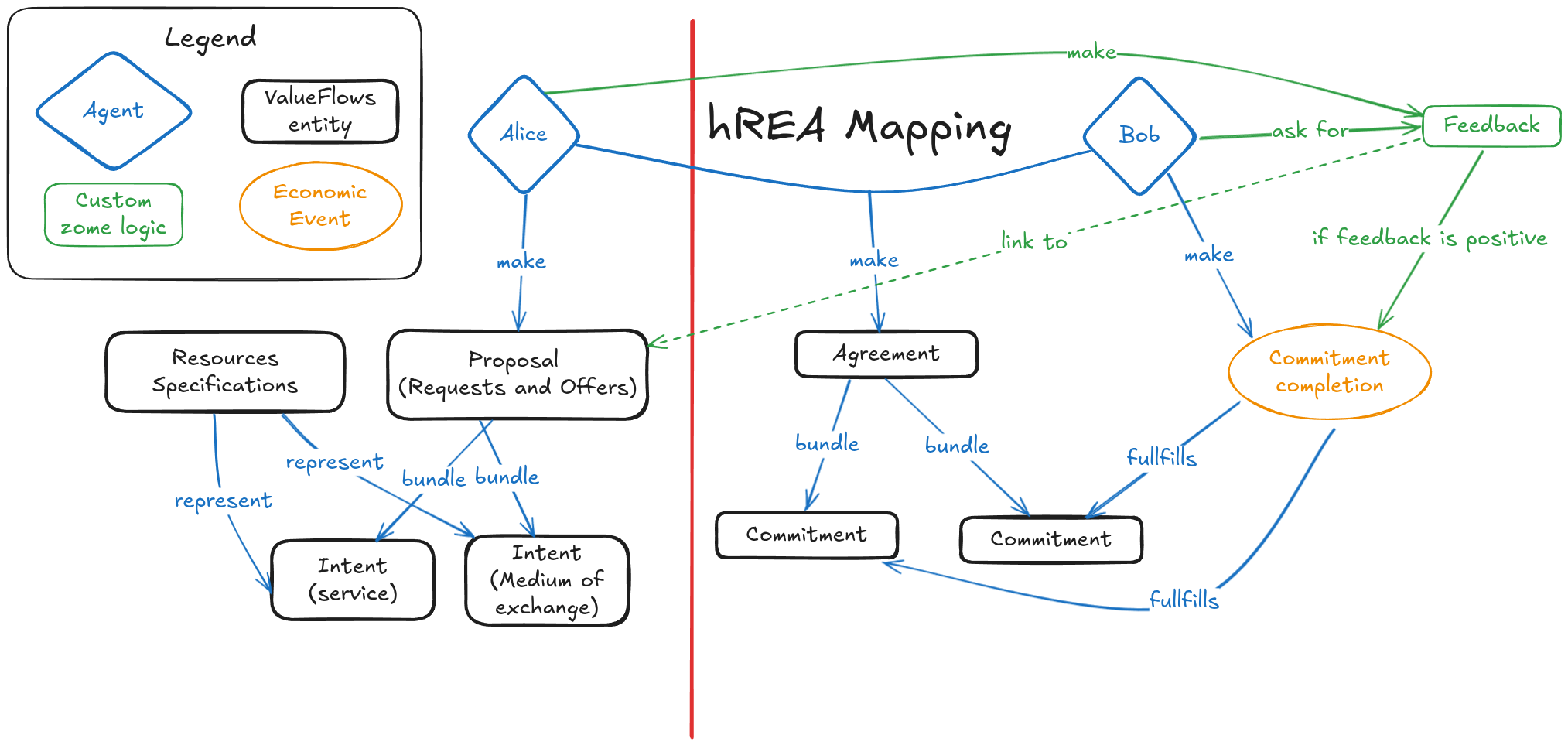
Implementation status (September 2026, feat/exchanges-hrea-mirror)
The mirror is live end to end, event-driven and UI-layer only: the R&O
zomes do not know hREA exists. Store events (request:created,
offer:created, exchange:accepted, exchange:completed) drive
handlers in hrea.store.svelte.ts; removing those handlers removes the
integration.
What is implemented:
- Listings mirror as Proposals with two reciprocal Intents (work +
transfer), linked via
proposeIntent. - Accepted exchanges mirror as an Agreement plus primary and reciprocal Commitments, with structured quantities backed by seeded hREA Units (hours, days, each).
- Each party's completion records an EconomicEvent (
realizationOfthe agreement) and marks their Commitmentfinished. Both sides verified on two peers. - Cross-DHT identity uses chain roots as the join key: refs carry true
Create-action hashes, resolved by the R&O DHT (
resolve_to_original), never chosen client-side. Link anchors are canonicalised at receipt in the zomes (seetests/sweettest/tests/link_canonicalisation.rs).
Deviation from the flow above: EconomicEvents are recorded when a party marks their side done, not conditionally on positive feedback. Reviews exist as a separate step and do not gate fulfilment. If feedback-gated events remain a requirement, that is future work and this section should be updated when it lands.
Getting Started with Requests & Offers
Welcome to the Requests & Offers project! This guide will help you get started with our Holochain-based platform for facilitating exchanges within the hAppenings.community.
What Makes This Project Unique
This project implements a sophisticated 7-layer Effect-TS architecture that provides:
- Type-safe async operations with Effect-TS
- Reactive state management with Svelte 5 Runes
- Centralized error handling with domain-specific errors
- Composable business logic abstraction
- Comprehensive testing across all layers
Prerequisites
Before you begin, ensure you have:
- Holochain Development Environment installed
- Basic understanding of Holochain concepts
- Bun 1.0.0 or later
- Recommended: Familiarity with TypeScript and functional programming concepts
Quick Start
-
Clone the repository:
git clone https://github.com/Happening-Community/requests-and-offers.git cd requests-and-offers -
Enter the nix shell:
nix develop -
Install dependencies:
bun install -
Start the development environment:
bun start -
Open your browser to see multiple agent instances running
Understanding the Architecture
7-Layer Effect-TS Pattern
Our codebase follows a standardized pattern across all domains:
- Service Layer: Effect-native services with Context.Tag dependency injection
- Store Layer: Factory functions with Svelte 5 Runes + 9 standardized helper functions
- Schema Validation: Effect Schema with strategic validation boundaries
- Error Handling: Domain-specific tagged errors with centralized management
- Composables: Component logic abstraction using Effect-based functions
- Components: Svelte 5 + accessibility focus, using composables for business logic
- Testing: Comprehensive Effect-TS coverage across all layers
Example: Service Types Domain (Fully Implemented)
The Service Types domain serves as the architectural template. Here's how the layers work together:
// 1. Service Layer (Effect-native with dependency injection)
export const ServiceTypeService =
Context.GenericTag<ServiceTypeService>("ServiceTypeService");
// 2. Store Layer (Factory function with Svelte 5 Runes)
export const createServiceTypesStore = () => {
let entities = $state<UIServiceType[]>([]);
const fetchEntities = Effect.gen(function* () {
const records = yield* serviceTypeService.getAllServiceTypes();
entities = mapRecordsToUIEntities(records); // Helper function #2
});
return { entities: () => entities, fetchEntities };
};
// 3. Composable (Business logic abstraction)
export function useServiceTypesManagement() {
const store = createServiceTypesStore();
const errorBoundary = useErrorBoundary({
context: SERVICE_TYPE_CONTEXTS.FETCH_SERVICE_TYPES,
});
return { ...store, errorBoundary };
}
// 4. Component (Using composable for business logic)
// ServiceTypesGrid.svelte uses the composable
The 9 Standardized Store Helper Functions
Each domain store implements these helpers for consistency:
- Entity Creation Helper:
createUIEntity- Converts Holochain records to UI entities - Record Mapping Helper:
mapRecordsToUIEntities- Maps arrays with null safety - Cache Sync Helper:
createCacheSyncHelper- Synchronizes cache with state arrays - Event Emission Helpers:
createEventEmitters- Standardized event broadcasting - Data Fetching Helper:
createEntityFetcher- Higher-order fetching with loading state - Loading State Helper:
withLoadingState- Consistent loading/error patterns - Record Creation Helper:
createRecordCreationHelper- Processes new records - Status Transition Helper:
createStatusTransitionHelper- Atomic status updates - Collection Processor:
processMultipleRecordCollections- Complex response handling
Project Structure Deep Dive
requests-and-offers/
├── dnas/requests_and_offers/
│ ├── zomes/
│ │ ├── coordinator/ # Business logic zomes
│ │ │ ├── service_types/ # ✅ Complete domain template
│ │ │ ├── requests/ # ✅ Complete domain
│ │ │ ├── offers/ # ✅ Complete domain
│ │ │ └── ...
│ │ └── integrity/ # Data validation zomes
├── ui/ # SvelteKit frontend
│ ├── src/lib/
│ │ ├── services/ # Service layer (Effect-TS services)
│ │ ├── stores/ # Store layer (Svelte 5 + Effect-TS)
│ │ ├── composables/ # Business logic abstraction
│ │ ├── components/ # UI components (by feature)
│ │ ├── schemas/ # Effect Schema validation
│ │ ├── errors/ # Domain-specific error handling
│ │ └── utils/ # Shared utilities
│ └── src/routes/ # SvelteKit pages
├── tests/sweettest/ # Sweettest integration tests (Rust)
└── documentation/ # Comprehensive project docs
Core Technologies in Practice
Effect-TS Integration
- Service Layer: All async operations use Effect for composability
- Error Handling: Domain-specific tagged errors with Effect's error model
- State Management: Effect services integrate with Svelte stores
- Testing: Effect's testing utilities for reliable async tests
Svelte 5 Runes + Effect-TS
// Store pattern combining Svelte 5 Runes with Effect-TS
export const createServiceTypesStore = () => {
let entities = $state<UIServiceType[]>([]);
let isLoading = $state(false);
const loadEntities = Effect.gen(function* () {
isLoading = true;
const result = yield* serviceTypeService.getAllServiceTypes();
entities = mapRecordsToUIEntities(result);
isLoading = false;
});
return {
entities: () => entities,
isLoading: () => isLoading,
loadEntities,
};
};
hREA Integration
The application integrates with hREA (Holochain Resource-Event-Agent) framework:
- Requests map to hREA Intents
- Offers map to hREA Proposals
- Service Types map to ResourceSpecifications
- Users/Organizations map to Agents
Your First Development Task
Verification: Explore a Complete Domain
-
Examine Service Types domain (fully implemented):
# Look at the service layer code ui/src/lib/services/zomes/serviceTypes.service.ts # Check the store implementation code ui/src/lib/stores/serviceTypes.store.svelte.ts # See the composable pattern code ui/src/lib/composables/domain/service-types/useServiceTypesManagement.svelte.ts # View the components code ui/src/lib/components/service-types/ -
Run domain-specific tests:
# Backend tests bun test:service-types # Frontend tests cd ui && bun test:unit -- service-types -
See it in action:
- Start the app:
bun start - Navigate to Service Types section
- Try creating, editing, and managing service types
- Start the app:
Next: Learn the Patterns
- Effect-TS Primer: Read our Effect-TS guide for project-specific patterns
- Development Workflow: Follow development workflow for implementing features
- Architectural Patterns: Understand our established patterns
Implementation Status
- Service Types Domain: ✅ Fully completed (100%) - serves as template
- Requests Domain: ✅ Fully completed (100%) - patterns applied
- Offers Domain: ✅ Fully completed (100%) - all 9 helpers implemented
- Other Domains: Effect-based, queued for standardization
Next Steps
-
Deep Dive
- Read Effect-TS Primer for project patterns
- Follow Development Workflow for practical implementation
- Study Architectural Patterns for established conventions
-
Development
- Follow the Contributing Guide for contribution workflow
- Use Installation Guide for detailed setup options
-
Understanding the System
- Review Technical Specifications for complete system details
- Check Feature Specifications for functionality overview
- Learn Architecture for high-level system design
Need Help?
- Development Questions: Check our comprehensive AI Development Rules
- Community: Join our Discord
- Project Info: Visit hAppenings Community
- Issues: Report on GitHub
What Sets This Apart
This isn't just a typical SvelteKit + Holochain app. You're working with:
- Functional programming patterns with Effect-TS
- Type-safe async operations throughout
- Standardized architecture across all domains
- Comprehensive error handling with recovery strategies
- Advanced state management combining reactive and functional paradigms
- Production-ready patterns proven across multiple domains
Ready to dive deeper? Continue with our Effect-TS Primer to understand the core patterns that power this architecture.
Installation Guide
This guide provides detailed instructions for installing and setting up the Requests & Offers application.
System Requirements
- Linux, macOS, or Windows with WSL2
- Holochain Development Environment
- Bun 1.0.0 or later
Installation Steps
1. Development Environment Setup
Install Holochain
Follow the official Holochain installation guide for your operating system.
You can quickly install Holochain using this command:
bash <(curl https://holochain.github.io/holochain/setup.sh)
This will set up the complete Holochain development environment, including Nix and all necessary components.
2. Project Setup
Clone the Repository
git clone https://github.com/Happening-Community/requests-and-offers.git
cd requests-and-offers
Enter Nix Shell
nix develop
Install Dependencies
bun install
This will also download the hREA suite as part of the postinstall script.
Environment Configuration
The project uses environment variables to control development features. Three environment files are configured:
.env.development- Full development features enabled.env.test- Limited dev features for alpha testing.env.production- All dev features disabled
Key Environment Variables:
VITE_APP_ENV=development|test|production # Core environment setting
VITE_DEV_FEATURES_ENABLED=true|false # Master dev features toggle
VITE_MOCK_BUTTONS_ENABLED=true|false # Form mock buttons
Development Features Include:
- Mock data buttons in forms for rapid testing
- Development utilities and debug tools
- Enhanced error reporting and logging
- Component boundary visualization (future)
Tree-Shaking: In production mode, all development code is completely removed from the final build through Vite's build-time optimization, ensuring zero overhead.
3. Development Setup
The application consists of two main parts:
- Frontend (SvelteKit application with 7-layer Effect-TS architecture)
- Backend (Holochain DNA with multiple zomes)
Build and Verify Setup
Before starting the development environment, build the components to verify everything works:
# Build Holochain zomes (requires Nix environment)
bun build:zomes
Verification: This should complete without errors and create compiled zomes in the target directory.
# Build complete hApp
bun build:happ
Verification: Should create workdir/requests_and_offers.happ file.
Start Development Environment
The project includes three deployment modes for different development scenarios:
🧑💻 Development Mode (Full dev features + mock buttons):
# Start with default configuration (2 agents)
bun start
# Start with custom number of agents
AGENTS=3 bun start
# Start with Tauri (desktop application)
bun start:tauri
🧪 Test Mode (Alpha testing without mock buttons):
# Start in test mode - simulates production environment for testing
bun start:test
# Custom agents in test mode
AGENTS=3 bun start:test
🚀 Production Mode (Clean production build):
# Start in production mode - all dev features tree-shaken out
bun start:prod
# Custom agents in production mode
AGENTS=3 bun start:prod
Choosing the Right Mode:
- Development: Use for feature development, debugging, and learning (includes mock data buttons)
- Test: Use for alpha testing and production simulation (realistic environment without dev tools)
- Production: Use for actual deployment and performance testing (optimized builds)
This will:
- Clean the Holochain sandbox
- Build the hApp
- Start the UI server
- Launch the Holochain environment
- Start the Holochain Playground
Verify Development Environment
After running bun start, you should see:
-
Terminal Output: Multiple URLs displayed:
- UI servers for each agent (e.g.,
http://localhost:5173,http://localhost:5174) - Bootstrap server URL
- Signal server URL
- Holochain Playground URL
- UI servers for each agent (e.g.,
-
Browser Windows: Automatically opened browser windows for each agent
-
Successful Connection: Each UI should show the main interface without connection errors
If you see errors:
- Check the Troubleshooting section below
- Ensure Nix environment is properly activated:
nix develop - Verify all dependencies are installed:
bun install
4. Testing & Verification
Verify Installation with Tests
Run tests to ensure everything is working correctly:
# Run all tests (comprehensive verification)
bun test
This runs:
- Zome builds and compilation
- Backend Sweettest tests
- Frontend unit and integration tests
- Status module tests
Expected Result: All tests should pass. If tests fail, check dependencies and environment.
Component Tests for Verification
# Frontend tests only (verify UI layer)
bun test:ui
# Individual zome tests (verify specific domains)
bun test:service-types # Service types functionality (complete reference implementation)
bun test:users # Users Organizations zome
bun test:organizations # Organizations functionality
bun test:requests # Requests functionality
bun test:offers # Offers functionality
bun test:administration # Administration zome
bun test:status # Status module
Advanced Testing (Optional)
# Frontend unit tests (requires Nix for hREA integration)
nix develop --command bun test:unit
# Integration tests
cd ui && bun test:integration
# E2E tests with Holochain
cd ui && bun test:e2e:holochain
4.5. First Development Task
Validate Your Setup: Complete this task to confirm your environment is ready for development.
Task: Explore Service Types Domain
The Service Types domain is 100% complete and serves as the architectural template. Use it to verify your understanding:
-
Examine the Implementation:
# Look at the service layer (Effect-TS with dependency injection) cat ui/src/lib/services/zomes/serviceTypes.service.ts | head -50 # Check the store implementation (Svelte 5 Runes + Effect-TS) cat ui/src/lib/stores/serviceTypes.store.svelte.ts | head -50 # See the composable pattern (business logic abstraction) cat ui/src/lib/composables/domain/service-types/useServiceTypesManagement.svelte.ts # View component organization ls -la ui/src/lib/components/service-types/ -
Run Domain-Specific Tests:
# Backend tests (Sweettest multi-agent) bun test:service-types # Frontend tests (Effect-TS integration) cd ui && bun test:unit -- service-types -
See It In Action:
- Navigate to Service Types section in the running app
- Try creating a new service type (use mock button in development mode)
- Edit an existing service type
- Notice the error handling and loading states
- Observe the Effect-TS patterns in developer tools
- Development Mode: Notice the "Create Mock Data" button in forms
- Test Mode: Run
bun start:testand note the absence of mock buttons
Success Criteria:
- All commands run without errors
- Service type CRUD operations work in the UI
- Tests pass for service-types domain
- You can identify the 7-layer architecture in the code
-
Mock data buttons appear in development mode (
bun start) -
Mock data buttons are hidden in test mode (
bun start:test) -
Development features are completely absent in production mode (
bun start:prod)
Next Steps After Setup
Once your installation is verified:
- Learn the Architecture: Read our Getting Started Guide for architecture overview
- Understand Patterns: Study Effect-TS Primer for project-specific patterns
- Practice Implementation: Follow Development Workflow for feature development
- Join Community: Connect on Discord for support
5. Building
Development Builds
# Build Holochain zomes
bun build:zomes
# Build complete hApp (includes zome builds)
bun build:happ
Production Package
# Create production package (includes hApp and UI)
bun package
6. hREA Integration
The project integrates with hREA (Holochain Resource-Event-Agent). The hREA suite is automatically downloaded during installation, but you can manage it with:
# Re-download hREA suite
bun run download-hrea-suite
# Remove hREA suite
bun run clean:hrea-suite
Development Resources
Troubleshooting
Common Setup Issues
1. Nix Environment Problems
Symptoms: command not found: holochain or build failures
Solutions:
# Ensure Nix is properly installed
nix --version
# Enter development environment
nix develop
# If still issues, try rebuilding the environment
nix develop --rebuild
2. Port Conflicts
Symptoms: "Port already in use" errors
Solution: The application automatically finds available ports for:
- UI servers (starts from 5173)
- Bootstrap server
- Signal server
If you still have conflicts, close other development servers or restart your terminal.
3. Build Issues
Symptoms: Compilation errors or missing files
Solutions:
# Clean and rebuild zomes
bun run build:zomes
# If zome build fails, check Nix environment
nix develop --command bun run build:zomes
# Clean and rebuild hApp
bun run build:happ
# Clean Holochain sandbox if needed
rm -rf .hc*
4. Dependencies Issues
Symptoms: Module not found or version conflicts
Solutions:
# Reinstall dependencies
rm -rf node_modules bun.lockb
bun install
# Reinstall UI dependencies
cd ui
rm -rf node_modules bun.lockb
bun install
cd ..
5. hREA Integration Issues
Symptoms: hREA-related test failures or missing DNA files
Solutions:
# Reinstall hREA suite
bun run clean:hrea-suite
bun run download-hrea-suite
# Verify hREA installation
ls -la workdir/hrea.dna
6. Effect-TS Runtime Issues
Symptoms: Runtime errors in Effect operations or service injection failures
Solutions:
- Check that all services are properly provided in layers
- Verify Context.Tag usage in service definitions
- Ensure proper error handling in Effect operations
- Review Effect-TS patterns in our Effect-TS Primer
7. Frontend Issues
Symptoms: UI not loading, component errors, or state management issues
Solutions:
# Check TypeScript compilation
cd ui && bun run check
# Run linting
cd ui && bun run lint
# Clear browser cache and restart
# Check browser console for specific errors
8. Test Failures
Symptoms: Tests failing during verification
Detailed Solutions:
# If backend tests fail
bun test:service-types # Test specific domain
nix develop --command cargo test --manifest-path tests/sweettest/Cargo.toml # Run Sweettest directly
# If frontend tests fail
cd ui && bun test:unit -- --reporter=verbose
# If hREA integration tests fail
nix develop --command bun test:unit
Environment Verification Checklist
If you're having persistent issues, verify your environment:
# Check all required tools
nix --version # Should show Nix version
bun --version # Should show Bun 1.0.0+
node --version # Should show Node 18+
# Check Nix environment
nix develop --command which holochain # Should show holochain path
nix develop --command cargo --version # Should show Rust toolchain
# Check project structure
ls -la workdir/ # Should contain DNA/hApp files
ls -la ui/node_modules/ # Should contain dependencies
Performance Issues
Slow Builds
# Enable parallel builds
export CARGO_BUILD_JOBS=4
# Use release mode for faster zome builds
bun run build:zomes -- --release
High Memory Usage
# Limit concurrent operations
export NODE_OPTIONS="--max-old-space-size=4096"
# Run with fewer agents for testing
AGENTS=1 bun start
Getting Help
When reporting issues, please include:
- Error Output: Full error messages and stack traces
- Environment Info: OS, Nix version, Bun version
- Steps to Reproduce: What commands led to the issue
- Context: What were you trying to accomplish
Support Channels:
- Community: Join our hAppenings Community
- Issues: Report on GitHub Issues
- Chat: Connect on Discord
- Documentation: Check our AI Development Rules for development guidance
Quick Recovery Commands
If you need to completely reset your environment:
# Nuclear option - clean everything
rm -rf .hc* node_modules ui/node_modules workdir/*.dna workdir/*.happ
bun install
bun build:zomes
bun build:happ
bun start
Warning: This will remove all local data and require rebuilding everything.
Production Network Setup
By default, workdir/happ.yaml ships with progenitor_pubkey: ~ (null), which means the first agent to create a profile becomes the network administrator — convenient for development but unsuitable for production.
For a production deployment you must set the progenitor's agent public key before building the hApp:
Using Kangaroo (recommended): The Kangaroo Electron app handles this automatically. It reads the creator's agent public key from the Holochain conductor admin WebSocket and injects it into DNA properties before installing the hApp. No manual configuration is needed.
Manual configuration:
-
Obtain the agent public key from the Holochain conductor admin API (base64-encoded
AgentPubKey). -
Set it in
workdir/happ.yaml:
properties:
progenitor_pubkey: uhCAkXxxxxxxxxxxxxxxxxxxxxxxxxxxxxxxxxxxxxxxxxxxxxxxxxxxxxxxx
- Rebuild the hApp:
bun build:happ
The agent whose key is set will be automatically registered as the first network administrator when they call create_user. All other agents receive standard Pending status regardless of join order.
For a full explanation of the progenitor pattern see The Progenitor Pattern.
Documentation
- Getting Started
- Contributing Guide
- Technical Documentation & Technical Specifications
- API Documentation
- System Architecture
- Feature Specifications
Development Workflow Guide
This guide provides practical patterns for implementing features in the Requests & Offers project, following our established 7-layer Effect-TS architecture.
Constitution Compliance
All development activities must comply with the Requests and Offers Constitution. This workflow implements the 7 Core Principles:
- I. Evidence-Based Development: All patterns reference established implementations
- II. 7-Layer Effect-TS Architecture: This workflow enforces the standardized architecture
- III. Type Safety First: Effect-TS patterns with schema validation boundaries
- IV. Comprehensive Testing: TDD approach with Sweettest and Vitest testing
- V. Peer-to-Peer First: Holochain DHT functionality prioritized throughout
- VI. Standardized Patterns: Service Types domain template replication
- VII. Community-Driven Design: Simplified MVP approach for hAppenings.community
Overview
Our development workflow follows a standardized pattern across all domains, ensuring consistency and maintainability. Every feature implementation follows the same 7-layer structure with established patterns.
Development Cycle
1. Domain Analysis & Planning
Before implementing any feature, understand the domain structure:
# Explore existing domains for patterns
ls ui/src/lib/services/zomes/ # Service layer implementations
ls ui/src/lib/stores/ # Store layer implementations
ls ui/src/lib/composables/domain/ # Composable implementations
ls ui/src/lib/components/ # Component implementations
Use Service Types as Template: The service-types domain is 100% complete and serves as the architectural template for all new implementations.
2. Layer Implementation Order
Always implement layers in this order to maintain dependencies:
- Zome Layer (Backend) → 2. Service Layer → 3. Store Layer → 4. Composable Layer → 5. Component Layer → 6. Error Handling → 7. Testing
3. Backend Development (Zomes)
Coordinator Zome Implementation
# Create new zome structure
cd dnas/requests_and_offers/zomes/coordinator/
mkdir my_domain && cd my_domain
Pattern: Follow the coordinator/integrity separation:
#![allow(unused)] fn main() { // coordinator/my_domain/src/lib.rs use hdk::prelude::*; use my_domain_integrity::*; #[hdk_extern] pub fn create_my_entity(input: CreateMyEntityInput) -> ExternResult<Record> { // Business logic implementation } #[hdk_extern] pub fn get_my_entities() -> ExternResult<Vec<Record>> { // Query implementation } }
Testing Pattern
# Create and run zome tests
bun test:my-domain
Test all CRUD operations and business logic before moving to frontend.
4. Service Layer Implementation
Create Effect-native services with dependency injection:
// ui/src/lib/services/zomes/myDomain.service.ts
import { Context, Effect, pipe } from "effect";
import { HolochainClientService } from "../HolochainClientService.svelte";
export interface MyDomainService {
readonly createMyEntity: (
input: CreateMyEntityInput,
) => Effect.Effect<UIMyEntity, MyDomainError>;
readonly getAllMyEntities: () => Effect.Effect<UIMyEntity[], MyDomainError>;
readonly updateMyEntity: (
hash: ActionHash,
input: UpdateMyEntityInput,
) => Effect.Effect<UIMyEntity, MyDomainError>;
readonly deleteMyEntity: (
hash: ActionHash,
) => Effect.Effect<void, MyDomainError>;
}
export const MyDomainService =
Context.GenericTag<MyDomainService>("MyDomainService");
export const makeMyDomainService = Effect.gen(function* () {
const client = yield* HolochainClientService;
const createMyEntity = (input: CreateMyEntityInput) =>
Effect.gen(function* () {
const record = yield* client.callZome({
zome_name: "my_domain",
fn_name: "create_my_entity",
payload: input,
});
return createUIMyEntity(record);
}).pipe(
Effect.mapError((error) =>
MyDomainError.fromError(error, MY_DOMAIN_CONTEXTS.CREATE_MY_ENTITY),
),
Effect.withSpan("MyDomainService.createMyEntity"),
);
return { createMyEntity, getAllMyEntities, updateMyEntity, deleteMyEntity };
});
Key Patterns:
- Use
Effect.genfor complex operations with dependencies - Use
.pipefor error handling and tracing - Apply consistent error transformation with domain contexts
- Include telemetry with
Effect.withSpan
5. Store Layer Implementation
Create factory functions combining Svelte 5 Runes with Effect-TS:
// ui/src/lib/stores/myDomain.store.svelte.ts
import { Effect, Context } from "effect";
import { MyDomainService } from "$lib/services";
export const createMyDomainStore = () => {
// Reactive state with Svelte 5 Runes
let entities = $state<UIMyEntity[]>([]);
let isLoading = $state(false);
let error = $state<string | null>(null);
// Cache management
const cache = createModuleCache<ActionHash, UIMyEntity>(
"myDomain",
5 * 60 * 1000,
);
// 1. Entity Creation Helper
const createUIEntity = (record: Record): UIMyEntity | null => {
try {
const decoded = decode(record.entry);
return {
hash: record.signed_action.hashed.hash,
...decoded,
createdAt: new Date(
record.signed_action.hashed.content.timestamp / 1000,
),
};
} catch (error) {
console.error("Failed to create UI entity:", error);
return null;
}
};
// 2. Record Mapping Helper
const mapRecordsToUIEntities = (records: Record[]): UIMyEntity[] => {
return records
.map(createUIEntity)
.filter((entity): entity is UIMyEntity => entity !== null);
};
// 3. Cache Sync Helper
const syncCacheWithEntities = () => {
entities.forEach((entity) => cache.set(entity.hash, entity));
};
// 4. Event Emission Helpers
const eventEmitters = createEventEmitters<UIMyEntity>("myDomain");
// 5. Data Fetching Helper
const fetchEntities = Effect.gen(function* () {
const myDomainService = yield* MyDomainService;
isLoading = true;
error = null;
const result = yield* myDomainService.getAllMyEntities();
entities = mapRecordsToUIEntities(result);
syncCacheWithEntities();
isLoading = false;
return entities;
}).pipe(
Effect.catchAll((err) =>
Effect.sync(() => {
error = err.message;
isLoading = false;
return [];
}),
),
);
// 6. Loading State Helper
const withLoadingState = <T>(operation: Effect.Effect<T, any>) =>
Effect.gen(function* () {
isLoading = true;
error = null;
const result = yield* operation;
isLoading = false;
return result;
}).pipe(
Effect.catchAll((err) =>
Effect.sync(() => {
error = err.message;
isLoading = false;
throw err;
}),
),
);
// 7. Record Creation Helper
const handleNewRecord = (newEntity: UIMyEntity) => {
entities = [...entities, newEntity];
cache.set(newEntity.hash, newEntity);
eventEmitters.entityCreated(newEntity);
};
// 8. Status Transition Helper (if applicable)
const updateEntityStatus = (hash: ActionHash, newStatus: EntityStatus) => {
const index = entities.findIndex((e) => e.hash === hash);
if (index !== -1) {
entities[index] = { ...entities[index], status: newStatus };
cache.set(hash, entities[index]);
eventEmitters.entityUpdated(entities[index]);
}
};
// 9. Collection Processor
const processMultipleCollections = (response: ComplexResponse) => {
if (response.myEntities) {
entities = mapRecordsToUIEntities(response.myEntities);
}
// Handle related collections...
};
return {
// Reactive state
entities: () => entities,
isLoading: () => isLoading,
error: () => error,
// Actions
fetchEntities,
createEntity: (input: CreateMyEntityInput) =>
withLoadingState(
Effect.gen(function* () {
const myDomainService = yield* MyDomainService;
const newEntity = yield* myDomainService.createMyEntity(input);
handleNewRecord(newEntity);
return newEntity;
}),
),
// Helpers (exposed for composables)
createUIEntity,
mapRecordsToUIEntities,
eventEmitters,
};
};
Implementation Notes:
- Always implement all 9 standardized helper functions
- Use Svelte 5 Runes for reactive state
- Integrate Effect-TS for async operations
- Include proper error handling and loading states
- Implement cache management with TTL
6. Composable Layer Implementation
Create composables that abstract business logic from components:
// ui/src/lib/composables/domain/my-domain/useMyDomainManagement.svelte.ts
import { Effect } from "effect";
import { useErrorBoundary } from "$lib/composables";
import { createMyDomainStore } from "$lib/stores";
import { MY_DOMAIN_CONTEXTS } from "$lib/errors";
export function useMyDomainManagement() {
// Create domain store
const store = createMyDomainStore();
// Error boundaries for different operations
const loadingErrorBoundary = useErrorBoundary({
context: MY_DOMAIN_CONTEXTS.FETCH_MY_ENTITIES,
enableLogging: true,
enableFallback: true,
maxRetries: 2,
});
const createErrorBoundary = useErrorBoundary({
context: MY_DOMAIN_CONTEXTS.CREATE_MY_ENTITY,
enableLogging: true,
maxRetries: 1,
});
// Enhanced operations with error handling
const loadEntities = async () => {
await loadingErrorBoundary.execute(store.fetchEntities, []);
};
const createEntity = async (input: CreateMyEntityInput) => {
await createErrorBoundary.execute(store.createEntity(input));
};
// Reactive state that components can use
let state = $state({
entities: store.entities,
isLoading: store.isLoading,
error: store.error,
loadingError: () => loadingErrorBoundary.state.error,
createError: () => createErrorBoundary.state.error,
});
return {
// State
state,
// Actions
loadEntities,
createEntity,
// Error boundaries
loadingErrorBoundary,
createErrorBoundary,
// Store methods (if needed directly)
store,
};
}
7. Component Layer Implementation
Create Svelte components that use composables for business logic:
<!-- ui/src/lib/components/my-domain/MyDomainGrid.svelte -->
<script>
import { useMyDomainManagement } from '$lib/composables';
import ErrorDisplay from '$lib/components/shared/ErrorDisplay.svelte';
const {
state,
loadEntities,
createEntity,
loadingErrorBoundary,
createErrorBoundary
} = useMyDomainManagement();
// Load entities on mount
$effect(() => {
loadEntities();
});
</script>
<!-- Error Displays -->
{#if state.loadingError()}
<ErrorDisplay
error={state.loadingError()}
context="Loading entities"
variant="inline"
showRetry={true}
onretry={() => loadEntities()}
ondismiss={() => loadingErrorBoundary.clearError()}
/>
{/if}
<!-- Loading State -->
{#if state.isLoading()}
<div>Loading entities...</div>
{/if}
<!-- Entity Grid -->
<div class="grid grid-cols-1 md:grid-cols-2 lg:grid-cols-3 gap-4">
{#each state.entities() as entity (entity.hash)}
<MyDomainCard {entity} />
{/each}
</div>
8. Error Handling Implementation
Create domain-specific error handling:
// ui/src/lib/errors/my-domain.errors.ts
import { Data } from "effect";
export class MyDomainError extends Data.TaggedError("MyDomainError")<{
readonly message: string;
readonly cause?: unknown;
readonly context?: string;
readonly entityId?: string;
readonly operation?: string;
}> {
static fromError(
error: unknown,
context: string,
entityId?: string,
operation?: string,
): MyDomainError {
const message = error instanceof Error ? error.message : String(error);
return new MyDomainError({
message,
cause: error,
context,
entityId,
operation,
});
}
}
// Add to error-contexts.ts
export const MY_DOMAIN_CONTEXTS = {
CREATE_MY_ENTITY: "Failed to create entity",
GET_MY_ENTITY: "Failed to get entity",
UPDATE_MY_ENTITY: "Failed to update entity",
DELETE_MY_ENTITY: "Failed to delete entity",
FETCH_MY_ENTITIES: "Failed to fetch entities",
} as const;
9. Testing Implementation
Create comprehensive tests for each layer:
# Backend tests (Sweettest, requires Nix)
nix develop --command cargo test --manifest-path tests/sweettest/Cargo.toml
# Frontend unit tests
cd ui && bun test:unit -- my-domain
# Integration tests
cd ui && bun test:integration -- my-domain
Test Structure:
// ui/tests/unit/stores/myDomain.store.test.ts
import { describe, it, expect } from "vitest";
import { createMyDomainStore } from "$lib/stores";
describe("MyDomain Store", () => {
it("should create UI entities correctly", () => {
const store = createMyDomainStore();
const mockRecord = createMockRecord();
const entity = store.createUIEntity(mockRecord);
expect(entity).toBeDefined();
expect(entity.hash).toBe(mockRecord.signed_action.hashed.hash);
});
it("should handle all 9 helper functions", () => {
const store = createMyDomainStore();
// Test each helper function
expect(typeof store.createUIEntity).toBe("function");
expect(typeof store.mapRecordsToUIEntities).toBe("function");
// ... test all 9 helpers
});
});
Best Practices
Effect-TS Patterns
When to Use Effect.gen vs .pipe
// Use Effect.gen for:
// 1. Injecting dependencies
const serviceOperation = Effect.gen(function* () {
const service = yield* MyDomainService;
const result = yield* service.getAllEntities();
return result;
});
// 2. Sequential operations with error handling
const complexOperation = Effect.gen(function* () {
const step1 = yield* operation1();
const step2 = yield* operation2(step1);
return yield* operation3(step2);
});
// Use .pipe for:
// 1. Error handling
const withErrorHandling = operation.pipe(
Effect.mapError((error) => MyDomainError.fromError(error, context)),
Effect.catchAll(fallbackOperation),
);
// 2. Transformations
const transformed = operation.pipe(
Effect.map((result) => transformResult(result)),
Effect.withSpan("operation-name"),
);
Store Patterns
Always Implement the 9 Helper Functions
- createUIEntity: Convert Holochain Record to UI entity
- mapRecordsToUIEntities: Map array of Records with null safety
- createCacheSyncHelper: Sync cache with state arrays
- createEventEmitters: Standardized event broadcasting
- createEntityFetcher: Higher-order fetching with loading state
- withLoadingState: Wrap operations with loading/error patterns
- createRecordCreationHelper: Process new records and update cache
- createStatusTransitionHelper: Handle status changes atomically
- processMultipleRecordCollections: Handle complex responses
Component Patterns
Use Composables for Business Logic
<script>
// ✅ Good - Use composable for business logic
const { state, actions, errorBoundaries } = useMyDomainManagement();
// ❌ Avoid - Direct store usage in components
// const store = createMyDomainStore();
</script>
Consistent Error Display
<!-- Always include error displays for user feedback -->
{#if errorBoundary.state.error}
<ErrorDisplay
error={errorBoundary.state.error}
context="Operation description"
showRetry={true}
onretry={() => retryOperation()}
ondismiss={() => errorBoundary.clearError()}
/>
{/if}
Common Patterns
Domain Implementation Checklist
- Zome implemented with coordinator/integrity pattern
- Service layer with Effect-TS and dependency injection
- Store layer with all 9 helper functions
- Composable layer abstracting business logic
- Component layer using composables
- Error handling with domain-specific errors and contexts
- Tests covering all layers (backend + frontend)
- Documentation updated with new domain
Performance Considerations
- Cache Management: Implement TTL-based caching for frequently accessed data
- Event Bus: Use event emitters for cross-domain communication
- Loading States: Always provide loading feedback for async operations
- Error Recovery: Implement retry strategies and fallback mechanisms
Maintenance Guidelines
- Follow Service Types: Use as reference implementation for all patterns
- Consistent Naming: Follow established naming conventions across domains
- Documentation: Update guides when adding new patterns
- Testing: Maintain test coverage for all new functionality
Next Steps
- Study Complete Examples: Examine service-types, requests, and offers domains
- Practice Implementation: Try implementing a simple domain following this workflow
- Read Architecture Guides: Architectural Patterns and Effect-TS Primer
- Join Community: Connect with other developers on Discord
This workflow ensures consistency, maintainability, and scalability across all feature implementations in the project.
Architectural Patterns Guide
This guide documents the established architectural patterns used throughout the Requests & Offers project. These patterns ensure consistency, maintainability, and scalability across all domains.
Overview
Our architecture follows proven patterns that have been refined through implementing multiple domains. Every pattern documented here is used in production code and has been validated through the complete Service Types, Requests, and Offers domains.
Core Architectural Principles
1. 7-Layer Architecture Pattern
Each domain follows the same 7-layer structure:
7. Testing Layer ← Comprehensive coverage across all layers
6. Component Layer ← Svelte 5 components using composables
5. Composable Layer ← Business logic abstraction
4. Error Layer ← Domain-specific error handling
3. Schema Layer ← Effect Schema validation
2. Store Layer ← Svelte 5 Runes + Effect-TS integration
1. Service Layer ← Effect-native services with dependency injection
Key Benefits:
- Consistency: Same structure across all domains
- Testability: Each layer can be tested in isolation
- Maintainability: Clear separation of concerns
- Scalability: Easy to add new domains following the pattern
2. Dependency Flow Pattern
Dependencies always flow downward through the layers:
Components → Composables → Stores → Services → Holochain
↓ ↓ ↓ ↓ ↓
UI Logic → Business → State → Network → Backend
Logic Mgmt Calls
Rules:
- Components never directly access stores or services
- Composables orchestrate store and service interactions
- Stores manage reactive state and coordinate service calls
- Services handle all Holochain communication
- Each layer only depends on layers below it
The 9 Standardized Store Helper Functions
Every domain store implements these 9 helper functions for consistency and functionality:
1. Entity Creation Helper
const createUIEntity = (record: Record): UIEntity | null => {
try {
const decoded = decode(record.entry);
return {
hash: record.signed_action.hashed.hash,
...decoded,
createdAt: new Date(record.signed_action.hashed.content.timestamp / 1000),
};
} catch (error) {
console.error("Failed to create UI entity:", error);
return null;
}
};
Purpose: Converts Holochain Records to UI entities with error recovery Usage: Primary conversion function for all incoming data
2. Record Mapping Helper
const mapRecordsToUIEntities = (records: Record[]): UIEntity[] => {
return records
.map(createUIEntity)
.filter((entity): entity is UIEntity => entity !== null);
};
Purpose: Maps arrays of Records to UI entities with null safety Usage: Used in all list operations and bulk data processing
3. Cache Sync Helper
const createCacheSyncHelper = () => {
const syncCacheWithEntities = () => {
entities.forEach((entity) => cache.set(entity.hash, entity));
};
const syncEntityWithCache = (entity: UIEntity) => {
cache.set(entity.hash, entity);
const index = entities.findIndex((e) => e.hash === entity.hash);
if (index !== -1) {
entities[index] = entity;
} else {
entities = [...entities, entity];
}
};
return { syncCacheWithEntities, syncEntityWithCache };
};
Purpose: Synchronizes cache with state arrays for CRUD operations Usage: Maintains consistency between reactive state and cached data
4. Event Emission Helpers
const createEventEmitters = <T>(domain: string) => {
const entityCreated = (entity: T) => {
eventBus.emit(`${domain}:entity:created`, entity);
};
const entityUpdated = (entity: T) => {
eventBus.emit(`${domain}:entity:updated`, entity);
};
const entityDeleted = (hash: ActionHash) => {
eventBus.emit(`${domain}:entity:deleted`, hash);
};
const entitiesLoaded = (entities: T[]) => {
eventBus.emit(`${domain}:entities:loaded`, entities);
};
return { entityCreated, entityUpdated, entityDeleted, entitiesLoaded };
};
Purpose: Standardized event broadcasting for domain operations Usage: Cross-domain communication and UI synchronization
5. Data Fetching Helper
const createEntityFetcher = <T, E>(
fetchOperation: Effect.Effect<T[], E>,
processingFn: (records: any[]) => T[],
) => {
const fetchWithState = Effect.gen(function* () {
isLoading = true;
error = null;
const result = yield* fetchOperation;
const processed = processingFn(result);
entities = processed;
isLoading = false;
return processed;
}).pipe(
Effect.catchAll((err) =>
Effect.sync(() => {
error = err.message;
isLoading = false;
return [];
}),
),
);
return fetchWithState;
};
Purpose: Higher-order fetching function with loading/error state management Usage: All data loading operations use this pattern
6. Loading State Helper
const withLoadingState = <T, E>(operation: Effect.Effect<T, E>) =>
Effect.gen(function* () {
isLoading = true;
error = null;
const result = yield* operation;
isLoading = false;
return result;
}).pipe(
Effect.catchAll((err) =>
Effect.sync(() => {
error = err.message;
isLoading = false;
throw err;
}),
),
);
Purpose: Wraps operations with consistent loading/error patterns Usage: Applied to all async operations that affect UI state
7. Record Creation Helper
const createRecordCreationHelper = () => {
const handleNewRecord = (newEntity: UIEntity) => {
entities = [...entities, newEntity];
cache.set(newEntity.hash, newEntity);
eventEmitters.entityCreated(newEntity);
};
const handleUpdatedRecord = (updatedEntity: UIEntity) => {
const index = entities.findIndex((e) => e.hash === updatedEntity.hash);
if (index !== -1) {
entities[index] = updatedEntity;
cache.set(updatedEntity.hash, updatedEntity);
eventEmitters.entityUpdated(updatedEntity);
}
};
return { handleNewRecord, handleUpdatedRecord };
};
Purpose: Processes newly created records and updates cache/state Usage: All create and update operations use these helpers
8. Status Transition Helper
const createStatusTransitionHelper = () => {
const updateEntityStatus = (hash: ActionHash, newStatus: EntityStatus) => {
const index = entities.findIndex((e) => e.hash === hash);
if (index !== -1) {
const updatedEntity = { ...entities[index], status: newStatus };
entities[index] = updatedEntity;
cache.set(hash, updatedEntity);
eventEmitters.entityUpdated(updatedEntity);
}
};
const batchUpdateStatus = (
updates: { hash: ActionHash; status: EntityStatus }[],
) => {
const updatedEntities = entities.map((entity) => {
const update = updates.find((u) => u.hash === entity.hash);
return update ? { ...entity, status: update.status } : entity;
});
entities = updatedEntities;
updatedEntities.forEach((entity) => cache.set(entity.hash, entity));
eventEmitters.entitiesLoaded(updatedEntities);
};
return { updateEntityStatus, batchUpdateStatus };
};
Purpose: Manages status changes with atomic updates Usage: Status workflows and bulk status operations
9. Collection Processor
const processMultipleRecordCollections = (response: ComplexResponse) => {
const processCollections = (collections: Record<string, Record[]>) => {
const processed: Record<string, UIEntity[]> = {};
for (const [key, records] of Object.entries(collections)) {
processed[key] = mapRecordsToUIEntities(records);
}
return processed;
};
const mergeCollections = (
primary: UIEntity[],
related: Record<string, UIEntity[]>
) => {
// Merge related entities into primary entities
return primary.map(entity => ({
...entity,
...Object.keys(related).reduce((acc, key) => ({
...acc,
[key]: related[key].filter(relatedEntity =>
/* relationship logic based on domain */
)
}), {})
}));
};
return { processCollections, mergeCollections };
};
Purpose: Handles complex responses with multiple collections Usage: Complex queries returning multiple related entity types
Cache Management Patterns
Module-Level Cache Pattern
// Cache configuration
const cache = createModuleCache<ActionHash, UIEntity>(
"domainName", // Cache namespace
5 * 60 * 1000, // TTL: 5 minutes
);
// Cache strategies
const getCachedEntity = (hash: ActionHash): UIEntity | null => {
return cache.get(hash) || null;
};
const setCachedEntity = (entity: UIEntity): void => {
cache.set(entity.hash, entity);
};
const invalidateCache = (hash?: ActionHash): void => {
if (hash) {
cache.delete(hash);
} else {
cache.clear();
}
};
Cache Integration with Reactive State
// Cache-first loading pattern
const loadEntity = (hash: ActionHash) =>
Effect.gen(function* () {
// Check cache first
const cached = getCachedEntity(hash);
if (cached) {
return cached;
}
// Fetch from service
const service = yield* DomainService;
const entity = yield* service.getEntity(hash);
// Update cache and state
setCachedEntity(entity);
return entity;
});
Error Boundary Patterns
Composable Error Boundaries
export function useDomainManagement() {
// Separate error boundaries for different operation types
const loadingErrorBoundary = useErrorBoundary({
context: DOMAIN_CONTEXTS.FETCH_ENTITIES,
enableLogging: true,
enableFallback: true,
maxRetries: 2,
retryDelay: 1000,
});
const mutationErrorBoundary = useErrorBoundary({
context: DOMAIN_CONTEXTS.CREATE_ENTITY,
enableLogging: true,
maxRetries: 1,
retryDelay: 500,
});
const criticalErrorBoundary = useErrorBoundary({
context: DOMAIN_CONTEXTS.DELETE_ENTITY,
enableLogging: true,
maxRetries: 0, // No auto-retry for destructive operations
enableToast: true,
});
return {
loadingErrorBoundary,
mutationErrorBoundary,
criticalErrorBoundary,
};
}
Error Context Patterns
// Standardized error contexts per domain
export const DOMAIN_CONTEXTS = {
// CRUD operations
CREATE_ENTITY: "Failed to create entity",
GET_ENTITY: "Failed to get entity",
UPDATE_ENTITY: "Failed to update entity",
DELETE_ENTITY: "Failed to delete entity",
// List operations
FETCH_ENTITIES: "Failed to fetch entities",
SEARCH_ENTITIES: "Failed to search entities",
FILTER_ENTITIES: "Failed to filter entities",
// Specialized operations
APPROVE_ENTITY: "Failed to approve entity",
REJECT_ENTITY: "Failed to reject entity",
PUBLISH_ENTITY: "Failed to publish entity",
} as const;
Event Bus Patterns
Domain Event System
// Event type definitions
type DomainEvents = {
"service-types:entity:created": UIServiceType;
"service-types:entity:updated": UIServiceType;
"service-types:entity:deleted": ActionHash;
"service-types:entities:loaded": UIServiceType[];
"service-types:status:changed": {
hash: ActionHash;
status: ServiceTypeStatus;
};
};
// Event emission in stores
const emitEntityCreated = (entity: UIServiceType) => {
eventBus.emit("service-types:entity:created", entity);
};
// Event listening in composables
const setupEventListeners = () => {
eventBus.on("service-types:entity:created", (entity) => {
// Handle cross-domain updates
});
eventBus.on("service-types:status:changed", ({ hash, status }) => {
// Update related entities
});
};
Cross-Domain Communication
// Example: Requests listening to Service Type changes
export function useRequestsManagement() {
const store = createRequestsStore();
// Listen for service type updates that affect requests
eventBus.on("service-types:entity:updated", (serviceType) => {
// Update requests that reference this service type
store.updateServiceTypeReferences(serviceType);
});
eventBus.on("service-types:entity:deleted", (serviceTypeHash) => {
// Handle deletion of referenced service type
store.handleServiceTypeDeletion(serviceTypeHash);
});
return store;
}
Composable Abstraction Patterns
Business Logic Separation
export function useDomainManagement() {
const store = createDomainStore();
const { loadingErrorBoundary, mutationErrorBoundary } = useErrorBoundaries();
// Reactive state (read-only for components)
let state = $state({
entities: store.entities,
isLoading: store.isLoading,
error: store.error,
// Computed derived state
approvedEntities: () =>
store.entities().filter((e) => e.status === "approved"),
pendingEntities: () =>
store.entities().filter((e) => e.status === "pending"),
// Error states from boundaries
loadingError: () => loadingErrorBoundary.state.error,
mutationError: () => mutationErrorBoundary.state.error,
});
// Business operations (with error handling)
const operations = {
async loadEntities() {
await loadingErrorBoundary.execute(store.fetchEntities, []);
},
async createEntity(input: CreateEntityInput) {
await mutationErrorBoundary.execute(store.createEntity(input));
},
async updateEntityStatus(hash: ActionHash, status: EntityStatus) {
await mutationErrorBoundary.execute(
store.updateEntityStatus(hash, status),
);
},
};
// Lifecycle management
onMount(() => {
operations.loadEntities();
});
return {
state,
operations,
// Expose error boundaries for component error handling
loadingErrorBoundary,
mutationErrorBoundary,
};
}
Composable Composition Pattern
// Specialized composables that compose domain management
export function useEntitySelection() {
const { state } = useDomainManagement();
let selectedEntities = $state<Set<ActionHash>>(new Set());
const selection = {
selectedEntities: () => selectedEntities,
isSelected: (hash: ActionHash) => selectedEntities.has(hash),
toggleSelection: (hash: ActionHash) => {
if (selectedEntities.has(hash)) {
selectedEntities.delete(hash);
} else {
selectedEntities.add(hash);
}
selectedEntities = new Set(selectedEntities);
},
selectAll: () => {
selectedEntities = new Set(state.entities().map((e) => e.hash));
},
clearSelection: () => {
selectedEntities = new Set();
},
};
return { selection };
}
Component Integration Patterns
Component-Composable Integration
<!-- DomainManagementPage.svelte -->
<script>
import { useDomainManagement, useEntitySelection } from '$lib/composables';
import ErrorDisplay from '$lib/components/shared/ErrorDisplay.svelte';
import EntityCard from './EntityCard.svelte';
const { state, operations, loadingErrorBoundary, mutationErrorBoundary } = useDomainManagement();
const { selection } = useEntitySelection();
</script>
<!-- Error displays for different operations -->
{#if state.loadingError()}
<ErrorDisplay
error={state.loadingError()}
context="Loading entities"
variant="inline"
showRetry={true}
onretry={() => operations.loadEntities()}
ondismiss={() => loadingErrorBoundary.clearError()}
/>
{/if}
{#if state.mutationError()}
<ErrorDisplay
error={state.mutationError()}
context="Entity operation"
variant="banner"
ondismiss={() => mutationErrorBoundary.clearError()}
/>
{/if}
<!-- Entity grid with selection -->
<div class="grid grid-cols-1 md:grid-cols-2 lg:grid-cols-3 gap-4">
{#each state.entities() as entity (entity.hash)}
<EntityCard
{entity}
isSelected={selection.isSelected(entity.hash)}
onToggleSelection={() => selection.toggleSelection(entity.hash)}
onUpdate={(input) => operations.updateEntity(entity.hash, input)}
/>
{/each}
</div>
Service Layer Patterns
Effect-TS Service Pattern
export const makeDomainService = Effect.gen(function* () {
const client = yield* HolochainClientService;
// CRUD operations with consistent error handling
const createEntity = (input: CreateEntityInput) =>
Effect.gen(function* () {
const record = yield* client.callZome({
zome_name: "domain",
fn_name: "create_entity",
payload: input,
});
return createUIEntity(record);
}).pipe(
Effect.mapError((error) =>
DomainError.fromError(error, DOMAIN_CONTEXTS.CREATE_ENTITY),
),
Effect.withSpan("DomainService.createEntity"),
);
const getAllEntities = () =>
Effect.gen(function* () {
const records = yield* client.callZome({
zome_name: "domain",
fn_name: "get_all_entities",
payload: null,
});
return mapRecordsToUIEntities(records);
}).pipe(
Effect.mapError((error) =>
DomainError.fromError(error, DOMAIN_CONTEXTS.FETCH_ENTITIES),
),
Effect.withSpan("DomainService.getAllEntities"),
);
// Specialized operations
const approveEntity = (hash: ActionHash) =>
Effect.gen(function* () {
const record = yield* client.callZome({
zome_name: "domain",
fn_name: "approve_entity",
payload: hash,
});
return createUIEntity(record);
}).pipe(
Effect.mapError((error) =>
DomainError.fromError(error, DOMAIN_CONTEXTS.APPROVE_ENTITY, hash),
),
Effect.withSpan("DomainService.approveEntity"),
);
return {
createEntity,
getAllEntities,
updateEntity,
deleteEntity,
approveEntity,
};
});
Testing Patterns
Layer-Specific Testing
// Service layer testing
describe("DomainService", () => {
it("should create entity with proper error handling", async () => {
const MockHolochainClient = Layer.succeed(HolochainClientService, {
callZome: () => Effect.succeed(mockRecord),
});
const TestDomainServiceLive = Layer.provide(
DomainServiceLive,
MockHolochainClient,
);
const result = await Effect.runPromise(
Effect.gen(function* () {
const service = yield* DomainService;
return yield* service.createEntity(mockInput);
}).pipe(Effect.provide(TestDomainServiceLive)),
);
expect(result.name).toBe(mockInput.name);
});
});
// Store layer testing
describe("DomainStore", () => {
it("should implement all 9 helper functions", () => {
const store = createDomainStore();
expect(typeof store.createUIEntity).toBe("function");
expect(typeof store.mapRecordsToUIEntities).toBe("function");
// ... test all 9 helpers
});
it("should handle entity creation with cache sync", () => {
const store = createDomainStore();
const entity = store.createUIEntity(mockRecord);
expect(entity).toBeDefined();
expect(store.getCachedEntity(entity.hash)).toEqual(entity);
});
});
Performance Patterns
Optimization Strategies
// Lazy loading pattern
const lazyLoadEntity = (hash: ActionHash) =>
Effect.lazy(() =>
Effect.gen(function* () {
const cached = getCachedEntity(hash);
if (cached) return cached;
const service = yield* DomainService;
return yield* service.getEntity(hash);
}),
);
// Batch operations pattern
const batchCreateEntities = (inputs: CreateEntityInput[]) =>
Effect.gen(function* () {
const service = yield* DomainService;
// Process in batches to avoid overwhelming the network
const batches = chunk(inputs, 10);
const results = [];
for (const batch of batches) {
const batchResults = yield* Effect.all(
batch.map((input) => service.createEntity(input)),
{ concurrency: 5 },
);
results.push(...batchResults);
}
return results;
});
Best Practices Summary
Do's ✅
- Follow the 9 Helper Functions: Implement all helpers in every store
- Use Error Boundaries: Separate boundaries for different operation types
- Implement Caching: Use module-level caching with TTL
- Event Communication: Use event bus for cross-domain communication
- Layer Separation: Maintain clear dependency flow between layers
- Effect-TS Patterns: Use Effect.gen for dependencies, .pipe for transformations
- Comprehensive Testing: Test each layer independently
Don'ts ❌
- Skip Helper Functions: Never implement only partial helper functions
- Direct Store Access: Components should never directly access stores
- Mixed Error Contexts: Don't reuse error contexts across domains
- Cache Inconsistency: Always sync cache with reactive state changes
- Layer Violations: Never skip layers or create circular dependencies
- Manual Error Handling: Always use error boundaries and tagged errors
- State Mutation: Never mutate state outside of designated helper functions
Migration Guide
When implementing a new domain or updating an existing one:
- Start with Service Layer: Implement Effect-TS service with proper dependency injection
- Create Store with All 9 Helpers: Don't skip any helper functions
- Add Error Handling: Implement domain-specific errors and contexts
- Build Composable: Abstract business logic from components
- Create Components: Use composables, never direct store access
- Add Comprehensive Tests: Test each layer independently
- Document Patterns: Update this guide if you establish new patterns
This architectural patterns guide ensures consistency and quality across all domains in the project. Follow these patterns to maintain the high standards established in the Service Types, Requests, and Offers domains.
Adopting the 7-Layer Effect-TS Architecture in Holochain Projects
A comprehensive guide for implementing the proven 7-layer Effect-TS architecture in new or existing Holochain projects.
📋 Overview
This guide explains how to adopt the sophisticated 7-layer Effect-TS architecture from the Requests & Offers project in your own Holochain applications. This architecture has been proven to provide exceptional maintainability, developer experience, and production reliability.
Target Audience
- New Holochain Projects: Starting fresh with best practices
- Existing Projects: Migrating from simpler architectures
- Development Teams: Establishing consistent patterns
- Enterprise Applications: Production-grade reliability requirements
🏗️ Architecture Overview
The 7 Layers
- Service Layer: Effect-native services with Context.Tag dependency injection
- Store Layer: Svelte 5 Runes with standardized helper functions
- Schema Layer: Effect Schema validation with strategic boundaries
- Error Layer: Domain-specific tagged errors with centralized management
- Composable Layer: Effect-based business logic abstraction
- Component Layer: Svelte 5 components with accessibility focus
- Test Layer: Comprehensive testing across all layers
Key Benefits
- 🔄 Consistency: Predictable patterns across all domains
- 🧪 Type Safety: End-to-end typing from zome to UI
- 🚀 Developer Experience: Rapid onboarding and feature development
- 🛡️ Reliability: Graceful error handling and recovery
- 📊 Maintainability: Clear separation of concerns
🎯 Decision Guide: Should You Adopt This Architecture?
✅ Perfect Fit For
| Project Type | Complexity | Team Size | Timeline | Recommendation |
|---|---|---|---|---|
| Multi-domain hApp | High | 3+ developers | 6+ months | Full Adoption |
| Enterprise Integration | High | 2+ developers | 4+ months | Full Adoption |
| Production Application | Medium-High | 1+ developers | 3+ months | Strong Consider |
| hREA Integration | Medium | 1+ developers | 2+ months | Recommended |
⚠️ Consider Alternatives For
| Project Type | Complexity | Team Size | Timeline | Recommendation |
|---|---|---|---|---|
| Simple CRUD App | Low | 1 developer | <1 month | Simplified Approach |
| Quick Prototype | Low | 1 developer | <2 weeks | Direct Svelte |
| Learning Project | Low | 1 developer | Variable | Start Simple |
| Single Domain | Low-Medium | 1-2 developers | <3 months | Hybrid Approach |
🚀 Implementation Strategies
Strategy 1: Full Adoption (New Projects)
Phase 1: Foundation Setup (1-2 weeks)
# 1. Initialize project structure
mkdir -p my-happ/ui/src/lib/{services,stores,composables,components,schemas,errors,utils}
mkdir -p my-happ/ui/src/lib/utils/store-helpers
mkdir -p my-happ/ui/src/lib/composables/domain
mkdir -p my-happ/ui/src/lib/components/ui
# 2. Install core dependencies
cd my-happ/ui
bun add effect @effect/schema @holochain/client
bun add svelte @sveltejs/kit
bun add vitest @vitest/ui @playwright/test
# 3. Copy essential utilities
# From this project, copy:
# - ui/src/lib/utils/store-helpers/ (entire directory)
# - ui/src/lib/errors/ (error handling patterns)
# - ui/src/lib/utils/effect.ts (Effect utilities)
Phase 2: Service Layer Implementation (1 week per domain)
// 1. Create service template (reference: serviceTypes.service.ts)
export const MyDomainService = Context.GenericTag<MyDomainService>("MyDomainService");
export const makeMyDomainService = Effect.gen(function* () {
const client = yield* HolochainClientService;
const createMyEntity = (input: CreateMyEntityInput) =>
Effect.gen(function* () {
// Implementation
});
return { createMyEntity };
});
Phase 3: Store Layer Implementation (1 week per domain)
// 1. Implement 9 standardized helpers
export const createMyDomainStore = () => {
let entities = $state<MyEntity[]>([]);
// 1. Entity Creation Helper
const createUIEntity = createUIEntityFromRecord<MyEntityInDHT, UIMyEntity>(
(entry, actionHash, timestamp) => ({ ...entry, original_action_hash: actionHash, created_at: timestamp })
);
// 2. Record Mapping Helper
const mapRecordsToUIEntities = (records: HolochainRecord[]) =>
records.map(record => createUIEntity(record)).filter(Boolean);
// 3-9. Implement remaining helpers...
return { entities: () => entities, /* other methods */ };
};
Phase 4: Composable Layer (3-5 days per domain)
// 1. Create domain composable
export function useMyDomainManagement() {
const store = myDomainStore;
const service = yield* MyDomainService;
const createEntity = (input: CreateMyEntityInput) =>
Effect.gen(function* () {
const result = yield* service.createMyEntity(input);
// Update store, emit events, etc.
});
return { createEntity };
}
Strategy 2: Hybrid Approach (Existing Projects)
Phase 1: Assessment (2-3 days)
-
Audit Current Architecture
// Document existing patterns - Current state management approach - Error handling strategies - Component organization - Testing practices -
Identify Migration Candidates
// Start with most complex domain - Domains with multiple state interactions - Areas with frequent bugs - New features being added
Phase 2: Incremental Migration (2-3 weeks per domain)
// Step 1: Add Effect-TS dependencies
bun add effect @effect/schema
// Step 2: Implement service layer for one domain
export const ExistingDomainService = Context.GenericTag<ExistingDomainService>("ExistingDomainService");
// Step 3: Keep existing components, add service integration
function ExistingComponent() {
// Gradually replace old patterns with new
const { createEntity } = useExistingDomainService();
}
Phase 3: Pattern Standardization (1-2 weeks)
// 1. Adopt store helpers gradually
import { createGenericCacheSyncHelper } from '$lib/utils/store-helpers';
// 2. Implement error boundaries
import { useErrorBoundary } from '$lib/composables/ui/useErrorBoundary.svelte';
// 3. Add testing infrastructure
import { createMockService } from '$lib/utils/mocks';
Strategy 3: Minimal Integration (Quick Start)
Essential Elements Only (1 week implementation)
// 1. Add only critical utilities
// Service layer pattern
export const SimpleService = Context.Tag<SimpleService>();
// Basic store helper
const withLoadingState = (operation) => (setLoading, setError) =>
pipe(
operation,
tap(() => setLoading(true)),
catchError((error) => {
setError(error.message);
return E.fail(error);
}),
finally(() => setLoading(false))
);
// 2. Keep existing component structure
function MyComponent() {
const loading = $state(false);
const error = $state(null);
const createEntity = withLoadingState(
service.createEntity(input)
)(setLoading, setError);
}
📁 File Structure Templates
New Project Structure
my-happ/
├── dnas/
│ └── my_domain/
│ ├── zomes/
│ │ ├── coordinator/
│ │ └── integrity/
└── ui/
├── src/
│ ├── lib/
│ │ ├── services/
│ │ │ ├── HolochainClientService.ts
│ │ │ ├── zomes/
│ │ │ │ └── myDomain.service.ts
│ │ ├── stores/
│ │ │ └── myDomain.store.svelte.ts
│ │ ├── composables/
│ │ │ ├── domain/
│ │ │ │ └── myDomain/
│ │ │ │ └── useMyDomainManagement.svelte.ts
│ │ ├── components/
│ │ │ ├── ui/
│ │ │ └── myDomain/
│ │ ├── schemas/
│ │ │ └── myDomain.schema.ts
│ │ ├── errors/
│ │ │ ├── myDomain.error.ts
│ │ │ └── error-contexts.ts
│ │ └── utils/
│ │ ├── store-helpers/
│ │ └── effect.ts
│ └── routes/
└── tests/
├── unit/
├── integration/
└── e2e/
Essential Files to Copy
Copy these core files from the Requests & Offers project:
# Core utilities
cp -r ui/src/lib/utils/store-helpers/ my-project/ui/src/lib/utils/
cp ui/src/lib/utils/effect.ts my-project/ui/src/lib/utils/
cp ui/src/lib/utils/mocks.ts my-project/ui/src/lib/utils/
# Error handling foundation
cp ui/src/lib/errors/error-contexts.ts my-project/ui/src/lib/errors/
cp ui/src/lib/errors/base.error.ts my-project/ui/src/lib/errors/
# Service patterns
cp ui/src/lib/services/HolochainClientService.ts my-project/ui/src/lib/services/
# Store events
cp ui/src/lib/stores/storeEvents.ts my-project/ui/src/lib/stores/
🛠️ Implementation Checklist
Pre-Implementation
- Architecture Decision: Choose adoption strategy (Full/Hybrid/Minimal)
- Team Alignment: Ensure team understands Effect-TS concepts
- Dependency Planning: Budget 2-4 weeks for learning curve
- Tool Setup: Install Bun, Effect-TS, testing infrastructure
Foundation Layer
- Package Structure: Establish consistent directory layout
- Core Dependencies: Install Effect-TS, schemas, testing tools
- Utility Functions: Copy store-helpers and Effect utilities
- Error Framework: Implement base error classes and contexts
Service Layer
- Service Template: Create Context.Tag service pattern
- Dependency Injection: Implement service composition
- Error Handling: Add domain-specific error types
- Holochain Integration: Connect service layer to zome functions
Store Layer
- State Management: Implement Svelte 5 Runes pattern
- Helper Functions: Implement all 9 standardized helpers
- Cache Management: Add EntityCache with TTL
- Event Integration: Connect to store event system
Composable Layer
- Business Logic: Extract to Effect-based composables
- Error Boundaries: Implement retry mechanisms
- State Synchronization: Ensure cache/state consistency
- User Experience: Add loading states and feedback
Component Layer
- Accessibility: Implement ARIA patterns and keyboard navigation
- Composable Integration: Use composables for business logic
- Responsive Design: Mobile-first approach
- Error Display: User-friendly error messages
Test Layer
- Unit Tests: Service layer with comprehensive mocking
- Integration Tests: Store and composable interactions
- E2E Tests: User workflows with Playwright
- Backend Tests: Holochain zome testing with Sweettest
🧪 Migration Patterns
Existing State Migration
// Before: Simple Svelte store
let entities = writable([]);
// After: Effect-based store with helpers
export const createMyDomainStore = () => {
let entities = $state<MyEntity[]>([]);
const { syncCacheToState } = createGenericCacheSyncHelper({
all: entities
});
const fetchEntities = withLoadingState(() =>
pipe(
myDomainService.getAllEntities(),
E.map(mapRecordsToUIEntities),
E.tap((processed) => {
entities.splice(0, entities.length, ...processed);
})
)
);
return { entities: () => entities, fetchEntities };
};
Error Handling Migration
// Before: Basic try/catch
try {
await createEntity(input);
} catch (error) {
console.error('Failed:', error);
}
// After: Effect-based error handling
const createEntityEffect = (input: CreateEntityInput) =>
pipe(
myDomainService.createEntity(input),
E.catchAll((error) =>
E.fail(MyDomainError.fromError(error, ERROR_CONTEXTS.CREATE_ENTITY))
)
);
📊 Success Metrics
Quality Metrics
- Test Coverage: ≥80% unit, ≥70% integration
- Type Safety: 100% TypeScript coverage
- Error Boundaries: All user operations covered
- Performance: <100ms response time for operations
Developer Experience
- Onboarding Time: <1 week for new developers
- Feature Addition: <3 days for new domain implementation
- Bug Rate: <50% reduction in production bugs
- Code Review Time: <30 minutes per PR
Production Metrics
- Uptime: ≥99.9% for critical operations
- Error Recovery: Automatic recovery for 90% of errors
- Bundle Size: <500KB initial load
- Memory Usage: <100MB for typical sessions
🎓 Learning Resources
Essential Concepts
-
Effect-TS Fundamentals
- Effect.gen vs .pipe decision matrix
- Context.Tag dependency injection
- Error handling with Either and Exit
-
Svelte 5 Runes
- $state, $derived, $effect reactivity
- Component composition patterns
- Accessibility best practices
-
Holochain Integration
- Zome function patterns
- DHT operation understanding
- hREA integration concepts
Practice Exercises
-
Start with Simple Domain
- Implement basic CRUD operations
- Add store helpers incrementally
- Build components with composables
-
Progress to Complex Domain
- Multi-entity relationships
- Cross-domain communication
- Advanced error scenarios
-
Master Production Patterns
- Performance optimization
- Error recovery strategies
- Testing comprehensive coverage
🔧 Troubleshooting
Common Challenges
Effect-TS Learning Curve
// Problem: Understanding when to use Effect.gen vs .pipe
// Solution: Use decision matrix from development guidelines
// Effect.gen: Dependencies, conditional logic, sequential operations
Effect.gen(function* () {
const service = yield* MyService;
if (condition) {
return yield* service.methodA();
} else {
return yield* service.methodB();
}
});
// .pipe: Error handling, tracing, simple transforms
pipe(
service.method(),
E.map(transform),
E.catchAll(handleError)
);
Type Complexity
// Problem: Complex Effect types can be intimidating
// Solution: Let TypeScript inference do the work
// Instead of explicit types:
const myFunction: Effect<string, Error, MyService> = ...
// Let inference work:
const myFunction = Effect.gen(function* () {
const service = yield* MyService;
return service.getString();
});
Performance Issues
// Problem: Too many re-renders or slow updates
// Solution: Use derived values and batch operations
// Good: $derived for computed values
const filteredEntities = $derived(
entities.filter(e => e.status === 'active')
);
// Good: Batch updates with cache helpers
const { syncCacheToState } = createGenericCacheSyncHelper({
all: entities,
pending: pendingEntities
});
Performance Optimization
-
Bundle Size
// Use dynamic imports for large features const HeavyComponent = lazy(() => import('./HeavyComponent.svelte')); -
Memory Management
// Clear cache on navigation $effect(() => { return () => { cache.clear(); }; }); -
Response Time
// Use optimistic updates const createEntity = (input) => pipe( service.createEntity(input), E.tap((entity) => { // Update UI immediately entities.push(entity); }) );
🎯 Conclusion
The 7-layer Effect-TS architecture represents a significant investment in code quality and maintainability. While it adds complexity compared to simpler approaches, the dividends in long-term maintainability, developer experience, and production reliability make it an excellent choice for serious Holochain applications.
Start small, iterate, and gradually adopt patterns as you understand their value. The architecture is designed to be adopted incrementally, allowing you to benefit from its advantages without requiring a complete rewrite of existing code.
For projects planning to scale, having multiple domains, or requiring production reliability, this architecture provides a solid foundation that will serve your project well throughout its lifecycle.
Next Steps:
- Assess your project's complexity and requirements
- Choose an adoption strategy
- Implement the foundation layer
- Gradually adopt patterns domain by domain
- Establish testing and quality metrics
- Iterate and improve based on experience
Remember: The goal is not perfection, but consistent improvement in code quality and developer experience.
Domain Implementation Guide
This guide provides a step-by-step template for implementing new domains in the Requests & Offers project, following our established 7-layer Effect-TS architecture. Use this as a practical walkthrough for creating consistent, maintainable domain implementations.
Overview
Every domain implementation follows the same pattern, ensuring consistency and maintainability. This guide uses the Service Types domain as a concrete example, since it's 100% complete and serves as our architectural template.
Implementation Checklist
Use this checklist for every new domain:
- 1. Zome Layer - Holochain backend implementation
- 2. Service Layer - Effect-TS service with dependency injection
- 3. Store Layer - Svelte 5 Runes + Effect-TS with 9 helper functions
- 4. Error Layer - Domain-specific error handling and contexts
- 5. Schema Layer - Effect Schema validation
- 6. Composable Layer - Business logic abstraction
- 7. Component Layer - Svelte 5 components using composables
- 8. Testing Layer - Comprehensive test coverage
Step-by-Step Implementation
Step 1: Zome Layer (Backend)
1.1 Create Zome Structure
# Create coordinator zome
cd dnas/requests_and_offers/zomes/coordinator/
mkdir my_domain && cd my_domain
# Create integrity zome
cd ../../../integrity/
mkdir my_domain && cd my_domain
1.2 Implement Coordinator Zome
File: dnas/requests_and_offers/zomes/coordinator/my_domain/src/lib.rs
#![allow(unused)] fn main() { use hdk::prelude::*; use my_domain_integrity::*; #[hdk_extern] pub fn create_my_entity(input: CreateMyEntityInput) -> ExternResult<Record> { let my_entity_hash = create_entry(&EntryTypes::MyEntity(input.clone()))?; let record = get(my_entity_hash.clone(), GetOptions::default())? .ok_or(wasm_error!(WasmErrorInner::Guest(String::from("Could not find the just created MyEntity"))))?; let path = Path::from("all_my_entities"); create_link(path.path_entry_hash()?, my_entity_hash.clone(), LinkTypes::AllMyEntities, ())?; Ok(record) } #[hdk_extern] pub fn get_all_my_entities(_: ()) -> ExternResult<Vec<Record>> { let path = Path::from("all_my_entities"); let links = get_links(path.path_entry_hash()?, LinkTypes::AllMyEntities, None)?; let get_input: Vec<GetInput> = links .into_iter() .map(|link| GetInput::new( ActionHash::from(link.target).into(), GetOptions::default(), )) .collect(); let records = HDK.with(|hdk| hdk.borrow().get(get_input))?; let records: Vec<Record> = records.into_iter().filter_map(|r| r).collect(); Ok(records) } #[hdk_extern] pub fn get_my_entity(my_entity_hash: ActionHash) -> ExternResult<Option<Record>> { get(my_entity_hash, GetOptions::default()) } #[hdk_extern] pub fn update_my_entity(input: UpdateMyEntityInput) -> ExternResult<Record> { let updated_my_entity_hash = update_entry(input.original_my_entity_hash.clone(), &input.my_entity)?; let record = get(updated_my_entity_hash, GetOptions::default())? .ok_or(wasm_error!(WasmErrorInner::Guest(String::from("Could not find the just updated MyEntity"))))?; Ok(record) } #[hdk_extern] pub fn delete_my_entity(original_my_entity_hash: ActionHash) -> ExternResult<ActionHash> { delete_entry(original_my_entity_hash) } }
1.3 Implement Integrity Zome
File: dnas/requests_and_offers/zomes/integrity/my_domain/src/lib.rs
#![allow(unused)] fn main() { use hdi::prelude::*; #[derive(Serialize, Deserialize)] #[serde(tag = "type")] #[hdk_entry_types] #[unit_enum(UnitEntryTypes)] pub enum EntryTypes { MyEntity(MyEntity), } #[derive(Serialize, Deserialize)] #[hdk_link_types] pub enum LinkTypes { AllMyEntities, } #[hdk_entry_helper] #[derive(Clone, PartialEq)] pub struct MyEntity { pub name: String, pub description: String, pub status: MyEntityStatus, } #[derive(Serialize, Deserialize, Debug, Clone, PartialEq)] pub enum MyEntityStatus { Pending, Approved, Rejected, } #[derive(Serialize, Deserialize, Debug)] pub struct CreateMyEntityInput { pub name: String, pub description: String, } #[derive(Serialize, Deserialize, Debug)] pub struct UpdateMyEntityInput { pub original_my_entity_hash: ActionHash, pub my_entity: MyEntity, } }
1.4 Test the Zome
# Build and test the zome
bun build:zomes
bun test:my-domain
Step 2: Service Layer (Effect-TS)
File: ui/src/lib/services/zomes/myDomain.service.ts
import { Context, Effect, pipe } from "effect";
import type { ActionHash, Record } from "@holochain/client";
import { HolochainClientService } from "../HolochainClientService.svelte";
import { MyDomainError, MY_DOMAIN_CONTEXTS } from "$lib/errors";
import type {
CreateMyEntityInput,
UpdateMyEntityInput,
UIMyEntity,
} from "$lib/types";
// 1. Define service interface
export interface MyDomainService {
readonly createMyEntity: (
input: CreateMyEntityInput,
) => Effect.Effect<UIMyEntity, MyDomainError>;
readonly getAllMyEntities: () => Effect.Effect<UIMyEntity[], MyDomainError>;
readonly getMyEntity: (
hash: ActionHash,
) => Effect.Effect<UIMyEntity | null, MyDomainError>;
readonly updateMyEntity: (
hash: ActionHash,
input: UpdateMyEntityInput,
) => Effect.Effect<UIMyEntity, MyDomainError>;
readonly deleteMyEntity: (
hash: ActionHash,
) => Effect.Effect<void, MyDomainError>;
}
// 2. Create service tag for dependency injection
export const MyDomainService =
Context.GenericTag<MyDomainService>("MyDomainService");
// 3. Implement service with dependencies
export const makeMyDomainService = Effect.gen(function* () {
const client = yield* HolochainClientService;
const createMyEntity = (input: CreateMyEntityInput) =>
Effect.gen(function* () {
const record = yield* client.callZome({
zome_name: "my_domain",
fn_name: "create_my_entity",
payload: input,
});
const entity = createUIMyEntity(record);
if (!entity) {
yield* Effect.fail(
MyDomainError.create("Failed to create UI entity from record"),
);
}
return entity;
}).pipe(
Effect.mapError((error) =>
MyDomainError.fromError(error, MY_DOMAIN_CONTEXTS.CREATE_MY_ENTITY),
),
Effect.withSpan("MyDomainService.createMyEntity"),
);
const getAllMyEntities = () =>
Effect.gen(function* () {
const records = yield* client.callZome({
zome_name: "my_domain",
fn_name: "get_all_my_entities",
payload: null,
});
return mapRecordsToUIMyEntities(records);
}).pipe(
Effect.mapError((error) =>
MyDomainError.fromError(error, MY_DOMAIN_CONTEXTS.GET_ALL_MY_ENTITIES),
),
Effect.withSpan("MyDomainService.getAllMyEntities"),
);
const getMyEntity = (hash: ActionHash) =>
Effect.gen(function* () {
const record = yield* client.callZome({
zome_name: "my_domain",
fn_name: "get_my_entity",
payload: hash,
});
return record ? createUIMyEntity(record) : null;
}).pipe(
Effect.mapError((error) =>
MyDomainError.fromError(error, MY_DOMAIN_CONTEXTS.GET_MY_ENTITY, hash),
),
Effect.withSpan("MyDomainService.getMyEntity"),
);
const updateMyEntity = (hash: ActionHash, input: UpdateMyEntityInput) =>
Effect.gen(function* () {
const record = yield* client.callZome({
zome_name: "my_domain",
fn_name: "update_my_entity",
payload: { ...input, original_my_entity_hash: hash },
});
const entity = createUIMyEntity(record);
if (!entity) {
yield* Effect.fail(
MyDomainError.create(
"Failed to create UI entity from updated record",
),
);
}
return entity;
}).pipe(
Effect.mapError((error) =>
MyDomainError.fromError(
error,
MY_DOMAIN_CONTEXTS.UPDATE_MY_ENTITY,
hash,
),
),
Effect.withSpan("MyDomainService.updateMyEntity"),
);
const deleteMyEntity = (hash: ActionHash) =>
Effect.gen(function* () {
yield* client.callZome({
zome_name: "my_domain",
fn_name: "delete_my_entity",
payload: hash,
});
}).pipe(
Effect.mapError((error) =>
MyDomainError.fromError(
error,
MY_DOMAIN_CONTEXTS.DELETE_MY_ENTITY,
hash,
),
),
Effect.withSpan("MyDomainService.deleteMyEntity"),
);
// Helper functions for UI entity creation
const createUIMyEntity = (record: Record): UIMyEntity | null => {
try {
const decoded = decode(record.entry);
return {
hash: record.signed_action.hashed.hash,
...decoded,
createdAt: new Date(
record.signed_action.hashed.content.timestamp / 1000,
),
};
} catch (error) {
console.error("Failed to create UI entity:", error);
return null;
}
};
const mapRecordsToUIMyEntities = (records: Record[]): UIMyEntity[] => {
return records
.map(createUIMyEntity)
.filter((entity): entity is UIMyEntity => entity !== null);
};
return {
createMyEntity,
getAllMyEntities,
getMyEntity,
updateMyEntity,
deleteMyEntity,
};
});
// 4. Create service layer for dependency injection
export const MyDomainServiceLive = Layer.effect(
MyDomainService,
makeMyDomainService,
).pipe(Layer.provide(HolochainClientServiceLive));
Step 3: Store Layer (Svelte 5 Runes + Effect-TS)
File: ui/src/lib/stores/myDomain.store.svelte.ts
import { Effect } from "effect";
import { createModuleCache } from "$lib/utils/cache.svelte";
import { MyDomainService } from "$lib/services";
import { createEventEmitters } from "$lib/utils/eventBus.effect";
import type {
ActionHash,
UIMyEntity,
CreateMyEntityInput,
UpdateMyEntityInput,
} from "$lib/types";
export const createMyDomainStore = () => {
// Reactive state with Svelte 5 Runes
let entities = $state<UIMyEntity[]>([]);
let isLoading = $state(false);
let error = $state<string | null>(null);
// Cache management
const cache = createModuleCache<ActionHash, UIMyEntity>(
"myDomain",
5 * 60 * 1000,
);
// 1. Entity Creation Helper
const createUIEntity = (record: Record): UIMyEntity | null => {
try {
const decoded = decode(record.entry);
return {
hash: record.signed_action.hashed.hash,
...decoded,
createdAt: new Date(
record.signed_action.hashed.content.timestamp / 1000,
),
};
} catch (error) {
console.error("Failed to create UI entity:", error);
return null;
}
};
// 2. Record Mapping Helper
const mapRecordsToUIEntities = (records: Record[]): UIMyEntity[] => {
return records
.map(createUIEntity)
.filter((entity): entity is UIMyEntity => entity !== null);
};
// 3. Cache Sync Helper
const createCacheSyncHelper = () => {
const syncCacheWithEntities = () => {
entities.forEach((entity) => cache.set(entity.hash, entity));
};
const syncEntityWithCache = (entity: UIMyEntity) => {
cache.set(entity.hash, entity);
const index = entities.findIndex((e) => e.hash === entity.hash);
if (index !== -1) {
entities[index] = entity;
} else {
entities = [...entities, entity];
}
};
return { syncCacheWithEntities, syncEntityWithCache };
};
const { syncCacheWithEntities, syncEntityWithCache } =
createCacheSyncHelper();
// 4. Event Emission Helpers
const eventEmitters = createEventEmitters<UIMyEntity>("myDomain");
// 5. Data Fetching Helper
const createEntityFetcher = <T, E>(
fetchOperation: Effect.Effect<T[], E>,
processingFn: (records: any[]) => T[],
) => {
const fetchWithState = Effect.gen(function* () {
isLoading = true;
error = null;
const result = yield* fetchOperation;
const processed = processingFn(result);
entities = processed;
syncCacheWithEntities();
eventEmitters.entitiesLoaded(processed);
isLoading = false;
return processed;
}).pipe(
Effect.catchAll((err) =>
Effect.sync(() => {
error = err.message;
isLoading = false;
return [];
}),
),
);
return fetchWithState;
};
// 6. Loading State Helper
const withLoadingState = <T, E>(operation: Effect.Effect<T, E>) =>
Effect.gen(function* () {
isLoading = true;
error = null;
const result = yield* operation;
isLoading = false;
return result;
}).pipe(
Effect.catchAll((err) =>
Effect.sync(() => {
error = err.message;
isLoading = false;
throw err;
}),
),
);
// 7. Record Creation Helper
const createRecordCreationHelper = () => {
const handleNewRecord = (newEntity: UIMyEntity) => {
entities = [...entities, newEntity];
cache.set(newEntity.hash, newEntity);
eventEmitters.entityCreated(newEntity);
};
const handleUpdatedRecord = (updatedEntity: UIMyEntity) => {
const index = entities.findIndex((e) => e.hash === updatedEntity.hash);
if (index !== -1) {
entities[index] = updatedEntity;
cache.set(updatedEntity.hash, updatedEntity);
eventEmitters.entityUpdated(updatedEntity);
}
};
return { handleNewRecord, handleUpdatedRecord };
};
const { handleNewRecord, handleUpdatedRecord } = createRecordCreationHelper();
// 8. Status Transition Helper
const createStatusTransitionHelper = () => {
const updateEntityStatus = (
hash: ActionHash,
newStatus: MyEntityStatus,
) => {
const index = entities.findIndex((e) => e.hash === hash);
if (index !== -1) {
const updatedEntity = { ...entities[index], status: newStatus };
entities[index] = updatedEntity;
cache.set(hash, updatedEntity);
eventEmitters.entityUpdated(updatedEntity);
}
};
return { updateEntityStatus };
};
const { updateEntityStatus } = createStatusTransitionHelper();
// 9. Collection Processor
const processMultipleRecordCollections = (response: any) => {
if (response.myEntities) {
entities = mapRecordsToUIEntities(response.myEntities);
syncCacheWithEntities();
}
// Handle other collections if needed
};
// Main operations using Effect-TS
const fetchEntities = createEntityFetcher(
Effect.gen(function* () {
const myDomainService = yield* MyDomainService;
return yield* myDomainService.getAllMyEntities();
}),
(result) => result, // Already processed by service
);
const createEntity = (input: CreateMyEntityInput) =>
withLoadingState(
Effect.gen(function* () {
const myDomainService = yield* MyDomainService;
const newEntity = yield* myDomainService.createMyEntity(input);
handleNewRecord(newEntity);
return newEntity;
}),
);
const updateEntity = (hash: ActionHash, input: UpdateMyEntityInput) =>
withLoadingState(
Effect.gen(function* () {
const myDomainService = yield* MyDomainService;
const updatedEntity = yield* myDomainService.updateMyEntity(
hash,
input,
);
handleUpdatedRecord(updatedEntity);
return updatedEntity;
}),
);
const deleteEntity = (hash: ActionHash) =>
withLoadingState(
Effect.gen(function* () {
const myDomainService = yield* MyDomainService;
yield* myDomainService.deleteMyEntity(hash);
entities = entities.filter((e) => e.hash !== hash);
cache.delete(hash);
eventEmitters.entityDeleted(hash);
}),
);
return {
// Reactive state accessors
entities: () => entities,
isLoading: () => isLoading,
error: () => error,
// Operations
fetchEntities,
createEntity,
updateEntity,
deleteEntity,
updateEntityStatus,
// Helper functions (exposed for composables)
createUIEntity,
mapRecordsToUIEntities,
syncEntityWithCache,
processMultipleRecordCollections,
eventEmitters,
// Cache access
getCachedEntity: (hash: ActionHash) => cache.get(hash) || null,
clearCache: () => cache.clear(),
};
};
Step 4: Error Layer
File: ui/src/lib/errors/my-domain.errors.ts
import { Data } from "effect";
export class MyDomainError extends Data.TaggedError("MyDomainError")<{
readonly message: string;
readonly cause?: unknown;
readonly context?: string;
readonly entityId?: string;
readonly operation?: string;
}> {
static fromError(
error: unknown,
context: string,
entityId?: string,
operation?: string,
): MyDomainError {
const message = error instanceof Error ? error.message : String(error);
return new MyDomainError({
message,
cause: error,
context,
entityId,
operation,
});
}
static create(
message: string,
context?: string,
entityId?: string,
operation?: string,
): MyDomainError {
return new MyDomainError({
message,
context,
entityId,
operation,
});
}
}
// Add to error-contexts.ts
export const MY_DOMAIN_CONTEXTS = {
CREATE_MY_ENTITY: "Failed to create entity",
GET_MY_ENTITY: "Failed to get entity",
UPDATE_MY_ENTITY: "Failed to update entity",
DELETE_MY_ENTITY: "Failed to delete entity",
GET_ALL_MY_ENTITIES: "Failed to fetch entities",
APPROVE_MY_ENTITY: "Failed to approve entity",
REJECT_MY_ENTITY: "Failed to reject entity",
} as const;
Step 5: Schema Layer
File: ui/src/lib/schemas/my-domain.schemas.ts
import { Schema } from "@effect/schema";
// Base entity schema
export const MyEntityStatusSchema = Schema.Union(
Schema.Literal("pending"),
Schema.Literal("approved"),
Schema.Literal("rejected"),
);
export const MyEntitySchema = Schema.Struct({
name: Schema.String,
description: Schema.String,
status: MyEntityStatusSchema,
});
// Input schemas
export const CreateMyEntityInputSchema = Schema.Struct({
name: Schema.String.pipe(Schema.minLength(1)),
description: Schema.String.pipe(Schema.minLength(1)),
});
export const UpdateMyEntityInputSchema = Schema.Struct({
name: Schema.optional(Schema.String.pipe(Schema.minLength(1))),
description: Schema.optional(Schema.String.pipe(Schema.minLength(1))),
status: Schema.optional(MyEntityStatusSchema),
});
// UI entity schema (includes UI-specific fields)
export const UIMyEntitySchema = MyEntitySchema.extend(
Schema.Struct({
hash: Schema.String, // ActionHash
createdAt: Schema.Date,
}),
);
// Type exports
export type MyEntityStatus = Schema.Schema.Type<typeof MyEntityStatusSchema>;
export type MyEntity = Schema.Schema.Type<typeof MyEntitySchema>;
export type CreateMyEntityInput = Schema.Schema.Type<
typeof CreateMyEntityInputSchema
>;
export type UpdateMyEntityInput = Schema.Schema.Type<
typeof UpdateMyEntityInputSchema
>;
export type UIMyEntity = Schema.Schema.Type<typeof UIMyEntitySchema>;
Step 6: Composable Layer
File: ui/src/lib/composables/domain/my-domain/useMyDomainManagement.svelte.ts
import { Effect } from "effect";
import { useErrorBoundary } from "$lib/composables";
import { createMyDomainStore } from "$lib/stores";
import { MY_DOMAIN_CONTEXTS } from "$lib/errors";
import type {
ActionHash,
CreateMyEntityInput,
UpdateMyEntityInput,
} from "$lib/types";
export function useMyDomainManagement() {
// Create domain store
const store = createMyDomainStore();
// Error boundaries for different operations
const loadingErrorBoundary = useErrorBoundary({
context: MY_DOMAIN_CONTEXTS.GET_ALL_MY_ENTITIES,
enableLogging: true,
enableFallback: true,
maxRetries: 2,
retryDelay: 1000,
});
const createErrorBoundary = useErrorBoundary({
context: MY_DOMAIN_CONTEXTS.CREATE_MY_ENTITY,
enableLogging: true,
maxRetries: 1,
retryDelay: 500,
});
const updateErrorBoundary = useErrorBoundary({
context: MY_DOMAIN_CONTEXTS.UPDATE_MY_ENTITY,
enableLogging: true,
maxRetries: 1,
retryDelay: 500,
});
const deleteErrorBoundary = useErrorBoundary({
context: MY_DOMAIN_CONTEXTS.DELETE_MY_ENTITY,
enableLogging: true,
maxRetries: 0, // No auto-retry for destructive operations
enableToast: true,
});
// Reactive state for components
let state = $state({
entities: store.entities,
isLoading: store.isLoading,
error: store.error,
// Derived state
approvedEntities: () =>
store.entities().filter((e) => e.status === "approved"),
pendingEntities: () =>
store.entities().filter((e) => e.status === "pending"),
rejectedEntities: () =>
store.entities().filter((e) => e.status === "rejected"),
// Error states from boundaries
loadingError: () => loadingErrorBoundary.state.error,
createError: () => createErrorBoundary.state.error,
updateError: () => updateErrorBoundary.state.error,
deleteError: () => deleteErrorBoundary.state.error,
});
// Business operations with error handling
const operations = {
async loadEntities() {
await loadingErrorBoundary.execute(store.fetchEntities, []);
},
async createEntity(input: CreateMyEntityInput) {
return await createErrorBoundary.execute(store.createEntity(input));
},
async updateEntity(hash: ActionHash, input: UpdateMyEntityInput) {
return await updateErrorBoundary.execute(store.updateEntity(hash, input));
},
async deleteEntity(hash: ActionHash) {
await deleteErrorBoundary.execute(store.deleteEntity(hash));
},
async approveEntity(hash: ActionHash) {
await updateErrorBoundary.execute(
store.updateEntityStatus(hash, "approved"),
);
},
async rejectEntity(hash: ActionHash) {
await updateErrorBoundary.execute(
store.updateEntityStatus(hash, "rejected"),
);
},
};
// Event listeners setup
const setupEventListeners = () => {
store.eventEmitters.onEntityCreated((entity) => {
// Handle entity creation events
});
store.eventEmitters.onEntityUpdated((entity) => {
// Handle entity update events
});
store.eventEmitters.onEntityDeleted((hash) => {
// Handle entity deletion events
});
};
// Lifecycle management
$effect(() => {
setupEventListeners();
operations.loadEntities();
});
return {
// State
state,
// Operations
operations,
// Error boundaries for component error handling
loadingErrorBoundary,
createErrorBoundary,
updateErrorBoundary,
deleteErrorBoundary,
// Store access (if needed for advanced usage)
store,
};
}
Step 7: Component Layer
File: ui/src/lib/components/my-domain/MyDomainGrid.svelte
<script>
import { useMyDomainManagement } from '$lib/composables';
import ErrorDisplay from '$lib/components/shared/ErrorDisplay.svelte';
import MyDomainCard from './MyDomainCard.svelte';
import MyDomainForm from './MyDomainForm.svelte';
const {
state,
operations,
loadingErrorBoundary,
createErrorBoundary,
updateErrorBoundary,
deleteErrorBoundary
} = useMyDomainManagement();
let showCreateForm = $state(false);
</script>
<!-- Error displays for different operations -->
{#if state.loadingError()}
<ErrorDisplay
error={state.loadingError()}
context="Loading entities"
variant="inline"
showRetry={true}
onretry={() => operations.loadEntities()}
ondismiss={() => loadingErrorBoundary.clearError()}
/>
{/if}
{#if state.createError()}
<ErrorDisplay
error={state.createError()}
context="Creating entity"
variant="banner"
ondismiss={() => createErrorBoundary.clearError()}
/>
{/if}
{#if state.updateError()}
<ErrorDisplay
error={state.updateError()}
context="Updating entity"
variant="inline"
ondismiss={() => updateErrorBoundary.clearError()}
/>
{/if}
{#if state.deleteError()}
<ErrorDisplay
error={state.deleteError()}
context="Deleting entity"
variant="banner"
ondismiss={() => deleteErrorBoundary.clearError()}
/>
{/if}
<!-- Action bar -->
<div class="flex justify-between items-center mb-6">
<h1 class="text-2xl font-bold">My Entities</h1>
<button
class="btn variant-filled-primary"
onclick={() => showCreateForm = true}
>
Create Entity
</button>
</div>
<!-- Create form modal -->
{#if showCreateForm}
<MyDomainForm
onsubmit={async (input) => {
await operations.createEntity(input);
if (!state.createError()) {
showCreateForm = false;
}
}}
oncancel={() => showCreateForm = false}
/>
{/if}
<!-- Loading state -->
{#if state.isLoading()}
<div class="flex justify-center items-center py-8">
<div class="animate-spin rounded-full h-8 w-8 border-b-2 border-primary-500"></div>
<span class="ml-2">Loading entities...</span>
</div>
{/if}
<!-- Entity grid -->
<div class="grid grid-cols-1 md:grid-cols-2 lg:grid-cols-3 gap-4">
{#each state.entities() as entity (entity.hash)}
<MyDomainCard
{entity}
onupdate={(input) => operations.updateEntity(entity.hash, input)}
ondelete={() => operations.deleteEntity(entity.hash)}
onapprove={() => operations.approveEntity(entity.hash)}
onreject={() => operations.rejectEntity(entity.hash)}
/>
{/each}
</div>
<!-- Empty state -->
{#if !state.isLoading() && state.entities().length === 0}
<div class="text-center py-8">
<p class="text-gray-500">No entities found. Create your first entity to get started.</p>
</div>
{/if}
Step 8: Testing Layer
File: ui/tests/unit/stores/myDomain.store.test.ts
import { describe, it, expect, beforeEach } from "vitest";
import { Effect, Layer } from "effect";
import { createMyDomainStore } from "$lib/stores";
import { MyDomainService } from "$lib/services";
import { HolochainClientService } from "$lib/services";
describe("MyDomain Store", () => {
let store: ReturnType<typeof createMyDomainStore>;
beforeEach(() => {
store = createMyDomainStore();
});
describe("Helper Functions", () => {
it("should implement all 9 helper functions", () => {
expect(typeof store.createUIEntity).toBe("function");
expect(typeof store.mapRecordsToUIEntities).toBe("function");
expect(typeof store.syncEntityWithCache).toBe("function");
expect(typeof store.eventEmitters).toBe("object");
expect(typeof store.fetchEntities).toBe("object"); // Effect object
expect(typeof store.createEntity).toBe("function");
expect(typeof store.updateEntity).toBe("function");
expect(typeof store.updateEntityStatus).toBe("function");
expect(typeof store.processMultipleRecordCollections).toBe("function");
});
it("should create UI entity correctly", () => {
const mockRecord = createMockRecord();
const entity = store.createUIEntity(mockRecord);
expect(entity).toBeDefined();
expect(entity?.hash).toBe(mockRecord.signed_action.hashed.hash);
expect(entity?.name).toBe("Test Entity");
});
it("should map records to UI entities with null safety", () => {
const mockRecords = [createMockRecord(), createInvalidRecord()];
const entities = store.mapRecordsToUIEntities(mockRecords);
expect(entities).toHaveLength(1); // Invalid record filtered out
expect(entities[0].name).toBe("Test Entity");
});
});
describe("Effect Operations", () => {
it("should fetch entities successfully", async () => {
const MockMyDomainService = Layer.succeed(MyDomainService, {
getAllMyEntities: () => Effect.succeed([createMockUIEntity()]),
});
const result = await Effect.runPromise(
store.fetchEntities.pipe(Effect.provide(MockMyDomainService)),
);
expect(result).toHaveLength(1);
expect(store.entities()).toHaveLength(1);
});
it("should handle create entity operation", async () => {
const MockMyDomainService = Layer.succeed(MyDomainService, {
createMyEntity: () => Effect.succeed(createMockUIEntity()),
});
const result = await Effect.runPromise(
store
.createEntity({ name: "New Entity", description: "Test" })
.pipe(Effect.provide(MockMyDomainService)),
);
expect(result.name).toBe("Test Entity");
expect(store.entities()).toContain(result);
});
});
describe("Error Handling", () => {
it("should handle fetch errors gracefully", async () => {
const MockMyDomainService = Layer.succeed(MyDomainService, {
getAllMyEntities: () => Effect.fail(new Error("Network error")),
});
const result = await Effect.runPromise(
store.fetchEntities.pipe(Effect.provide(MockMyDomainService)),
);
expect(result).toEqual([]);
expect(store.error()).toBe("Network error");
expect(store.isLoading()).toBe(false);
});
});
});
// Helper functions for testing
function createMockRecord(): Record {
return {
signed_action: {
hashed: {
hash: "test-hash-123",
content: {
timestamp: Date.now() * 1000,
},
},
},
entry: {
Present: {
name: "Test Entity",
description: "Test Description",
status: "pending",
},
},
} as any;
}
function createMockUIEntity() {
return {
hash: "test-hash-123",
name: "Test Entity",
description: "Test Description",
status: "pending",
createdAt: new Date(),
};
}
Validation Checklist
After implementing all layers, validate your domain:
✅ Functionality Validation
- All CRUD operations work in the UI
- Error handling displays proper messages
- Loading states show during operations
- Cache synchronization works correctly
- Events are emitted and received properly
✅ Code Quality Validation
- All 9 helper functions implemented
- Effect-TS patterns used consistently
- Error boundaries handle all operation types
- TypeScript types are properly defined
- No direct store access from components
✅ Testing Validation
-
Backend tests pass:
bun test:my-domain -
Frontend unit tests pass:
cd ui && bun test:unit -- my-domain - Integration tests cover main workflows
- Error scenarios are tested
✅ Documentation Validation
-
Update
work-in-progress.mdwith domain status - Add domain to architecture documentation
- Document any new patterns established
- Update API documentation if needed
Common Pitfalls to Avoid
❌ Don't Skip Helper Functions
- Never implement partial helper functions
- All 9 helpers must be present and functional
- Consistency is more important than optimization
❌ Don't Violate Layer Dependencies
- Components should never directly access stores
- Use composables for all business logic
- Services only communicate with Holochain
❌ Don't Mix Error Handling
- Use separate error boundaries for different operations
- Don't reuse error contexts across domains
- Always transform errors to domain-specific types
❌ Don't Ignore Cache Consistency
- Always sync cache with reactive state changes
- Use helper functions for all cache operations
- Clear cache on errors when appropriate
Next Steps
Once your domain is implemented and validated:
- Performance Testing: Test with larger datasets
- Integration Testing: Test cross-domain interactions
- User Acceptance: Validate with actual users
- Documentation: Update all relevant documentation
- Patterns Review: Document any new patterns discovered
This template ensures every domain follows the same high-quality patterns established in the Service Types, Requests, and Offers domains. Use it as your implementation checklist for consistent, maintainable domain development.
Effect-TS Primer for Requests & Offers
This guide explains how Effect-TS is used throughout the Requests & Offers project, providing practical patterns and examples specific to our architecture.
What is Effect-TS?
Effect-TS is a powerful TypeScript library for managing async operations, errors, and dependencies in a functional, composable way. In our project, it serves as the backbone for:
- Type-safe async operations across all service layers
- Dependency injection for services and contexts
- Comprehensive error handling with tagged errors
- Composable business logic that's easy to test and maintain
Why Effect-TS in This Project?
Before Effect-TS (Traditional Approach)
// ❌ Traditional async/await with manual error handling
async function createServiceType(
input: CreateServiceTypeInput,
): Promise<UIServiceType> {
try {
const client = await getHolochainClient();
const record = await client.callZome({
zome_name: "service_types",
fn_name: "create_service_type",
payload: input,
});
return createUIServiceType(record);
} catch (error) {
console.error("Failed to create service type:", error);
throw new ServiceTypeError("Failed to create service type", error);
}
}
With Effect-TS (Our Approach)
// ✅ Effect-TS with composable error handling and dependency injection
const createServiceType = (input: CreateServiceTypeInput) =>
Effect.gen(function* () {
const client = yield* HolochainClientService;
const record = yield* client.callZome({
zome_name: "service_types",
fn_name: "create_service_type",
payload: input,
});
return createUIServiceType(record);
}).pipe(
Effect.mapError((error) =>
ServiceTypeError.fromError(
error,
SERVICE_TYPE_CONTEXTS.CREATE_SERVICE_TYPE,
),
),
Effect.withSpan("ServiceTypeService.createServiceType"),
);
Benefits of Effect-TS approach:
- Dependency injection: Services automatically get their dependencies
- Composable error handling: Errors are transformed consistently
- Type safety: Full type inference and safety
- Testability: Easy to mock dependencies and test logic
- Observability: Built-in tracing and telemetry
Core Effect-TS Patterns in Our Project
1. Effect.gen vs .pipe - When to Use Each
Use Effect.gen for:
Dependency Injection:
const serviceOperation = Effect.gen(function* () {
// Inject dependencies
const holochainClient = yield* HolochainClientService;
const serviceTypeService = yield* ServiceTypeService;
// Use services
const result = yield* serviceTypeService.getAllServiceTypes();
return result;
});
Sequential Operations with Conditional Logic:
const complexOperation = Effect.gen(function* () {
const user = yield* getCurrentUser();
if (user.role === "admin") {
const adminData = yield* getAdminData();
return yield* processAdminData(adminData);
} else {
const userData = yield* getUserData(user.id);
return yield* processUserData(userData);
}
});
Error Handling Within Operations:
const resilientOperation = Effect.gen(function* () {
const primaryResult = yield* primaryOperation().pipe(
Effect.catchAll(() => fallbackOperation()),
);
const processed = yield* processResult(primaryResult);
return processed;
});
Use .pipe for:
Error Transformation:
const withErrorHandling = operation.pipe(
Effect.mapError((error) => ServiceTypeError.fromError(error, context)),
Effect.catchAll((error) => Effect.succeed(defaultValue)),
);
Operation Composition:
const composedOperation = baseOperation.pipe(
Effect.map((result) => transformResult(result)),
Effect.flatMap((transformed) => validateResult(transformed)),
Effect.withSpan("composedOperation"),
Effect.timeout("10 seconds"),
);
Layer Building:
const ServiceTypeServiceLive = Layer.effect(
ServiceTypeService,
makeServiceTypeService,
).pipe(Layer.provide(HolochainClientServiceLive));
2. Service Layer Pattern with Dependency Injection
Our services use Effect's Context system for dependency injection:
// 1. Define the service interface
export interface ServiceTypeService {
readonly createServiceType: (
input: CreateServiceTypeInput,
) => Effect.Effect<UIServiceType, ServiceTypeError>;
readonly getAllServiceTypes: () => Effect.Effect<
UIServiceType[],
ServiceTypeError
>;
readonly updateServiceType: (
hash: ActionHash,
input: UpdateServiceTypeInput,
) => Effect.Effect<UIServiceType, ServiceTypeError>;
readonly deleteServiceType: (
hash: ActionHash,
) => Effect.Effect<void, ServiceTypeError>;
}
// 2. Create the service tag for dependency injection
export const ServiceTypeService =
Context.GenericTag<ServiceTypeService>("ServiceTypeService");
// 3. Implement the service with dependencies
export const makeServiceTypeService = Effect.gen(function* () {
// Inject HolochainClient dependency
const client = yield* HolochainClientService;
const createServiceType = (input: CreateServiceTypeInput) =>
Effect.gen(function* () {
const record = yield* client.callZome({
zome_name: "service_types",
fn_name: "create_service_type",
payload: input,
});
return createUIServiceType(record);
}).pipe(
Effect.mapError((error) =>
ServiceTypeError.fromError(
error,
SERVICE_TYPE_CONTEXTS.CREATE_SERVICE_TYPE,
),
),
Effect.withSpan("ServiceTypeService.createServiceType"),
);
const getAllServiceTypes = () =>
Effect.gen(function* () {
const records = yield* client.callZome({
zome_name: "service_types",
fn_name: "get_all_service_types",
payload: null,
});
return records
.map(createUIServiceType)
.filter(
(serviceType): serviceType is UIServiceType => serviceType !== null,
);
}).pipe(
Effect.mapError((error) =>
ServiceTypeError.fromError(
error,
SERVICE_TYPE_CONTEXTS.GET_ALL_SERVICE_TYPES,
),
),
Effect.withSpan("ServiceTypeService.getAllServiceTypes"),
);
return {
createServiceType,
getAllServiceTypes,
updateServiceType,
deleteServiceType,
};
});
// 4. Create the service layer for dependency injection
export const ServiceTypeServiceLive = Layer.effect(
ServiceTypeService,
makeServiceTypeService,
).pipe(Layer.provide(HolochainClientServiceLive));
3. Store Integration with Svelte 5 Runes
Our stores combine Effect-TS operations with Svelte 5 Runes for reactivity:
// ui/src/lib/stores/serviceTypes.store.svelte.ts
export const createServiceTypesStore = () => {
// Svelte 5 Runes for reactive state
let entities = $state<UIServiceType[]>([]);
let isLoading = $state(false);
let error = $state<string | null>(null);
// Effect-TS operations that update reactive state
const fetchEntities = Effect.gen(function* () {
const serviceTypeService = yield* ServiceTypeService;
isLoading = true;
error = null;
const result = yield* serviceTypeService.getAllServiceTypes();
entities = mapRecordsToUIEntities(result);
isLoading = false;
return entities;
}).pipe(
Effect.catchAll((err) =>
Effect.sync(() => {
error = err.message;
isLoading = false;
return [];
}),
),
);
const createEntity = (input: CreateServiceTypeInput) =>
Effect.gen(function* () {
const serviceTypeService = yield* ServiceTypeService;
isLoading = true;
error = null;
const newEntity = yield* serviceTypeService.createServiceType(input);
entities = [...entities, newEntity];
isLoading = false;
return newEntity;
}).pipe(
Effect.catchAll((err) =>
Effect.sync(() => {
error = err.message;
isLoading = false;
throw err;
}),
),
);
return {
// Reactive state accessors
entities: () => entities,
isLoading: () => isLoading,
error: () => error,
// Effect operations
fetchEntities,
createEntity,
};
};
4. Error Handling with Tagged Errors
Our error handling uses Effect's tagged error system:
// Domain-specific error class
export class ServiceTypeError extends Data.TaggedError("ServiceTypeError")<{
readonly message: string;
readonly cause?: unknown;
readonly context?: string;
readonly serviceTypeId?: string;
readonly operation?: string;
}> {
static fromError(
error: unknown,
context: string,
serviceTypeId?: string,
operation?: string,
): ServiceTypeError {
const message = error instanceof Error ? error.message : String(error);
return new ServiceTypeError({
message,
cause: error,
context,
serviceTypeId,
operation,
});
}
}
// Usage in service operations
const createServiceType = (input: CreateServiceTypeInput) =>
Effect.gen(function* () {
// ... operation logic
}).pipe(
Effect.mapError((error) =>
ServiceTypeError.fromError(
error,
SERVICE_TYPE_CONTEXTS.CREATE_SERVICE_TYPE,
undefined,
"create",
),
),
Effect.withSpan("ServiceTypeService.createServiceType"),
);
5. Effect Execution in Svelte Components
Components execute Effects through composables:
// ui/src/lib/composables/domain/service-types/useServiceTypesManagement.svelte.ts
export function useServiceTypesManagement() {
const store = createServiceTypesStore();
const errorBoundary = useErrorBoundary({
context: SERVICE_TYPE_CONTEXTS.FETCH_SERVICE_TYPES,
enableLogging: true,
maxRetries: 2,
});
// Execute Effect operations with error boundary
const loadServiceTypes = async () => {
await errorBoundary.execute(store.fetchEntities, []);
};
const createServiceType = async (input: CreateServiceTypeInput) => {
await errorBoundary.execute(store.createEntity(input));
};
return {
// Reactive state
serviceTypes: store.entities,
isLoading: store.isLoading,
error: store.error,
// Actions
loadServiceTypes,
createServiceType,
// Error boundary
errorBoundary,
};
}
<!-- Components use composables to access Effect operations -->
<script>
import { useServiceTypesManagement } from '$lib/composables';
const {
serviceTypes,
isLoading,
loadServiceTypes,
createServiceType,
errorBoundary
} = useServiceTypesManagement();
// Execute Effect on mount
$effect(() => {
loadServiceTypes();
});
async function handleCreate(input) {
await createServiceType(input);
}
</script>
Advanced Effect-TS Patterns
1. Effect Composition and Pipelines
// Complex operation pipeline
const processServiceTypeWithValidation = (input: CreateServiceTypeInput) =>
Effect.gen(function* () {
// Step 1: Validate input
const validatedInput = yield* validateServiceTypeInput(input);
// Step 2: Check for duplicates
const existingTypes = yield* serviceTypeService.getAllServiceTypes();
const isDuplicate = existingTypes.some(
(st) => st.name === validatedInput.name,
);
if (isDuplicate) {
yield* Effect.fail(
ServiceTypeError.create("Service type name already exists"),
);
}
// Step 3: Create service type
const newServiceType =
yield* serviceTypeService.createServiceType(validatedInput);
// Step 4: Update cache
yield* updateServiceTypeCache(newServiceType);
return newServiceType;
}).pipe(
Effect.withSpan("processServiceTypeWithValidation"),
Effect.timeout("30 seconds"),
);
2. Retry and Resilience Patterns
// Operation with retry and fallback
const resilientFetch = Effect.gen(function* () {
const serviceTypeService = yield* ServiceTypeService;
return yield* serviceTypeService.getAllServiceTypes();
}).pipe(
// Retry with exponential backoff
Effect.retry(
pipe(
Schedule.exponential("500 millis"),
Schedule.intersect(Schedule.recurs(3)),
),
),
// Fallback to cached data
Effect.catchAll(() => getCachedServiceTypes()),
// Final fallback to empty array
Effect.catchAll(() => Effect.succeed([])),
);
3. Concurrent Operations
// Run multiple operations concurrently
const loadAllDomainData = Effect.gen(function* () {
const [serviceTypes, requests, offers] = yield* Effect.all(
[
serviceTypeService.getAllServiceTypes(),
requestService.getAllRequests(),
offerService.getAllOffers(),
],
{ concurrency: 3 },
);
return { serviceTypes, requests, offers };
}).pipe(Effect.withSpan("loadAllDomainData"));
4. Resource Management
// Automatic resource cleanup
const withDatabaseConnection = <T>(
operation: (
connection: DatabaseConnection,
) => Effect.Effect<T, DatabaseError>,
) =>
Effect.acquireUseRelease(openDatabaseConnection(), operation, (connection) =>
closeDatabaseConnection(connection),
);
Testing with Effect-TS
Our testing approach leverages Effect's testing utilities:
// ui/tests/unit/services/serviceTypes.service.test.ts
import { describe, it, expect } from "vitest";
import { Effect, Layer, TestServices } from "effect";
import { makeServiceTypeService, ServiceTypeService } from "$lib/services";
describe("ServiceTypeService", () => {
it("should create service type successfully", async () => {
// Create mock layer
const MockHolochainClientService = Layer.succeed(HolochainClientService, {
callZome: () => Effect.succeed(mockRecord),
});
// Create test layer with mock dependencies
const TestServiceTypeServiceLive = Layer.provide(
ServiceTypeServiceLive,
MockHolochainClientService,
);
// Run test
const result = await Effect.runPromise(
Effect.gen(function* () {
const service = yield* ServiceTypeService;
return yield* service.createServiceType(mockInput);
}).pipe(Effect.provide(TestServiceTypeServiceLive)),
);
expect(result.name).toBe(mockInput.name);
});
});
Performance Considerations
1. Effect Caching
// Cache expensive operations
const getCachedServiceTypes = Effect.gen(function* () {
const cache = yield* CacheService;
const cached = yield* cache.get("service-types");
if (cached) {
return cached;
}
const serviceTypes = yield* serviceTypeService.getAllServiceTypes();
yield* cache.set("service-types", serviceTypes, "5 minutes");
return serviceTypes;
});
2. Lazy Evaluation
// Lazy service creation
const lazyServiceTypeService = Effect.lazy(() =>
Effect.gen(function* () {
const client = yield* HolochainClientService;
return makeServiceTypeService(client);
}),
);
Best Practices
1. Service Design
- Single Responsibility: Each service handles one domain
- Dependency Injection: Use Context.Tag for all dependencies
- Error Consistency: Transform all errors to domain-specific types
- Telemetry: Add spans for observability
2. Store Integration
- Reactive State: Use Svelte 5 Runes for component reactivity
- Effect Operations: Keep async logic in Effect operations
- Error Handling: Provide loading and error states
- Cache Management: Implement TTL-based caching
3. Component Usage
- Composables: Use composables to abstract Effect operations
- Error Boundaries: Implement proper error boundaries
- Loading States: Always provide loading feedback
- Clean Architecture: Keep Effect logic out of components
4. Testing
- Mock Dependencies: Use Layer.succeed for mocking
- Test Isolation: Each test should have independent state
- Error Testing: Test both success and failure scenarios
- Integration Testing: Test service interactions
Common Patterns Reference
Service Creation Pattern
export const makeMyService = Effect.gen(function* () {
const dependency = yield* DependencyService;
const operation = (input: Input) =>
Effect.gen(function* () {
// Implementation
}).pipe(
Effect.mapError((error) => MyError.fromError(error, context)),
Effect.withSpan("MyService.operation"),
);
return { operation };
});
Store Operation Pattern
const storeOperation = Effect.gen(function* () {
const service = yield* MyService;
isLoading = true;
error = null;
const result = yield* service.operation(input);
entities = processResult(result);
isLoading = false;
return result;
}).pipe(
Effect.catchAll((err) =>
Effect.sync(() => {
error = err.message;
isLoading = false;
throw err;
}),
),
);
Error Handling Pattern
const operation = Effect.gen(function* () {
// Operation logic
}).pipe(
Effect.mapError((error) => DomainError.fromError(error, context)),
Effect.retry(Schedule.exponential("1 second")),
Effect.catchAll((error) => Effect.succeed(fallbackValue)),
Effect.withSpan("operation-name"),
);
Next Steps
- Study Examples: Examine service-types, requests, and offers services for complete examples
- Practice Patterns: Try implementing a simple service following these patterns
- Read Effect Docs: Visit effect.website for comprehensive documentation
- Join Community: Connect with Effect-TS community for advanced patterns
This primer provides the foundation for working with Effect-TS in our project. The patterns shown here are used consistently across all domains to ensure maintainable, type-safe, and composable code.
Testing Guide
Comprehensive testing strategy for the Requests & Offers application covering all layers of the 7-layer Effect-TS architecture.
Testing Architecture
Testing Stack
- Backend: Rust unit tests + Sweettest multi-agent tests
- Frontend: Vitest + @effect/vitest for Effect-TS testing
- E2E: Playwright with Holochain integration
- Coverage: All 343 unit tests passing across 20 test files with no unhandled Effect errors
Testing Philosophy
- Layer-Specific: Each layer tested independently
- Effect-TS Integration: Proper testing of Effect operations with dependency injection
- Mock Implementations: Consistent mocking strategies across all domains
- Error Boundary Testing: Comprehensive testing of tagged error handling
Frontend Testing
Unit Testing
Testing Effect-TS Services
import { describe, it, expect, beforeEach } from "vitest";
import { Effect, Layer } from "effect";
import { ServiceTypeService, makeServiceTypeService } from "$lib/services";
import { HolochainClientService } from "$lib/services";
describe("ServiceTypeService", () => {
it("should create service type with proper error handling", async () => {
const MockHolochainClient = Layer.succeed(HolochainClientService, {
callZome: () => Effect.succeed(mockRecord),
});
const TestServiceTypeServiceLive = Layer.provide(
ServiceTypeServiceLive,
MockHolochainClient,
);
const result = await Effect.runPromise(
Effect.gen(function* () {
const service = yield* ServiceTypeService;
return yield* service.createServiceType(mockInput);
}).pipe(Effect.provide(TestServiceTypeServiceLive)),
);
expect(result.name).toBe(mockInput.name);
});
});
Testing Store Helper Functions
describe("ServiceTypes Store - Helper Functions", () => {
let store: ReturnType<typeof createServiceTypesStore>;
beforeEach(() => {
store = createServiceTypesStore();
});
it("should implement all 9 helper functions", () => {
expect(typeof store.createUIEntity).toBe("function");
expect(typeof store.mapRecordsToUIEntities).toBe("function");
expect(typeof store.syncEntityWithCache).toBe("function");
expect(typeof store.eventEmitters).toBe("object");
expect(typeof store.fetchEntities).toBe("object"); // Effect object
expect(typeof store.createEntity).toBe("function");
expect(typeof store.updateEntity).toBe("function");
expect(typeof store.updateEntityStatus).toBe("function");
expect(typeof store.processMultipleRecordCollections).toBe("function");
});
it("should create UI entity correctly", () => {
const mockRecord = createMockRecord();
const entity = store.createUIEntity(mockRecord);
expect(entity).toBeDefined();
expect(entity?.hash).toBe(mockRecord.signed_action.hashed.hash);
expect(entity?.name).toBe("Test Service Type");
});
it("should map records to UI entities with null safety", () => {
const mockRecords = [createMockRecord(), createInvalidRecord()];
const entities = store.mapRecordsToUIEntities(mockRecords);
expect(entities).toHaveLength(1); // Invalid record filtered out
expect(entities[0].name).toBe("Test Service Type");
});
});
Testing Composables
describe("useServiceTypesManagement", () => {
it("should provide proper error boundaries", () => {
const { loadingErrorBoundary, createErrorBoundary } =
useServiceTypesManagement();
expect(loadingErrorBoundary.state.error).toBeNull();
expect(createErrorBoundary.state.error).toBeNull();
expect(typeof loadingErrorBoundary.execute).toBe("function");
expect(typeof createErrorBoundary.clearError).toBe("function");
});
it("should handle entity creation with error boundaries", async () => {
const { operations, createErrorBoundary } = useServiceTypesManagement();
const mockInput = { name: "Test", description: "Test Description" };
await operations.createEntity(mockInput);
expect(createErrorBoundary.state.error).toBeNull();
});
});
Integration Testing
Component Integration
// tests/integration/components/ServiceTypeGrid.test.ts
import { render, fireEvent } from "@testing-library/svelte";
import ServiceTypeGrid from "$lib/components/service-types/ServiceTypeGrid.svelte";
describe("ServiceTypeGrid Integration", () => {
it("should load and display service types", async () => {
const { getByText, findByText } = render(ServiceTypeGrid);
// Wait for data to load
await findByText("Test Service Type");
expect(getByText("Test Service Type")).toBeInTheDocument();
});
it("should handle create operation", async () => {
const { getByText, getByLabelText } = render(ServiceTypeGrid);
// Trigger create form
fireEvent.click(getByText("Create Service Type"));
// Fill form
fireEvent.input(getByLabelText("Name"), {
target: { value: "New Service" },
});
fireEvent.input(getByLabelText("Description"), {
target: { value: "Description" },
});
// Submit
fireEvent.click(getByText("Create"));
// Verify creation
await findByText("New Service");
});
});
E2E Testing
The e2e test suite uses Playwright against a real Holochain conductor. Tests run against a single-agent sandbox, which is sufficient for UI verification and basic zome integration.
The suite is intentionally lean — one spec file, core-flows.spec.ts, driving a single ordered story with test.describe.serial and seeding its own data via direct zome calls rather than relying on shared fixtures:
- Connects to the conductor and confirms the home page shows the "Create Profile" call to action for a fresh agent.
- Creates a profile via
callZomeand verifies it renders on/user. - Accepts its own profile — the first user in the sandbox auto-registers as network administrator (dev-mode bootstrap), so it can approve itself.
- Seeds a service type and a medium of exchange via
callZome(admin-created entries are auto-approved) and confirms both appear on their admin list pages. - Drives the real
/offers/createand/requests/createforms and confirms both listings show the new entry.
Global setup starts exactly one conductor for the whole Playwright run, so every test shares one agent identity — users_organizations::create_user rejects a second call for an already-registered agent, which is why this is one serial file rather than several independent spec files that would each try to register their own user.
Prerequisites
# Must be inside the Nix shell
nix develop
# Build the hApp before the first run, or after any zome change
bun build:happ
Running E2E Tests
# From ui/ directory, inside nix develop
bun test:e2e # full suite
bun test:e2e:verbose # full suite with conductor stderr visible
Set E2E_VERBOSE=true to stream conductor stderr to the terminal for startup debugging. If the Vite dev server is already running (bun start), tests reuse it automatically.
How It Works
The test infrastructure owns the full conductor lifecycle via tests/setup/conductor-manager.ts:
- Global setup — generates a Holochain sandbox in
test-e2e-workdir/, patches the conductor config to a fixed admin port (55000), starts the conductor, installs the hApp viaAdminWebsocket, attaches an app interface on a dynamic port, and issues an authentication token. - Environment handoff — app port and base64-encoded token are written to
.test-env.jsonand injected intoprocess.env(HC_APP_PORT,HC_APP_TOKEN) for all test workers. - Test helpers —
tests/e2e/utils/e2e-helpers.tsexposes:holochainUrl(path)— builds the full URL including?hcPort=&hcToken=params thatHolochainClientServicereads to connect (mirrors whathc-spininjects)gotoApp(page, path)— navigates and waits for the connection indicator to clearcreateTestClient()— opens anAppWebsocketwith the same token as the browser, so zome calls from test code are visible in the UI immediately (same agent, no DHT gossip delay)callZome(client, zome, fn, payload)— typed zome call helper for test data seeding
- Global teardown — stops the conductor and removes
test-e2e-workdir/.
Writing E2E Tests
Always use gotoApp rather than page.goto directly — it injects the Holochain connection params automatically:
import { test, expect } from '@playwright/test';
import { gotoApp, createTestClient, callZome } from '../utils/e2e-helpers.js';
test.describe('My feature', () => {
test('should display seeded data', async ({ page }) => {
const client = await createTestClient();
await callZome(client, 'my_zome', 'create_entry', { name: 'Test' });
await gotoApp(page, '/my-route');
await expect(page.locator('text=Test')).toBeVisible();
await client.client.close();
});
});
Backend Testing
Zome Unit Tests
#![allow(unused)] fn main() { // dnas/requests_and_offers/zomes/coordinator/service_types/src/tests.rs #[cfg(test)] mod tests { use super::*; use hdk::prelude::*; #[test] fn test_create_service_type() { let input = CreateServiceTypeInput { name: "Test Service".to_string(), description: "Test Description".to_string(), tags: vec!["test".to_string()], }; let result = create_service_type(input); assert!(result.is_ok()); let record = result.unwrap(); let service_type: ServiceType = record.entry().to_app_option().unwrap().unwrap(); assert_eq!(service_type.name, "Test Service"); assert_eq!(service_type.status, ServiceTypeStatus::Pending); } #[test] fn test_approve_service_type() { // Create service type first let create_input = CreateServiceTypeInput { name: "Test Service".to_string(), description: "Test Description".to_string(), tags: vec!["test".to_string()], }; let create_result = create_service_type(create_input).unwrap(); let service_type_hash = create_result.signed_action.hashed.hash.clone(); // Approve it let approve_result = approve_service_type(service_type_hash); assert!(approve_result.is_ok()); let updated_record = approve_result.unwrap(); let updated_service_type: ServiceType = updated_record.entry().to_app_option().unwrap().unwrap(); assert_eq!(updated_service_type.status, ServiceTypeStatus::Approved); } } }
Sweettest Multi-Agent Tests
Choosing the right setup helper
Two multi-agent setup functions exist in tests/sweettest/src/common/conductors.rs:
setup_two_agents_with_alice_as_progenitor()— Alice's key is pre-generated and embedded in DNA properties before app installation. Alice becomes admin automatically when she callscreate_user. Use this for any test that requires Alice to be an administrator or that tests progenitor-gated behavior.setup_two_agents()— uses a hardcoded key (HARDCODED_PROGENITOR_PUBKEY) that neither Alice nor Bob matches. Neither agent is auto-registered as admin. Use this when admin status is irrelevant to the test.
See The Progenitor Pattern for the full test-writing guide.
#![allow(unused)] fn main() { // tests/sweettest/tests/service_types.rs use holochain::prelude::*; use holochain::sweettest::*; use requests_and_offers_sweettest::common::*; #[tokio::test(flavor = "multi_thread")] async fn basic_service_type_crud_operations() { let (conductors, alice, bob) = setup_two_agents_with_alice_as_progenitor().await; // Alice is auto-registered as admin via progenitor init callback conductors[0] .call::<_, Record>(&alice.zome("users_organizations"), "create_user", sample_user("Alice")) .await; conductors[1] .call::<_, Record>(&bob.zome("users_organizations"), "create_user", sample_user("Bob")) .await; await_consistency(15, [&alice, &bob]).await.unwrap(); // Alice creates a service type (admin-only; auto-approved) let st_record: Record = conductors[0] .call( &alice.zome("service_types"), "create_service_type", sample_service_type("Web Development"), ) .await; let st_hash = st_record.signed_action.hashed.hash.clone(); await_consistency(15, [&alice, &bob]).await.unwrap(); // Bob reads the service type let st_from_bob: Option<Record> = conductors[1] .call(&bob.zome("service_types"), "get_service_type", st_hash.clone()) .await; assert!(st_from_bob.is_some()); let st: ServiceType = st_from_bob .unwrap() .entry() .to_app_option() .unwrap() .expect("entry"); assert_eq!(st.name, "Web Development"); // Get all approved service types let all_types: Vec<Record> = conductors[0] .call(&alice.zome("service_types"), "get_approved_service_types", ()) .await; assert!(!all_types.is_empty()); } }
Testing Utilities
Mock Data Factories
// tests/utils/factories.ts
export function createMockRecord(): Record {
return {
signed_action: {
hashed: {
hash: "test-hash-123",
content: {
timestamp: Date.now() * 1000,
},
},
},
entry: {
Present: {
name: "Test Service Type",
description: "Test Description",
status: "pending",
},
},
} as any;
}
export function createMockUIServiceType(): UIServiceType {
return {
hash: "test-hash-123",
name: "Test Service Type",
description: "Test Description",
status: "pending",
tags: ["test"],
createdAt: new Date(),
};
}
export function createMockServiceTypeService() {
return {
createServiceType: vi.fn().mockResolvedValue(createMockUIServiceType()),
getAllServiceTypes: vi.fn().mockResolvedValue([createMockUIServiceType()]),
getServiceType: vi.fn().mockResolvedValue(createMockUIServiceType()),
updateServiceType: vi.fn().mockResolvedValue(createMockUIServiceType()),
deleteServiceType: vi.fn().mockResolvedValue(undefined),
approveServiceType: vi.fn().mockResolvedValue(createMockUIServiceType()),
rejectServiceType: vi.fn().mockResolvedValue(createMockUIServiceType()),
};
}
Effect-TS Test Utilities
// tests/utils/effect-helpers.ts
import { Effect, Layer } from "effect";
export function createMockLayer<T>(tag: any, implementation: T) {
return Layer.succeed(tag, implementation);
}
export async function runEffectTest<T, E>(
effect: Effect.Effect<T, E>,
layers: Layer.Layer<any, any, any>[] = [],
) {
const combinedLayers = layers.reduce((acc, layer) => Layer.merge(acc, layer));
return await Effect.runPromise(effect.pipe(Effect.provide(combinedLayers)));
}
export function expectEffectToSucceed<T, E>(
effect: Effect.Effect<T, E>,
layers: Layer.Layer<any, any, any>[] = [],
) {
return expect(runEffectTest(effect, layers)).resolves;
}
export function expectEffectToFail<T, E>(
effect: Effect.Effect<T, E>,
layers: Layer.Layer<any, any, any>[] = [],
) {
return expect(runEffectTest(effect, layers)).rejects;
}
Test Commands
Running Tests
# All tests
bun test
# Frontend only
bun test:ui
# Unit tests (requires Nix for hREA integration)
nix develop --command bun test:unit
# Integration tests
cd ui && bun test:integration
# E2E tests
cd ui && bun test:e2e
# Domain-specific tests
bun test:service-types
bun test:requests
bun test:offers
bun test:users
bun test:organizations
bun test:administration
# Backend Sweettest tests (requires Nix)
nix develop --command cargo test --manifest-path tests/sweettest/Cargo.toml
Test Configuration
// vitest.config.ts
import { defineConfig } from "vitest/config";
import { sveltekit } from "@sveltejs/kit/vite";
export default defineConfig({
plugins: [sveltekit()],
test: {
include: ["src/**/*.{test,spec}.{js,ts}"],
environment: "jsdom",
setupFiles: ["./tests/setup.ts"],
coverage: {
reporter: ["text", "json", "html"],
exclude: ["node_modules/", "tests/"],
},
},
});
Testing Best Practices
Do's ✅
- Test all 9 helper functions for every domain store
- Use Effect-TS testing patterns with proper dependency injection
- Test error boundaries and error handling paths
- Mock external dependencies consistently
- Test cross-domain interactions in integration tests
- Use domain-specific test data that reflects real usage
- Test both happy path and error cases
Don'ts ❌
- Skip testing helper functions - they're critical for consistency
- Mix testing patterns - use Effect-TS patterns consistently
- Test implementation details - focus on behavior
- Ignore error cases - test error boundaries thoroughly
- Skip integration tests - they catch real-world issues
- Use production data - always use controlled test data
Coverage Goals
Current Status
- ✅ All 343 unit tests passing across 20 test files with no unhandled Effect errors
- Backend: Comprehensive Sweettest coverage for all domains
- Frontend: Unit and integration tests for all standardized domains
- E2E: Basic coverage with Playwright + Holochain integration
Target Coverage
- Unit Tests: >90% code coverage
- Integration Tests: All critical user workflows
- E2E Tests: Core user journeys across all domains
- Error Boundary Tests: All error scenarios and recovery paths
This testing strategy ensures robust quality assurance across all layers of the 7-layer Effect-TS architecture.
Which of these run in CI
The unit suite and the type check run on every pull request. Sweettest and the end-to-end suite are too slow to pay for per commit, so they run on demand, either by labelling a pull request or from the Actions tab. Continuous Integration covers both paths, and explains why the sweettest job pins its thread count.
Continuous Integration
Two workflows, split by what they cost. The fast checks run on every pull request; the slow suites run when you ask for them.
Before September 2026 this repository had no CI beyond a documentation deploy, so a green pull request proved nothing. That is the gap #222 closed.
What runs on every pull request
.github/workflows/ci.yml, on pull requests to dev and main and on pushes to dev.
| Job | Steps | Blocking | Typical time |
|---|---|---|---|
| Frontend | sha256sum -c on the vendored tarballs, bun run check (svelte-check), bun run test:unit (646 tests), bun run lint | types and tests yes, lint errors no | about a minute |
| Zomes | bun run download-hrea, then bun run build:zomes and hc app pack under Nix | yes | 2 to 3 minutes, faster with a warm cache |
Why the zomes job packs and does not only compile
hc app pack validates the DNA and app manifests. A successful cargo build says nothing about them, so a manifest broken by a dependency or platform bump would pass a compile-only job.
Note what it does not cover, because it is tempting to assume otherwise. The v0.6.0-alpha.1 desktop failure (#260) involved the webhapp, which bun run package builds and this job does not, and the desktop wrapper's own pinned reader, which lives in another repository. This job would not have caught it. #261 carries that check.
Why lint does not block, and what does
There are 158 pre-existing ESLint errors in a clean checkout, almost all no-explicit-any and unused variables, concentrated in ui/tests/unit/. None are type errors: svelte-check reports zero.
158 is roughly one focused session, not a permanent condition, so treat this tolerance as temporary rather than as policy. It exists so the pipeline could land without a red wall on day one, and it should be removed as soon as someone pays the backlog down.
A warning if you measure this yourself: running bun run lint in a working tree that has build output in it (a test-results/ directory, for instance) reports a much larger number, because ESLint lints those files too. The clean-checkout figure is the one CI sees and the one that matters.
So the step tolerates lint errors and writes the count to the job summary, where the backlog stays visible. It does not tolerate a broken linter: ESLint exits 1 when it ran and found problems, and 2 or above when it could not run at all. The second fails the job. Without that split a crashing linter would exit zero and report "0 errors", which reads as good news.
When the count reaches zero, make it blocking: delete the step's tolerance of exit 1 in .github/workflows/ci.yml.
Running the heavy suites
.github/workflows/tests-manual.yml. Both spin real conductors. Sweettest takes tens of minutes on a developer machine and hours on a hosted runner; the end-to-end suite measured 8m33s in CI on chromium alone, and considerably longer locally when the config adds firefox and webkit. Neither belongs on a per-commit path.
On a pull request, by label
Add one of these labels to a pull request and the suite runs against that pull request's code, reporting back as a check on it:
| Label | Runs |
|---|---|
run:sweettest | the Rust integration suite |
run:e2e | the Playwright end-to-end suite |
run:heavy | both |
The label is removed automatically once the run starts, so re-applying it runs the suite again. This is as close as GitHub Actions gets to GitLab's manual pipeline job: GitHub has no job that waits inside a pipeline for a click, so the click happens on a label instead.
A check reports the most recent run, including a skipped one. Both jobs live in one workflow, so labelling run:e2e starts the workflow and skips the sweettest job, and the pull request's Sweettest check then reads skipping even if an earlier run had it green. This is GitHub's display, not a lost result: the older run keeps its own conclusion on its own page. If you want both checks green on the same commit, label run:heavy, or label the second suite once the first finishes.
On a branch or tag, from the Actions tab
Actions, then Heavy tests (manual), then Run workflow. Choose a suite of sweettest, e2e or both, and optionally a ref to test something other than the branch you selected. Use this before cutting a release.
A workflow_dispatch workflow only appears in the Actions tab once its file is on the default branch, so a new one is invisible while its own pull request is open.
Sweettest and contention
The sweettest job runs each test case in its own cargo test process and passes no thread count at all; see the leak note below for why. Nothing passes --no-fail-fast any more either: the per-case loop runs every case whatever the last one did, collects the names of those that failed, and exits non-zero at the end with the list. fail-fast: false on the matrix is separate and still live, and is what stops one red binary cancelling the others. These tests wait on real DHT gossip with a 15 second ceiling, so on a loaded machine they fail on the wait rather than on the code. During the v0.6.0-alpha.1 release the same suite went red under contention and green on a quiet machine at 57 passed, 0 failed.
Sweettest runs as one parallel job per test binary, and that is not premature optimisation. It was first written as a single job, and the single job does not work. Run 34930626083 ran for 2h13m, passed 28 tests with zero failures, and was killed by The runner has received a shutdown signal with two binaries still to go, never reaching its own timeout. A suite that cannot deliver a verdict is not a check.
The reason it is so slow on a runner is the machine, not the tests. A hosted runner has 4 cores against a typical 16 on a developer machine, every test constructs two in-process conductors, and the conductor is linked into the test binary rather than started from a prebuilt one, so the job pays 13m15s to compile 841 crates before a single test runs. The suite takes tens of minutes on a developer machine and hours here.
The matrix trades runner count for wall clock: each leg compiles once and runs one binary, so the suite finishes in roughly the time of its slowest binary rather than the sum of them all. Exactly one leg saves the Rust cache, under a shared-key all of them restore from, because one multi-gigabyte cache entry per leg would exhaust the repository's quota. The individual legs report as Sweettest (<target>); the single Sweettest (Rust integration) check aggregates them and is the one to require in branch protection.
Thread count is how this suite starves itself, and the runner said so first. An early matrix run at --test-threads 4 lost two legs to The hosted runner lost communication with the server. Anything in your workflow that terminates the runner process, starves it for CPU/Memory, or blocks its network access can cause this error, with every test they had executed passing. Each test constructs two or three in-process conductors, so 4 threads is 8 or more conductors on a 4-core runner. That is the starvation, and it also explains individual tests taking over ten minutes in CI against seconds locally: the legs were thrashing rather than working. CI now sidesteps thread count entirely by running one case per process.
Locally, run tests the way CI does: one case per process. The old advice here, that 4 threads is right on a 16-core developer machine, is wrong: measured on a 16-core machine, administration_progenitor loses cases at that setting and at cargo's default, always to setup timeouts while installing an app rather than to anything the tests assert.
CI runs each test in its own cargo test process, which is a workaround for a real leak. The suite leaks roughly 620MB per minute across the tests inside a single cargo test binary, so on a 16GB runner the two largest binaries exhaust memory and GitHub kills the runner before they finish. This was measured, not guessed: the job samples free memory every 30 seconds and the curve falls in a straight line from 13.6GB to 71MB while disk stays flat at 72G. Running one test per process hands that memory back at every test boundary, and drops the peak to a single test's two conductors. cargo-nextest does this natively and was tried first, but its list step could not load libssl.so.3 from the Nix store, so the loop uses the toolchain that already works in this shell rather than a fetched binary plus an LD_LIBRARY_PATH workaround. The leak itself is #265 and is still open. Locally more memory hides the leak, but not the setup timeouts: run one case per process, per the paragraph above.
Adding a [[test]] target to tests/sweettest/Cargo.toml means adding it to the matrix too. There is no globbing: a target missing from the matrix simply never runs in CI, silently.
If a sweettest failure says "Consistency not reached", suspect the machine before the code, and re-run it alone.
Running the same checks locally
cd ui && bun run check # svelte-check, also generates SvelteKit types
cd ui && bun run test:unit # 646 unit tests, no Nix needed
cd ui && bun run lint # expect the known backlog
nix develop --command bun run build:happ # what the zomes job does
bun run check runs svelte-kit sync first on purpose. That generates ui/.svelte-kit/tsconfig.json, which is gitignored, so on a fresh clone svelte-check would otherwise fail with "Cannot read file" before reaching any real type error.
Things worth knowing before changing these files
.githubis no longer blanket-ignored. It was until September 2026, which silently untracked every workflow added after July 2025. Two paths are still ignored on purpose, the issue and pull-request templates, each commented in.gitignore. Checkgit statusshows your new workflow before assuming it is committed.--frozen-lockfilemeans the lockfile must match every manifest. If you change anypackage.json, runbun installand commitbun.lockin the same commit. Avoid floating specs such as"latest": they drift the lockfile on any contributor's install and then fail an unrelated pull request's frozen check. Never hand-editbun.lock, and never resolve a conflict in it by hand: the file is generated, so take either side and re-runbun installto regenerate it. A hand-merged lockfile passes review and then fails--frozen-lockfileon a change nobody connects to it.- Vendored tarballs are checked by hash before install. bun checks a
file:tarball against itsbun.locksha512 only on a cold cache: there a tamperedvendor/*.tgzfails--frozen-lockfilewithIntegrityCheckFailed, but with the original already cached, bun exits 0 and installs the cached bytes, so the result depends on cache state. The hash gate gives one answer whatever the cache holds, and an explicit failure naming the file before anything installs. The frontend job runssha256sum -cagainst the.sha256file beside each tarball first, so replacing one means updating its.sha256in the same commit. Seevendor/README.md. - The zomes job installs no JavaScript.
build:happis cargo plushc, anddownload-hreais a dependency-free bun script that checks the pinned sha256. Adding abun installthere couples a Rust job to the JS lockfile for no benefit. - Nix comes from the public
holochain-ciCachix cache, read-only, so no token is needed. - Branch rules live in a ruleset, so the classic API lies about them.
gh api repos/:owner/:repo/branches/dev/protectionreturns 404 for a branch that is protected, because rulesets are not classic branch protection and never appear at that endpoint. Readgh api repos/:owner/:repo/rules/branches/devfor what actually applies to a branch, andgh api repos/:owner/:repo/rulesetsfor the rulesets themselves. The branch object'sprotected: trueis the only honest signal the older endpoints give.
What CI still does not cover
- No check is required to merge.
devis protected against deletion and force push by ruleset2344243and by nothing else, so a red check does not block a merge. Making one required is a repository setting, not a workflow line. See Contributing. - Nothing checks the desktop packaging path. The wrapper's bundled conductor and the hApp's Holochain version are paired only at release time, which is how #260 reached a release. #261 carries the check for the 0.7 upgrade.
Project Board Automation
The project board is moved by hand except for one transition, which a workflow makes when a pull request merges.
Closes #N and Impl #N
A pull request body names the issues it touches with one of two markers.
| Marker | Use it when | What happens on merge |
|---|---|---|
Closes #N | The pull request fully resolves the issue, tests and documentation included | GitHub closes the issue and the board moves it to Done |
Impl #N | The code landed but the issue still needs its tests or documentation | The issue stays open and moves to In Review |
In Review is the board's option for "PR open, awaiting review, tests or docs", which is the state an Impl issue is in once its code has merged. Close the issue with a later Closes #N once the remaining work lands.
The marker is matched case-insensitively and tolerates a missing space, so Impl #248, impl#248 and IMPL #248 all count. Several markers in one body move several issues. A marker naming a pull request, or an issue that does not exist, is skipped rather than failing the run. A marker naming a closed issue is skipped too, so quoting an old issue in a body never pulls its card back out of Done. Any other lookup error (a rate limit, a network failure, a token without access) fails the run instead of being read as a missing issue.
The workflow
.github/workflows/impl-issue-status.yml runs on every merged pull request. It parses the body for Impl markers, looks each issue up through its own project items, and sets the Status field to In Review on board #2. A merged pull request with no marker finishes green without touching the board.
It needs a repository secret, PROJECT_TOKEN: a personal access token with project (read and write) and repo (read) scopes. The default GITHUB_TOKEN cannot write to an organisation project. Without the secret the move step fails and says so in its log.
Pull requests from forks do not receive repository secrets, so a merged fork pull request carrying an Impl marker will fail the move step. Move that issue by hand.
Changing the target column
The workflow matches the Status option by name, in STATUS_OPTION_NAME. Renaming or removing In Review on the board breaks it, and the run's log then lists the options that do exist. Check the live list before changing either side:
gh api graphql -f query='query { node(id:"PVT_kwDOCWVvHs4AlCJe"){ ... on ProjectV2 { field(name:"Status"){ ... on ProjectV2SingleSelectField { options { id name } } } } } }'
History
The workflow existed on a maintainer's disk long before it ever ran: .gitignore ignored all of .github from July 2025 until September 2026, and when that was narrowed the file stayed ignored because it targeted a "Tests and Documentation" option the board does not have. Issue #254 committed it with the correct option and two further fixes: the parse step failed on any merged pull request without a marker, and the issue lookup scanned only the first 100 board items, which missed every recent issue once the board grew past that.
Deployment Guide: Current Status & Working Process
Guide for deploying Requests and Offers across all platforms and repositories
🚨 Current Status: Manual Process Working, Automation Scripts Broken
✅ What Actually Works (v0.1.9 Proven)
- Manual 7-Step Process: Reliable deployment using documented manual procedures
- Cross-Platform Builds: All 5 platforms building successfully (macOS ARM64/x64, Windows, Linux DEB/AppImage)
- Manual GitHub CLI Uploads: More reliable than electron-builder auto-publishing
- Wildcard Asset Patterns: Dynamic file discovery prevents filename mismatches
- Cross-Repository Coordination: Established workflow between main repo → kangaroo submodule
❌ What's Currently Broken
- Automated Deployment Scripts: Non-functional due to path mismatches and structural issues
- Package.json Deploy Commands: Refer to non-existent scripts
- Single-Command Automation: Not available - requires manual 7-step process
- CI/CD Integration: Partial - GitHub Actions work but require manual trigger
🎯 Recommendation
Use the Manual 7-Step Process documented in Release Checklist until automated deployment system is completely reworked. This process is proven, reliable, and successfully delivered v0.1.9.
🏗️ Current Architecture
Repository Structure (Actual)
requests-and-offers/ # Main Repository
├── workdir/
│ └── requests_and_offers.webhapp # Built WebHapp package
├── deployment/
│ ├── kangaroo-electron/ # Submodule: Desktop App
│ │ ├── .github/workflows/
│ │ │ └── release.yaml # CI/CD Pipeline (WORKING)
│ │ ├── pouch/ # WebHapp staging
│ │ ├── scripts/ # Build scripts
│ │ └── dist/ # Build artifacts
│ └── homebrew/ # Submodule: macOS Formula
└── documentation/
└── RELEASE_CHECKLIST.md # Working manual process
Working Deployment Flow (v0.1.9 Proven)
1. Environment Setup → 2. WebHapp Build → 3. Main Release Creation →
4. Kangaroo Update → 5. CI/CD Trigger → 6. Build Monitoring →
7. Asset Linking
Repository Coordination (Working)
-
Main Repository:
happenings-community/requests-and-offers- ✅ WebHapp build and packaging (
bun package) - ✅ GitHub release creation with webhapp asset
- ✅ Version management (package.json, CHANGELOG.md)
- ✅ WebHapp build and packaging (
-
Kangaroo Submodule:
deployment/kangaroo-electron- ✅ Cross-platform builds via GitHub Actions
- ✅ Manual GitHub CLI uploads (reliable pattern)
- ✅ Wildcard file discovery (
find dist -name "*.dmg") - ✅ Build monitoring and validation
-
Homebrew Submodule:
deployment/homebrew- ✅ Formula updates with SHA256 checksums
- ✅ Manual commit and push workflow
What's Missing (Broken Automation)
❌ scripts/deployment/deploy.sh # Does not exist
❌ scripts/deployment/lib/validation.sh # Does not exist
❌ scripts/deployment/lib/version-manager.sh # Does not exist
❌ scripts/deployment/lib/webapp-builder.sh # Does not exist
❌ scripts/deployment/lib/kangaroo-deployer.sh # Does not exist
❌ scripts/deployment/lib/homebrew-updater.sh # Does not exist
❌ package.json deploy commands # Refer to missing scripts
🛠️ Current Setup & Prerequisites
Required Tools
# Essential tools (all working)
git --version
gh --version # GitHub CLI (authenticated)
bun --version
nix --version # Required for zome compilation
# Authentication check
gh auth status # Must show write access to both repositories
Repository Setup (Working)
The project uses git submodules for unified management:
# Clone main repository with submodules
git clone --recurse-submodules https://github.com/happenings-community/requests-and-offers.git
cd requests-and-offers
# Initialize submodules in existing clone
git submodule update --init --recursive
# Update submodules to latest versions
git submodule update --remote
# Verify submodule status
git submodule status
Working Submodule Structure:
- Main Repository:
happenings-community/requests-and-offers(root) - Kangaroo Repository:
deployment/kangaroo-electron(submodule) ✅ - Homebrew Repository:
deployment/homebrew(submodule) ✅
Pre-Flight Checks (Working)
# From main repository root
cd /home/soushi888/Projets/Holochain/requests-and-offers
# Verify clean working directory
git status
# Check submodules are initialized
ls -la deployment/kangaroo-electron/.git
ls -la deployment/homebrew/.git
# Verify GitHub CLI access
gh auth status
# Test Nix environment (for zome builds)
nix develop --command "echo 'Nix shell working'"
🚀 Current Working Deployment Process
Overview
The following manual 7-step process is proven to work reliably and successfully delivered v0.1.9. This should be used until automated deployment system is completely reworked.
Step 1: Environment Setup & Preparation
# Navigate to main repository
cd /home/soushi888/Projets/Holochain/requests-and-offers
# Verify clean working directory
git status
# Check submodules are initialized
git submodule status
# Update submodules if needed
git submodule update --init --recursive
# Verify GitHub CLI access
gh auth status
Step 2: WebHapp Build
# Enter Nix shell for zome compilation
nix develop
# Build WebHapp package
bun package
# Verify webhapp was created successfully
ls -la workdir/requests_and_offers.webhapp
# Ensure it was built in test mode (no dev features)
# The build should be ~5-10MB for test mode
Step 3: Main Repository Release
# Create git tag for new version
git tag v0.1.X
# Create GitHub release with webhapp
gh release create v0.1.X \
--title "🚀 Requests and Offers v0.1.X" \
--notes "### What's New
[Feature highlights from CHANGELOG.md]
### Desktop Apps 📱
🔄 Building cross-platform desktop applications...
### Installation
[WebApp installation instructions]
### Technical Specifications
- **Network**: Holostrap alpha network
- **Holochain Version**: 0.5.5
- **UI Framework**: SvelteKit + Svelte 5
---
⚠️ **Note**: Desktop applications are currently building. Download links will be added automatically when build process completes."
# Upload webhapp as first asset
gh release upload v0.1.X workdir/requests_and_offers.webhapp --clobber
Step 4: Kangaroo Repository Update
# Navigate to kangaroo submodule
cd deployment/kangaroo-electron
# Copy fresh webhapp to kangaroo pouch directory
cp ../../workdir/requests_and_offers.webhapp pouch/
# Verify version files are consistent
# Check package.json and kangaroo.config.ts have correct version
# Commit webhapp update (this triggers CI/CD)
git add pouch/requests_and_offers.webhapp
git commit -m "build: update webhapp for v0.1.X release"
# Push to release branch to trigger GitHub Actions
git checkout release
git merge main --no-edit
git push origin release
# Return to main repository root
cd ../..
Step 5: Build Monitoring
# Monitor GitHub Actions progress
gh run list --limit=5 --repo happenings-community/kangaroo-electron
# View specific run logs if needed
gh run view [RUN_ID] --log --repo happenings-community/kangaroo-electron
# Expected platforms: macOS ARM64, macOS x64, Windows, Linux DEB/AppImage
# Build time: ~2-4 minutes per platform
# Total time: ~10-15 minutes for all platforms
Step 6: Asset Upload & Verification
# After CI/CD completes, verify all assets exist
gh release view v0.1.X --repo happenings-community/kangaroo-electron
# Expected assets:
# - Requests-and-Offers-{version}-arm64-mac.dmg
# - Requests-and-Offers-{version}-x64-mac.dmg
# - Requests-and-Offers-{version}-x64-win.exe
# - Requests-and-Offers-{version}-x64-linux.deb
# - Requests-and-Offers-{version}.AppImage
# - checksums.txt
Step 7: Release Notes Finalization
# Update main repository release with working desktop links
gh release edit v0.1.X \
--notes "### What's New
[Features from CHANGELOG.md]
### Desktop Apps 📱
#### macOS
- **Apple Silicon**: [Download .dmg](https://github.com/happenings-community/kangaroo-electron/releases/download/v0.1.X/Requests-and-Offers-0.1.X-arm64-mac.dmg)
- **Intel**: [Download .dmg](https://github.com/happenings-community/kangaroo-electron/releases/download/v0.1.X/Requests-and-Offers-0.1.X-x64-mac.dmg)
#### Windows
- [Download .exe](https://github.com/happenings-community/kangaroo-electron/releases/download/v0.1.X/Requests-and-Offers-0.1.X-x64-win.exe)
#### Linux
- **Debian/Ubuntu**: [Download .deb](https://github.com/happenings-community/kangaroo-electron/releases/download/v0.1.X/Requests-and-Offers-0.1.X-x64-linux.deb)
- **Universal Portable**: [Download AppImage](https://github.com/happenings-community/kangaroo-electron/releases/download/v0.1.X/Requests-and-Offers-0.1.X.AppImage)
### Installation
[Platform-specific installation instructions]
### Technical Specifications
- **Network**: Holostrap alpha network
- **Desktop App**: Cross-platform Electron application
- **WebApp**: Holochain hApp with SvelteKit frontend"
# Test download links work
curl -I https://github.com/happenings-community/kangaroo-electron/releases/download/v0.1.X/Requests-and-Offers-0.1.X-arm64-mac.dmg
🔧 Working Patterns from v0.1.9 Release
Manual GitHub CLI Uploads (Proven Pattern)
Key Discovery: Manual GitHub CLI uploads are more reliable than electron-builder auto-publishing for branch builds.
Working Asset Upload Pattern:
# From .github/workflows/release.yaml (lines 73-85)
# macOS Example (reliable):
- name: build and upload app WITHOUT code signing (macOS x86)
run: |
yarn build:mac-x64
ls dist
# Upload any .dmg file found in dist directory
find dist -name "*.dmg" -exec gh release upload "v${{ steps.kangarooConfig.outputs.APP_VERSION }}" {} \;
Advantages over electron-builder auto-publishing:
- ✅ Works reliably on branch builds (not just main releases)
- ✅ Dynamic file discovery handles naming variations
- ✅ No dependency on
publishconfiguration settings - ✅ Clear error handling and visibility
Wildcard File Discovery
Problem Solved: Hardcoded filenames don't match actual electron-builder output.
Solution Pattern:
# Instead of this (fails):
gh release upload "v0.1.9" "dist/Requests-and-Offers-0.1.9-x64-mac.dmg"
# Use this (works):
find dist -name "*.dmg" -exec gh release upload "v0.1.9" {} \;
find dist -name "*.exe" -exec gh release upload "v0.1.9" {} \;
Benefits:
- ✅ Handles filename variations automatically
- ✅ Works across all platforms
- ✅ No need to know exact naming patterns
- ✅ Resilient to electron-builder version changes
CI/CD Workflow Analysis
The actual working CI/CD (.github/workflows/release.yaml) shows these patterns:
- Manual Upload Strategy: Lines 74, 85, 103, 118, 133, 149 all use manual
gh release uploadcommands - Wildcard Discovery: Uses
find dist -name "*.dmg"patterns (lines 74, 85) - Cross-Platform Matrix: Builds on
windows-2022,macos-13,macos-latest,ubuntu-22.04(line 12) - Asset Generation: All platforms generate binaries and checksums automatically
- Build Verification: Each platform uploads assets with
--clobberflag to handle duplicates
Cross-Repository Coordination Flow
Working Synchronization:
- Main → Kangaroo: Copy webhapp to
deployment/kangaroo-electron/pouch/ - Version Consistency: Update
package.jsonandkangaroo.config.tsin sync - Trigger CI/CD: Commit to kangaroo
releasebranch triggers GitHub Actions - Asset Linking: Main release notes link to kangaroo release assets
- Repository Communication: Both repos reference each other
Critical Success Factors:
- ✅ Fresh webhapp copied before triggering builds
- ✅ Version numbers synchronized across all files
- ✅ Correct branch management (main → release → main)
- ✅ Proper GitHub CLI authentication and permissions
🚨 Troubleshooting Common Issues
Electron-Builder Publishing Failures
Problem: Builds complete successfully but assets don't upload to GitHub release
Root Cause: electron-builder's publish configuration is disabled for branch builds
Working Solution: Manual GitHub CLI uploads (as used in v0.1.9)
# Instead of relying on electron-builder publish:
# 1. Build each platform
yarn build:mac-x64
yarn build:mac-arm64
yarn build:win
yarn build:linux
# 2. Upload with wildcard discovery
find dist -name "*.dmg" -exec gh release upload "v0.1.9" {} \;
find dist -name "*.exe" -exec gh release upload "v0.1.9" {} \;
find dist -name "*.deb" -exec gh release upload "v0.1.9" {} \;
find dist -name "*.AppImage" -exec gh release upload "v0.1.9" {} \;
Filename Mismatch Issues
Problem: Upload commands fail because generated filenames don't match expected patterns Root Cause: electron-builder artifact naming differs from hardcoded expectations
Solution: Use dynamic file discovery with wildcards
# Discover actual files before upload
ls dist/
find dist -name "*.dmg" -exec echo "Found: {}" \;
# Upload with dynamic discovery
find dist -name "*.dmg" -exec gh release upload "v0.1.9" {} \;
Asset Upload Recovery
If assets fail to upload completely:
# 1. Verify release exists
gh release view v0.1.X
# 2. Check build completion
gh run list --repo happenings-community/kangaroo-electron
# 3. Re-trigger builds if needed
cd deployment/kangaroo-electron
echo "retrigger $(date)" > .trigger
git add .trigger
git commit -m "trigger: rebuild v0.1.X"
git push origin release
Platform-Specific Issues
macOS Builds
- Issue: Code signing certificate conflicts
- Solution: Set
MACOS_CODE_SIGNING=falsein kangaroo config for unsigned builds - Verification: Check
.github/workflows/release.yamlconditions (lines 56-58)
Windows Builds
- Issue: EV certificate setup complexity
- Solution: Use unsigned builds for testing, enable signing for production
- Reference: Lines 151-170 in release.yaml show AzureSignTool integration
Linux Builds
- Issue: DEB post-install script failures
- Solution: Check
scripts/extend-deb-postinst.mjs(referenced line 131) - Verification: Ensure AppImage includes proper desktop integration
📋 Cross-Repository Workflow
Git Submodule Management
Current Working Structure:
# Verify submodule status
git submodule status
# Update to latest
git submodule update --remote deployment/kangaroo-electron
git submodule update --remote deployment/homebrew
# Initialize if needed
git submodule update --init --recursive
Version Synchronization
Critical Files to Keep in Sync:
package.json(main repository) - Source of truthdeployment/kangaroo-electron/package.json- Must match maindeployment/kangaroo-electron/kangaroo.config.ts- Electron app versionCHANGELOG.md- Documentation reference
Sync Process:
# Update main version
# Edit package.json: "version": "0.1.X"
# Update kangaroo version
cd deployment/kangaroo-electron
# Edit package.json: "version": "0.1.X"
# Edit kangaroo.config.ts: version: '0.1.X'
# Commit all changes
git add package.json kangaroo.config.ts
git commit -m "build: sync versions to v0.1.X"
Branch Management Strategy
Working Branch Strategy:
- Main Repository: Work on
devbranch (default); promote tomainfor releases only, then tag - Kangaroo Repository: Use
releasebranch for CI/CD triggers (its ownmainis the development branch) - Homebrew Repository: Use
mainbranch for formula updates
Synchronization Commands:
# For kangaroo submodule
cd deployment/kangaroo-electron
git checkout main
git pull origin main
git checkout release
git merge main --no-edit
git push origin release
# Return to main repository
cd ../..
📊 Performance & Metrics
v0.1.9 Success Metrics (Reference)
Build Performance:
- Total Release Time: ~2.5 hours (including troubleshooting)
- Build Success Rate: 100% (5/5 platforms)
- Platform Build Times:
- macOS ARM64: 1m46s
- macOS x64: 3m2s
- Windows x64: 2m54s
- Linux x64: ~4m (includes post-install scripts)
Asset Upload Success:
- Upload Method: Manual GitHub CLI commands (reliable)
- File Discovery: Wildcard patterns (handles naming variations)
- Retry Count: 1 retry needed (for macOS upload fixes)
Quality Metrics
Success Criteria Achieved:
- ✅ All platform builds complete successfully
- ✅ All assets uploaded and downloadable
- ✅ Release notes complete and accurate with working links
- ✅ Download links tested and working for all platforms
- ✅ Branches synchronized between repositories
- ✅ Basic functionality verified in released app
Key Success Factors
- Manual Process Reliability: Step-by-step execution with verification
- Wildcard File Discovery: Eliminates filename mismatch failures
- Cross-Platform CI/CD: GitHub Actions working consistently
- Repository Communication: Proper linking between main and kangaroo repos
- Asset Upload Strategy: Manual GitHub CLI more reliable than auto-publishing
🔮 Future Automation Development
What Needs to Be Built
To transition from manual to automated deployment, the following components need development:
-
Script Development:
- Create
scripts/deployment/deploy.shorchestrator - Implement version management system
- Add validation and rollback capabilities
- Create
-
Path Configuration:
- Dynamic path resolution for repository structure
- Environment-specific configuration handling
- Cross-repository synchronization
-
Asset Upload Automation:
- Replicate working manual GitHub CLI patterns
- Implement wildcard file discovery
- Add error handling and retry logic
-
CI/CD Integration:
- Build monitoring and validation
- Automated link generation for release notes
- Cross-platform build coordination
-
Homebrew Automation:
- SHA256 checksum calculation
- Formula updates and testing
- Git commit and push automation
Development Approach
Phase 1: Working Script Extraction
- Extract proven patterns from manual v0.1.9 process
- Document reliable commands and error handling
- Test with actual repository structure
Phase 2: Automation Scripting
- Convert manual commands to automated scripts
- Add comprehensive validation and error recovery
- Implement rollback and backup capabilities
Phase 3: Integration Testing
- End-to-end testing with real repositories
- CI/CD integration and monitoring
- Performance optimization and reliability testing
📞 Quick Reference
Working Commands Summary
# Complete deployment (7 steps)
# 1. Environment setup
cd /home/soushi888/Projets/Holochain/requests-and-offers
git status && git submodule status
# 2. WebHapp build
nix develop --command "bun package"
# 3. Main release
git tag v0.1.X
gh release create v0.1.X --title "Release Title" --notes "Release notes"
gh release upload v0.1.X workdir/requests_and_offers.webhapp
# 4. Kangaroo update
cd deployment/kangaroo-electron
cp ../../workdir/requests_and_offers.webhapp pouch/
git add pouch/requests_and_offers.webhapp
git commit -m "build: update webhapp for v0.1.X"
git checkout release && git merge main --no-edit && git push origin release
# 5. Build monitoring
gh run list --repo happenings-community/kangaroo-electron
# 6. Asset verification
gh release view v0.1.X --repo happenings-community/kangaroo-electron
# 7. Release notes update
gh release edit v0.1.X --notes "Updated notes with desktop links"
Essential File Locations
# Main repository
/home/soushi888/Projets/Holochain/requests-and-offers/package.json
/home/soushi888/Projets/Holochain/requests-and-offers/workdir/requests_and_offers.webhapp
/home/soushi888/Projets/Holochain/requests-and-offers/CHANGELOG.md
# Kangaroo submodule
/home/soushi888/Projets/Holochain/requests-and-offers/deployment/kangaroo-electron/.github/workflows/release.yaml
/home/soushi888/Projets/Holochain/requests-and-offers/deployment/kangaroo-electron/kangaroo.config.ts
/home/soushi888/Projets/Holochain/requests-and-offers/deployment/kangaroo-electron/package.json
Troubleshooting Commands
# Check git authentication
gh auth status
# Verify submodule status
git submodule status
# Monitor builds
gh run list --repo happenings-community/kangaroo-electron
# View build logs
gh run view [RUN_ID] --log --repo happenings-community/kangaroo-electron
# Check releases
gh release view v0.1.X --repo happenings-community/requests-and-offers
gh release view v0.1.X --repo happenings-community/kangaroo-electron
This guide reflects the current working reality as of v0.1.9. Use the manual 7-step process until automated deployment system is completely rebuilt with working patterns proven in this release.
Docker Compose Configurations for Holochain Bootstrap Server
This document provides different Docker Compose configurations for setting up a Holochain bootstrap server on your Digital Ocean droplet (1 vCPU, 512MB RAM, 10GB SSD).
Table of Contents
- Quick Start Testing
- Production with SSL
- Domain-Based Setup
- Complete Development Stack
- Resource-Optimized
- High Availability
- Monitoring & Debugging
1. Quick Start Testing
Best for: Initial testing, 10-20 users, minimal setup time
Resources: ~200MB RAM, ~50MB CPU
# docker-compose.yml
version: '3.8'
services:
bootstrap:
image: ghcr.io/holochain/kitsune2_bootstrap_srv:v0.2.16
command:
- kitsune2-bootstrap-srv
- --development
- --listen
- "[::]:8080"
environment:
- RUST_LOG=info
ports:
- "8080:8080"
restart: unless-stopped
deploy:
resources:
limits:
memory: 128M
reservations:
memory: 64M
Usage:
# Start server
docker-compose up -d
# Test
curl -X GET http://142.93.41.235:8080/
# Kangaroo config:
bootstrapUrl: 'http://142.93.41.235:8080/'
Pros: ✅ Simple, ✅ Fast setup, ✅ Low resource usage Cons: ❌ No SSL, ❌ HTTP only, ❌ Not production-ready
2. Production with SSL
Best for: Testing with HTTPS, SSL certificate validation
Resources: ~250MB RAM, ~75MB CPU
# docker-compose.yml
version: '3.8'
services:
bootstrap:
image: ghcr.io/holochain/kitsune2_bootstrap_srv:v0.2.16
command:
- kitsune2-bootstrap-srv
- --production
- --listen
- "[::]:443"
- --tls-cert
- /certs/server.crt
- --tls-key
- /certs/server.key
environment:
- RUST_LOG=info
ports:
- "443:443"
volumes:
- ./certs:/certs:ro
restart: unless-stopped
deploy:
resources:
limits:
memory: 160M
reservations:
memory: 80M
# Self-signed certificate generator (run once)
cert-generator:
image: alpine:latest
command: |
sh -c "
apk add --no-cache openssl
mkdir -p /certs
openssl req -x509 -newkey rsa:2048 -keyout /certs/server.key -out /certs/server.crt -days 365 -nodes -subj '/CN=142.93.41.235'
chown 65535:65535 /certs/*
chmod 600 /certs/server.key
chmod 644 /certs/server.crt
echo 'Self-signed certificates generated for 142.93.41.235'
echo 'Use: curl -k https://142.93.41.235:443/'
"
volumes:
- ./certs:/certs
profiles:
- setup
Usage:
# Generate certificates (run once)
docker-compose --profile setup up cert-generator
# Start bootstrap server
docker-compose up -d bootstrap
# Test (accept self-signed cert)
curl -k -X GET https://142.93.41.235:443/
# Kangaroo config:
bootstrapUrl: 'https://142.93.41.235:443/'
Pros: ✅ HTTPS support, ✅ Still uses IP address Cons: ❌ Self-signed cert (browser warnings), ❌ Extra setup step
3. Domain-Based Setup
Best for: Production deployment with proper SSL
Resources: ~300MB RAM, ~100MB CPU
# docker-compose.yml
version: '3.8'
services:
bootstrap:
image: ghcr.io/holochain/kitsune2_bootstrap_srv:v0.2.16
command:
- kitsune2-bootstrap-srv
- --production
- --listen
- "[::]:443"
- --tls-cert
- /etc/letsencrypt/live/bootstrap.yourdomain.com/fullchain.pem
- --tls-key
- /etc/letsencrypt/live/bootstrap.yourdomain.com/privkey.pem
environment:
- RUST_LOG=info
ports:
- "443:443"
- "80:80"
volumes:
- /etc/letsencrypt:/etc/letsencrypt:ro
- /var/www/html:/var/www/html:ro
restart: unless-stopped
deploy:
resources:
limits:
memory: 200M
reservations:
memory: 100M
# Certbot for SSL certificate management
certbot:
image: certbot/certbot:latest
command: |
sh -c "
echo 'Setting up SSL certificates...'
certbot certonly --webroot -w /var/www/html --email your-email@example.com --agree-tos --no-eff-email -d bootstrap.yourdomain.com --non-interactive
echo 'Certificates obtained successfully'
echo 'Setting up auto-renewal...'
echo '0 12 * * * /usr/bin/certbot renew --quiet' | crontab -
"
volumes:
- /etc/letsencrypt:/etc/letsencrypt
- /var/www/html:/var/www/html
profiles:
- ssl
# Nginx reverse proxy (optional, for better performance)
nginx:
image: nginx:alpine
command: |
sh -c "
cat > /etc/nginx/nginx.conf << 'EOF'
events {
worker_connections 1024;
}
http {
server {
listen 80;
server_name bootstrap.yourdomain.com;
location /.well-known/acme-challenge/ {
root /var/www/html;
}
location / {
return 301 https://$server_name$request_uri;
}
}
server {
listen 443 ssl http2;
server_name bootstrap.yourdomain.com;
ssl_certificate /etc/letsencrypt/live/bootstrap.yourdomain.com/fullchain.pem;
ssl_certificate_key /etc/letsencrypt/live/bootstrap.yourdomain.com/privkey.pem;
location / {
proxy_pass http://bootstrap:8443;
proxy_set_header Host $host;
proxy_set_header X-Real-IP $remote_addr;
}
}
}
EOF
nginx -g 'daemon off;'
"
ports:
- "80:80"
- "443:443"
volumes:
- /etc/letsencrypt:/etc/letsencrypt:ro
depends_on:
- bootstrap
profiles:
- nginx
Prerequisites:
- Point DNS A record:
bootstrap.yourdomain.com → 142.93.41.235 - Open ports 80 and 443 in firewall
Usage:
# Initial SSL setup
docker-compose --profile ssl up certbot
# Start with Nginx (recommended)
docker-compose --profile nginx up -d
# Or start without Nginx
docker-compose up -d bootstrap
# Test
curl -X GET https://bootstrap.yourdomain.com/
# Kangaroo config:
bootstrapUrl: 'https://bootstrap.yourdomain.com/'
Pros: ✅ Production-ready, ✅ Proper SSL, ✅ Professional setup Cons: ❌ Requires domain, ❌ More complex setup
4. Complete Development Stack
Best for: Full testing with signal server
Resources: ~350MB RAM, ~150MB CPU
# docker-compose.yml
version: '3.8'
services:
bootstrap:
image: ghcr.io/holochain/kitsune2_bootstrap_srv:v0.2.16
command:
- kitsune2-bootstrap-srv
- --development
- --listen
- "[::]:8443"
environment:
- RUST_LOG=debug
ports:
- "8443:8443"
restart: unless-stopped
deploy:
resources:
limits:
memory: 128M
reservations:
memory: 64M
# Simple WebSocket signal server
signal-server:
image: node:18-alpine
working_dir: /app
command: |
sh -c "
npm install -g ws
cat > signal-server.js << 'EOF'
const WebSocket = require('ws');
const wss = new WebSocket.Server({
port: 8080,
perMessageDeflate: false # Save CPU/memory
});
console.log('Signal server running on port 8080');
console.log('Memory usage:', process.memoryUsage());
let clientCount = 0;
wss.on('connection', (ws) => {
clientCount++;
console.log(\`Client connected. Total: \${clientCount}\`);
ws.on('message', (data) => {
// Relay to all other clients
wss.clients.forEach(client => {
if (client !== ws && client.readyState === WebSocket.OPEN) {
client.send(data);
}
});
});
ws.on('close', () => {
clientCount--;
console.log(\`Client disconnected. Total: \${clientCount}\`);
});
ws.on('error', (error) => {
console.error('WebSocket error:', error.message);
});
});
// Monitor memory usage
setInterval(() => {
const mem = process.memoryUsage();
if (mem.heapUsed > 50 * 1024 * 1024) { // 50MB warning
console.warn('High memory usage:', mem);
}
}, 30000);
EOF
node signal-server.js
"
ports:
- "8080:8080"
restart: unless-stopped
deploy:
resources:
limits:
memory: 64M
reservations:
memory: 32M
# Monitoring panel
monitoring:
image: nginx:alpine
command: |
sh -c "
cat > /usr/share/nginx/html/index.html << 'EOF'
<!DOCTYPE html>
<html>
<head><title>Holochain Bootstrap Status</title></head>
<body>
<h1>Holochain Bootstrap Server Status</h1>
<h2>Services</h2>
<ul>
<li>Bootstrap Server: <a href='http://localhost:8443/'>http://localhost:8443/</a></li>
<li>Signal Server: ws://localhost:8080/</li>
</ul>
<h2>System Info</h2>
<pre id='stats'></pre>
<script>
setInterval(() => {
fetch('/stats')
.then(r => r.text())
.then(data => document.getElementById('stats').textContent = data);
}, 5000);
</script>
</body>
</html>
EOF
cat > /etc/nginx/nginx.conf << 'EOF'
events { worker_connections 64; }
http {
server {
listen 80;
location / { root /usr/share/nginx/html; }
location /stats {
access_log off;
return 200 'Uptime: $(cat /proc/uptime | cut -d' ' -f1)s\\nMemory: $(free -h | grep Mem | awk '{print $3}')\\nLoad: $(uptime | cut -d',' -f1 | cut -d':' -f5-)';
}
}
}
EOF
nginx -g 'daemon off;'
"
ports:
- "80:80"
restart: unless-stopped
deploy:
resources:
limits:
memory: 32M
reservations:
memory: 16M
Usage:
# Start all services
docker-compose up -d
# Access monitoring panel
curl http://142.93.41.235/
# Test bootstrap
curl -X GET http://142.93.41.235:8443/
# Test signal server
websocat ws://142.93.41.235:8080/
# Kangaroo config:
bootstrapUrl: 'http://142.93.41.235:8443/'
signalUrl: 'ws://142.93.41.235:8080/'
Pros: ✅ Complete setup, ✅ Monitoring, ✅ Both services Cons: ❌ Higher resource usage, ❌ More complex
5. Resource-Optimized
Best for: Maximum efficiency on limited droplet
Resources: ~180MB RAM, ~50MB CPU
# docker-compose.yml
version: '3.8'
services:
bootstrap:
image: ghcr.io/holochain/kitsune2_bootstrap_srv:v0.2.16
command:
- kitsune2-bootstrap-srv
- --development
- --listen
- "[::]:8080"
environment:
- RUST_LOG=warn # Minimal logging
ports:
- "8080:8080"
restart: unless-stopped
deploy:
resources:
limits:
memory: 96M
cpus: '0.5'
reservations:
memory: 48M
ulimits:
nofile:
soft: 1024
hard: 2048
logging:
driver: "json-file"
options:
max-size: "10m"
max-file: "3"
Additional Optimizations:
# Add to /etc/sysctl.conf for system optimization
echo 'vm.swappiness=10' | sudo tee -a /etc/sysctl.conf
echo 'fs.file-max=65536' | sudo tee -a /etc/sysctl.conf
sudo sysctl -p
# Create log rotation for Docker logs
sudo mkdir -p /etc/docker/logrotate.d
cat | sudo tee /etc/docker/logrotate.d/docker-containers << 'EOF'
/var/lib/docker/containers/*/*.log {
daily
rotate 3
compress
delaycompress
missingok
notifempty
create 0644 root root
}
EOF
Usage:
# Start optimized server
docker-compose up -d
# Monitor resource usage
docker stats --no-stream bootstrap
# Test
curl -X GET http://142.93.41.235:8080/
Pros: ✅ Minimal resource usage, ✅ Optimized for 512MB droplet Cons: ❌ Minimal logging, ❌ Less monitoring data
6. High Availability
Best for: Production redundancy (requires 2+ droplets)
Resources: ~300MB RAM per instance
# docker-compose.yml
version: '3.8'
services:
bootstrap-primary:
image: ghcr.io/holochain/kitsune2_bootstrap_srv:v0.2.16
command:
- kitsune2-bootstrap-srv
- --production
- --listen
- "[::]:8443"
- --tls-cert
- /certs/server.crt
- --tls-key
- /certs/server.key
environment:
- RUST_LOG=info
ports:
- "8443:8443"
volumes:
- ./certs:/certs:ro
restart: unless-stopped
deploy:
resources:
limits:
memory: 128M
reservations:
memory: 64M
# Nginx load balancer
nginx:
image: nginx:alpine
command: |
sh -c "
cat > /etc/nginx/nginx.conf << 'EOF'
events {
worker_connections 512;
}
http {
upstream bootstrap_backend {
server 142.93.41.235:8443 max_fails=3 fail_timeout=30s;
# Add secondary servers here
# server SECONDARY_IP:8443 max_fails=3 fail_timeout=30s;
}
server {
listen 443 ssl http2;
ssl_certificate /certs/server.crt;
ssl_certificate_key /certs/server.key;
location / {
proxy_pass http://bootstrap_backend;
proxy_set_header Host $host;
proxy_set_header X-Real-IP $remote_addr;
proxy_connect_timeout 5s;
proxy_send_timeout 10s;
proxy_read_timeout 10s;
}
}
}
EOF
nginx -g 'daemon off;'
"
ports:
- "443:443"
volumes:
- ./certs:/certs:ro
depends_on:
- bootstrap-primary
restart: unless-stopped
Usage:
# Deploy on primary server
docker-compose up -d
# Deploy same config on secondary server with different IP
# Update nginx config to include secondary servers
Pros: ✅ High availability, ✅ Load balancing Cons: ❌ Requires multiple droplets, ❌ Complex setup
7. Monitoring & Debugging
Best for: Development and troubleshooting
# docker-compose.monitoring.yml
version: '3.8'
services:
bootstrap:
image: ghcr.io/holochain/kitsune2_bootstrap_srv:v0.2.16
command:
- kitsune2-bootstrap-srv
- --development
- --listen
- "[::]:8080"
environment:
- RUST_LOG=debug
ports:
- "8080:8080"
restart: unless-stopped
deploy:
resources:
limits:
memory: 128M
reservations:
memory: 64M
# System monitoring
node-exporter:
image: prom/node-exporter:latest
command:
- '--path.procfs=/host/proc'
- '--path.rootfs=/rootfs'
- '--path.sysfs=/host/sys'
- '--collector.filesystem.mount-points-exclude=^/(sys|proc|dev|host|etc)($$|/)'
volumes:
- /proc:/host/proc:ro
- /sys:/host/sys:ro
- /:/rootfs:ro
ports:
- "9100:9100"
restart: unless-stopped
deploy:
resources:
limits:
memory: 32M
# Log aggregation
fluentd:
image: fluent/fluent-bit:latest
command: |
sh -c "
cat > /fluent-bit/etc/fluent-bit.conf << 'EOF'
[SERVICE]
Flush 1
Log_Level info
Daemon off
Parsers_File parsers.conf
HTTP_Server On
HTTP_Listen 0.0.0.0
HTTP_Port 2020
[INPUT]
Name tail
Path /var/log/containers/*.log
Parser docker
Tag docker.*
Refresh_Interval 5
Mem_Buf_Limit 50MB
Skip_Long_Lines On
[OUTPUT]
Name stdout
Match *
[OUTPUT]
Name file
Match *
Path /var/log/fluent-bit
File processed.log
EOF
cat > /fluent-bit/etc/parsers.conf << 'EOF'
[PARSER]
Name docker
Format json
Time_Key time
Time_Format %Y-%m-%dT%H:%M:%S.%L
Time_Keep On
EOF
/fluent-bit/bin/fluent-bit --config=/fluent-bit/etc/fluent-bit.conf
"
volumes:
- /var/log:/var/log:ro
- /var/lib/docker/containers:/var/lib/docker/containers:ro
ports:
- "2020:2020"
restart: unless-stopped
deploy:
resources:
limits:
memory: 64M
# Grafana dashboard
grafana:
image: grafana/grafana:latest
environment:
- GF_SECURITY_ADMIN_PASSWORD=admin
- GF_USERS_ALLOW_SIGN_UP=false
ports:
- "3000:3000"
volumes:
- grafana-storage:/var/lib/grafana
restart: unless-stopped
deploy:
resources:
limits:
memory: 128M
volumes:
grafana-storage:
Usage:
# Start with monitoring
docker-compose -f docker-compose.yml -f docker-compose.monitoring.yml up -d
# Access Grafana
# URL: http://142.93.41.235:3000
# Username: admin
# Password: admin
# View metrics
curl http://142.93.41.235:9100/metrics
# View logs
curl http://142.93.41.235:2020/api/v1/metrics
Pros: ✅ Comprehensive monitoring, ✅ Log aggregation, ✅ Metrics dashboard Cons: ❌ High resource usage, ❌ Complex setup
Selection Guide
| Configuration | Use Case | RAM Usage | Complexity | SSL Support | Monitoring |
|---|---|---|---|---|---|
| Quick Start | Initial testing | ~200MB | ⭐ Simple | ❌ No | ❌ No |
| Production SSL | HTTPS testing | ~250MB | ⭐⭐ Medium | ✅ Self-signed | ❌ No |
| Domain-Based | Production | ~300MB | ⭐⭐⭐ Complex | ✅ Let's Encrypt | ❌ No |
| Complete Stack | Full development | ~350MB | ⭐⭐⭐ Complex | ❌ No | ✅ Basic |
| Resource-Optimized | Limited droplet | ~180MB | ⭐⭐ Medium | ❌ No | ❌ No |
| High Availability | Production redundancy | ~300MB×N | ⭐⭐⭐⭐ Very Complex | ✅ Yes | ❌ No |
| Monitoring | Development/Debug | ~400MB | ⭐⭐⭐ Complex | ❌ No | ✅ Full |
Recommendations
- Start with "Quick Start Testing" for initial validation
- Move to "Resource-Optimized" for longer testing periods
- Use "Domain-Based Setup" for production deployment
- Add "Monitoring & Debugging" when troubleshooting issues
- Consider "High Availability" only for critical production needs
Usage Commands
# Start any configuration
docker-compose up -d
# Check status
docker-compose ps
# View logs
docker-compose logs -f bootstrap
# Stop services
docker-compose down
# Remove all data
docker-compose down -v
# Monitor resources
docker stats --no-stream
# Clean up unused resources
docker system prune -f
Created for: Digital Ocean Basic Droplet (1 vCPU, 512MB RAM, 10GB SSD) Expected Capacity: 10-20 concurrent users for testing configurations Production Capacity: 50-100 concurrent users with domain-based setup
Contributing Guide
Thank you for your interest in contributing to the Requests & Offers project! This guide will help you get started with contributing to our codebase.
Code of Conduct
Please read and follow our Code of Conduct to maintain a welcoming and inclusive environment for all contributors.
Getting Started
- Fork the repository
- Clone your fork
- Set up the development environment following our Installation Guide
Development Workflow
1. Branches
dev: the default branch and the integration target. Every pull request goes here.main: release promotions only.devis merged intomainwhen a version ships, and the tag is cut there. See the Release Checklist.- Working branches take the commit type as their prefix:
feat/,fix/,docs/,test/,chore/,refactor/,ci/, followed by a short slug.
There is no develop branch. This guide named one until September 2026 and no such branch is in the repository.
Branch protection
dev is covered by one repository ruleset, No deletion or force push (id 2344243), active and scoped to the default branch. It enforces exactly two things:
- the branch cannot be deleted
- the branch cannot be force pushed (no non fast-forward update)
Nothing else is enforced anywhere. There is no required review, no required status check and no linear-history rule, on dev or on main, and main carries no rules at all. A green pipeline followed by a merge is a human decision here, not a gate the forge holds. Organization admins bypass the ruleset.
2. Commit Messages
Follow the Conventional Commits specification:
type(scope): description
[optional body]
[optional footer]
Types:
feat: New featurefix: Bug fixdocs: Documentation changesstyle: Code style changesrefactor: Code refactoringtest: Adding or modifying testschore: Maintenance tasks
Scopes:
ui: Frontend changesusers: Users Organizations featureadmin: Administration featurerequests: Requests featureorganizations: Organizations featureoffers: Offers featurestatus: Status moduletest: Test infrastructurebuild: Build system changes
3. Pull Requests
- Create a new branch for your changes
- Make your changes
- Write or update tests
- Update documentation
- Submit a pull request to the
devbranch
Opening the pull request runs the fast checks automatically: type check, the front-end unit suite, a lint report, and a zome build that packs the hApp. They take two to three minutes. See Continuous Integration for what each job does and how to run the same checks locally.
The heavy suites do not run automatically. If your change touches the zomes or a user journey, add the run:sweettest, run:e2e or run:heavy label to your pull request and the suite runs against it. The label comes off by itself, so re-applying it runs the suite again.
Draft or in review
A pull request is either a draft or in review, never both at once. Open it as a draft while you are still working on it, and mark it ready for review only when you would be content to see it merged as it stands. If review turns up work you need to do, put it back to draft until that work is done. A pull request in review is one the reviewer may merge at any moment, so nothing still in progress belongs there.
Drafts are unlimited. The review queue is capped at 3 pull requests per person, and the board's In Review column at 6, because that column counts issues and pull requests together.
Reviewers, and who merges
Every pull request in review names its reviewer, by requesting that person's review on GitHub. The reviewer merges. The reviewer is the one who decides the change is good enough, so merge authority stays with them and nobody has to ask who presses the button.
Self-review is allowed for a low-risk change, such as a pinned version, a CI setting or a documentation fix, but it is never assumed: say in the pull request that you are reviewing it yourself. Anything that changes behaviour, a zome, or the DNA hash gets a second person.
What a review checks
A review ends in one of three verdicts: approve, request changes, or discuss when the question is one of direction rather than code. Only the items below that fail block a merge; everything else is a suggestion, and a suggestion never holds a pull request back.
- The description. The pull request follows the template (Intent, Changes, Decisions, How to test, Documentation, Related), its title follows
type(scope): imperative verb and scope, and## RelatedusesCloses,ImplorRelateddeliberately. The description matches the diff: every changed area is mentioned, and nothing is described that the diff does not contain. A first-time contributor's description gets a lighter reading; only a description that leaves the change unexplained blocks. - The branch. It merges cleanly onto
dev, and a pull request stacked on another names its base. - The code. Findings are ranked; only critical and high findings block.
- Documentation. A change in behaviour updates the documentation that describes it, in the same pull request. A pull request that changes what the app does and no page under
documentation/is incomplete, unless it is a fix with no change to an API or to behaviour. - Tests, and whether they are enough. Production code comes with tests. A fix carries a regression test that fails without it. A feature is tested at the layer where it would break: a user-facing behaviour needs a test a user's path goes through, and a change to which cell, role or connection a call reaches needs a test that spans two agents or processes, because a test that sets up and asserts in one process cannot see where the call went. A test that has never been seen to fail proves nothing, so a new test is run once against the unfixed code. A Sweettest file only runs in CI if its target is listed in the
sweettestmatrix of.github/workflows/tests-manual.yml, so a new test file adds its line there too. - The whole pipeline. The fast checks are green, and the heavy suites have run when the change touches the zomes or a user journey. Never approve on early shards: wait for every job, e2e included, to finish. A red check is a request for changes that names the check.
Whose turn it is
A pull request is stale by whose turn it is to respond, not by its age. The last comment, the review state, and whether the last word came from the reviewer or the author decide whose court it is in. A pull request with changes requested waits on its author; one whose author has answered waits on its reviewer.
Merge method
Squash and merge is the default: one pull request becomes one conventional commit on dev. Use rebase and merge instead when every commit in the pull request builds, passes, and stands on its own, so that one of them could be reverted alone. The reviewer picks the method when merging; making the commits worth keeping is the author's job.
Lanes and commitment
Board lanes are thematic. @Soushi888 owns exchange and hREA, @AlchemicalSpiralizer owns stewarding, onboarding and administration, and the Either lane holds items nobody owns yet. Commitment is expressed by the GitHub assignee, not by labels: the lane:* labels were removed on 3 September 2026 and are not coming back. The board is Requests and Offers hApp MVP.
4. Development Standards
Code Style
- Follow Rust style guidelines for zomes
- Use SvelteKit best practices for frontend
- Maintain consistent code formatting
- All code contributions must adhere to the most possible to the standards outlined in
.windsurfrulesand the specific rule files within.cursor/rules/. - To suggest code style changes, please open a GitHub issue or pull request labeled
suggestion.
Testing
- Write unit tests for zome functions
- Include integration tests for complex features
- Test frontend components
- Verify documentation accuracy
Documentation
- Update relevant documentation
- Include code examples
- Maintain cross-references
- Follow documentation structure
Feature Development Workflow
We follow a systematic approach to feature development that ensures proper testing and integration at each level.
Step 1: DNA Development
-
Zome Planning
- Define entry types and validation rules
- Plan link types and their relationships
- Document expected behaviors
-
Zome Implementation
#![allow(unused)] fn main() { // Example: New entry type in integrity zome #[hdk_entry_helper] pub struct NewFeature { pub field1: String, pub field2: Vec<String>, } // Coordinator zome function #[hdk_extern] pub fn create_new_feature(input: NewFeature) -> ExternResult<Record> { // Implementation } } -
DNA Testing with Sweettest
#![allow(unused)] fn main() { // tests/sweettest/tests/new_feature.rs #[tokio::test(flavor = "multi_thread")] async fn basic_new_feature_crud() { let (conductors, alice, bob) = setup_two_agents_with_alice_as_progenitor().await; conductors[0] .call::<_, Record>(&alice.zome("users_organizations"), "create_user", sample_user("Alice")) .await; await_consistency(15, [&alice, &bob]).await.unwrap(); let record: Record = conductors[0] .call(&alice.zome("new_feature"), "create_new_feature", sample_new_feature()) .await; assert!(record.signed_action.hashed.hash.get_raw_39().len() > 0); } }
Step 2: Service Layer
-
Holochain Service
// ui/src/services/zomes/new-feature.service.ts export class NewFeatureService { constructor(private client: AppAgentClient) {} async createNewFeature(input: NewFeature): Promise<Record> { return await this.client.callZome({ zome_name: "new_feature", fn_name: "create_new_feature", payload: input, }); } } -
Store Implementation
// ui/src/stores/new-feature.store.ts export const newFeatureStore = writable<NewFeature[]>([]); export const createNewFeature = async (input: NewFeature) => { const result = await service.createNewFeature(input); newFeatureStore.update((features) => [...features, result]); return result; };
Step 3: UI Implementation
-
Components
<!-- ui/src/lib/components/NewFeature.svelte --> <script lang="ts"> import { newFeatureStore, createNewFeature } from '$lib/stores/new-feature.store'; async function handleSubmit(event) { const result = await createNewFeature({ field1: event.detail.value, field2: event.detail.options, }); } </script> -
Pages
<!-- ui/src/routes/new-feature/+page.svelte --> <script lang="ts"> import NewFeature from '$lib/components/NewFeature.svelte'; </script> <NewFeature />
Development Order
-
DNA First
- Implement and test entry types
- Create and verify zome functions
- Write comprehensive Sweettest tests
-
Services and Stores (Parallel)
- Create Holochain service methods
- Implement store with state management
- Add store actions and subscriptions
-
UI Components
- Develop reusable components
- Create feature pages
- Implement user interactions
Testing Strategy
-
DNA Testing
# Test specific feature bun test:new-feature # Run all tests bun test -
UI Testing
# Component tests bun test:ui # E2E tests (if applicable) bun test:e2e -
Manual Testing
- Start development environment
- Test with multiple agents
- Verify all user flows
Documentation
-
DNA Documentation
- Update zome documentation
- Document entry and link types
- Add usage examples
-
Frontend Documentation
- Document services and stores
- Add component documentation
- Update user guides
-
Testing Documentation
- Document test scenarios
- Add test data examples
- Update test instructions
Project Structure
Frontend (ui/)
- SvelteKit application
- Component documentation
- UI/UX guidelines
Backend (dnas/requests_and_offers/zomes/)
- Users Organizations Zome
- User management
- Organization handling
- Administration Zome
- System administration
- Status management
Documentation (documentation/)
- Technical specifications
- User guides
- API documentation
- Development guides
Getting Help
- Join our Community
- Ask questions on Discord
- Check GitHub Issues
- Review Technical Documentation & Architecture
Feedback on a release
If you are testing a published release rather than developing, open a discussion in the Release feedback category instead of an issue. Its form asks for the version, your machine, the screen, the steps, and screenshots, which is what a report needs before anyone can reproduce it. Maintainers turn reproduced reports into issues, so development issues stay separate from first reports.
Development Support
- Check Zome Documentation
- Follow Feature Development
🚀 Release Checklist
Comprehensive guide for deploying new versions of Requests and Offers
This checklist ensures consistent, reliable releases by following a systematic process that addresses common failure points and edge cases.
📋 Pre-Release Checklist
✅ Environment Verification
- Git Authentication: Ensure you can push to main repository and submodules
-
GitHub CLI Access: Verify
gh auth statusshows proper authentication -
Branch Status: Confirm you're on the correct branch (
devfor development,mainfor releases in main repo;releasefor kangaroo submodule) - Clean Working Directory: No uncommitted changes in main repository or submodules
-
Submodule Status: Verify submodules are initialized and up to date
git submodule status git submodule update --init --recursive - Network Access: Confirm internet connectivity for GitHub operations
GitHub CLI Authentication Setup
Prerequisites: GitHub CLI requires proper authentication for release operations
Step 1: Install GitHub CLI
# macOS
brew install gh
# Ubuntu/Debian
sudo apt install gh
# Other platforms: https://github.com/cli/cli#installation
Step 2: Authenticate with GitHub
# Authenticate (will open browser for OAuth)
gh auth login
# Select scope:
# - What account do you want to log into? → GitHub.com
# - What is your preferred protocol for Git operations? → HTTPS
# - Authenticate Git with your GitHub credentials? → Yes
# - How would you like to authenticate GitHub CLI? → Login with a web browser
# Verify authentication
gh auth status
# Should show: "Logged in to github.com as username ✓"
Step 3: Verify Repository Access
# Test repository access
gh repo view happenings-community/requests-and-offers
gh repo view happenings-community/kangaroo-electron
gh repo view happenings-community/homebrew-requests-and-offers
# Test release permissions
gh release list --repo happenings-community/requests-and-offers --limit 1
Step 4: Configure Git Credentials (if needed)
# Configure git to use gh for authentication
git config --global credential.helper "!gh auth git-credential"
# Verify git authentication
git ls-remote https://github.com/happenings-community/requests-and-offers.git
Multi-Repository Management
Repository Structure:
# Main repository (primary working directory)
https://github.com/happenings-community/requests-and-offers
# Submodules (accessed via deployment/ directory)
https://github.com/happenings-community/kangaroo-electron # deployment/kangaroo-electron
https://github.com/happenings-community/homebrew-requests-and-offers # deployment/homebrew
Submodule Workflow:
# Initialize all submodules
git submodule update --init --recursive
# Navigate to specific submodule
cd deployment/kangaroo-electron
# Work in submodule (independent git operations)
git status
git checkout main
git pull origin main
# Return to main repository
cd ../..
# Update submodule reference in main repo
git add deployment/kangaroo-electron
git commit -m "submodule: Update kangaroo-electron to latest"
git push origin dev
Branch Management Strategy:
# Main Repository: work on dev branch (default); main is reserved for releases
git checkout dev
git pull origin dev
# Kangaroo Submodule:
# - Development on main branch
# - Releases trigger from release branch
cd deployment/kangaroo-electron
git checkout main # Development
git checkout release # Release builds
# Homebrew Submodule: work on main branch only
cd deployment/homebrew
git checkout main
Cross-Repository Operations:
# Create coordinated releases across repositories
gh release create v0.2.3 --repo happenings-community/requests-and-offers
gh release create v0.2.3 --repo happenings-community/kangaroo-electron
# Copy assets between repositories
gh release download v0.2.3 --repo happenings-community/kangaroo-electron --pattern "*.dmg"
# Synchronize tags across repositories
git tag -a v0.2.3 -m "Coordinated release v0.2.3"
git push origin v0.2.3
# In each submodule:
cd deployment/kangaroo-electron
git tag -a v0.2.3 -m "Desktop apps v0.2.3"
git push origin v0.2.3
✅ Version Planning
- Version Number: Determine the next version with the rule in Versioning: before 1.0, minor for a release that changes the DNA hash, patch otherwise
- Change Documentation: Update CHANGELOG.md with new version details
-
Breaking Changes: Compare the DNA hash with the previous release's; a new hash means a network reset, announced to testers before the release (alpha 2:
documentation/releases/v0.6.0-alpha.2-network-reset.md) - Feature Scope: Confirm all intended features are complete and tested
✅ Code Quality Checks
-
Tests Passing: Run full test suite (
bun testin main repo) -
Lint Clean: No linting errors (
cd ui && bun run lint) -
Type Safety: TypeScript compilation successful (
cd ui && bun run check) -
Build Verification: Ensure project builds without errors (
bun build:happ)
🔧 Release Preparation
✅ Main Repository Setup
cd /home/soushi888/Projets/Holochain/requests-and-offers
-
Update Version Files: Ensure version consistency across:
dnas/requests_and_offers/dna.yamlui/package.jsonCHANGELOG.md
-
Set Test Mode Environment: Ensure test mode (no development features) before building:
# This ensures development features are disabled in the build export VITE_MOCK_BUTTONS_ENABLED=false -
Build WebHapp:
bun package(createsworkdir/requests_and_offers.webhapp) - Verify WebHapp: Confirm file exists and has reasonable size (>5MB)
- Verify Test Mode: Ensure the webhapp was built with test mode (no development features)
- Commit Changes: Commit any version updates with clear message
✅ Kangaroo Repository Setup
# Option 1: Work in submodule directory
cd deployment/kangaroo-electron
# Option 2: Work from main repo with submodule commands
git submodule update --remote kangaroo-electron
cd deployment/kangaroo-electron
-
Update Version: Edit
kangaroo.config.tswith new version number -
Update Release Notes: Create/update
RELEASE_BUILD_NOTES.md -
Copy WebHapp: Copy latest webhapp from main repo to
pouch/directorycp ../../workdir/requests_and_offers.webhapp pouch/ - Verify Correct WebHapp: Ensure the webhapp in pouch/ is built in test mode (no development features)
-
Verify Configuration: Ensure network servers are configured for the target network:
- For dev-test:
bootstrapUrl: 'https://dev-test-bootstrap2.holochain.org/'/signalUrl: 'wss://dev-test-bootstrap2.holochain.org/' - For production:
bootstrapUrl: 'https://holostrap.elohim.host/'/signalUrl: 'wss://holostrap.elohim.host/'
- For dev-test:
- Commit Changes: Commit version and configuration updates in submodule
🌿 Branch Synchronization
✅ Main Repository Branch Sync
⚠️ CRITICAL: Complete ALL commits (including submodule reference updates) on
devBEFORE promoting tomainand creating the tag. The tag must point to a commit that exists on both branches. Never commit tomainafter tagging — syncdevfirst, then promote, then tag.
# Ensure dev branch is current and has ALL commits for the release
# (including submodule updates committed on dev, not just main)
git checkout dev
git pull origin dev
# Promote dev to main for release
git checkout main
git merge dev --no-edit
git push origin main
# Verify main is up to date with dev
git log --oneline dev..main | wc -l
# Should be 0 — main must be a fast-forward of dev
# ⚠️ BEFORE TAGGING: verify both branches are at the same commit
git rev-parse dev && git rev-parse main
# Both hashes must match — if not, sync before proceeding
# After tag creation, if any commit is needed, do it on dev first:
# git checkout dev && git commit ... && git push origin dev
# git checkout main && git merge dev --no-edit && git push origin main
# Then re-tag if the tag was already created (delete remote + local, recreate)
✅ Kangaroo Submodule Branch Sync
# Work in kangaroo submodule
cd deployment/kangaroo-electron
# Update main branch
git checkout main
git pull origin main
# Sync release branch with main
git checkout release
git merge main --no-edit
git push origin release
# Verify branches are synchronized
git log --oneline main..release | wc -l
# Should be 0 after sync
# Return to main repository
cd ../..
🚀 Release Execution
✅ Manual Release Process
Step 1: Update Main Repository
cd /home/soushi888/Projets/Holochain/requests-and-offers
# Update changelog using the command
/update-changelog
# Update version in package.json
# Edit package.json: "version": "0.1.X"
Step 2: Build WebHapp Package
# Enter Nix shell for proper environment
nix develop
# Build the webhapp package
bun package
# Verify the webhapp was created
ls -la workdir/requests_and_offers.webhapp
Step 3: Create Main Repository Release
# Create a tag for the new version
git tag v0.1.X
# Create a basic draft release with initial notes
gh release create v0.1.X \
--title "🚀 Requests and Offers v0.1.X" \
--notes "### What's New
[Feature highlights from changelog]
### Installation
[WebApp installation instructions]
### Desktop Apps
🔄 Desktop applications are building... [Links will appear here when ready]
### Technical Specifications
- **Network**: Holostrap alpha network
- **Holochain Version**: 0.5.5
- **UI Framework**: SvelteKit + Svelte 5
- **Architecture**: 7-Layer Effect-TS
### Getting Started
[Quick start guide for new users]
---
⚠️ **Note**: Desktop applications are currently being built. Download links will be added automatically when the build process completes."
# Upload the webhapp (for Moss/desktop users)
gh release upload v0.1.X workdir/requests_and_offers.webhapp --clobber
# Upload the happ (for edge node operators — see documentation/guides/edge-node-setup.md)
gh release upload v0.1.X workdir/requests_and_offers.happ --clobber
Step 4: Update Kangaroo Repository
# Navigate to kangaroo submodule
cd deployment/kangaroo-electron
# Copy the fresh webhapp to kangaroo pouch
cp ../../workdir/requests_and_offers.webhapp pouch/
# Update version in package.json (if needed)
# Edit package.json: "version": "0.1.X"
# Update version in kangaroo.config.ts (already at 0.1.9)
# Edit kangaroo.config.ts: version: '0.1.X'
Step 5: Create Kangaroo GitHub Release (BEFORE triggering CI/CD)
⚠️ CRITICAL ORDERING: The GitHub release MUST exist before pushing to the
releasebranch. CI/CD builds will attempt to upload artifacts to this release — if it doesn't exist, the upload step fails (commonly the Ubuntu build fails first).
# Create the kangaroo release FIRST — CI needs this to upload artifacts
gh release create v0.1.X \
--title "Requests and Offers v0.1.X — Desktop Apps" \
--notes "Desktop application builds for v0.1.X.
See main release: https://github.com/happenings-community/requests-and-offers/releases/tag/v0.1.X"
Step 5b: Trigger Kangaroo CI/CD Build
# Commit the webhapp update
git add pouch/requests_and_offers.webhapp
git commit -m "build: update webhapp for v0.1.X release"
# Push to dev first (dev is the integration branch)
git push origin dev
# Now push to release branch to trigger GitHub Actions
git checkout release
git merge main --no-edit
git push origin release
Step 6: Monitor Kangaroo Build
# Monitor GitHub Actions progress
gh run list --limit=5
# View specific run logs if needed
gh run view [RUN_ID] --log-failed
# Verify all platform builds complete:
# - macOS ARM64 (Apple Silicon)
# - macOS x64 (Intel)
# - Windows x64
# - Linux x64
Step 7: Update Release Notes from Template
Use the release notes template at
documentation/templates/release-notes-template.md. The template matches the format used in v0.3.0 and v0.4.0 releases.
# 1. The only variable in the download URLs is {VERSION} — replace it globally
# 2. Fill in features/bugfixes from CHANGELOG.md
# 3. Set the network and Holochain version in Technical Specifications
# 4. Apply to GitHub release:
gh release edit v0.X.Y --notes "$(cat /tmp/release-notes.md)"
See the template's Variable Reference table for all placeholders.
✅ Automated Deployment (Available)
✅ Note: The automated deployment system is fully functional using bun deploy commands. This provides streamlined release management with built-in validation and rollback capabilities.
Available Automated Commands:
# Full deployment pipeline (recommended)
bun deploy # Execute complete deployment pipeline
# Preview and validation options
bun deploy:dry-run # Preview deployment without executing
bun deploy:status # Check deployment status and progress
bun deploy:validate # Validate completed deployment
bun deploy:rollback # Rollback failed deployment
Automated System Handles:
- ✅ Environment validation (including submodules)
- ✅ WebApp build and GitHub release creation
- ✅ Kangaroo desktop app builds (all platforms)
- ✅ Homebrew formula updates with SHA256 checksums
- ✅ Cross-repository synchronization
- ✅ Comprehensive validation and rollback capabilities
- ✅ Template-based release notes generation
✅ Manual Release (Alternative)
If you prefer manual release process:
-
Main Repository Release: Create GitHub release for main repo
gh release create v0.1.X --title "🚀 Requests and Offers v0.1.X - Feature Name" --notes "Initial release notes" -
Kangaroo Submodule Release: Create GitHub release for kangaroo submodule
cd deployment/kangaroo-electron gh release create v0.1.X --title "v0.1.X - Feature Name" --notes "Desktop release notes" cd ../.. -
Upload WebHapp: Add webhapp to main repository release
gh release upload v0.1.X /path/to/requests_and_offers.webhapp --clobber
✅ Desktop Build Trigger
-
Trigger Builds: Push to kangaroo submodule release branch triggers GitHub Actions
# Create trigger commit in kangaroo submodule if needed cd deployment/kangaroo-electron echo "$(date)" > .trigger git add .trigger git commit -m "trigger: release v0.1.X build" git push origin release cd ../.. -
Monitor Builds: Track build progress
gh run list --limit 1 gh run view [RUN_ID] --log-failed # If builds fail
✅ Build Verification
-
All Platforms Complete: Verify builds complete successfully
- ✅ macOS ARM64 (Apple Silicon)
- ✅ macOS x64 (Intel)
- ✅ Windows
- ✅ Linux (DEB + AppImage)
-
Asset Upload Confirmation: Check all expected assets are uploaded
gh release view v0.1.X # Should show 6+ assets (5 binaries + checksums)
🔬 Build Acceptance (BLOCKING)
Nothing is announced until this section passes. A green CI run proves the app compiled. It does not prove the app runs. v0.6.0-alpha.1 shipped twice with five green binaries that could not start a conductor: first because the bundled 0.6.0 conductor could not read a 0.6.1 app manifest (#260), then because the wrapper wrote a 0.6.0 conductor config for the 0.6.1 conductor (#266). Both were found by a human installing the release, not by CI.
The rule this section encodes: a packaging change is unverified until a packaged artifact is launched. Reading a dependency proves the dependency. Only running the product proves the product.
✅ A. Launch one packaged artifact
Do this on whatever platform the releaser has, with a scratch profile so the releaser's own data is untouched.
# Linux, from the published AppImage
chmod +x requests-and-offers.*.AppImage
./requests-and-offers.*.AppImage --profile release-check --print-holochain-logs 2>&1 | tee /tmp/release-check.log
-
Conductor started: the log contains
Conductor ready, thenHapp installed. This is the gate, not the window. -
UI reached: the log contains
URL loadedand the app renders the welcome page. - Status reads connected: the in-app connection status says the conductor is connected.
A rendered window is NOT evidence. The broken alpha.1 build reached its setup screen and looked entirely normal with a dead conductor behind it. Always read the conductor line.
✅ B. Check the other platforms' bytes
A releaser with one machine can still verify all five artifacts, because the file that breaks is inside every bundle. Confirm each extracted conductor-config.yaml matches the schema of the Holochain version pinned in kangaroo.config.ts.
# macOS dmg (works on Linux with p7zip)
7z e -y -o out *.dmg "*/Contents/Resources/app.asar.unpacked/resources/conductor-config.yaml" -r
# Windows installer: payload first, then the file
7z e -y -o. *-setup.exe '$PLUGINSDIR/app-64.7z'
7z e -y -o out app-64.7z "resources/app.asar.unpacked/resources/conductor-config.yaml" -r
# Linux AppImage
./*.AppImage --appimage-extract
cat squashfs-root/resources/app.asar.unpacked/resources/conductor-config.yaml
- All five artifacts carry the same config, and its fields match the bundled conductor's schema.
-
Red-test it once: feed the config to the bundled binary and confirm it parses. A config the conductor rejects fails here rather than on a tester's machine.
./holochain-v<VERSION>-<suffix> -c <filled-config>.yaml -p # An unknown-field error means the release is broken. Stop.
✅ C. Prove the upgrade path
Every alpha tester already has a profile from the previous release, and the wrapper reuses what is on disk.
- Launch against a previous release's profile and confirm the conductor starts. If the config shape changed between versions, the wrapper must rebuild it rather than inherit it.
- State the answer in the release notes: either existing profiles survive, or a factory reset is required. Testers should never have to discover this.
✅ D. If assets were replaced under an existing tag
-
Every asset's timestamp and size changed: an unchanged asset means a job silently skipped its upload.
gh release view vX.Y.Z --repo happenings-community/requests-and-offers-kangaroo-electron \ --json assets --jq '.assets[] | "\(.updatedAt) \(.size) \(.name)"' - Homebrew checksums recomputed from the downloaded dmgs, since the version string does not move.
-
Release notes say the builds were replaced, and name the re-download and
brew reinstallcommands. Nothing else tells an installed tester they are on the broken build.
✅ E. Record the evidence
- Paste the conductor lines into the release issue, not just "tested and working".
- Name what was NOT verified: which platforms were checked by bytes rather than by launch, and who is confirming them.
📝 Release Notes Finalization
✅ Main Repository Release Notes
-
Update Release Description: Add comprehensive release notes including:
- Feature highlights with clear descriptions
- Platform-specific download links pointing to kangaroo repo
- Installation instructions for each platform
- Technical specifications and network information
- Getting started guide for new users
- Verify Asset Links: Test all download links work correctly
- Cross-Repository Links: Ensure links between main and kangaroo repos work
✅ Communication & Documentation
- Update README: Reflect any new features or installation changes
- Documentation Updates: Update any relevant documentation
- Community Notification: Prepare announcement for community channels
🍺 Homebrew Formula Management
✅ Homebrew Integration Overview
The Requests and Offers application is distributed via Homebrew using a custom formula that automatically downloads the correct platform-specific binaries from GitHub releases.
Repository Structure:
- Main Repository:
https://github.com/happenings-community/requests-and-offers - Homebrew Repository:
https://github.com/happenings-community/homebrew-requests-and-offers(submodule) - Submodule Path:
deployment/homebrew
✅ Formula Update Process
Prerequisites:
- Desktop builds completed successfully
- All GitHub release assets uploaded and verified
- Homebrew submodule initialized and up to date
Step 1: Navigate to Homebrew Repository
cd deployment/homebrew
Step 2: Calculate SHA256 Checksums
# Download release assets to calculate checksums
wget https://github.com/happenings-community/kangaroo-electron/releases/download/v0.2.3/Requests-and-Offers-0.2.3-arm64-mac.dmg
wget https://github.com/happenings-community/kangaroo-electron/releases/download/v0.2.3/Requests-and-Offers-0.2.3-x64-mac.dmg
wget https://github.com/happenings-community/kangaroo-electron/releases/download/v0.2.3/Requests-and-Offers-0.2.3-x64-win.exe
wget https://github.com/happenings-community/kangaroo-electron/releases/download/v0.2.3/Requests-and-Offers-0.2.3-x64-linux.deb
wget https://github.com/happenings-community/kangaroo-electron/releases/download/v0.2.3/Requests-and-Offers-0.2.3.AppImage
# Calculate checksums for all binaries
sha256sum Requests-and-Offers-0.2.3-arm64-mac.dmg
sha256sum Requests-and-Offers-0.2.3-x64-mac.dmg
sha256sum Requests-and-Offers-0.2.3-x64-win.exe
sha256sum Requests-and-Offers-0.2.3-x64-linux.deb
sha256sum Requests-and-Offers-0.2.3.AppImage
# Clean up downloaded files
rm Requests-and-Offers-0.2.3-*
Step 3: Update Formula Configuration
# Edit the formula file
vim Casks/requests-and-offers.rb
Required Updates:
cask "requests-and-offers" do
# Update version number
version "0.2.3"
if Hardware::CPU.arm?
# Update SHA256 for Apple Silicon
sha256 "NEW_ARM64_SHA256_CHECKSUM"
url "https://github.com/happenings-community/kangaroo-electron/releases/download/v#{version}/Requests-and-Offers-#{version}-arm64-mac.dmg"
else
# Update SHA256 for Intel
sha256 "NEW_X64_SHA256_CHECKSUM"
url "https://github.com/happenings-community/kangaroo-electron/releases/download/v#{version}/Requests-and-Offers-#{version}-x64-mac.dmg"
end
# No other changes needed - URLs are template-based
end
Step 4: Test Formula Updates
# Test installation from local formula
brew install --build-from-source ./Casks/requests-and-offers.rb
# Verify installation works
brew list requests-and-offers
ls /usr/local/Caskroom/requests-and-offers/*/Requests\ and\ Offers.app
Step 5: Commit and Push Changes
git add Casks/requests-and-offers.rb
git commit -m "v0.2.3: Update formula with new release checksums
- Update version to 0.2.3
- Update SHA256 checksums for all binaries
- Verified installation on both ARM64 and x64 macOS"
git push origin main
# Return to main repository
cd ../..
Step 6: Update Submodule Reference
# Update submodule reference in main repository
git add deployment/homebrew
git commit -m "submodule: Update homebrew formula for v0.2.3 release"
git push origin main
✅ Homebrew User Installation
For End Users:
# Add our tap (one-time setup)
brew tap happenings-community/requests-and-offers
# Install the application. The full name is required: Homebrew 6 and later
# only load casks from other taps once trusted, and installing by full name
# trusts this cask alone.
brew install --cask happenings-community/requests-and-offers/requests-and-offers
# Launch the application
open -a "Requests and Offers"
# Upgrade to new version
brew upgrade --cask requests-and-offers
# Uninstall (if needed)
brew uninstall --cask requests-and-offers
Verification Commands:
# Check installed version
brew info requests-and-offers
# Verify installation location
ls -la "$(brew --prefix)/Caskroom/requests-and-offers"
# Check application bundle
ls -la "/usr/local/Caskroom/requests-and-offers/*/Requests and Offers.app"
✅ Common Homebrew Issues
Untrusted Tap (Homebrew 6 and later):
# Error: Refusing to load cask ... from untrusted tap happenings-community/requests-and-offers
# Solution: install by full name, which trusts this cask only
brew install --cask happenings-community/requests-and-offers/requests-and-offers
App Already Exists (previous DMG install):
# Error: It seems there is already an App at '/Applications/Requests and Offers.app'
# Solution: quit the app, then let Homebrew replace it
brew install --cask --force happenings-community/requests-and-offers/requests-and-offers
Checksum Mismatch:
# Error: SHA256 mismatch
# Solution: Recalculate checksums and update formula
sha256sum downloaded-file.dmg
# Update the sha256 value in Casks/requests-and-offers.rb
Download URL Issues:
# Error: No available file with URL
# Solution: Verify GitHub release assets exist
gh release view v0.2.3 # Check available assets
# Ensure URL pattern matches actual file names
Permission Issues:
# Error: Permission denied
# Solution: Use sudo or fix homebrew permissions
sudo chown -R $(whoami) /usr/local/Caskroom/
# Or use: brew install --cask requests-and-offers --force
Architecture Detection:
# Verify which architecture formula selects
uname -m # Should show arm64 or x86_64
# Test formula logic:
if Hardware::CPU.arm?
echo "Apple Silicon (M1/M2/M3)"
else
echo "Intel Mac"
end
🔄 Post-Release Verification
✅ Download Testing
The launch check moved to 🔬 Build Acceptance, which runs BEFORE the announcement. What remains here is the wider platform sweep, which happens after, because it needs other people's machines.
- Test Downloads: Verify downloads work from GitHub release page
- Installation on the platforms not launched pre-release: each one reaching a started conductor, reported by whoever owns that machine
- Network Connectivity: Verify the app connects to the release's network and finds at least one peer. "Online, no peers" with only one working install is not a network check.
- Basic Functionality: Confirm core features work in released version
✅ Repository Cleanup
- Branch Synchronization: Ensure main and release branches are in sync
- Tag Verification: Confirm git tags are properly created
- Asset Verification: Double-check all assets are available and working
🚨 Troubleshooting Common Issues
Authentication Issues
# GitHub CLI authentication failures
gh auth login # Re-authenticate
gh auth status # Check current status
gh auth logout # Logout and re-authenticate
# Git permission issues
git config --global credential.helper "!gh auth git-credential"
git config --global --unset credential.helper # Reset if needed
# Repository access verification
gh repo view happenings-community/requests-and-offers
gh repo view happenings-community/kangaroo-electron
Submodule Issues
# Submodule not initialized or out of sync
git submodule deinit -f deployment/kangaroo-electron
git submodule update --init --recursive
# Submodule in detached HEAD state
cd deployment/kangaroo-electron
git checkout main
cd ../..
# Submodule reference not updated
git add deployment/kangaroo-electron
git commit -m "submodule: Update reference"
git push origin main
Kangaroo Submodule Branch Sync Issues
# If kangaroo release branch has commits ahead of main
cd deployment/kangaroo-electron
git checkout main
git merge release --no-edit
git push origin main
# Reset kangaroo release branch to match main
git checkout release
git reset --hard main
git push --force-with-lease origin release
cd ../..
# Main repo: if main has drifted behind dev (should not happen in normal flow)
git checkout dev
git pull origin dev
git checkout main
git merge dev --no-edit
git push origin main
Missing GitHub Release
# Create missing release before builds
gh release create v0.2.3 --title "Release Title" --notes "Release notes"
# Check if release exists
gh release view v0.2.3
# List all releases
gh release list --limit 10
Build Failures
# Check build logs
gh run list --limit 5
gh run view [RUN_ID] --log-failed
# Monitor running builds
gh run watch [RUN_ID]
# Common fixes:
# 1. Ensure release exists on GitHub
# 2. Check webhapp file is in pouch/ directory
# 3. Verify version consistency across files
# 4. Confirm submodule reference is updated
Asset Upload Issues
Checksum Calculation Errors
# Recalculate checksums for Homebrew formula
cd deployment/homebrew
# Download assets to verify checksums
wget https://github.com/happenings-community/kangaroo-electron/releases/download/v0.2.3/Requests-and-Offers-0.2.3-arm64-mac.dmg
# Calculate correct checksums
sha256sum Requests-and-Offers-0.2.3-arm64-mac.dmg
# Update formula with correct checksums
vim Casks/requests-and-offers.rb
Missing Release Assets
# Check what assets are uploaded
gh release view v0.2.3 --json assets
# Expected assets for complete release:
# - requests_and_offers.webhapp (main repo — for Moss/desktop)
# - requests_and_offers.happ (main repo — for edge node operators)
# - Requests-and-Offers-0.2.3-arm64-mac.dmg
# - Requests-and-Offers-0.2.3-x64-mac.dmg
# - Requests-and-Offers-0.2.3-x64-win.exe
# - Requests-and-Offers-0.2.3-x64-linux.deb
# - Requests-and-Offers-0.2.3.AppImage
# Re-trigger builds if assets missing
cd deployment/kangaroo-electron
git commit --allow-empty -m "trigger: rebuild v0.2.3"
git push origin release
Template Population Issues
# Release notes template variables not replaced
# Check template file exists
ls -la documentation/templates/release-notes-template.md
# Verify variable replacement
sed -n 's/{[^}]*}/VAR/gp' /tmp/release-notes-v0.2.3.md
# Manual template population example
cp documentation/templates/release-notes-template.md /tmp/release-notes-v0.2.3.md
sed -i 's/{VERSION}/0.2.3/g' /tmp/release-notes-v0.2.3.md
sed -i 's/{RELEASE_DATE}/2025-12-18/g' /tmp/release-notes-v0.2.3.md
Version Mismatch Issues
# Check version consistency across files
grep -r "0.2.3" --include="*.json" --include="*.ts" --include="*.yaml" .
# Common version files to check:
# - package.json (root and ui/)
# - kangaroo.config.ts
# - dnas/requests_and_offers/dna.yaml
# - deployment/homebrew/Casks/requests-and-offers.rb
# Update inconsistent versions
find . -name "*.json" -exec sed -i 's/0.2.2/0.2.3/g' {} \;
find . -name "*.ts" -exec sed -i 's/0.2.2/0.2.3/g' {} \;
Network and Connectivity Issues
# Test GitHub connectivity
gh auth status
curl -I https://api.github.com
# Test repository access
git ls-remote origin main
git fetch origin
# Submodule connectivity issues
git submodule sync
git submodule update --init --recursive
Environment Variable Issues
# Check environment variables for build
echo $VITE_MOCK_BUTTONS_ENABLED
echo $VITE_PEERS_DISPLAY_ENABLED
# Verify .env file exists and is correct
cat .env
# Test environment affects build
bun package # Should build without dev features in production mode
📊 Release Metrics
Track these metrics for release process improvement:
- ⏱️ Total Release Time: Target <30 minutes end-to-end
- 🔄 Build Retry Count: Target 0 retries needed
- ✅ Success Rate: Target 100% successful releases
- 🐛 Issues Found: Track common failure modes for process improvement
Performance Benchmarks (v0.1.9 Achieved)
- Total Release Time: ~2.5 hours (including issue resolution)
- Build Retry Count: 1 retry (for macOS upload fixes)
- Success Rate: 100% (5/5 platforms)
- Platform Build Times:
- macOS ARM64: 1m46s
- macOS x64: 3m2s
- Windows x64: 2m54s
- Linux x64: ~4m (includes post-install scripts)
🎯 Success Criteria
A successful release includes:
- ✅ All platform builds complete successfully (5 binaries: macOS ARM64/x64, Windows, Linux DEB/AppImage)
- ✅ All assets uploaded and downloadable
- ✅ Release notes complete and accurate with working links
- ✅ Download links tested and working for all platforms
- ✅ Branches synchronized between repositories (main + release)
- ✅ Homebrew formula updated with correct checksums
- ✅ Basic functionality verified in released app
- ✅ Cross-platform installation methods available (GitHub + Homebrew)
Release Process Evolution
- v0.1.8: 2/5 platforms (40% success) - Linux only
- v0.1.9: 5/5 platforms (100% success) - Complete cross-platform support
Continuous Improvement Areas
- CI/CD Reliability: Manual upload strategy more robust than electron-builder auto-publishing
- Asset Upload Strategy: Wildcard patterns eliminate filename mismatch failures
- Cross-Repository Coordination: Established workflow for main repo + kangaroo + homebrew synchronization
- Documentation Quality: Enhanced troubleshooting patterns for common failure modes
Next: Use this checklist for every release to ensure consistency and reliability. Update the checklist based on lessons learned from each release.
🔧 Kangaroo CI/CD Process Details
Repository Structure
- Main Repository:
https://github.com/happenings-community/requests-and-offers - Kangaroo Repository:
https://github.com/happenings-community/kangaroo-electron(submodule) - Submodule Path:
deployment/kangaroo-electron
CI/CD Trigger Mechanism
- Trigger: Any commit to
releasebranch in kangaroo repository - ⚠️ PREREQUISITE: A GitHub release for the target version MUST exist before pushing to
releasebranch. CI uploads artifacts to this release — missing release = failed uploads. - Required Files:
pouch/requests_and_offers.webhapp(the webapp package)- Proper version in
package.jsonandkangaroo.config.ts
- Build Platforms: Windows x64, macOS ARM64, macOS x64, Linux x64
- Expected Assets: 5 files per release (4 binaries + checksums)
Critical Integration Points
-
WebHapp Transfer: Main → Kangaroo
# From main repo root cp workdir/requests_and_offers.webhapp deployment/kangaroo-electron/pouch/ -
Version Synchronization:
- Main
package.jsonversion must match Kangaroopackage.json - Kangaroo
kangaroo.config.tsversion must match both - All three must be updated for consistent release
- Main
-
Cross-Repository Linking:
- Main release notes link to Kangaroo release assets
- Kangaroo release links back to main repository
- Both repositories should reference each other
Common Failure Points
❌ Missing GitHub Release Before CI/CD Push
- Symptom: Builds complete but upload step fails with
release not found(Ubuntu typically fails first) - Fix: Create the GitHub release BEFORE pushing to the
releasebranch:gh release create v0.X.Y --title "..." --notes "..." - Recovery: Create the release, then re-trigger with
git commit --allow-empty -m "trigger: rebuild vX.Y.Z" && git push origin release
❌ Missing WebHapp in Pouch
- Symptom: CI/CD runs but produces empty/broken builds
- Fix: Ensure fresh webhapp is copied to
deployment/kangaroo-electron/pouch/
❌ Version Mismatch
- Symptom: Builds tagged with wrong version number
- Fix: Synchronize all version files before triggering builds
❌ No GitHub Actions Triggered
- Symptom: Push to release branch but no CI/CD runs
- Fix: Ensure proper commit with webhapp changes exists
📱 Cross-Platform Asset Verification
Expected File Structure
For each release, Kangaroo repository should generate:
Requests-and-Offers-{version}-arm64-mac.dmg # macOS Apple Silicon
Requests-and-Offers-{version}-x64-mac.dmg # macOS Intel
Requests-and-Offers-{version}-x64-win.exe # Windows
Requests-and-Offers-{version}-x64-linux.deb # Linux (Debian/Ubuntu)
Requests-and-Offers-{version}.AppImage # Linux (Universal portable)
checksums.txt # SHA256 checksums for all files
Download Link Format
Standard GitHub release download URLs:
https://github.com/happenings-community/kangaroo-electron/releases/download/v{version}/Requests-and-Offers-{version}-{platform}.{extension}
# Platform Examples:
# macOS ARM64: Requests-and-Offers-0.1.9-arm64-mac.dmg
# macOS x64: Requests-and-Offers-0.1.9-x64-mac.dmg
# Windows: Requests-and-Offers-0.1.9-x64-win.exe
# Linux DEB: Requests-and-Offers-0.1.9-x64-linux.deb
# Linux AppImage: Requests-and-Offers-0.1.9.AppImage
Asset Size Expectations
- macOS DMG: ~85MB (includes bundled webhapp)
- Windows EXE: ~90MB (includes bundled webhapp)
- Linux DEB: ~80MB (includes bundled webhapp)
- Linux AppImage: ~85MB (portable universal format)
- Total Release: ~440MB across all platforms
Troubleshooting Guide
Comprehensive troubleshooting guide for common issues in the Requests and Offers project development.
🚨 Common Issues
Environment Setup Issues
Issue: Nix environment not activating properly
# Error: command not found: holochain
Solutions:
# 1. Ensure you're in the project root
cd requests-and-offers
# 2. Activate Nix environment manually
nix develop
# 3. Verify tools are available
which holochain && which hc && which rustc
# 4. If using direnv (optional)
echo "use flake" > .envrc
direnv allow
Verification:
# Check all required tools
holochain --version # Should show Holochain version
hc --version # Should show hc CLI version
rustc --version # Should show Rust compiler version
bun --version # Should show Bun version
Issue: Port conflicts when starting development
# Error: Port 8888 is already in use
Solutions:
# 1. Kill processes using the ports
lsof -ti:8888 | xargs kill -9 # Kill process on port 8888
lsof -ti:4444 | xargs kill -9 # Kill process on port 4444
# 2. Find what's using the port
lsof -i :8888 # Show process using port 8888
# 3. Use different ports (temporary)
HC_APP_PORT=8889 ADMIN_PORT=4445 bun start
# 4. Check for running Holochain processes
ps aux | grep holochain
ps aux | grep lair-keystore
Administration & Progenitor Issues
Issue: I created a user but I'm not an administrator
Cause: In production mode, only the designated progenitor is auto-registered as admin on create_user. If someone joined the network before the progenitor and created a profile, they receive Pending status like any other user.
Diagnose:
# Check whether progenitor_pubkey is configured in your happ.yaml
grep "progenitor_pubkey" workdir/happ.yaml
# null (~) means dev mode — first user becomes admin
# a base64 key means production mode — only that key becomes admin
In the UI you can call is_progenitor() from the administration zome to check if your current agent is the progenitor. If it returns false and no admin exists yet, the progenitor has not yet called create_user.
Solutions:
- Dev mode (
progenitor_pubkey: ~): ensure your agent is the first one to callcreate_userafter a clean sandbox reset (bun startwipes the sandbox each run). - Production mode: verify the correct agent pubkey is set as
progenitor_pubkey. Use Kangaroo to install the hApp — it sets the key automatically. If deploying manually, read the agent key from the conductor admin API and set it inworkdir/happ.yamlbeforebun build:happ.
For a full explanation of the two modes see The Progenitor Pattern.
Build Issues
Issue: Zome compilation failures
# Error: failed to compile Rust zomes
Solutions:
# 1. Ensure you're in Nix environment
nix develop
# 2. Clean build artifacts
rm -rf target/
rm -rf dnas/requests_and_offers/target/
# 3. Rebuild zomes
bun build:zomes
# 4. Check Rust toolchain
rustc --version
cargo --version
# 5. Update dependencies if needed
cd dnas/requests_and_offers
cargo update
Issue: Frontend build failures
# Error: TypeScript compilation errors
Solutions:
# 1. Check TypeScript configuration
cd ui
bun run check
# 2. Clear node_modules and reinstall
rm -rf node_modules
rm -f bun.lockb
bun install
# 3. Fix TypeScript errors
bun run lint --fix
# 4. Verify SvelteKit configuration
cat svelte.config.js
Testing Issues
Issue: Unit tests failing with hREA integration errors
# Error: Cannot find hREA DNA
Solutions:
# 1. Use autonomous test execution (RECOMMENDED)
nix develop --command bun test:unit
# 2. Ensure hREA DNA is downloaded
bun run download-hrea
# 3. Verify Nix environment is active
echo $IN_NIX_SHELL # Should output "1" or "impure"
# 4. Check hREA DNA location
ls -la dnas/hrea/ # Should contain DNA files
Issue: Sweettest tests failing
# Error: Conductor startup failed
Solutions:
# 1. Ensure Nix environment
nix develop
# 2. Clean previous conductor state
rm -rf .hc/
rm -rf /tmp/holochain_*
# 3. Build zomes first
bun build:zomes
# 4. Run specific test
cd tests
bun test -- --test-name-pattern="service_types"
# 5. Check conductor logs
ls -la logs/
tail -f logs/conductor.log
Development Workflow Issues
Issue: Effect-TS service not working properly
// Error: Service not found in context
Solutions:
// 1. Ensure service is properly tagged
export const MyService = Context.GenericTag<MyService>("MyService");
// 2. Create service layer
export const MyServiceLive = Layer.effect(MyService, makeMyService);
// 3. Provide service in component/store
Effect.provide(MyServiceLive);
// 4. Verify dependency injection
const service = yield * MyService; // Should not throw
Issue: Svelte store not updating reactively
// Store state not updating UI
Solutions:
// 1. Ensure using Svelte 5 runes correctly
let entities = $state([]); // Not: let entities = [];
// 2. Update state immutably
entities = [...entities, newEntity]; // Not: entities.push(newEntity);
// 3. Check component is using runes
const { entities } = store; // Should use store.entities()
// 4. Verify store factory pattern
export const store = createEntitiesStore(); // Module level
Data Issues
Issue: Holochain entries not appearing
# Created entries not visible to other agents
Solutions:
# 1. Wait for DHT synchronization
# In tests, use wait_for_integration()
# 2. Check entry validation
# Review integrity zome validation functions
# 3. Verify link creation
# Check if entries are properly linked
# 4. Debug with Holochain Playground
# Open http://localhost:8888 when running bun start
Issue: Schema validation errors
// Error: Schema decode failed
Solutions:
// 1. Check schema matches Holochain entry structure
const EntrySchema = Schema.Struct({
name: Schema.String,
created_at: Schema.DateFromSelf, // Use DateFromSelf for timestamps
});
// 2. Handle unknown data properly
Schema.decodeUnknown(EntrySchema)(data).pipe(
Effect.mapError((error) => new ValidationError({ cause: error })),
);
// 3. Add proper error context
Effect.mapError(transformErrorWithContext("ServiceType.Validation"));
// 4. Debug schema issues
console.log("Raw data:", data);
console.log("Schema:", EntrySchema);
🔧 Development Environment Debugging
Health Check Script
#!/bin/bash
# Save as: scripts/health-check.sh
echo "🔍 Development Environment Health Check"
echo "======================================"
# Check Nix environment
if [ -n "$IN_NIX_SHELL" ]; then
echo "✅ Nix environment: Active"
else
echo "❌ Nix environment: Not active (run 'nix develop')"
fi
# Check required tools
tools=("holochain" "hc" "lair-keystore" "rustc" "cargo" "node" "bun")
for tool in "${tools[@]}"; do
if command -v "$tool" &> /dev/null; then
version=$(${tool} --version 2>/dev/null | head -n1)
echo "✅ $tool: $version"
else
echo "❌ $tool: Not found"
fi
done
# Check ports
ports=(8888 4444)
for port in "${ports[@]}"; do
if lsof -Pi :$port -sTCP:LISTEN -t >/dev/null; then
process=$(lsof -Pi :$port -sTCP:LISTEN | tail -n1 | awk '{print $1}')
echo "⚠️ Port $port: In use by $process"
else
echo "✅ Port $port: Available"
fi
done
# Check project structure
if [ -f "package.json" ] && [ -d "dnas" ] && [ -d "ui" ]; then
echo "✅ Project structure: Valid"
else
echo "❌ Project structure: Invalid (not in project root?)"
fi
echo ""
echo "🚀 To start development: bun start"
Environment Reset Script
#!/bin/bash
# Save as: scripts/reset-env.sh
echo "🔄 Resetting Development Environment"
echo "===================================="
# Kill Holochain processes
echo "Stopping Holochain processes..."
pkill -f holochain
pkill -f lair-keystore
# Clean state directories
echo "Cleaning state directories..."
rm -rf .hc/
rm -rf /tmp/holochain_*
rm -rf logs/
# Clean build artifacts
echo "Cleaning build artifacts..."
rm -rf target/
rm -rf dnas/requests_and_offers/target/
cd ui && rm -rf node_modules && rm -f bun.lockb
# Reinstall dependencies
echo "Reinstalling dependencies..."
cd .. && bun install
# Rebuild zomes
echo "Rebuilding zomes..."
nix develop --command bun build:zomes
echo "✅ Environment reset complete!"
echo "🚀 Run 'bun start' to begin development"
🧪 Testing Troubleshooting
Test Debugging Strategies
// Debug Effect-TS tests
describe("ServiceType Tests", () => {
it("should debug service operations", async () => {
const program = Effect.gen(function* () {
// Add logging for debugging
yield* Effect.log("Starting service operation");
const service = yield* ServiceTypeService;
// Log intermediate steps
const input = { name: "Test", description: "Test desc" };
yield* Effect.log("Input:", input);
const result = yield* service.createServiceType(input);
yield* Effect.log("Result:", result);
return result;
});
// Run with detailed error information
const result = await Effect.runPromise(
program.pipe(
Effect.provide(TestServiceLayer),
Effect.tapError((error) => Effect.log("Error occurred:", error)),
),
);
expect(result.name).toBe("Test");
});
});
Backend Test Debugging
#![allow(unused)] fn main() { // Debug Sweettest tests #[tokio::test(flavor = "multi_thread")] async fn debug_service_type_creation() -> anyhow::Result<()> { // Enable detailed logging std::env::set_var("RUST_LOG", "debug"); env_logger::init(); let (conductor, agent, cell) = setup_conductor_test().await?; let input = CreateServiceTypeInput { name: "Debug Test".to_string(), description: Some("Debug description".to_string()), tags: vec!["debug".to_string()], }; // Log input data println!("Input: {:?}", input); let result: Result<ActionHash, _> = conductor .call(&cell.zome("service_types_coordinator"), "create_service_type", input) .await; // Debug result match result { Ok(hash) => { println!("Success: {:?}", hash); assert!(!hash.get_raw_39().is_empty()); } Err(e) => { println!("Error: {:?}", e); panic!("Service type creation failed: {:?}", e); } } Ok(()) } }
🆘 Getting Help
Internal Resources
- Development Guidelines - Comprehensive coding patterns
- Architecture Patterns - System architecture guidance
- Testing Framework - Testing strategies and patterns
- Quick Reference - Essential commands and workflows
Community Support
- Discord: Join our community for real-time help
- GitHub Issues: Report bugs and get support
- Holochain Documentation: Official Holochain docs
- Effect-TS Documentation: Effect-TS official docs
Escalation Process
- Check this troubleshooting guide for common solutions
- Search existing GitHub issues for similar problems
- Ask in Discord for community help
- Create GitHub issue with detailed reproduction steps
- Tag maintainers for urgent production issues
💡 Pro Tip: Most issues can be resolved by ensuring you're in the Nix environment (
nix develop) and using the autonomous test command (nix develop --command bun test:unit) for hREA-integrated tests.
🔍 Debug Mode: Set
RUST_LOG=debugandVITE_LOG_LEVEL=debugfor detailed logging during development.
Release Notes Template
This template matches the format used in v0.3.0 and v0.4.0 releases. Replace all
{PLACEHOLDERS}before publishing.
What's New
Features
{FEATURES_LIST}
Bug Fixes
{BUGFIXES_LIST}
Known Issues
{KNOWN_ISSUES}
See CHANGELOG.md for full details.
Installation
WebApp:
Download requests_and_offers.webhapp from this release
Desktop Apps:
- macOS Apple Silicon: Download DMG
- macOS Intel: Download DMG
- Windows: Download EXE
- Linux (Debian/Ubuntu): Download DEB
- Linux (Universal): Download AppImage
Homebrew (macOS):
brew tap happenings-community/requests-and-offers
brew install --cask happenings-community/requests-and-offers/requests-and-offers
Installing by the full name trusts this cask, which Homebrew 6 and later require. If you installed from a DMG before, quit the app and add --force.
Technical Specifications
- Network: {NETWORK}
- Holochain Version: {HOLOCHAIN_VERSION}
- UI Framework: SvelteKit + Svelte 5
- Architecture: 7-Layer Effect-TS
Full Changelog: https://github.com/happenings-community/requests-and-offers/compare/v{PREV_VERSION}...v{VERSION}
Variable Reference
| Variable | Description | Example |
|---|---|---|
{VERSION} | Release version number | 0.4.0 |
{PREV_VERSION} | Previous release version | 0.3.0 |
{RELEASE_TITLE} | Release headline with emoji | 🚀 Weave/Moss Integration & Markdown Support Release |
{FEATURES_LIST} | Feature bullet points from CHANGELOG | - **Feature Name**: Description |
{BUGFIXES_LIST} | Bug fix bullet points from CHANGELOG | - **Fix Name**: Description |
{KNOWN_ISSUES} | Known issues or "None" | - **hREA**: Outstanding issues... |
{NETWORK} | Bootstrap/signal network used | dev-test-bootstrap2.holochain.org |
{HOLOCHAIN_VERSION} | Holochain framework version | 0.6.0 |
Usage
# 1. Copy template content (everything between the --- markers above)
# 2. Replace {VERSION} globally
# 3. Fill in features/bugfixes from CHANGELOG.md
# 4. Apply to GitHub release:
gh release edit v{VERSION} --notes "$(cat /tmp/release-notes.md)"
The download URL pattern is consistent across releases — only {VERSION} changes in the links.